
1. መግቢያ
Thank you for choosing the JISULIFE FA42 Mini Portable Bladeless Handheld Fan. This device is designed to provide powerful and safe personal cooling with its innovative bladeless design and multiple speed settings. Please read this manual carefully before use to ensure proper operation and maintenance.
2. ጠቃሚ የደህንነት መመሪያዎች
- Do not insert fingers or foreign objects into the fan's air inlet or outlet.
- መሳሪያውን ከውሃ እና እርጥበት ያርቁ.
- Do not disassemble, repair, or modify the fan. Contact customer support if service is required.
- የአዋቂዎች ክትትል ሳይኖር ትናንሽ ልጆች በማይደርሱበት ቦታ ያስቀምጡ።
- ለኃይል መሙያ የቀረበውን የኃይል መሙያ ገመድ ወይም የተረጋገጠ የዩኤስቢ-ሲ ገመድ ብቻ ይጠቀሙ።
- Avoid exposing the fan to extreme temperatures or direct sunlight for extended periods.
3. ምርት አብቅቷልview
The JISULIFE FA42 fan features a compact, bladeless design for enhanced safety and portability. It incorporates a powerful turbo engine and a high-voltage protection chip.
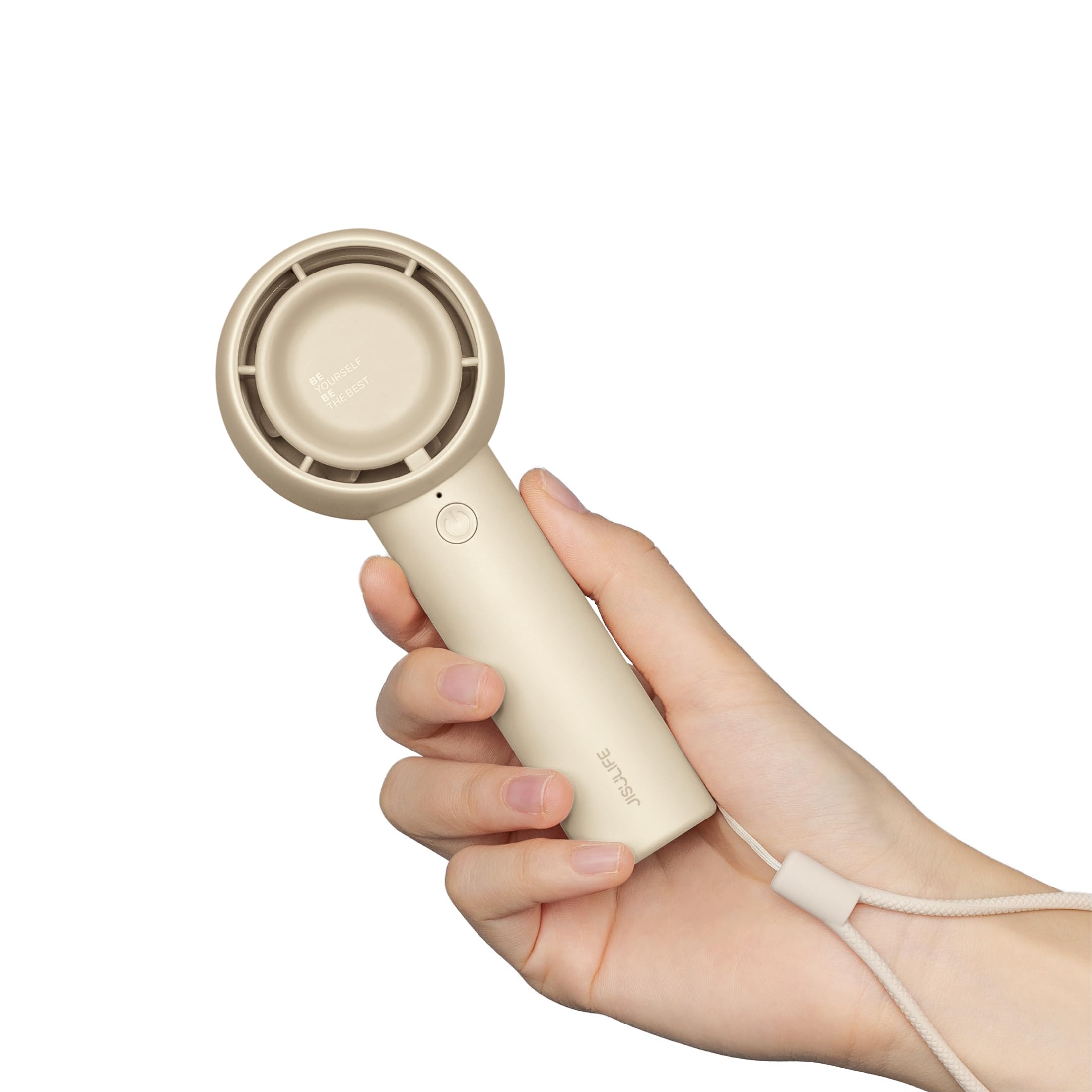
Figure 3.1: JISULIFE FA42 Mini Portable Bladeless Handheld Fan (Brown)

Figure 3.2: Illustration of the fan's gathering air duct technology, demonstrating a larger air outlet area and longer blowing distance.

ምስል 3.3 - ውስጣዊ view highlighting the high-performance brushless motor and curved turbo fan designed for reduced noise and comfortable airflow.
4. ማዋቀር
4.1. Unboxing እና የመጀመሪያ ክፍያ
Upon unboxing, ensure all components are present: the fan unit, USB-C charging cable, and lanyard.

Figure 4.1: The JISULIFE FA42 fan, its packaging, USB-C charging cable, and instruction manual.
Before first use, fully charge the fan. Connect the provided USB-C cable to the charging port on the fan and the other end to a USB power adapter (not included) or a computer's USB port. The indicator light will show charging status.

Figure 4.2: The fan's Type-C charging port in use. A full charge takes approximately 4 hours and provides up to 16 hours of cooling time.
4.2. ላንያርድን ማያያዝ
Thread the lanyard through the designated loop at the base of the fan's handle. This allows for convenient carrying on your wrist or attaching to a bag.
5. የአሠራር መመሪያዎች
5.1. የኃይል ማብራት/ማጥፋት እና የፍጥነት ማስተካከያ
The fan features a single power button for all operations:
- ለማብራት፡- የኃይል አዝራሩን አንድ ጊዜ ይጫኑ። ማራገቢያው በፍጥነት 1 ይጀምራል።
- ፍጥነትን ለማስተካከል; Press the power button repeatedly to cycle through the 5 available speed settings (Speed 1 to Speed 5).
- ለማጥፋት፡- After cycling through Speed 5, pressing the button again will turn the fan off. Alternatively, press and hold the power button for 2 seconds to turn off the fan from any speed setting.

Figure 5.1: The fan offers 5 adjustable speeds, ranging from 5000r/min (Low) to 9000r/min (High).
5.2. Battery Life Indication
The indicator light near the power button also provides battery status. Refer to the product's packaging or official website for detailed light patterns (e.g., solid light for full charge, blinking for low battery).

Figure 5.2: The 4500mAh battery provides up to 16 hours of 'Sleep Wind', 8.5 hours of 'Cold Wind', and 5 hours of 'Strong Wind'.
5.3. የአጠቃቀም ሁኔታዎች
The compact and powerful design makes this fan suitable for various activities:
- ከቤት ውጭ እንቅስቃሴዎች; Travel, camping, commuting, shopping, music festivals.
- የቤት ውስጥ አጠቃቀም; Office, dorm room, makeup application, quick-drying lashes.

Figure 5.3: The fan is versatile for use while walking, in the office, during makeup application, and while camping
Video 5.1: An official product video from JISULIFE-NA demonstrating the features and use of the Mini Handheld Turbo Fan.
6. ጥገና
6.1. ማጽዳት
To clean the fan, gently wipe the exterior with a soft, dry cloth. Do not use abrasive cleaners, solvents, or immerse the fan in water. Ensure the fan is turned off before cleaning.
6.2. ማከማቻ
ለረጅም ጊዜ ጥቅም ላይ በማይውሉበት ጊዜ፣ የአየር ማራገቢያውን ከቀጥታ የፀሐይ ብርሃን እና ከፍተኛ የሙቀት መጠን ራቅ ባለ ቀዝቃዛና ደረቅ ቦታ ያስቀምጡ። የባትሪ ጤናን ለመጠበቅ በየ 3 ወሩ የአየር ማራገቢያው ቻርጅ ማድረግ ይመከራል።
7. መላ መፈለግ
| ችግር | ሊሆን የሚችል ምክንያት | መፍትሄ |
|---|---|---|
| ደጋፊ አይበራም። | ዝቅተኛ ባትሪ; የኃይል ቁልፉ በትክክል አልተጫነም። | Charge the fan; Press and hold the power button for 2 seconds to ensure it powers on. |
| ደካማ የአየር ፍሰት | Low battery; Fan speed set too low | Charge the fan; Increase the fan speed by pressing the power button. |
| ደጋፊ እየሞላ አይደለም። | የተበላሸ ገመድ/አዳፕተር፤ ልቅ ግንኙነት | Try a different USB-C cable or power adapter; Ensure the cable is securely connected to both the fan and the power source. |
| ያልተለመደ ጫጫታ | Obstruction in air duct; Internal issue | Turn off the fan and check for any obstructions in the air inlet/outlet. If the issue persists, contact customer support. |
8. ዝርዝሮች
| ባህሪ | ዝርዝር |
|---|---|
| የምርት ስም | JISULIFE |
| የሞዴል ስም | FA42 |
| ቀለም | ብናማ |
| የኃይል ምንጭ | ባትሪ የተጎላበተ (1 ሊቲየም አዮን ባትሪ ተካትቷል) |
| የባትሪ አቅም | 4500mAh |
| ከፍተኛው የማቀዝቀዣ ጊዜ | እስከ 16 ሰዓታት ድረስ |
| የኃይል መሙያ ጊዜ | በግምት. 4 ሰዓታት |
| ዋና የኃይል ማገናኛ አይነት | ዩኤስቢ-ሲ |
| የኃይል ደረጃዎች ብዛት | 5 |
| የምርት ልኬቶች | 1.85" ዲ x 2.44" ዋ x 5.98" ኤች |
| የእቃው ክብደት | 148 ግራም (5.2 አውንስ) |
| የድምጽ ደረጃ | 50 ዲሴብል |
| ልዩ ባህሪያት | Bladeless, Compact, Portable |
9. ዋስትና እና ድጋፍ
For warranty information and customer support, please refer to the warranty card included in your product packaging or visit the official JISULIFE website. You can also contact JISULIFE customer service through their Amazon መደብር.