
ፕሮስካን ፒዲቪዲ1332
ፕሮስካን 13.3 ኢንች ተንቀሳቃሽ ዲቪዲ ማጫወቻ
Model: PDVD1332 - User Manual
መግቢያ
This manual provides comprehensive instructions for the safe and efficient operation of your Proscan 13.3" Portable DVD Player, model PDVD1332. Please read this manual thoroughly before using the device and retain it for future reference.
ጠቃሚ የደህንነት መረጃ
To reduce the risk of electric shock, fire, or injury, always follow basic safety precautions when using this product.
- ክፍሉን ለዝናብ ወይም ለእርጥበት አያጋልጡት።
- የአየር ማናፈሻ ክፍተቶችን አያግዱ።
- በአምራቹ የተገለጹ አባሪዎችን/መለዋወጫዎችን ብቻ ይጠቀሙ።
- በመብረቅ አውሎ ንፋስ ጊዜ ወይም ለረጅም ጊዜ ጥቅም ላይ በማይውልበት ጊዜ ክፍሉን ይንቀሉ.
- ሁሉንም አገልግሎቶች ብቁ ለሆኑ የአገልግሎት ሰራተኞች ያመልክቱ።
የጥቅል ይዘቶች
ከዚህ በታች የተዘረዘሩት ሁሉም እቃዎች በጥቅልዎ ውስጥ መካተታቸውን ያረጋግጡ፡-
- Proscan 13.3" Portable DVD Player (PDVD1332)
- የርቀት መቆጣጠሪያ
- የኤሲ ኃይል አስማሚ
- የመኪና መሙያ
- የጆሮ ማዳመጫዎች
- የተጠቃሚ መመሪያ

Image showing the Proscan 13.3" Portable DVD Player alongside its travel essentials: remote control, earbuds, car charger, and AC power adapter. These accessories are designed to enhance the user's experience, especially during travel.
ምርት አልቋልview
Familiarize yourself with the various components and controls of your portable DVD player.
የፊት እና የላይኛው View

The Proscan 13.3" Portable DVD Player shown open, displaying its large screen and the intuitive control panel located on the base. The screen is swiveled for optimal viewing
ጎን View እና ወደቦች

ዝርዝር ጎን view of the Proscan Portable DVD Player, illustrating the accessible ports including USB, Card Slot (SD/MMC), Headphone Jack, AV Out, AV In, On/Off Switch, and DC 12V Power input.
የቁልፍ መቆጣጠሪያዎች፡
- MODE/SETUP: የምናሌ ቅንብሮችን ይድረሱ።
- ጥራዝ +/-: የድምፅ ደረጃን ያስተካክሉ።
- አጫውት/ ለአፍታ አቁም፡ መልሶ ማጫወትን ይጀምሩ ወይም ለአፍታ ያቁሙ።
- ተወ፥ መልሶ ማጫዎትን አቁም።
- ቀዳሚ/ቀጣይ ፦ Navigate tracks or chapters.
- USB/SD/MMC: Ports for external media.
- AV IN/OUT: Audio/Video input and output.
- ዲሲ 12 ቪ ለኤሲ አስማሚ ወይም ለመኪና ቻርጀር የኃይል ግቤት።
ማዋቀር
ባትሪውን በመሙላት ላይ
The portable DVD player is equipped with a built-in lithium-polymer battery for extended playback. Before first use, fully charge the battery.
- Connect the AC power adapter to the DC 12V input port on the player.
- የኤሲ ሃይል አስማሚውን ወደ መደበኛ ግድግዳ መሰኪያ ይሰኩት።
- The charging indicator light will illuminate. Once fully charged, the light may change color or turn off (refer to specific indicator behavior in the manual if available).
- For car use, connect the car charger to the DC 12V input and plug it into your vehicle's cigarette lighter socket.
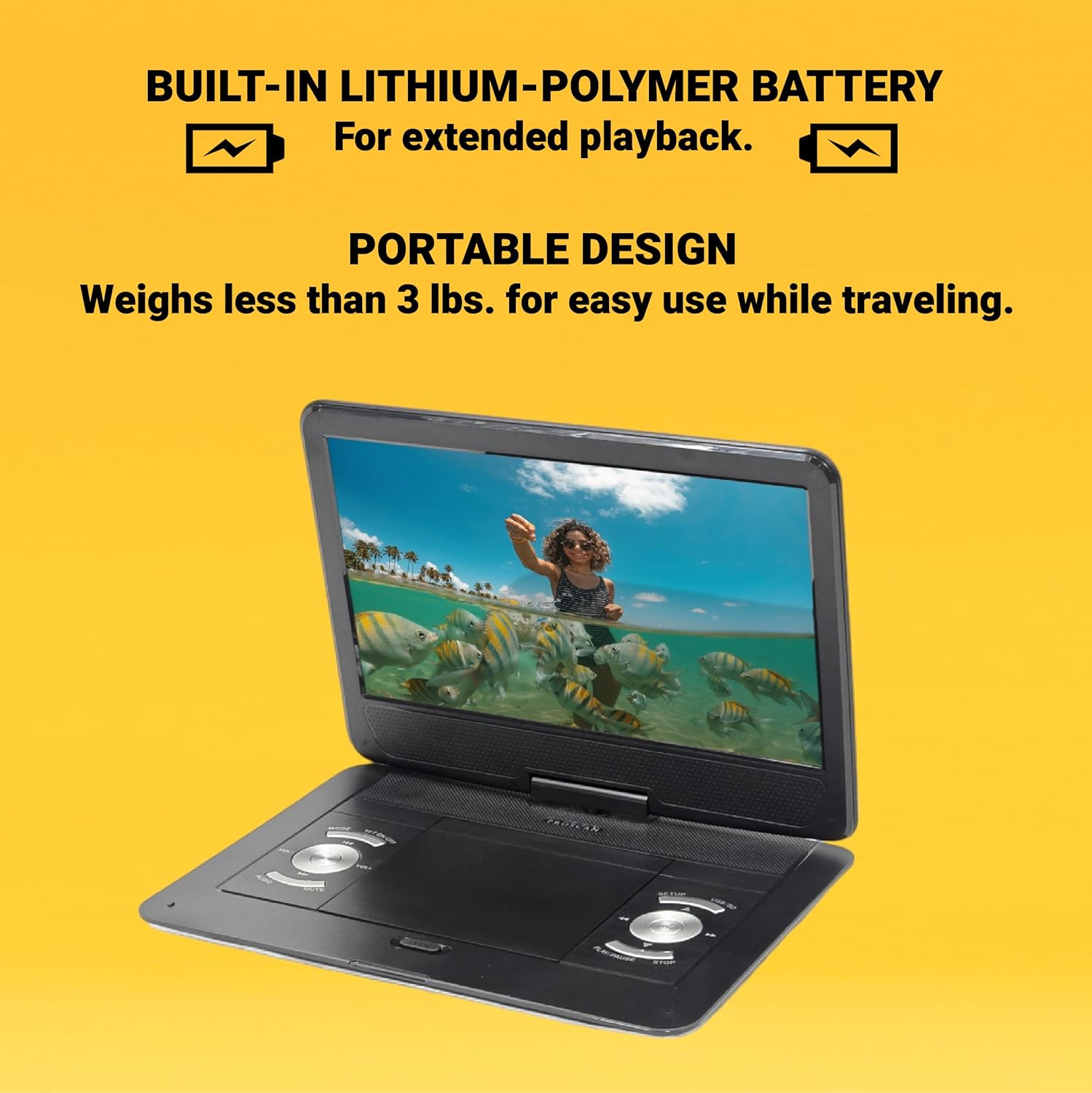
This image emphasizes the Proscan Portable DVD Player's built-in lithium-polymer battery, which provides extended playback, and its lightweight, portable design, weighing less than 3 lbs, making it ideal for travel.
በማብራት / በማጥፋት ላይ
- ለማብራት፣ የማብሪያ/ማጥፊያ ማብሪያውን ወደ "በርቷል" ቦታ ያንሸራትቱ።
- ለማጥፋት፣ የማብሪያ/ማጥፊያ ማብሪያውን ወደ "ጠፍቷል" ቦታ ያንሸራትቱ።
የአሠራር መመሪያዎች
Playing a DVD/CD
- Open the disc compartment cover.
- Carefully place a DVD or CD onto the disc spindle with the label side facing up.
- ዲስኩን ወደ ቦታው እስኪገባ ድረስ ቀስ ብለው ይጫኑት።
- የዲስክ ክፍሉን ሽፋን ይዝጉ።
- The player will automatically begin reading the disc. If not, press the አጫውት/አፍታ አቁም አዝራር።
Using USB/SD/MMC Media
The player supports MP3 and JPEG files from USB drives, SD cards, and MMC cards.
- Insert your USB drive into the USB port or your SD/MMC card into the card slot.
- የሚለውን ተጠቀም MODE button to select the appropriate input source (USB or CARD).
- በእርስዎ በኩል ያስሱ fileዎች በመጠቀም ቀዳሚ/ቀጣይ buttons and select with the አጫውት/አፍታ አቁም አዝራር።
የድምጽ መጠን ማስተካከል
የሚለውን ተጠቀም ቮልት +/- buttons on the player or the remote control to adjust the audio volume.
የርቀት መቆጣጠሪያን በመጠቀም
The included remote control provides full functionality for operating the DVD player from a distance. Ensure the remote has working batteries and is pointed towards the player's IR sensor.
ጥገና እና እንክብካቤ
- ማያ ገጹን ማጽዳት; Use a soft, lint-free cloth to gently wipe the screen. Do not use liquid cleaners or abrasive materials.
- ክፍሉን ማጽዳት; የተጫዋቹን ውጫዊ ክፍል ለስላሳ እና ደረቅ ጨርቅ ይጥረጉ.
- የዲስክ እንክብካቤ ዲስኮችን በጫፎቻቸው ይያዙ። ንጹህ እና ከጭረት ነጻ ያድርጓቸው። ጥቅም ላይ በማይውሉበት ጊዜ ዲስኮች በጉዳያቸው ውስጥ ያከማቹ.
- ማከማቻ፡ ለረጅም ጊዜ ጥቅም ላይ በማይውሉበት ጊዜ፣ ማጫዎቻውን ከቀጥታ የፀሐይ ብርሃን እና ከፍተኛ የሙቀት መጠን ራቅ ባለ ቀዝቃዛና ደረቅ ቦታ ያስቀምጡት።
መላ መፈለግ
| ችግር | ሊሆን የሚችል ምክንያት | መፍትሄ |
|---|---|---|
| ኃይል የለም | Battery drained; Power adapter not connected properly. | ባትሪውን ይሙሉት፤ የኃይል አስማሚው ደህንነቱ በተጠበቀ ሁኔታ መገናኘቱን ያረጋግጡ። |
| No disc playback | Disc inserted incorrectly; Disc is dirty or scratched; Incorrect region code. | Reinsert disc correctly; Clean or replace disc; Ensure disc is compatible with player's region. |
| ድምጽ የለም። | Volume too low; Mute function activated; Headphones not connected properly. | Increase volume; Deactivate mute; Reconnect headphones securely. |
| የርቀት መቆጣጠሪያ አይሰራም | ባትሪዎች ሞተዋል ወይም በትክክል አልተገቡም፤ በርቀት መቆጣጠሪያ እና በተጫዋቹ መካከል እንቅፋት። | ባትሪዎችን ይተኩ; ትክክለኛውን ፖሊነት ያረጋግጡ; እንቅፋቶችን ያስወግዱ. |
ዝርዝሮች
- ሞዴል፡ ፒዲቪዲ1332
- የስክሪን መጠን፡ 13.3 ኢንች TFT LCD
- የማሳያ አይነት፡ LCD
- የሚደገፉ የዲስክ ቅርጸቶች፡ DVD, DVD-R/RW, CD-R/RW
- የሚደገፉ የሚዲያ ቅርጸቶች፡ MP3, JPEG (via USB/SD/MMC)
- ግብዓቶች፡- USB, SD/MMC Card Slot, AV In, DC 12V
- ውጤቶች፡ Headphone Jack, AV Out
- ባትሪ፡ Built-in Lithium-Polymer
- ክብደት፡ በግምት 4 ፓውንድ
- መጠኖች፡- በግምት 15.85 x 14.37 x 3.47 ኢንች
- ቀለም፡ ጥቁር
ዋስትና እና ድጋፍ
This product is sold as a renewed item. Please refer to the specific warranty terms provided by the seller or retailer at the time of purchase. For technical support or service inquiries, please contact the seller or the Proscan customer service department. Keep your purchase receipt as proof of purchase for any warranty claims.
For further assistance, you may visit the official Proscan website or contact their customer support line, details for which are typically found on the product packaging or the seller's information page.
Ask a question about this manual
Ask about setup, troubleshooting, compatibility, parts, safety, or missing instructions. Manuals+ will review the question and use this page’s manual context to help answer it.