
1. መግቢያ
The UNI-T UT60S is a smart, true RMS digital multimeter designed for accurate and reliable electrical measurements. Featuring 9999 counts, this device can measure AC/DC voltage, AC/DC current, resistance, diode, capacitance, temperature, and frequency. Its fully automatic anti-burn intelligent design helps prevent operational errors and device damage, making it suitable for both professional technicians and everyday users.

ምስል 1: የፊት view of the UNI-T UT60S Digital Multimeter.
2. የደህንነት መረጃ
መልቲሜትር ሲጠቀሙ ሁልጊዜ የደህንነት ጥንቃቄዎችን ይከተሉ። ይህን አለማድረግ በሙከራ ላይ ባለው ቆጣሪ ወይም መሳሪያ ላይ የኤሌክትሪክ ንዝረት፣ ጉዳት ወይም ጉዳት ሊያስከትል ይችላል።
- መመሪያውን ያንብቡ፡- Before use, thoroughly read and understand all instructions and safety warnings in this manual.
- ደረጃ የተሰጠው ጥራዝtage: ከተገመተው ጥራዝ በላይ አይተገበሩtage, as marked on the meter, between terminals or between any terminal and earth ground. The UT60S is capable of withstanding a maximum overvoltage impulse of 1000V.
- ከመጠቀምዎ በፊት መመርመር; Before each use, inspect the meter, test leads, and accessories for any damage. Do not use if damaged.
- Proper Terminals: Ensure test leads are connected to the correct input terminals for the measurement function selected.
- ዑደት ማላቀቅ፡ Always de-energize the circuit and discharge all high-voltagየመቋቋም፣ የቀጣይነት፣ የዳዮድ ወይም የካፒታንስ መለኪያዎችን ከማከናወንዎ በፊት ኢ-ካፓሲተሮች።
- Live Circuit Work: When working on live circuits, work alone as little as possible, and ensure another person is present to provide assistance if needed.
- ወቅታዊ ጥበቃ፡- The meter features overcurrent alarms and protection functions. Do not exceed the maximum current ratings for the input terminals.
- የአካባቢ ሁኔታዎች; Use the meter only as specified in this manual. Do not use the meter in explosive gas, vapor, or dusty environments.
- የግል መከላከያ መሳሪያዎች; ከኤሌክትሪክ ዑደት ጋር ሲሰሩ ሁልጊዜ እንደ የደህንነት መነጽር እና የተዘጉ ጓንቶች ያሉ ተገቢ የግል መከላከያ መሳሪያዎችን (PPE) ያድርጉ።
3. የምርት ባህሪዎች
The UNI-T UT60S Digital Multimeter offers a range of features for versatile and safe electrical testing:
- 9999 ቆጣሪዎች ማሳያ: Provides high-resolution measurements for precision.
- እውነተኛ የአርኤምኤስ መለኪያ፡- Ensures accurate readings for non-sinusoidal waveforms.
- Fully Automatic Anti-Burn Design: Intelligent protection against operational errors and potential device damage.
- Wide Measurement Capabilities: AC/DC ጥራዝ ይለካልtage (up to 1000V), AC/DC current, resistance, diode, capacitance, temperature, and frequency.
- Large LCD Screen with Dual Display: Allows simultaneous display of AC voltage and frequency, enhancing readability.
- Full Button Design: Offers intuitive control and automatic recognition of current input jacks.
- Fast ADC (Analog to Digital Converter): Provides rapid measurement updates (3 times/second).
- Misoperation Protection: Capable of withstanding a maximum overvoltage impulse of 1000V, with overvoltage and overcurrent alarms.
- NCV (እውቂያ ያልሆነ ጥራዝ)tagሠ) ተግባር፡ የ AC voltage without physical contact, featuring audible and visual alarms for safety.
- ራስ-ሰር የኃይል ቁጠባ; Low power consumption (7mA during operation, 5uA in sleep state) and automatic backlight display in dark environments, extending battery life. Automatic shut-down feature.

Figure 2: The UT60S display with 9999 counts for precise readings.
4. በሳጥኑ ውስጥ ያለው
ጥቅሉን ሲከፍቱ የሚከተሉትን እቃዎች ማግኘት አለብዎት:
- UNI-T UT60S ዲጂታል መልቲሜትር
- Thermocouple (for temperature measurements)
- Multimeter Test Leads (red and black)
- 1.5V AAA Batteries (pre-installed or included separately)

Figure 3: Contents of the UNI-T UT60S package, including the multimeter, test leads, and thermocouple.
5. ማዋቀር
5.1. የባትሪ ጭነት
The UT60S typically uses 1.5V AAA batteries. To install or replace batteries:
- መልቲሜትር መብራቱን እና የሙከራ ገመዶች መገናኘታቸውን ያረጋግጡ።
- የባትሪውን ክፍል በመለኪያው ጀርባ ላይ ያግኙት።
- የባትሪውን ክፍል ለመክፈት ዊንዳይቨር ይጠቀሙ።
- የ AAA ባትሪዎችን ያስገቡ፣ ትክክለኛውን የፖላራይቲ (+ እና -) ይመልከቱ።
- የባትሪውን ክፍል ሽፋን ይቀይሩት እና በመጠምዘዝ ያስቀምጡት.
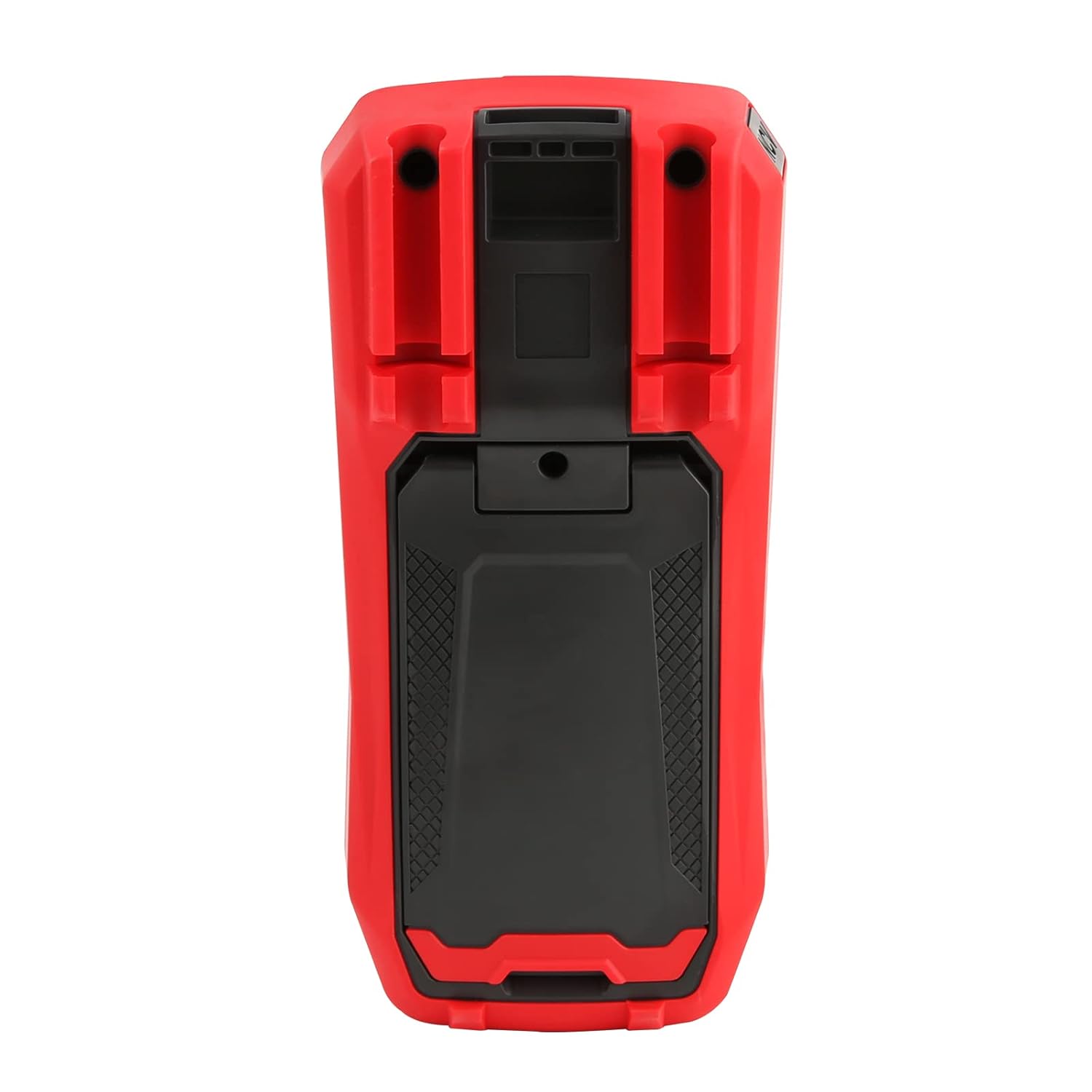
ምስል 4: የኋላ view of the UT60S, indicating the battery compartment location.
5.2. የፈተና መሪዎችን ማገናኘት
Connect the test leads to the appropriate input terminals:
- The black test lead (common) should always be connected to the COM ተርሚናል.
- ለ voltage, resistance, capacitance, frequency, diode, and continuity measurements, connect the red test lead to the VΩHzCAP ተርሚናል.
- For current measurements (mA/A), connect the red test lead to the ማ/ኤ ተርሚናል.
- ለማይክሮampere current measurements (μA), connect the red test lead to the .አ ተርሚናል.

Figure 5: Input terminals of the UT60S for connecting test leads.
6. የአሠራር መመሪያዎች
The UT60S features a full button design for selecting measurement functions. The meter's intelligent anti-burn design automatically recognizes the input jack and selected function.
6.1. ማብራት / ማጥፋት
የሚለውን ይጫኑ ኃይል button to turn the meter on or off. The meter will automatically shut down after a period of inactivity to save battery life.
6.2. ራስ-ሰር ሁነታ
In Auto mode, the meter automatically identifies the measurement type (voltage, resistance, continuity) and selects the appropriate range. This simplifies operation for general troubleshooting.
6.3. የኤሲ/ዲሲ መጠን መለካትtage
ጥራዝ ለመለካትtage:
- የጥቁር ሙከራ መሪውን ከ ጋር ያገናኙ COM ተርሚናል እና ቀይ ፈተናው ወደ VΩHzCAP ተርሚናል.
- የሚለውን ይጫኑ ቪ ~ / Hz button to select AC voltage measurement, or the V= / NCV button for DC voltage. The meter may automatically select the correct mode in Auto range.
- የሙከራ መመርመሪያዎችን በሚለካው ወረዳ ወይም ክፍል ላይ ያገናኙ።
- ጥራዝ ያንብቡtage value on the display. For AC voltage, the frequency may also be displayed simultaneously.

ምስል 6፡ የኤሲ መጠንን መለካትtage and frequency with the UT60S.
6.4. የኤሲ/ዲሲ ጅረት መለካት
የአሁኑን መጠን ለመለካት፡-
- አስፈላጊ፡- To measure current, the meter must be connected in series with the circuit. Always turn off power to the circuit before connecting the meter.
- የጥቁር ሙከራ መሪውን ከ ጋር ያገናኙ COM ተርሚናል.
- For current up to 10A, connect the red test lead to the ማ/ኤ terminal. For microampere current, connect to the .አ ተርሚናል.
- የሚለውን ይጫኑ ACA/DCA button to select AC or DC current measurement.
- Break the circuit and connect the test leads in series with the load.
- ኃይልን ወደ ወረዳው ይተግብሩ እና በማሳያው ላይ ያለውን የአሁኑን እሴት ያንብቡ።
6.5. Measuring Resistance, Diode, and Continuity
To measure resistance, diode, or continuity:
- Ensure the circuit is de-energized and capacitors are discharged.
- የጥቁር ሙከራ መሪውን ከ ጋር ያገናኙ COM ተርሚናል እና ቀይ ፈተናው ወደ VΩHzCAP ተርሚናል.
- የሚለውን ይጫኑ Ω→+ button to cycle through resistance, diode, and continuity functions.
- የሙከራ መመርመሪያዎችን በክፍሎቹ ላይ ያገናኙ።
- Read the measurement. For continuity, an audible buzzer will sound if continuity is detected.
6.6. የመለኪያ አቅም
አቅምን ለመለካት፡-
- ከመሞከርዎ በፊት መያዣው ሙሉ በሙሉ መውጣቱን ያረጋግጡ።
- የጥቁር ሙከራ መሪውን ከ ጋር ያገናኙ COM ተርሚናል እና ቀይ ፈተናው ወደ VΩHzCAP ተርሚናል.
- የሚለውን ይጫኑ mV~°C°F button to select temperature measurement.
- የሙከራ መመርመሪያዎችን በካፓሲተር ተርሚናሎች ላይ ያገናኙ።
- በማሳያው ላይ ያለውን የ capacitance እሴት ያንብቡ።

Figure 7: The UT60S performing a capacitance measurement.
6.7. የሙቀት መጠን መለካት
የሙቀት መጠንን ለመለካት;
- Connect the thermocouple to the appropriate input terminals (usually the VΩHzCAP እና COM terminals, or dedicated temperature inputs if available).
- የሚለውን ይጫኑ mV~°C°F button to select temperature measurement.
- የሙቀት ኮምፕሌቱ መመርመሪያውን የሙቀት መጠኑን መለካት በሚያስፈልግበት ቦታ ላይ ያድርጉት።
- በማሳያው ላይ ያለውን የሙቀት መጠን በሴልሺየስ ወይም ፋራናይት ያንብቡ።
6.8. ኤንሲቪ (የእውቂያ ያልሆነ ጥራዝtage) Function
The NCV function allows detection of AC voltagከኮንዳክተሮች ጋር ቀጥተኛ ግንኙነት ሳይኖር።
- የሚለውን ይጫኑ V= / NCV የ NCV ተግባርን ለማግበር አዝራር።
- Move the top of the meter close to the conductor or outlet.
- The meter will provide an audible alarm and visual indication (flashing light) if AC voltage is detected. The intensity of the alarm and light may vary with voltagሠ ጥንካሬ.

Figure 8: Using the NCV function to detect live AC voltage.
6.9. የውሂብ መያዣ
የሚለውን ይጫኑ ያዝ በማሳያው ላይ ያለውን የአሁኑን ንባብ ለማቀዝቀዝ ቁልፉ። የመያዣ ተግባሩን ለመልቀቅ እንደገና ይጫኑት።
6.10. የክልል ምርጫ
While the meter typically operates in Auto range, you can manually select a range by pressing the ቀይር button. This can be useful for specific applications or to speed up measurements in stable conditions. Press and hold the ቀይር button to return to Auto range.
6.11. USB Communication (if applicable)
The UT60S series may support USB communication for data logging and analysis on a computer. If your model includes this feature, connect the meter to your computer using the provided USB cable and install the UNI-T software. Refer to the software manual for detailed instructions.
Video 1: Demonstration of features like NCV, LoZ, and USB communication on a UNI-T UT161 series multimeter. The UT60S shares similar functionalities.
7. ጥገና
7.1. ማጽዳት
የቆጣሪውን መያዣ በማስታወቂያ ይጥረጉamp ጨርቅ እና ለስላሳ ማጠቢያ. ብስባሽ ወይም ፈሳሽ አይጠቀሙ. ከመጠቀምዎ በፊት ቆጣሪው ሙሉ በሙሉ ደረቅ መሆኑን ያረጋግጡ.
7.2. የባትሪ መተካት
የባትሪው ዝቅተኛ መጠን ያለው አመልካች በማሳያው ላይ ሲታይ ባትሪዎቹን ይተኩ። የባትሪውን የመጫኛ መመሪያዎች ለማግኘት ክፍል 5.1ን ይመልከቱ።
7.3. ፊውዝ መተካት
If the current measurement function stops working, the fuse may need replacement. Refer to the full user manual for specific fuse ratings and replacement procedures. Always use fuses with the specified voltagሠ እና ወቅታዊ ደረጃዎች.
8. መላ መፈለግ
If you encounter issues with your UNI-T UT60S, try the following basic troubleshooting steps:
- ማሳያ/ማብሪያ የለም፡ የባትሪ መጫኑን ያረጋግጡ እና ባትሪዎች እንዳልሟጠጡ ያረጋግጡ። አስፈላጊ ከሆነ ይተኩ.
- የተሳሳቱ ንባቦች፡- Verify that the test leads are correctly connected to the appropriate terminals for the selected function. Ensure the function dial is set correctly. Check for damaged test leads.
- የአሁኑ መለኪያ አይሰራም፦ Check the fuse. If blown, replace it with a fuse of the correct rating. Ensure the meter is connected in series with the circuit.
- "OL" ወይም ከመጠን በላይ ጭነት አመላካች፡ This indicates that the measured value is outside the selected range or the maximum capability of the meter. Try selecting a higher range (if in manual range mode) or ensure the component is within the meter's specifications.
- የኤንሲቪ (NCV) ምርመራ አልተደረገም፦ Ensure the NCV function is activated and the meter is brought close enough to the AC voltagኢ ምንጭ.
For more complex issues, refer to the detailed troubleshooting section in the complete user manual or contact UNI-T customer support.
9. ዝርዝሮች
Key specifications for the UNI-T UT60S Digital Multimeter:
| ባህሪ | ዝርዝር መግለጫ |
|---|---|
| የማሳያ ብዛት | 9999 |
| እውነተኛ RMS | አዎ |
| ኤሲ/ዲሲ ጥራዝtage | እስከ 1000 ቪ |
| ኤሲ / ዲሲ ወቅታዊ | Up to 10A (mA/A terminals), Up to 1000μA (μA terminal) |
| መቋቋም | 0.1Ω - 40MΩ |
| አቅም | 1nF - 4000μF |
| የሙቀት መጠን | Yes (with thermocouple) |
| ድግግሞሽ | አዎ |
| የዳዮ ሙከራ | አዎ |
| ቀጣይነት ፈተና | አዎ |
| NCV (እውቂያ ያልሆነ ጥራዝ)tage) | አዎ |
| የኃይል ምንጭ | Battery Powered (1.5V AAA batteries) |
| የእቃው ክብደት | 370 ግራም |
| የደህንነት ተገዢነት | UL 61010-1, IEC 61010-2-030, CAT III 1000V, CAT II 600V |
10. ዋስትና እና ድጋፍ
UNI-T provides customer support for their products. If you encounter any problems during use, please contact UNI-T customer service directly via email. They offer 7/24 1-to-1 user support to address your concerns promptly.
For specific warranty details, please refer to the warranty card included with your product or visit the official UNI-T webጣቢያ.