
1. መግቢያ
The GAMDIAS HELIOS P2-1000G is a fully modular power supply unit designed for high-performance computing systems. It features 80 Plus Gold certification for energy efficiency, supports ATX 3.1 and PCIe Gen 5.1 standards, and incorporates 100% Japanese capacitors for enhanced reliability. This manual provides essential information for the safe installation, operation, and maintenance of your power supply.
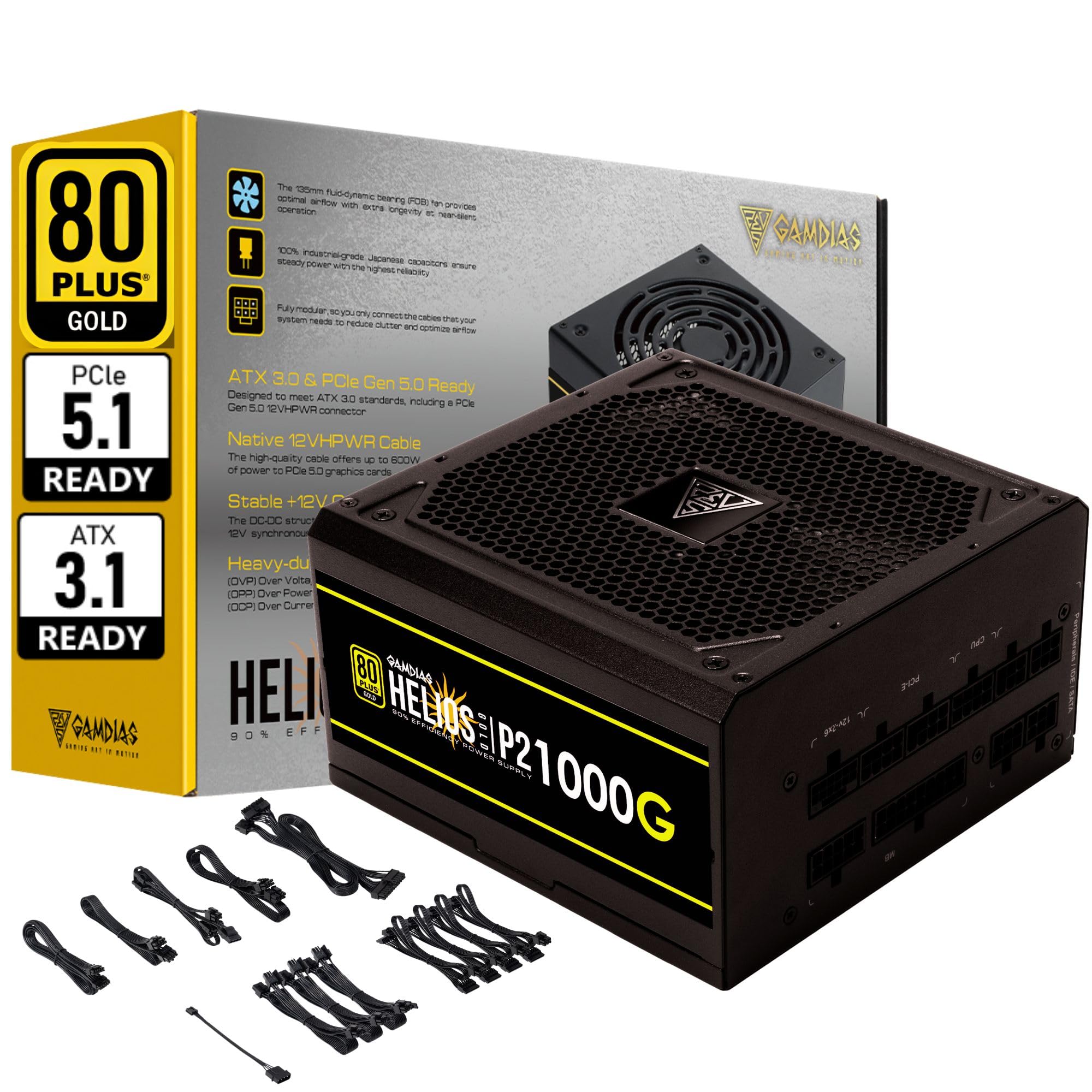
ምስል 1.1፡ አልቋልview of the GAMDIAS HELIOS P2-1000G Power Supply.
2. የደህንነት መረጃ
- ከፍተኛ ጥራዝtage: የኃይል አቅርቦቱ ከፍተኛ መጠን ይይዛልtagሠ ክፍሎች. የኃይል አቅርቦቱን አይክፈቱ ሐasinሰ. በውስጡ ለተጠቃሚ አገልግሎት የሚሰጡ ክፍሎች የሉም። ክፍሉን መክፈት ዋስትናውን ውድቅ ያደርገዋል እና የኤሌክትሪክ ንዝረት አደጋን ያስከትላል።
- ትክክለኛ የመሬት አቀማመጥ; Ensure the power supply is properly grounded using the provided power cord.
- የአየር ማናፈሻ; የኃይል አቅርቦቱን የአየር ማናፈሻ ክፍተቶች አይዝጉ። ከመጠን በላይ ሙቀትን ለመከላከል በመሳሪያው ዙሪያ በቂ የአየር ዝውውር ያረጋግጡ።
- አካባቢ፡ Avoid installing the power supply in environments with high humidity, extreme temperatures, or excessive dust.
- ኃይል ዝጋ: Always disconnect the AC power cord from the wall outlet before installing, removing, or cleaning the power supply or any connected components.
- ትክክለኛ ዋትtage: Ensure the power supply's wattage is sufficient for your system's components.
3. የጥቅል ይዘቶች
ሁሉም እቃዎች በጥቅሉ ውስጥ መኖራቸውን ያረጋግጡ፡-
- GAMDIAS HELIOS P2-1000G Power Supply Unit
- Modular Cable Set (including 24-pin ATX, CPU, PCIe, SATA, Molex, and 12VHPWR cables)
- የ AC ኃይል ገመድ
- ማፈናጠጥ ብሎኖች
- የተጠቃሚ መመሪያ (ይህ ሰነድ)
4. የምርት ባህሪዎች
The HELIOS P2-1000G power supply incorporates several features designed for performance and reliability:
- 80 PLUS Gold Certified Efficiency: Achieves up to 92% efficiency at 50% load, reducing power consumption and heat generation.
- ATX 3.1 and PCIe Gen 5.1 Ready: Designed to meet the latest power standards, supporting next-generation graphics cards with up to 200% total power excursion.
- Native 12VHPWR Cable: Includes a native 16-pin (12VHPWR) PCIe connector capable of delivering up to 600W for PCIe 5.1 graphics cards.
- Quiet Operation with 135mm Dual-Ball Bearing Smart Fan: Features a high-quality 135mm fan with a dual-ball bearing design for durability and quiet operation. The smart fan control adjusts speed based on load to minimize noise.
- ሙሉ ለሙሉ ሞዱል ንድፍ; Allows for connecting only the necessary cables, improving cable management and airflow within the PC case.
- Premium Japanese Capacitors: Built with 100% high-quality Japanese 105°C/221°F electrolytic capacitors for superior durability and power stability.
- Comprehensive Protection Mechanisms: Includes Over Current Protection (OCP), Over Temperature Protection (OTP), Over Voltage Protection (OVP), Over Power Protection (OPP), Under Voltagየኢ-ፕሮቴክሽን (UVP) እና የአጭር ዑደት ጥበቃ (SCP) የስርዓት ደህንነትን ለማረጋገጥ።
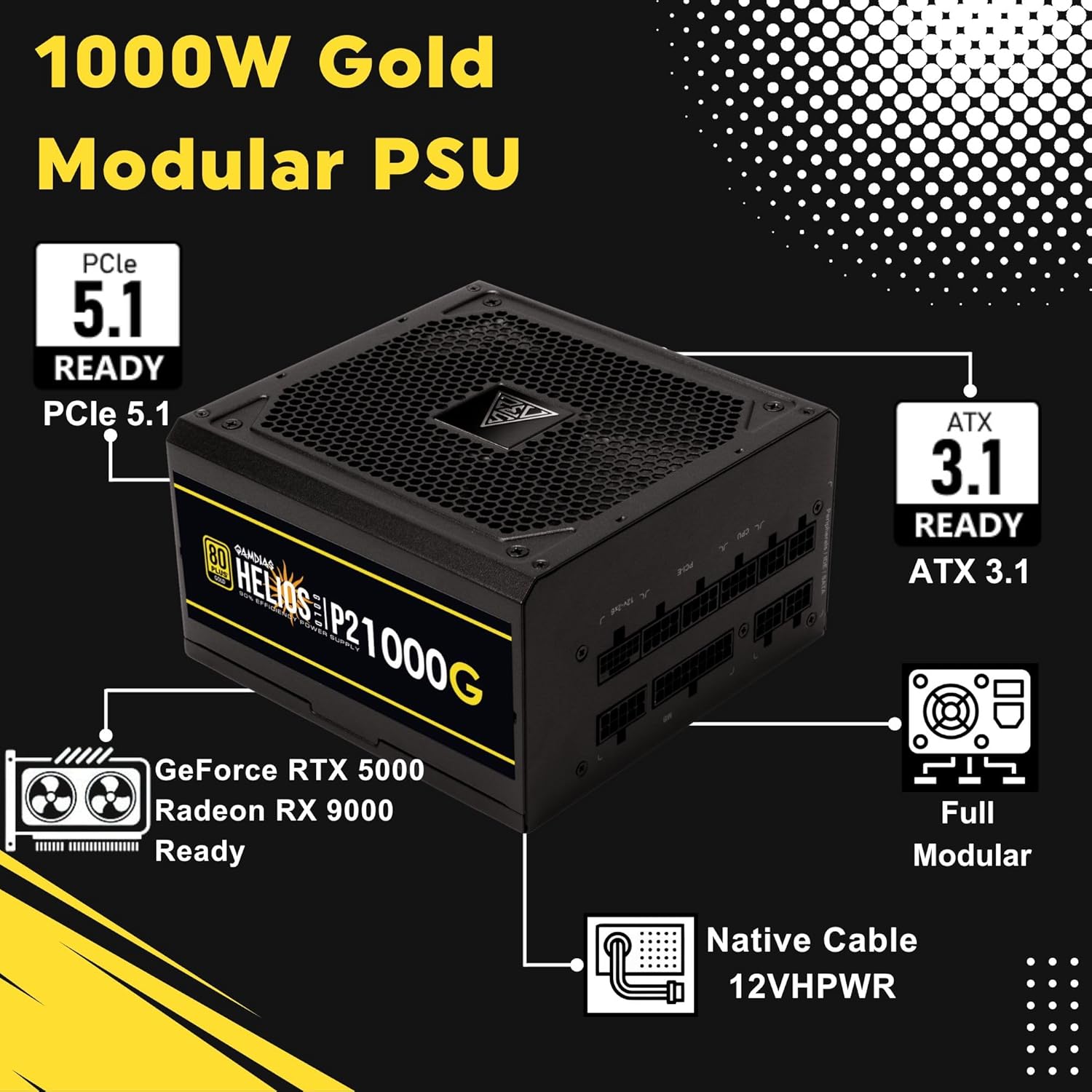
Image 4.1: Key features of the HELIOS P2-1000G, including PCIe 5.1 and ATX 3.1 readiness.

Image 4.2: The 80 Plus Gold certification ensures high energy efficiency.
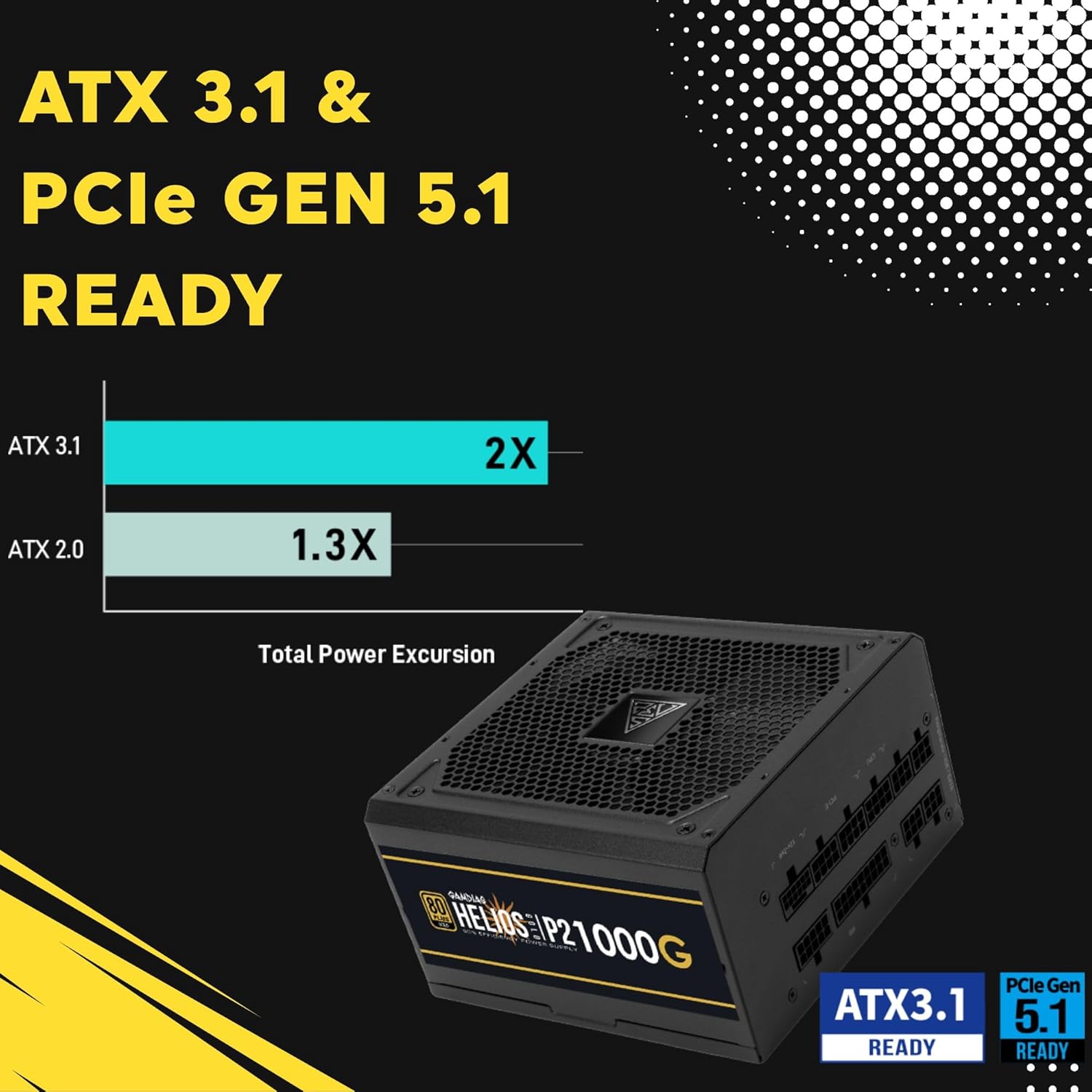
Image 4.3: The power supply is ready for ATX 3.1 and PCIe Gen 5.1, offering improved power excursion.

Image 4.4: Icons representing the various protection features integrated into the power supply.
5. ማዋቀር እና መጫን
5.1 አካላዊ ጭነት
- ስርዓትዎን ያዘጋጁ: ኮምፒውተርዎ ሙሉ በሙሉ መብራቱን እና ከግድግዳው ሶኬት መውጣቱን ያረጋግጡ።
- PSU ን ይጫኑ: Carefully slide the HELIOS P2-1000G into the power supply bay of your PC case. Ensure the fan is oriented correctly (typically facing downwards for bottom-mounted PSUs, or upwards if your case design requires it for optimal airflow).
- የ PSUን ደህንነት ይጠብቁ፡ የኃይል አቅርቦቱን ወደ ፒሲ መያዣው ከኋላ ለመጠበቅ የተሰጡትን የመጫኛ ቁልፎች ይጠቀሙ።
5.2 የኬብል ግንኙነቶች
The HELIOS P2-1000G is fully modular. Connect only the cables required for your system components.
- ባለ 24-ፒን ATX Motherboard ገመድ፡- Connect the large 24-pin cable to the corresponding port on your motherboard. Ensure it clicks into place.
- CPU (EPS) Cable: Connect the 4+4-pin or 8-pin CPU cable to the CPU power connector(s) on your motherboard. High-end motherboards may require two 8-pin connectors.
- PCIe Graphics Card Cables:
- 12VHPWR Cable: For compatible PCIe 5.1 graphics cards, connect the native 16-pin 12VHPWR cable directly to the GPU. Ensure a firm connection.
- 6+2-ፒን PCIe ኬብሎች፡ For other graphics cards, connect the 6+2-pin PCIe cables to the GPU power connectors.
- የSATA የኃይል ገመዶች፡ Connect SATA power cables to your SSDs, HDDs, and other SATA-powered devices.
- ተጓዳኝ (ሞሌክስ) ኬብሎች፡ የሞሌክስ ኬብሎችን ለሚያስፈልጋቸው ማንኛውም የቆዩ ተጓዳኝ መሳሪያዎች ያገናኙ።
- የኤሲ ኃይል ገመድ፡- Once all internal connections are made, connect the AC power cord to the power supply and then to a grounded wall outlet.

Image 5.1: The native 16-pin 12VHPWR cable for direct connection to PCIe 5.1 graphics cards.
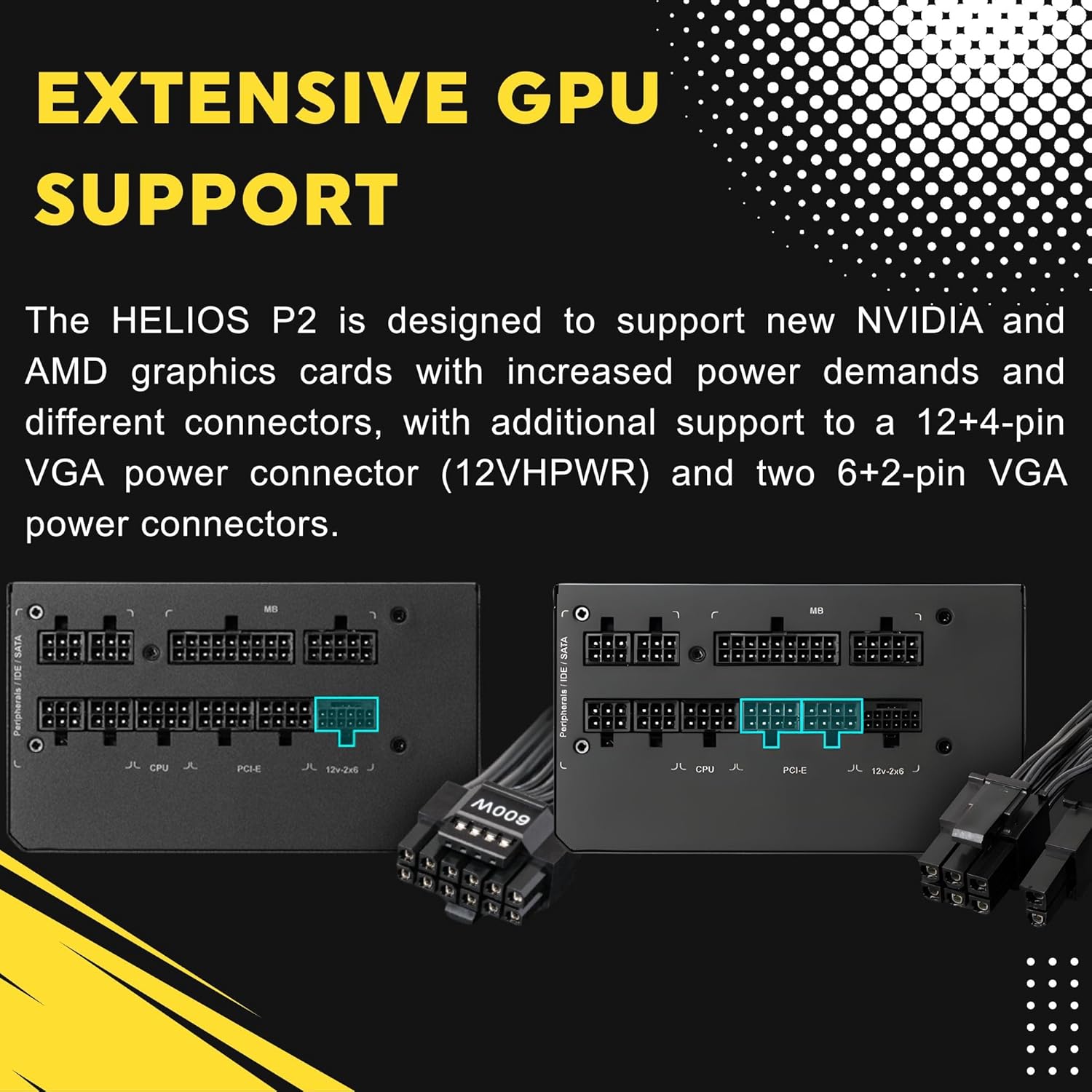
Image 5.2: Illustration of the fully modular design, showing various cable connections.
6. የአሠራር መመሪያዎች
6.1 ስርዓትዎን ማብራት
After ensuring all cables are securely connected, flip the power switch on the back of the power supply to the 'ON' (I) position. You can then power on your computer using the case's power button.
6.2 Smart Fan Control
The HELIOS P2-1000G features a smart fan control system. The 135mm fan will adjust its speed automatically based on the power supply's load and internal temperature. This ensures optimal cooling while minimizing noise during lighter loads.

Image 6.1: Graph illustrating the smart fan's speed adjustment relative to power output.
7. ጥገና
7.1 ጽዳት
To maintain optimal performance and longevity, periodically clean the power supply:
- ኃይልን አቋርጥ፡ Always unplug the AC power cord from the wall outlet and the power supply before cleaning.
- አቧራ ማስወገድ; Use compressed air to gently blow dust out of the fan grille and ventilation openings. Hold the fan blades to prevent them from spinning rapidly during cleaning, which can damage the bearings.
- የውጭ ጽዳት; Wipe the exterior of the power supply with a soft, dry cloth. Do not use liquid cleaners or solvents.
7.2 ማከማቻ
If storing the power supply, keep it in a cool, dry environment, away from direct sunlight and extreme temperatures. Use its original packaging if available to protect it from dust and physical damage.
8. መላ መፈለግ
በኃይል አቅርቦትዎ ላይ ችግሮች ካጋጠሙዎት የሚከተሉትን የተለመዱ የመላ ፍለጋ ደረጃዎች ይመልከቱ።
- ኃይል የለም፡
- የኤሲ (AC) የኃይል ገመዱ ከኃይል አቅርቦቱ እና ከግድግዳ መውጫው ጋር ደህንነቱ በተጠበቀ ሁኔታ መገናኘቱን ያረጋግጡ።
- በ PSU ጀርባ ላይ ያለው የኃይል ማብሪያ / ማጥፊያ በ 'ON' (I) ቦታ ላይ መሆኑን ያረጋግጡ።
- Verify all modular cables are firmly seated in both the power supply and the components.
- ኃይል እንዳለው ለማረጋገጥ የግድግዳውን መውጫ በሌላ መሳሪያ ይሞክሩት።
- የስርዓት አለመረጋጋት/ብልሽቶች፡
- የስርዓትዎ የኃይል መስፈርቶች ከ PSU 1000 ዋት አቅም በላይ እንዳይሆኑ ያረጋግጡ።
- በተለይም ከእናትቦርዱ እና ከግራፊክስ ካርድ ጋር የተላቀቁ የኬብል ግንኙነቶችን ያረጋግጡ።
- Ensure adequate ventilation within your PC case to prevent overheating of components, including the PSU.
- ከፍተኛ የደጋፊ ድምጽ;
- The fan speed adjusts based on load. High system load will naturally increase fan speed.
- Check for dust accumulation in the fan or vents and clean as described in the Maintenance section.
If issues persist after performing these steps, contact GAMDIAS customer support.
9. ዝርዝሮች
| ባህሪ | ዝርዝር መግለጫ |
|---|---|
| የሞዴል ስም | HELIOS P2-1000G |
| የምርት ስም | ጋምዲያስ |
| የውጤት ዋትtage | 1000 ዋት |
| የቅጽ ምክንያት | ATX |
| የውጤታማነት ማረጋገጫ | 80 ፕላስ ወርቅ |
| የማቀዝቀዣ ዘዴ | Air (135mm Dual-Ball Bearing Smart Fan) |
| የማገናኛ አይነት | ATX, PCI Express (Native 12VHPWR) |
| ተስማሚ መሣሪያዎች | የግል ኮምፒተር |
| የምርት ልኬቶች (L x W x H) | 12.8 x 8.27 x 4.13 ኢንች |
| የእቃው ክብደት | 7.28 ፓውንድ (3300 ግራም) |
| የመጀመሪያ ቀን ይገኛል። | ኤፕሪል 19, 2023 |
10. የዋስትና መረጃ
GAMDIAS products are manufactured to the highest quality standards. For detailed warranty terms and conditions, please refer to the official GAMDIAS webከምርትዎ ጋር የተካተተው ጣቢያ ወይም የዋስትና ካርድ። ለዋስትና ጥያቄዎች የግዢ ማረጋገጫዎን ያስቀምጡ።
11. የደንበኛ ድጋፍ
If you require technical assistance or have questions regarding your GAMDIAS HELIOS P2-1000G power supply, please visit the official GAMDIAS support website or contact their customer service department. Contact information can typically be found on the GAMDIAS webጣቢያ ወይም በምርት ማሸጊያው ውስጥ.


