
1. መግቢያ
ስለገዙ እናመሰግናለንasing the Hoco BS55 Wireless Outdoor Speaker. This manual provides important information regarding the setup, operation, and maintenance of your speaker. Please read it carefully before using the product to ensure proper function and to extend its lifespan. Keep this manual for future reference.
2. ምርት አብቅቷልview
2.1 የጥቅል ይዘቶች
- Hoco BS55 Wireless Outdoor Speaker
- የኃይል መሙያ ገመድ
- የድምጽ ገመድ (AUX)
- Wired Microphone (may vary by package)
- መመሪያ መመሪያ
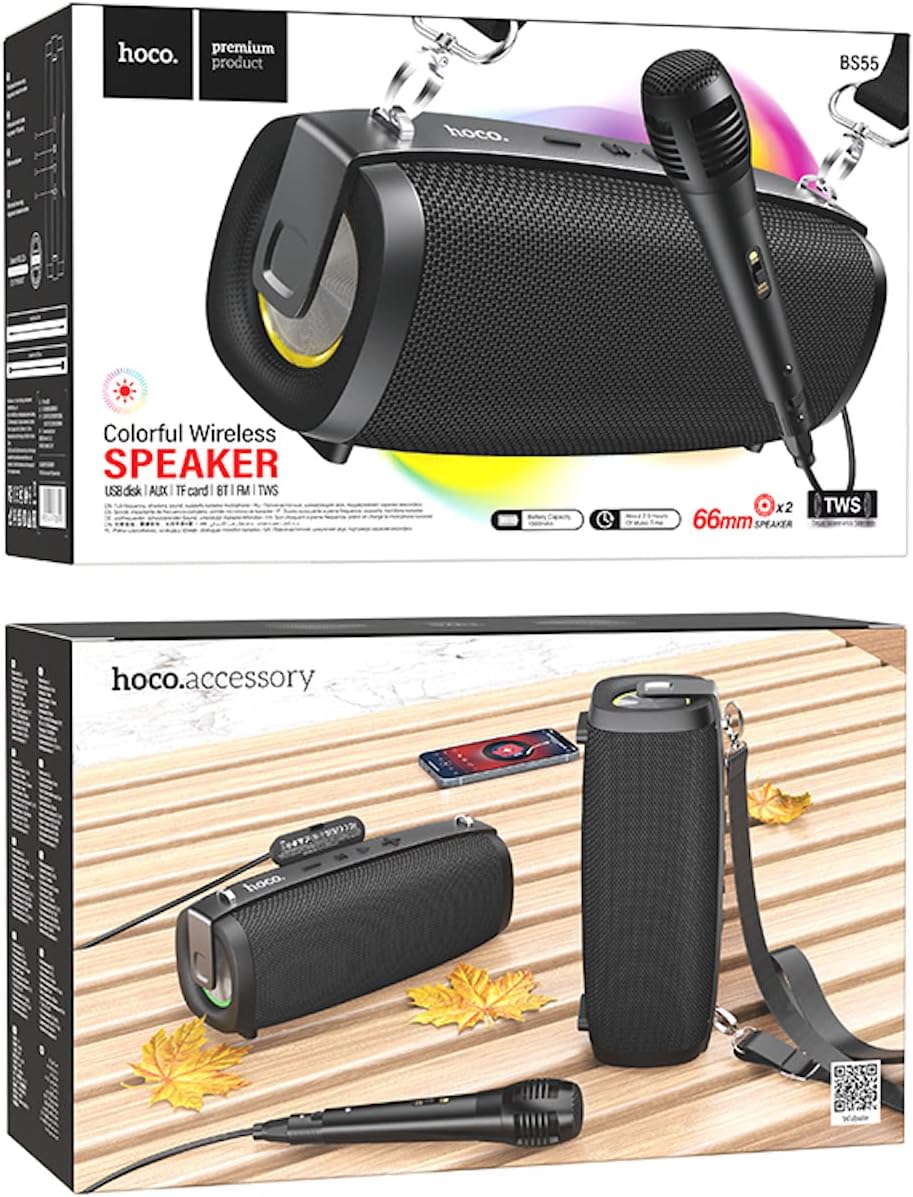
Image: Hoco BS55 Speaker packaging, illustrating the speaker, a wired microphone, and connecting cables.
2.2 የተናጋሪ ክፍሎች እና መቆጣጠሪያዎች

Image: The Hoco BS55 speaker, highlighting its control panel with buttons and various input ports.
- የኃይል ቁልፍ፡- Press and hold to turn the speaker ON/OFF. Short press to switch between modes.
- "-" አዝራር: ለቀደመው ትራክ አጭር ተጫን። ድምጽን ለመቀነስ በረጅሙ ተጫን።
- 'M' (ሞድ) አዝራር፡ Short press to cycle through input modes (Bluetooth, FM Radio, TF Card, AUX, USB).
- '>' (Play/Pause) Button: ሙዚቃን ለማጫወት ወይም ለአፍታ ለማቆም አጭር ይጫኑ።
- '+' አዝራር: ለቀጣይ ትራክ አጭር ተጫን። ድምጽን ለመጨመር በረጅሙ ተጫን።
- የዩኤስቢ ወደብ፡ For USB flash disk playback.
- የ TF ካርድ ማስገቢያ ለ TF (ማይክሮ ኤስዲ) ካርድ መልሶ ማጫወት።
- AUX ግቤት፡ ውጫዊ የድምጽ መሳሪያዎችን በ 3.5 ሚሜ የድምጽ ገመድ ለማገናኘት.
- የማይክሮፎን ግቤት፡ ባለገመድ ማይክሮፎን ለማገናኘት።
- የኃይል መሙያ ወደብ; የተናጋሪውን የውስጥ ባትሪ ለመሙላት።
3. ማዋቀር
3.1 ድምጽ ማጉያውን መሙላት
Before first use, fully charge the speaker. Connect the charging cable to the speaker's charging port and the other end to a USB power adapter (not included) or a computer's USB port. The charging indicator light will illuminate during charging and turn off when fully charged. Charging time is approximately 2 hours.
3.2 ማብራት / ማጥፋት
ተጭነው ይያዙት። የኃይል አዝራር for a few seconds to turn the speaker ON. You will hear an audible prompt. To turn OFF, press and hold the የኃይል አዝራር እንደገና።
4. የአሠራር መመሪያዎች
4.1 የብሉቱዝ ሁነታ
- Turn on the speaker. It will automatically enter Bluetooth pairing mode, indicated by a flashing light and an audible prompt.
- በተንቀሳቃሽ መሣሪያዎ ላይ ብሉቱዝን ያንቁ (ስማርትፎን ፣ ታብሌት ፣ ወዘተ)።
- ፈልግ "Hoco BS55" in the list of available Bluetooth devices and select it to pair.
- አንዴ በተሳካ ሁኔታ ከተጣመሩ የማረጋገጫ ድምጽ ይሰማሉ። አሁን በድምጽ ማጉያው በኩል ከመሳሪያዎ ላይ ድምጽ ማጫወት ይችላሉ።
- የሚለውን ተጠቀም '+' እና '-' buttons for volume control, and the '>' button for play/pause. Short press '+' or '-' for next/previous track.
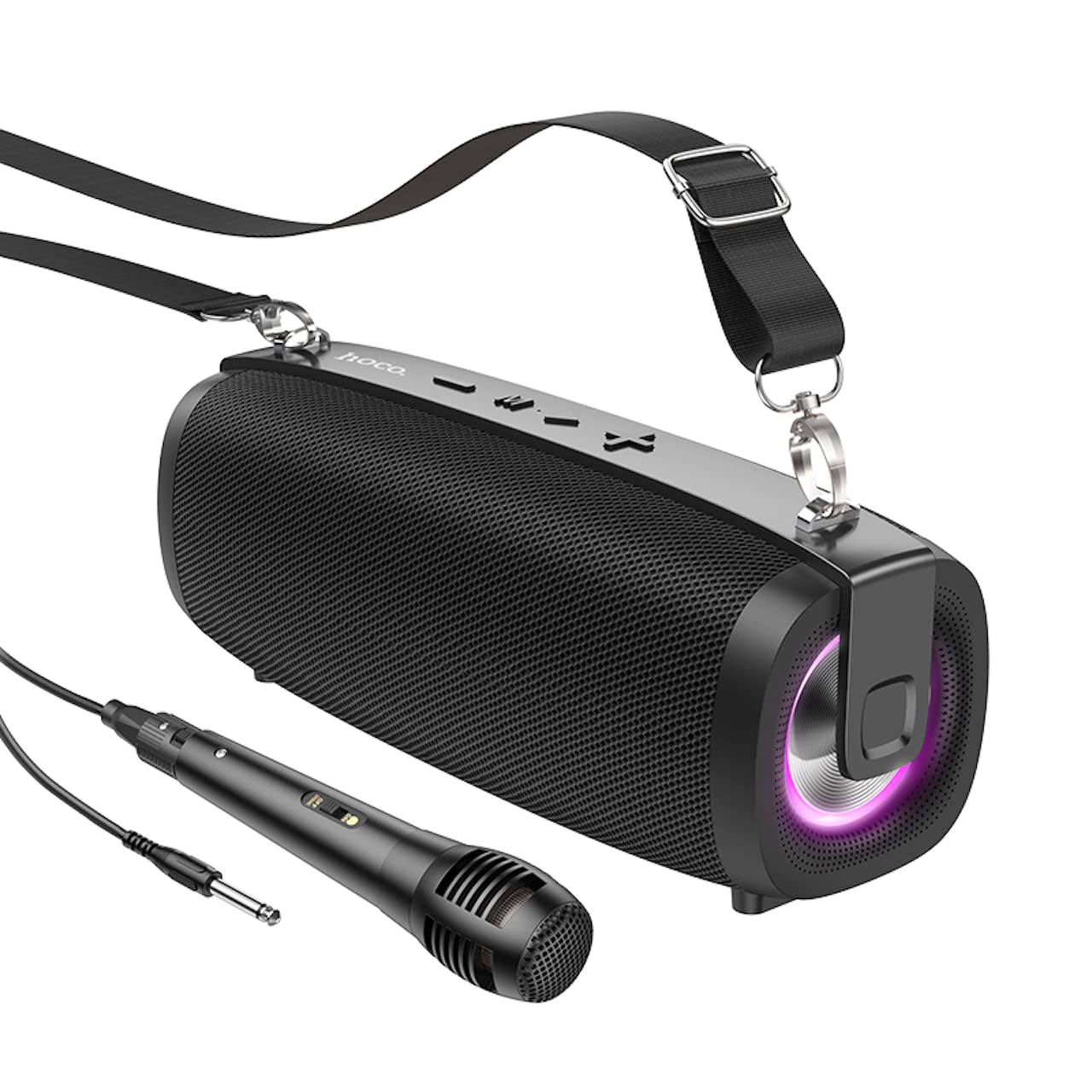
Image: The Hoco BS55 Wireless Outdoor Speaker, ready for use.
4.2 ኤፍኤም ሬዲዮ ሁነታ
- አጭር ተጫን 'M' (Mode) Button until you hear the FM radio prompt.
- የሚገኙ ጣቢያዎችን በራስ-ሰር ለመቃኘት እና ለማስቀመጥ፣ በረጅሙ ይጫኑ '>' (Play/Pause) Buttonተናጋሪው ጣቢያዎችን በራስ-ሰር ይቃኛል እና ያከማቻል።
- አጭር ተጫን '+' or '-' በተቀመጡ የኤፍኤም ጣቢያዎች መካከል ለመቀያየር አዝራሮች።
4.3 TF Card / USB Flash Disk Mode
- Insert a TF (MicroSD) card or a USB flash disk into the corresponding slot.
- The speaker will automatically switch to TF Card or USB mode and begin playing audio files. If it doesn't, short press the 'M' (Mode) Button to select the correct mode.
- የሚለውን ተጠቀም '+' እና '-' buttons for volume control, and short press them for next/previous track. Use the '>' ለማጫወት/ለአፍታ ለማቆም የሚያስችል አዝራር።
4.4 AUX የግቤት ሁነታ
- Connect one end of the 3.5mm audio cable to the speaker's AUX input port and the other end to the audio output of your external device (e.g., MP3 player, computer).
- አጭር ተጫን 'M' (Mode) Button until you hear the AUX mode prompt.
- Control playback and volume primarily from your external device. The speaker's volume buttons will also function.
4.5 TWS (እውነተኛ ገመድ አልባ ስቴሪዮ) ተግባር
The TWS function allows you to pair two Hoco BS55 speakers together for a stereo sound experience.
- Ensure both BS55 speakers are turned ON and are not connected to any Bluetooth device.
- በአንደኛው ድምጽ ማጉያ (ይህ ዋናው ድምጽ ማጉያ ይሆናል) በረጅሙ ይጫኑ 'M' (Mode) Button until you hear a pairing tone.
- The two speakers will automatically search and pair with each other. Once connected, you will hear a confirmation sound.
- አሁን፣ በክፍል 4.1 እንደተገለጸው ተንቀሳቃሽ መሣሪያዎን ከዋናው ድምጽ ማጉያ ጋር በብሉቱዝ ያገናኙ። ሁለቱም ድምጽ ማጉያዎች ድምጽን በስቲሪዮ ያጫውታሉ።
4.6 Wired Microphone Usage
If your package includes a wired microphone, connect it to the speaker's dedicated microphone input port. The speaker will automatically detect the microphone. Adjust the volume as needed using the speaker's volume controls or your connected device.
5. ጥገና
- ማጽዳት፡ ድምጽ ማጉያውን ለማጽዳት ለስላሳ እና ደረቅ ጨርቅ ይጠቀሙ. ገላጭ ማጽጃዎችን ወይም ፈሳሾችን አይጠቀሙ.
- ማከማቻ፡ ድምጽ ማጉያውን በቀጥታ ከፀሀይ ብርሀን እና ከከፍተኛ ሙቀት ርቆ በቀዝቃዛና ደረቅ ቦታ ያከማቹ።
- የባትሪ እንክብካቤ To prolong battery life, charge the speaker regularly, even if not in use. Avoid fully discharging the battery frequently.
- የውሃ መቋቋም; The Hoco BS55 speaker is ውሃን የማይቋቋም. Avoid exposing it to water, rain, or excessive moisture to prevent damage.
- ተጽዕኖን ያስወግዱ፡ ተናጋሪውን አይጣሉት ወይም ለጠንካራ ተጽእኖ አያጋልጡት።
6. መላ መፈለግ
| ችግር | መፍትሄ |
|---|---|
| ድምጽ ማጉያ አይበራም። | የድምጽ ማጉያው መሙላቱን ያረጋግጡ። ከኃይል ምንጭ ጋር ያገናኙት እና እንደገና ይሞክሩ። |
| ድምጽ የለም። | የድምጽ ደረጃውን በድምጽ ማጉያው እና በተገናኘው መሳሪያዎ ላይ ያረጋግጡ። ትክክለኛው የግቤት ሁነታ መመረጡን ያረጋግጡ። |
| በብሉቱዝ በኩል ማጣመር አይቻልም። | ድምጽ ማጉያው በብሉቱዝ ማጣመሪያ ሁነታ ላይ መሆኑን ያረጋግጡ። በመሳሪያዎ ላይ ብሉቱዝን ያሰናክሉ እና እንደገና ያንቁ። ድምጽ ማጉያውን ወደ መሳሪያዎ ያቀራርቡት። ሌሎች መሳሪያዎች ከድምጽ ማጉያው ጋር አለመገናኘታቸውን ያረጋግጡ። |
| የኤፍኤም ሬዲዮ አቀባበል ደካማ ነው። | Try repositioning the speaker. Perform an auto-scan again. |
| TWS ማጣመር አልተሳካም። | Ensure both speakers are not connected to any other Bluetooth device. Try restarting both speakers and repeating the TWS pairing process. |
7. ዝርዝሮች
| ባህሪ | ዝርዝር መግለጫ |
|---|---|
| ሞዴል | BS55 |
| ልኬቶች (L x W x H) | 202 x 89.5 x 71.4 ሚሜ (20.2 x 7.1 x 9 ሴሜ) |
| ክብደት | 810 ግ |
| የብሉቱዝ ስሪት | 5.3 |
| የብሉቱዝ ቺፕ | JLAC6965E |
| የባትሪ አቅም | 1500mAh |
| የኃይል መሙያ ጊዜ | በግምት 2 ሰዓታት |
| የሙዚቃ ማጫዎቻ ጊዜ | እስከ 2.5 ሰዓታት ድረስ |
| የድምጽ ማጉያ ክፍል መጠን | 66 ሚሜ * 2 |
| የውጤት ኃይል | 5 ዋ * 2 (ጠቅላላ 10 ዋ) |
| የግንኙነት አማራጮች | Bluetooth, FM Radio, TF Card, AUX, USB Flash Disk, TWS |
| የማይክሮፎን ድጋፍ | ባለገመድ ማይክሮፎን ግብዓት |
| የውሃ መቋቋም | ውሃን መቋቋም የሚችል አይደለም |
| ቀለም | ጥቁር |
8. ዋስትና እና ድጋፍ
Hoco products are designed and manufactured to the highest quality standards. For warranty information and customer support, please refer to the warranty card included with your purchase or contact your local Hoco distributor or retailer. Keep your proof of purchase for any warranty claims.