
መግቢያ
This manual provides detailed instructions for the installation, operation, and maintenance of your Mars Gaming MARSGAMING MCX ATX PC Gaming Case, Model MCF. Please read this manual thoroughly before beginning assembly to ensure proper setup and optimal performance.

Figure 1: Mars Gaming MARSGAMING MCX ATX PC Gaming Case (Model MCF)
ቁልፍ ባህሪያት
- Advanced Gaming Lighting: Features triple vented front and rear fans with ARGB lighting, complemented by a Metal-Mesh front design and tempered glass side window.
- ኤሮዳይናሚክስ ንድፍ; Sophisticated look with pure geometric lines and premium finishes. The aerodynamically designed front panel enhances ventilation and airflow.
- ሙሉ የ ARGB ተኳሃኝነት፡ ARGB lighting with multiple preset effects, controllable via an ARGB connector or motherboard for extensive aesthetic customization.
- ከፍተኛው የማቀዝቀዝ አቅም፡- Includes a triple front fan system and a 120mm rear fan. Supports up to 6 x 120mm fans, removable magnetic top and bottom filters, and dual chamber design. Full support for up to 360mm liquid cooling.
- Maximum Internal Capacity: Supports ATX, micro-ATX, and mini-ITX motherboards, up to 5 hard drives, and efficient internal cable management. Accommodates VGAs up to 305mm long (330mm without front fan) and 167mm wide, and heatsinks up to 177mm high.
የጥቅል ይዘቶች
መጫኑን ከመቀጠልዎ በፊት ሁሉም ክፍሎች በጥቅሉ ውስጥ መኖራቸውን ያረጋግጡ.
- Mars Gaming MARSGAMING MCX ATX PC Gaming Case (Model MCF)
- 4 x 120mm ARGB Fans (pre-installed)
- Accessory kit (screws, standoffs, cable ties)
- የተጠቃሚ መመሪያ (ይህ ሰነድ)
የማዋቀር መመሪያዎች
1. ጉዳዩን በማዘጋጀት ላይ
Place the case on a stable, flat surface. Remove the tempered glass side panel by unscrewing the thumb screws at the rear of the case and carefully sliding the panel off.
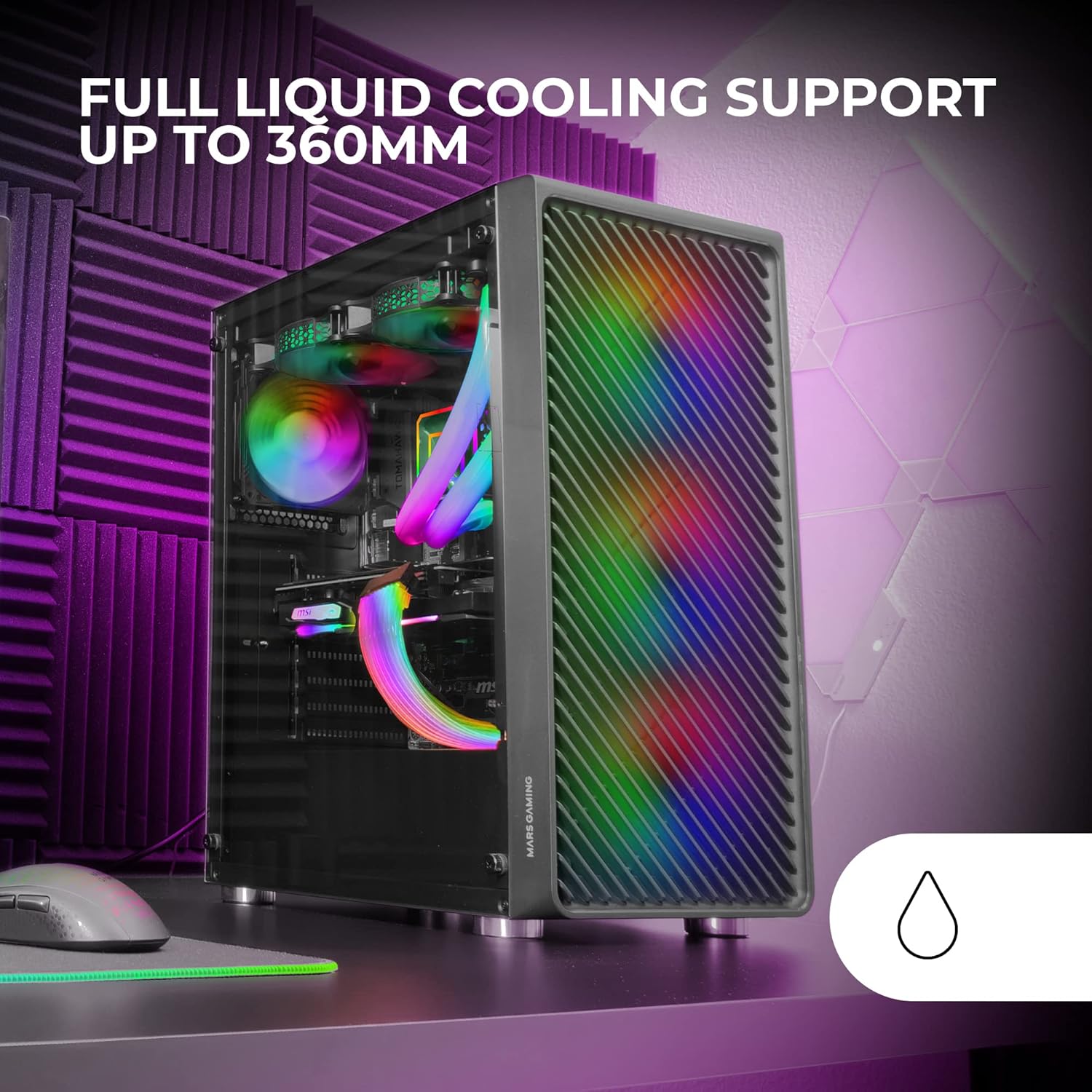
Figure 2: Tempered Glass Side Window
The front panel features a Metal-Mesh design for optimal airflow.

Figure 3: Metal-Mesh Front Panel
2. Motherboard መጫን
Install the appropriate standoffs for your ATX, Micro-ATX, or Mini-ITX motherboard. Carefully place the motherboard into the case, aligning it with the standoffs and the I/O shield opening. Secure the motherboard with screws from the accessory kit.
3. የኃይል አቅርቦት ክፍል (PSU) መጫን
The case features a bottom-mount power supply design. Slide your PSU into its designated compartment at the bottom rear of the case and secure it with screws. Route the necessary cables through the cable management cutouts.
4. የማከማቻ ድራይቭ መጫኛ
Install your 3.5-inch hard drives and 2.5-inch solid-state drives into the available drive bays. The case supports up to 5 hard drives. Refer to the internal layout diagram for bay locations.
5. የግራፊክስ ካርድ (ቪጂኤ) መጫኛ
Remove the necessary PCI-E slot covers. Insert your graphics card into the appropriate PCI-E slot on your motherboard and secure it with screws. The case supports VGAs up to 305mm long (330mm without a front fan) and 167mm wide.
6. Cooling System Installation (Fans & Liquid Cooling)
The case comes with four pre-installed 120mm ARGB fans (three front, one rear). Additional fans can be installed as follows:
- ከፍተኛ፡ Up to 2 x 120mm or 2 x 140mm fans.
- ፊት፡ Up to 3 x 120mm or 2 x 140mm fans (pre-installed).
- የኋላ፡ 1 x 120 ሚሜ አድናቂ (ቀድሞ የተጫነ)።
For liquid cooling, the case supports radiators up to 360mm.

Figure 4: Pre-installed 4x 120mm ARGB Fans

Figure 5: Internal Layout and Cooling Support
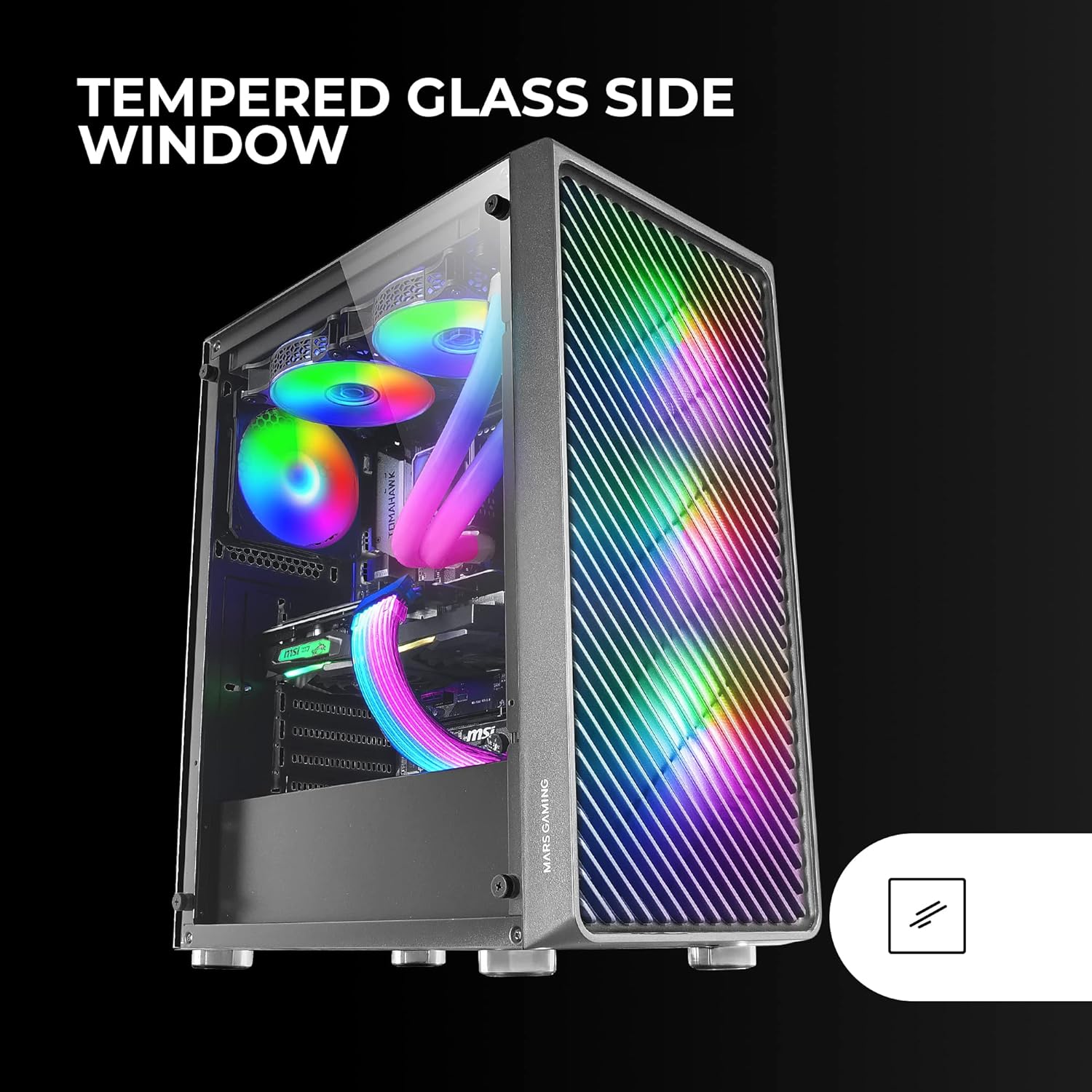
Figure 6: Liquid Cooling Support
7. የኬብል አስተዳደር
Utilize the cable management cutouts and tie-down points behind the motherboard tray to route and secure cables. This improves airflow and aesthetics.
8. የመጨረሻ ስብሰባ
Once all components are installed and cables are managed, reattach the tempered glass side panel and secure it with the thumb screws.
የአሠራር መመሪያዎች
በማብራት ላይ
Connect your power supply to a wall outlet. Press the power button located on the top panel of the case to turn on your system.
የARGB መብራት መቆጣጠሪያ
The pre-installed ARGB fans can be controlled via your motherboard's ARGB software (if connected to an ARGB header) or through the integrated controller (if applicable). Refer to your motherboard manual for specific ARGB software instructions. The case offers multiple preset lighting effects.
ጥገና
ጉዳዩን ማጽዳት
የሳጥኑን ውጫዊ ክፍል በለስላሳ ጨርቅ አዘውትሮ ያጽዱ፣amp cloth. Avoid abrasive cleaners. For interior cleaning, use compressed air to remove dust from components and fans.
የአቧራ ማጣሪያ ጥገና
The case features removable magnetic dust filters on the top and bottom. Periodically remove and clean these filters to maintain optimal airflow and prevent dust buildup inside the system. Wash with water and mild soap, then dry completely before reattaching.
መላ መፈለግ
አድናቂዎች አይሽከረከሩም / RGB አይሰራም
- Check all fan and ARGB connections to the motherboard or controller.
- የኃይል አቅርቦቱ በቂ ኃይል እያቀረበ መሆኑን ያረጋግጡ።
- Verify that ARGB software or physical controls are correctly configured.
ደካማ የአየር ፍሰት / ከመጠን በላይ ሙቀት
- Clean all dust filters and fans.
- Ensure proper fan orientation for intake and exhaust.
- ምንም አይነት ኬብሎች የአየር ፍሰትን እያደናቀፉ አለመሆናቸውን ያረጋግጡ።
- Consider adding additional fans if temperatures remain high.
ስርዓቱ አልበራም
- Check all power connections from the PSU to the motherboard and components.
- የፊት ፓነል የኃይል ቁልፍ ገመድ ከእናትቦርዱ ጋር በትክክል መገናኘቱን ያረጋግጡ።
- Verify the PSU is switched on.
ዝርዝሮች
| ባህሪ | ዝርዝር |
|---|---|
| የምርት ስም | ማርስ ጨዋታ |
| የሞዴል ስም | ኤም.ሲ.ኤፍ |
| የጉዳይ ዓይነት | ማዕከላዊ ማማ |
| የማዘርቦርድ ተኳኋኝነት | ATX፣ ማይክሮ ATX፣ ሚኒ-ITX |
| ቁሳቁስ | ብረት |
| ቀለም | ጥቁር |
| የንጥል መጠኖች (D x W x H) | 14.96" ዲ x 8.5" ዋ x 18.11" ኤች |
| የእቃው ክብደት | 4.7 ኪ |
| Internal Bays Quantity | 5 (for 3.5" Hard Disk Form Factor) |
| የጂፒዩ ከፍተኛ ርዝመት | 305mm (330mm without front fan) |
| ሲፒዩ ማቀዝቀዣ ማክስ ቁመት | 177 ሚሜ |
| ቀድሞ የተጫኑ አድናቂዎች | 4 x 120 ሚሜ አርጂቢ ደጋፊዎች |
| የማቀዝቀዣ ዘዴ | አየር፣ ውሃ |
| የሚቀዘቅዝ የማሞቂያ ድጋፍ | Up to 360mm radiator |
| የኃይል አቅርቦት መጫኛ ዓይነት | የታችኛው ተራራ |
| ጠቅላላ የዩኤስቢ ወደቦች | 2 (ዩኤስቢ 2.0) |
| ልዩ ባህሪያት | RGB Lighting, Tempered Glass Side Panel, Metal-Mesh Front Panel |
ዋስትና እና ድጋፍ
የዋስትና መረጃ እና የቴክኒክ ድጋፍ ለማግኘት፣ እባክዎን ኦፊሴላዊውን የማርስ ጨዋታን ይመልከቱ webጣቢያ ወይም የደንበኞች አገልግሎት ክፍልን ያነጋግሩ። ለዋስትና ጥያቄዎች የግዢ ማረጋገጫዎን ያስቀምጡ።
አምራች፡ ማርስ ጨዋታ
