
መግቢያ
The oneisall Automatic Pet Feeder is designed to provide precise and convenient feeding for your cat or dog. With WiFi connectivity and app control, you can manage your pet's meal schedule from anywhere. This manual provides detailed instructions for setup, operation, maintenance, and troubleshooting to ensure optimal performance of your feeder.

Image: The oneisall Automatic Pet Feeder in use, with a cat eating from the stainless steel bowl.
የምርት ባህሪያት
- Precise Portion Control: Schedule 1-12 meals per day via the mobile application, with 1-30 portions per meal. Each portion is approximately 7 grams, depending on kibble size.
- Optimal Food Freshness: Equipped with a unique rotor at the bottom of the container, a sealed lid, an integrated desiccant, and a triple freshness seal to keep dry food fresh and crunchy.
- ለጋስ አቅም፡- The 3.5-liter (approximately 1.2 kg of dry food) capacity can feed an adult cat for up to 12 days or a puppy for 8 days.
- ሁለት የኃይል አቅርቦት; Operates with a 5V adapter (included) or backup batteries (not included) to ensure continuous feeding even during power outagኢ.
- ፀረ-መዘጋት ዲዛይን; Features a uniform fin distribution and a wide food outlet to prevent kibble from getting stuck.
- ዘላቂ ቁሳቁሶች; Constructed from ABS plastic with a food-grade 304 stainless steel bowl, ensuring safety and easy cleaning.
የማዋቀር መመሪያዎች
1. ማሸግ እና መገጣጠም
- ሁሉንም ንጥረ ነገሮች ከማሸጊያው ውስጥ በጥንቃቄ ያስወግዱ.
- Place the stainless steel bowl into the designated slot at the front of the feeder base.
- Ensure the food container is securely seated on the base.
2. Powering the Feeder
መጋቢው ሁለት የኃይል አማራጮችን ይደግፋል፦
- ኤሲ አስማሚ Connect the Type-C USB cable to the feeder and plug the adapter into a standard wall outlet.
- ምትኬ ባትሪዎች፡- ለስልጣን አንተtage protection, insert 3 D-cell batteries (not included) into the battery compartment at the bottom of the feeder. It is recommended to use both power sources.

Image: The feeder illustrating its dual power supply options: AC adapter and battery compartment.
3. የምግብ መያዣውን መሙላት
- የምግብ መያዣውን ክዳን ይክፈቱ.
- Pour dry pet food into the container. Ensure kibble size is between 2-12mm to prevent clogging.
- Close the lid securely to maintain food freshness.

Image: Visual guide for compatible kibble sizes (up to 12mm diameter) for the feeder.
4. የመተግበሪያ ጭነት እና የዋይፋይ ግንኙነት
- Download the "oneisall" app from your smartphone's app store (iOS or Android).
- መተግበሪያውን ይክፈቱ እና መለያ ለመፍጠር እና መሳሪያዎን ለማከል የማያ ገጽ ላይ መመሪያዎችን ይከተሉ።
- Ensure your feeder is powered on and your smartphone is connected to a 2.4 GHz WiFi network.
- Follow the app's prompts to connect the feeder to your home WiFi network.

Image: The feeder being controlled via the mobile application, showing the WiFi connection icon.
የአሠራር መመሪያዎች
1. የአመጋገብ መርሃ ግብር ማዘጋጀት
Use the oneisall app to customize your pet's feeding schedule:
- Open the app and select your feeder.
- Navigate to the "Meal Plan" section.
- Add new feeding times and specify the number of portions (1-30) for each meal.
- መርሐግብርዎን ያስቀምጡ. መጋቢው በፕሮግራሙ ጊዜ ምግብን በራስ-ሰር ያቀርባል።

Image: The mobile app interface showing a programmed feeding schedule with multiple meal times and portion sizes.
2. በእጅ መመገብ
To dispense food instantly:
- በመተግበሪያ በኩል፡ On the app's main screen, tap the "Quick Feed" button and select the desired number of portions.
- በመጋቢ አዝራር በኩል፦ Press the manual feed button on the feeder itself to dispense one portion.
3. Slow Feeding Setting
To prevent your pet from eating too quickly, activate the slow feeding option in the app settings. This will dispense food gradually over a longer period.

Image: A table outlining recommended daily food quantities in cups, corresponding portions, and grams for a single pet.
ጥገና
1. መጋቢውን ማጽዳት
መደበኛ ጽዳት የንፅህና እና ትክክለኛ አሠራርን ያረጋግጣል;
- አይዝጌ ብረት ጎድጓዳ ሳህን; The bowl is detachable and dishwasher-safe for easy cleaning.
- የምግብ መያዣ; Wipe the inside of the food container with a damp cloth. Ensure it is completely dry before refilling.
- የመጋቢ መሠረት፡ Wipe the exterior of the feeder base with a dry or slightly damp ጨርቅ. መሰረቱን በውሃ ውስጥ አታስቀምጡ.

Image: The removable 304 BPA-free stainless steel bowl, highlighting its ease of cleaning.
2. የማጥፋት መተካት
The integrated desiccant helps maintain food freshness. Replace it periodically (e.g., every 1-2 months) for best results. The desiccant packet is located under the lid.

Image: The feeder's lid, illustrating the location of the desiccant packet and the security lock for freshness.
መላ መፈለግ
| ችግር | ሊሆን የሚችል ምክንያት | መፍትሄ |
|---|---|---|
| መጋቢ ምግብ አይሰጥም። | Low food level, clogged dispenser, power issue. | Check food level and refill. Ensure kibble size is appropriate. Check power connection and battery status. |
| WiFi connection unstable or disconnected. | Feeder too far from router, 5GHz WiFi network, temporary network issue. | Ensure feeder is within range of a 2.4 GHz WiFi network. Restart feeder and router. Reconnect via app. |
| App not controlling feeder. | No internet connection on phone, app glitch, feeder offline. | Check phone's internet connection. Restart app. Verify feeder's WiFi status. |
| ምግብ ትኩስ አይደለም። | Lid not sealed, old desiccant. | Ensure lid is securely closed. Replace desiccant packet. |

Image: The feeder's ability to continue dispensing food during a power outage when equipped with backup batteries.
ዝርዝሮች
| ባህሪ | ዝርዝር |
|---|---|
| የሞዴል ቁጥር | ፒኤፍዲ-001 |
| አቅም | 3.5 ሊትር (በግምት 1.2 ኪ.ግ ደረቅ ምግብ) |
| የምርት ልኬቶች | 16.85 x 16.85 x 28.9 ሴ.ሜ |
| ክብደት | 1.61 ኪ.ግ |
| ቁሳቁስ | ABS, 304 አይዝጌ ብረት |
| የኃይል አቅርቦት | 5V DC Adapter (included), 3 x D-cell batteries (not included) |
| ግንኙነት | ዋይፋይ 2.4 GHz |
| የሚመከር የኪብል መጠን | 2-12 mm diameter |
| አምራች | አንድይሳል |
| የትውልድ ሀገር | ቻይና |

Image: Detailed product dimensions and specifications of the feeder.
ዋስትና እና ድጋፍ
የዋስትና መረጃ
This oneisall Automatic Pet Feeder comes with a የ 2 ዓመት ዋስትና ከተገዛበት ቀን ጀምሮ የማምረቻ ጉድለቶችን እና በመደበኛ አጠቃቀም ላይ ያሉ ጉድለቶችን ይሸፍናል. ለዋስትና ጥያቄዎች እባክዎ የግዢ ማረጋገጫዎን ያቆዩ።
የደንበኛ ድጋፍ
For any questions, technical assistance, or warranty claims, please contact oneisall customer service. We offer 24-ሰዓት የደንበኛ ድጋፍ እርስዎን ለመርዳት.
- Refer to the contact information provided in your product packaging or on the official oneisall webጣቢያ.
- For returns or issues with products purchased on Amazon, please consult Amazon's return policy and contact their customer service for assistance within the specified return period.
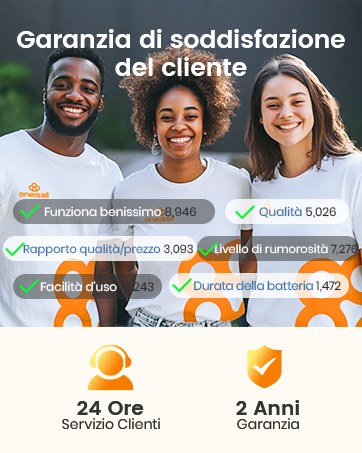
Image: Customer satisfaction guarantee details, including 24-hour customer service and a 2-year warranty.


