1. መግቢያ
ስለገዙ እናመሰግናለንasing the CANYON BSP-8 Bluetooth Speaker. This manual provides essential information for the safe and efficient use of your device. Please read it thoroughly before operation and retain it for future reference.
ቁልፍ ባህሪዎች
- የ10ዋ የድምጽ ውፅዓት፡ ግልጽ እና ኃይለኛ ድምጽ ያቀርባል.
- ብሉቱዝ 5.2: For stable and energy-efficient wireless connection up to 10 meters.
- የRGB የኋላ መብራት፡ Integrated lighting for enhanced ambiance.
- እውነተኛ ገመድ አልባ ስቴሪዮ (TWS) Connect two BSP-8 speakers for a full stereo sound experience.
- በርካታ መልሶ ማጫወት አማራጮች፡- Supports Bluetooth, AUX, USB, and MicroSD card inputs.
- ተንቀሳቃሽ ንድፍ; Compact size with a convenient hanger for easy transport.
- ረጅም የባትሪ ህይወት; በአንድ ክፍያ እስከ 3 ሰዓታት የሚቆይ የጨዋታ ጊዜ።
2. የደህንነት መረጃ
- ድምጽ ማጉያውን ለከፍተኛ ሙቀት፣ ቀጥተኛ የፀሐይ ብርሃን ወይም ከፍተኛ እርጥበት አያጋልጥ።
- ተናጋሪውን ለጠንካራ ተጽእኖዎች ከመጣል ወይም ከማስገዛት ተቆጠብ።
- Do not disassemble or attempt to repair the speaker yourself. Contact qualified service personnel.
- ድምጽ ማጉያውን ከውሃ እና ከሌሎች ፈሳሾች ያርቁ. የውሃ መከላከያ አይደለም.
- ለኃይል መሙያ የቀረበውን ገመድ ወይም የተረጋገጠ ዓይነት-C ገመድ ብቻ ይጠቀሙ።
- በአካባቢው ደንቦች መሰረት ባትሪውን እና ድምጽ ማጉያውን ያስወግዱ.
3. የጥቅል ይዘቶች
- CANYON BSP-8 Bluetooth Speaker
- የዩኤስቢ ዓይነት-ሲ ባትሪ መሙያ ገመድ
- የተጠቃሚ መመሪያ
4. ምርት አብቅቷልview
ከተናጋሪው አካላት እና መቆጣጠሪያዎች ጋር እራስዎን ይወቁ።
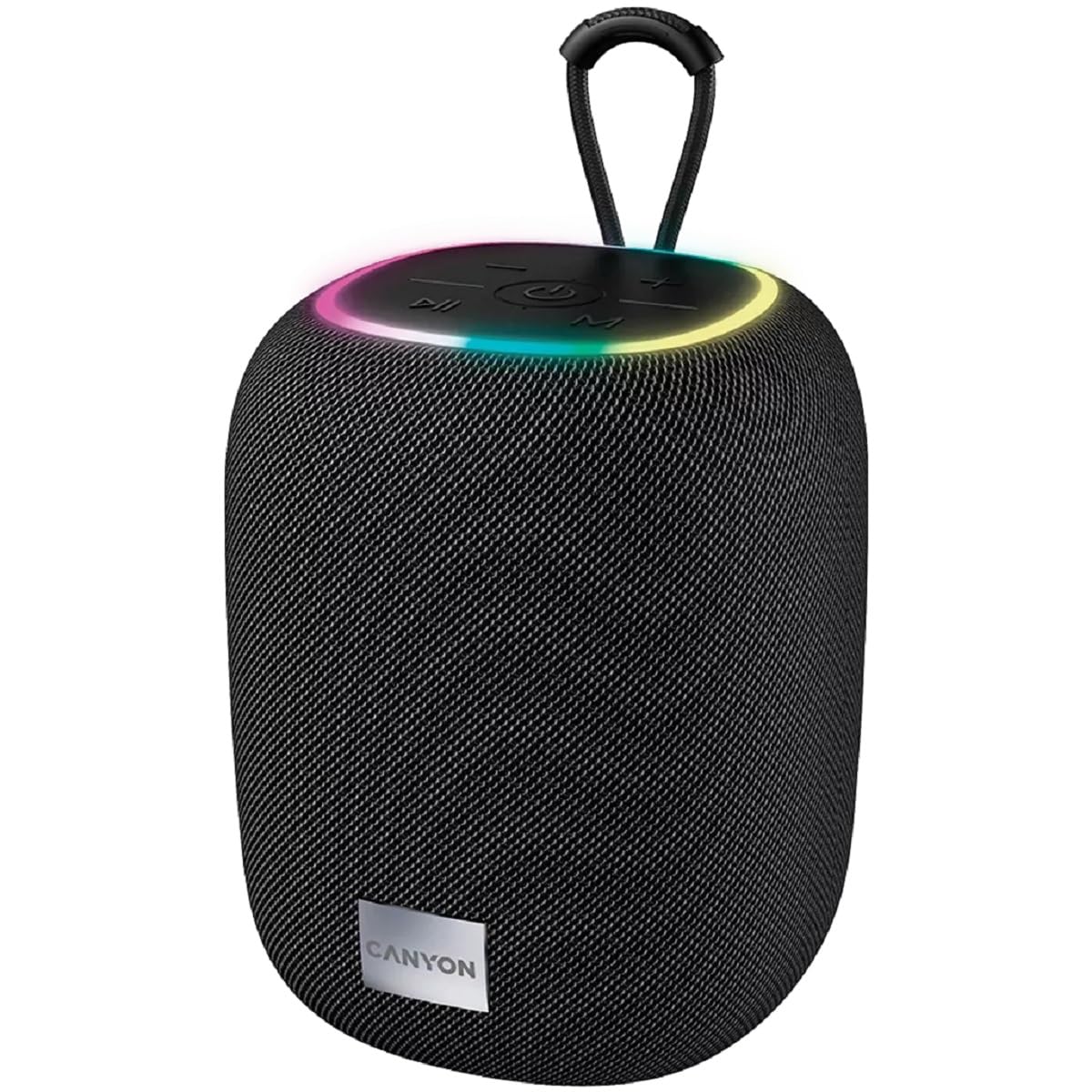
ምስል 1: ከፍተኛ view of the CANYON BSP-8 speaker, showing the control buttons, RGB backlight, and integrated hanger.
የመቆጣጠሪያ አዝራሮች (የላይኛው ፓነል):
- የኃይል ቁልፍ፡- ለማብራት/ለማጥፋት ተጭነው ይያዙ። ለማጫወት/ለማቆም አጭር ይጫኑ።
- የድምጽ ቅነሳ/የቀድሞው የትራክ አዝራር፡- የድምጽ ቅነሳን ለማግኘት አጭር ይጫኑ። ለቀዳሚው ትራክ ረጅም ይጫኑ።
- የድምጽ መጨመሪያ / ቀጣይ የትራክ አዝራር፡ ድምጽ ለመጨመር አጭር ይጫኑ። ለቀጣዩ ትራክ ረጅም ይጫኑ።
- ሁነታ አዝራር (ኤም)፦ Short press to switch between Bluetooth, AUX, USB, and MicroSD modes.

ምስል 2፡ የኋላ view of the CANYON BSP-8 speaker, illustrating the various input ports including AUX, USB, TF (MicroSD) card slot, and DC5V Type-C charging port.
Input Ports (Rear Panel):
- AUX ወደብ ውጫዊ የድምጽ መሳሪያዎችን በ 3.5 ሚሜ የድምጽ ገመድ ለማገናኘት.
- የዩኤስቢ ወደብ፡ ከዩኤስቢ ፍላሽ አንፃፊ ድምጽ ለማጫወት።
- የቲኤፍ ካርድ ማስገቢያ (ማይክሮኤስዲ)፦ ከማይክሮ ኤስዲ ካርድ ኦዲዮ ለማጫወት።
- DC5V (ዓይነት-C) ወደብ፡ ድምጽ ማጉያውን ለመሙላት.
5. ማዋቀር
5.1 ድምጽ ማጉያውን መሙላት
- Connect the provided USB Type-C cable to the DC5V port on the speaker.
- የኬብሉን ሌላኛውን ጫፍ ከዩኤስቢ የኃይል አስማሚ (5V/1A ይመከራል) ወይም ከኮምፒዩተር የዩኤስቢ ወደብ ጋር ያገናኙ።
- የኃይል መሙያ አመልካች መብራቱ ያበራል። ሙሉ በሙሉ ከሞላ በኋላ ይጠፋል ወይም ቀለሙን ይቀይራል።
ማሳሰቢያ፡- ለተመቻቸ የባትሪ ዕድሜ፣ ለመጀመሪያ ጊዜ ከመጠቀምዎ በፊት ድምጽ ማጉያውን ሙሉ በሙሉ ይሙሉት።

Image 3: Illustration showing the 1800 mAh battery capacity and up to 3 hours of playtime for the CANYON BSP-8 speaker.
5.2 ማብራት / ማጥፋት
- ለማብራት፡- የኃይል አዝራሩን ለ3 ሰከንዶች ያህል ተጭነው ይያዙት። የሚሰማ ጥያቄ ይሰማሉ።
- ለማጥፋት፡- የኃይል አዝራሩን ለ3 ሰከንዶች ያህል ተጭነው ይያዙት። የሚሰማ ጥያቄ ይሰማሉ።
5.3 የብሉቱዝ ማጣመር
- ድምጽ ማጉያውን ያብሩ። በሚያብረቀርቅ የኤልኢዲ መብራት የተገለጸውን የብሉቱዝ ማጣመሪያ ሁነታን በራስ-ሰር ያስገባል።
- Enable Bluetooth on your mobile device (smartphone, tablet, computer).
- ፈልግ available Bluetooth devices and select "CANYON BSP-8" from the list.
- አንዴ ከተጣመረ በኋላ የ LED መብራት ብልጭ ድርግም ብሎ ያቆማል፣ እና የማረጋገጫ ድምጽ ይሰማሉ።
Note: The speaker will automatically reconnect to the last paired device if it is within range and Bluetooth is enabled.

Image 4: Illustration highlighting the stable and energy-efficient Bluetooth 5.2 connection with an operating range of up to 10 meters.
5.4 እውነተኛ ገመድ አልባ ስቴሪዮ (TWS) ማጣመር
To connect two CANYON BSP-8 speakers for a stereo sound experience:
- Ensure both BSP-8 speakers are powered on and not connected to any Bluetooth device.
- በአንድ ድምጽ ማጉያ ላይ (ይህ ዋናው ድምጽ ማጉያ ይሆናል)፣ የኃይል አዝራሩን ሁለቴ ይጫኑ። ወደ TWS የማጣመሪያ ሁነታ ይገባል።
- ሁለቱ ድምጽ ማጉያዎች በራስ-ሰር ይፈልጉና እርስ በእርስ ይገናኛሉ። አንዴ ከተገናኘ በኋላ የማረጋገጫ ድምጽ ይሰማሉ።
- Once TWS is established, connect your mobile device to the primary speaker via Bluetooth as described in section 5.3.
Note: TWS mode only works with two identical CANYON BSP-8 speakers.
6. የአሠራር መመሪያዎች
6.1 ኦዲዮን በማጫወት ላይ
- የብሉቱዝ ሁኔታ ከተሳካ ማጣመር በኋላ፣ ከተገናኘው መሳሪያዎ ድምጽ በድምጽ ማጉያው በኩል ይጫወታል።
- የ ‹XX› ሁነታ Connect a 3.5mm audio cable from your external audio device to the AUX port on the speaker. Press the 'M' button to switch to AUX mode.
- የዩኤስቢ ሁኔታ የዩኤስቢ ፍላሽ አንጻፊ ወደ ዩኤስቢ ወደብ ያስገቡ። ድምጽ ማጉያው በራስ-ሰር ወደ ዩኤስቢ ሁነታ ይቀየራል እና ኦዲዮ ማጫወት ይጀምራል። files. If not, press the 'M' button.
- የማይክሮ ኤስዲ ካርድ ሁነታ፡- Insert a MicroSD card into the TF card slot. The speaker will automatically switch to MicroSD mode and begin playing audio files. If not, press the 'M' button.
6.2 የመልሶ ማጫወት ቁጥጥር
- አጫውት/ ለአፍታ አቁም፡ የኃይል አዝራሩን በአጭሩ ይጫኑ።
- ድምጽ ጨምር የድምጽ መጨመሪያ (+) ቁልፍን በአጭሩ ይጫኑ።
- ጥራዝ ታች ድምጹን ወደ ታች (-) የሚለውን ቁልፍ ይጫኑ ።
- ቀጣይ ትራክ፡ የድምጽ መጨመሪያ (+) ቁልፍን በረጅሙ ተጫን።
- ቀዳሚ ትራክ የድምጽ ቁልቁል (-) ቁልፍን በረጅሙ ተጫን።
6.3 RGB የኋላ መብራት
The speaker features an integrated RGB backlight on the top panel. The backlight activates automatically when the speaker is powered on. There are no specific controls for changing the RGB pattern or turning it off/on independently of the speaker's power state.