
1. መግቢያ
Thank you for choosing the EBTOOLS 4G LTE USB WiFi Modem. This device provides a portable wireless hotspot, allowing you to connect multiple devices to the internet using a 3G or 4G SIM card. This manual will guide you through the setup, operation, maintenance, and troubleshooting of your device to ensure optimal performance and a seamless user experience.
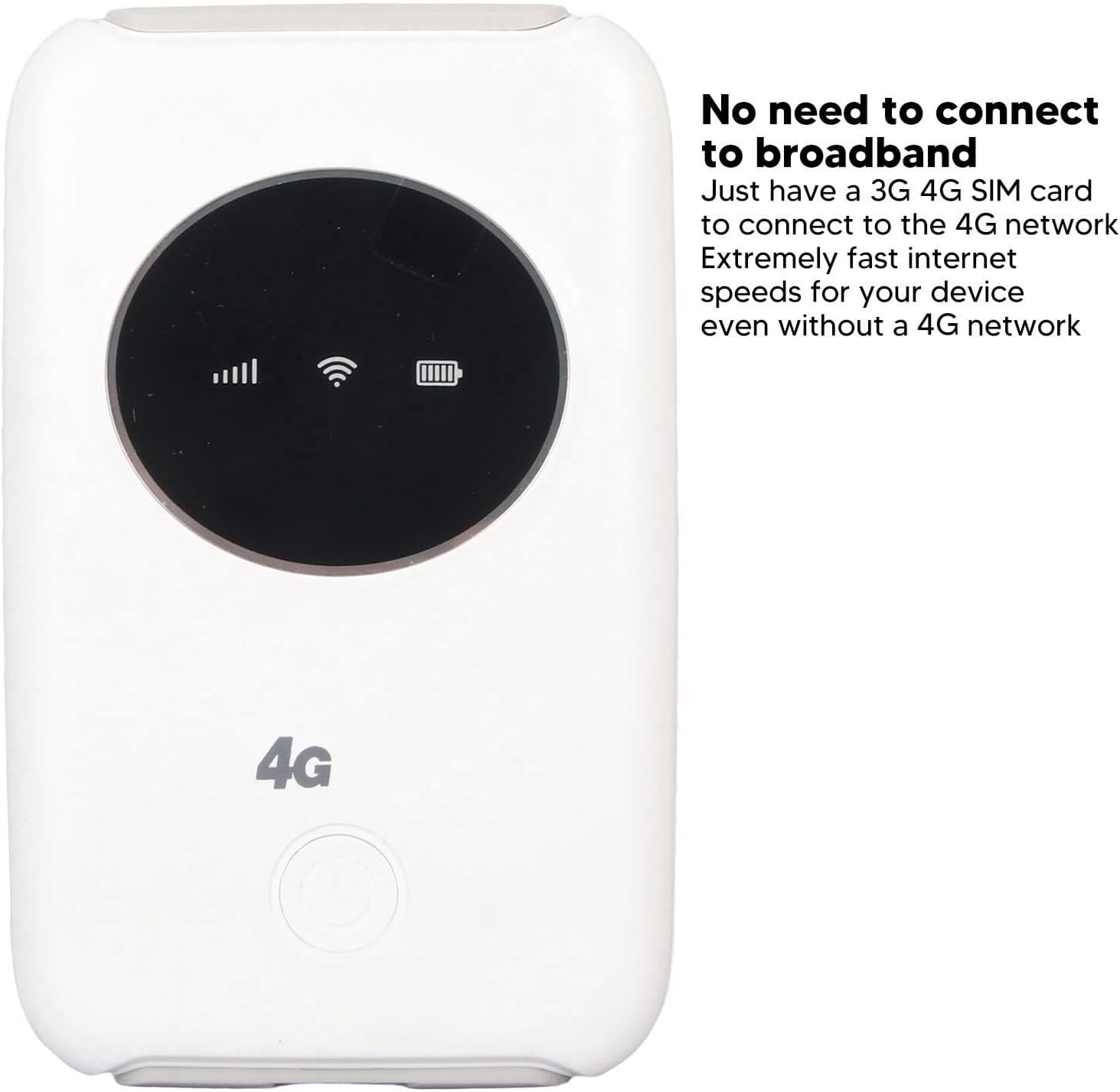
ምስል 1.1፡ ፊት view of the EBTOOLS 4G LTE USB WiFi Modem, showing its compact design and indicator lights for signal strength, WiFi status, and battery level. This device allows internet access without a traditional broadband connection, requiring only a 3G or 4G SIM card.
2. ምርት አብቅቷልview
2.1 ቁልፍ ባህሪያት
- Portable 4G LTE Hotspot: Provides wireless internet access using a 3G/4G SIM card.
- የከፍተኛ ፍጥነት ግንኙነት; Supports LTE CAT4 with internet access speeds up to 300Mbps, depending on signal strength.
- ባለብዙ ተጠቃሚ ድጋፍ፡- በአንድ ጊዜ እስከ 10 የሚደርሱ መሳሪያዎችን ያገናኛል።
- አብሮ የተሰራ ባትሪ; Features a 3200mAh Lithium-ion polymer battery for extended use.
- ተለዋዋጭ ኃይል መሙላት; Can be charged via computer USB port, car USB charger, or other external power sources.
- የታመቀ ንድፍ Small and lightweight, ideal for travel, business trips, outdoor activities, and car WiFi.
2.2 የጥቅል ይዘቶች
- 1 x EBTOOLS 4G LTE USB WiFi Modem
- 1 x የዩኤስቢ ገመድ
- 1 x የተጠቃሚ መመሪያ

Image 2.1: The EBTOOLS 4G LTE USB WiFi Modem shown alongside its Micro USB charging cable. This image illustrates the main components included in the product package.
3. ማዋቀር
3.1 ሲም ካርዱን እና ባትሪውን ማስገባት
- Locate the SIM card slot on the device. The device uses a standard SIM card.
- Carefully insert your active 3G or 4G SIM card into the designated slot. Ensure it is inserted correctly according to the diagram or markings on the device.
- Install the built-in Lithium-ion polymer battery into its compartment.
- የባትሪውን ክፍል ደህንነቱ በተጠበቀ ሁኔታ ይዝጉ።

ምስል 3.1፡ ዝርዝር view of the modem, illustrating the process of inserting the SIM card and battery. Proper insertion is crucial for the device to function correctly.
3.2 Initial Configuration (APN Settings)
Even if your SIM card is active and supports hotspot devices, you may need to configure the Access Point Name (APN) settings for internet connectivity. Follow these steps:
- Ensure your SIM card's PIN code is disabled. This can usually be done through a mobile phone before inserting it into the modem.
- Connect a device (e.g., laptop, smartphone) to the modem's WiFi network. The default WiFi name (SSID) and password are usually found on a sticker inside the battery compartment or on the device itself.
- ክፈት ሀ web browser on the connected device and enter the router's IP address: 192.168.43.1.
- Log in to the modem's administration interface. Default login credentials are often 'admin' for both username and password. Refer to the device's label for specific details.
- ወደ አውታረ መረብ ቅንብሮች ወይም የ APN ቅንብሮች ክፍል ይሂዱ።
- Enable APN for the network and modify the APN settings according to your mobile network provider's specifications. This information can typically be found on your provider's webጣቢያ ወይም የደንበኞቻቸውን ድጋፍ በማነጋገር።
- Save the changes and restart the modem if prompted.
ጠቃሚ፡- Ensure your SIM card is active and has an active data plan for internet access.
4. የአሠራር መመሪያዎች
4.1 ማብራት / ማጥፋት
- ለማብራት፡- Press and hold the power button (usually located on the front or side) for a few seconds until the indicator lights illuminate.
- ለማጥፋት፡- የኃይል ቁልፉን ለጥቂት ሰከንዶች ተጭነው ይያዙት እና ጠቋሚው እስኪጠፋ ድረስ።
4.2 ማገናኛ መሳሪያዎች
The EBTOOLS 4G LTE USB WiFi Modem can support up to 10 connected devices simultaneously. The effective WiFi range is approximately 10 meters (32.8 feet).
- Ensure the modem is powered on and the WiFi indicator light is active.
- On your device (smartphone, tablet, laptop), search for available WiFi networks.
- Select the network name (SSID) corresponding to your EBTOOLS modem.
- Enter the WiFi password (WPA/WPA2 key) when prompted. This is typically found on a sticker on the device or in the battery compartment.
- አንዴ ከተገናኘ በኋላ መሳሪያዎ የበይነመረብ መዳረሻ ሊኖረው ይገባል።

Image 4.1: The modem is shown with an overlay indicating its ability to connect up to 10 devices simultaneously, including smartphones, tablets, and laptops. The effective range is approximately 10 meters.
4.3 መሳሪያውን መሙላት
The modem can be charged using the provided USB cable. Connect the Micro USB end to the modem and the standard USB end to any of the following power sources:
- የኮምፒተር ዩኤስቢ ወደብ
- Car USB charger
- Standard USB power adapter (e.g., smartphone charger)
The battery indicator light will show the charging status. The device can operate while charging when connected to an external power source, without a time limit.
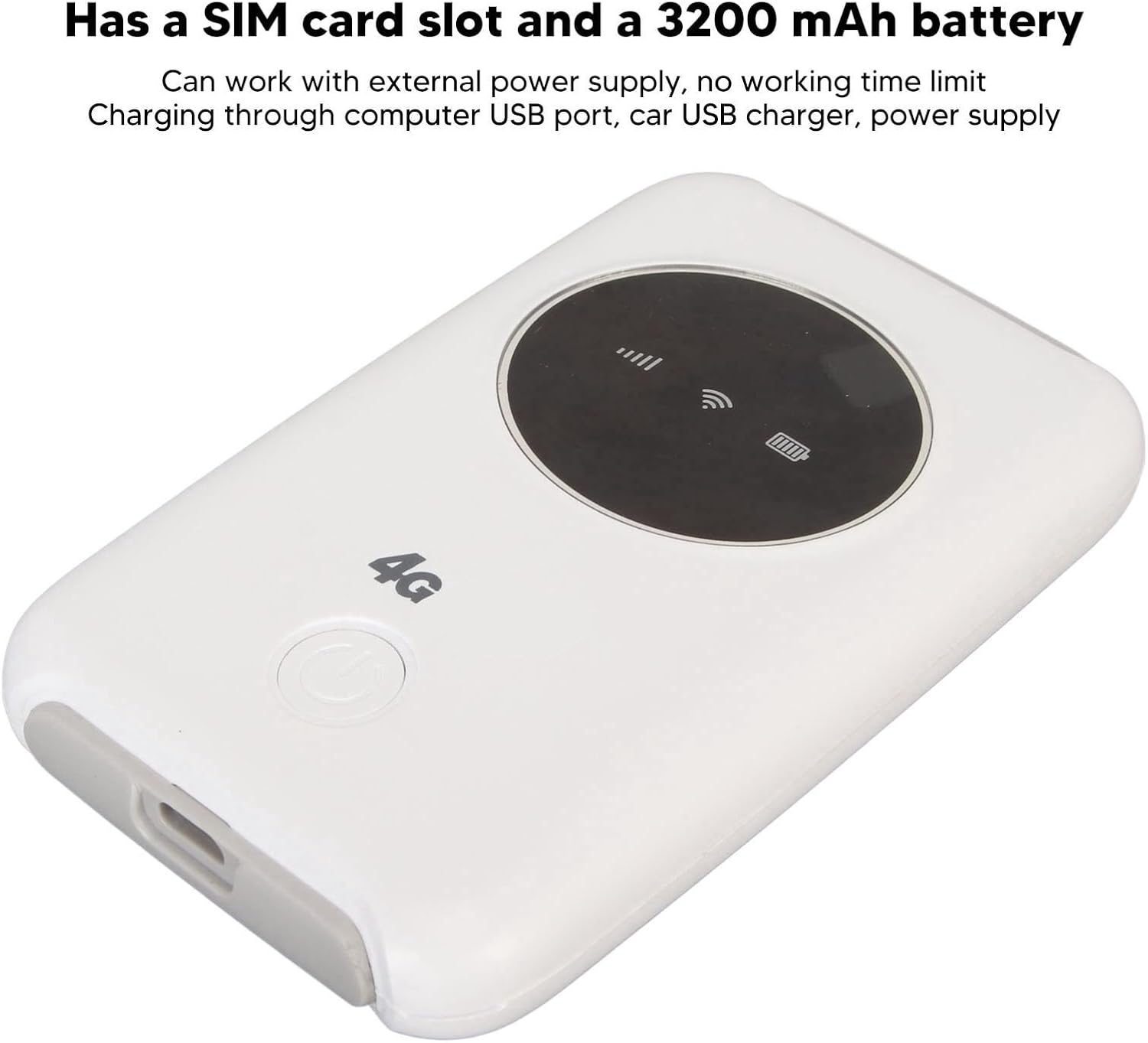
Image 4.2: This image emphasizes the modem's integrated SIM card slot and its 3200mAh battery. It also notes that the device can function continuously when connected to an external power supply.
5. ጥገና
- የሙቀት መበታተን; If the WiFi modem operates for an extended period, it requires proper heat dissipation. Ensure it is placed in a well-ventilated area to prevent overheating, which could damage internal components.
- ማጽዳት፡ መሳሪያውን ለማጽዳት ለስላሳና ደረቅ ጨርቅ ይጠቀሙ። ፈሳሽ ማጽጃዎችን ወይም የማጽጃ ቁሳቁሶችን ከመጠቀም ይቆጠቡ።
- ማከማቻ፡ መሳሪያውን በቀጥታ ከፀሀይ ብርሀን እና ከከፍተኛ ሙቀት ርቆ በቀዝቃዛና ደረቅ ቦታ ያከማቹ።
- የውሃ መጋለጥ; ጉዳት እንዳይደርስ ለመከላከል መሳሪያውን ከውሃ እና እርጥበት ያርቁ.
6. መላ መፈለግ
6.1 የተለመዱ ጉዳዮች እና መፍትሄዎች
| ጉዳይ | ሊሆን የሚችል ምክንያት | መፍትሄ |
|---|---|---|
| ምንም የበይነመረብ ግንኙነት የለም። |
|
|
| የመሳሪያው ሙቀት መጨመር |
|
|
| Cannot connect more devices |
|
|
7. ዝርዝሮች
| ባህሪ | ዝርዝር |
|---|---|
| የምርት ዓይነት | 4G LTE USB WiFi Modem |
| የምርት ስም | ኢብቶልስ |
| የሞዴል ቁጥር | EBTOOLS794cgdg3qo |
| ቀለም | ነጭ |
| ልኬቶች (L x W x H) | በግምት 10 x 6 x 1.5 ሴ.ሜ (3.9 x 2.4 x 0.6 ኢንች) |
| ክብደት | 125 ግ |
| የባትሪ ዓይነት | Built-in Lithium-ion Polymer Battery |
| የባትሪ አቅም | 3200mAh |
| ሲም ካርድ ማስገቢያ | 1 x Standard SIM Card Slot (SIM card not included) |
| የአውታረ መረብ ባንዶች | B1/2/3/5/7/8/20/40 |
| ከፍተኛ የማውረድ ፍጥነት | እስከ 300Mbps (LTE CAT4) |
| ከፍተኛ የተገናኙ ተጠቃሚዎች | 10 |
| ሽቦ አልባ መደበኛ | 802.11ac (for WiFi broadcast) |
| ግብዓት Voltage | 5 ቪ ዲ.ሲ |
| በይነገጽ | ማይክሮ ዩኤስቢ |
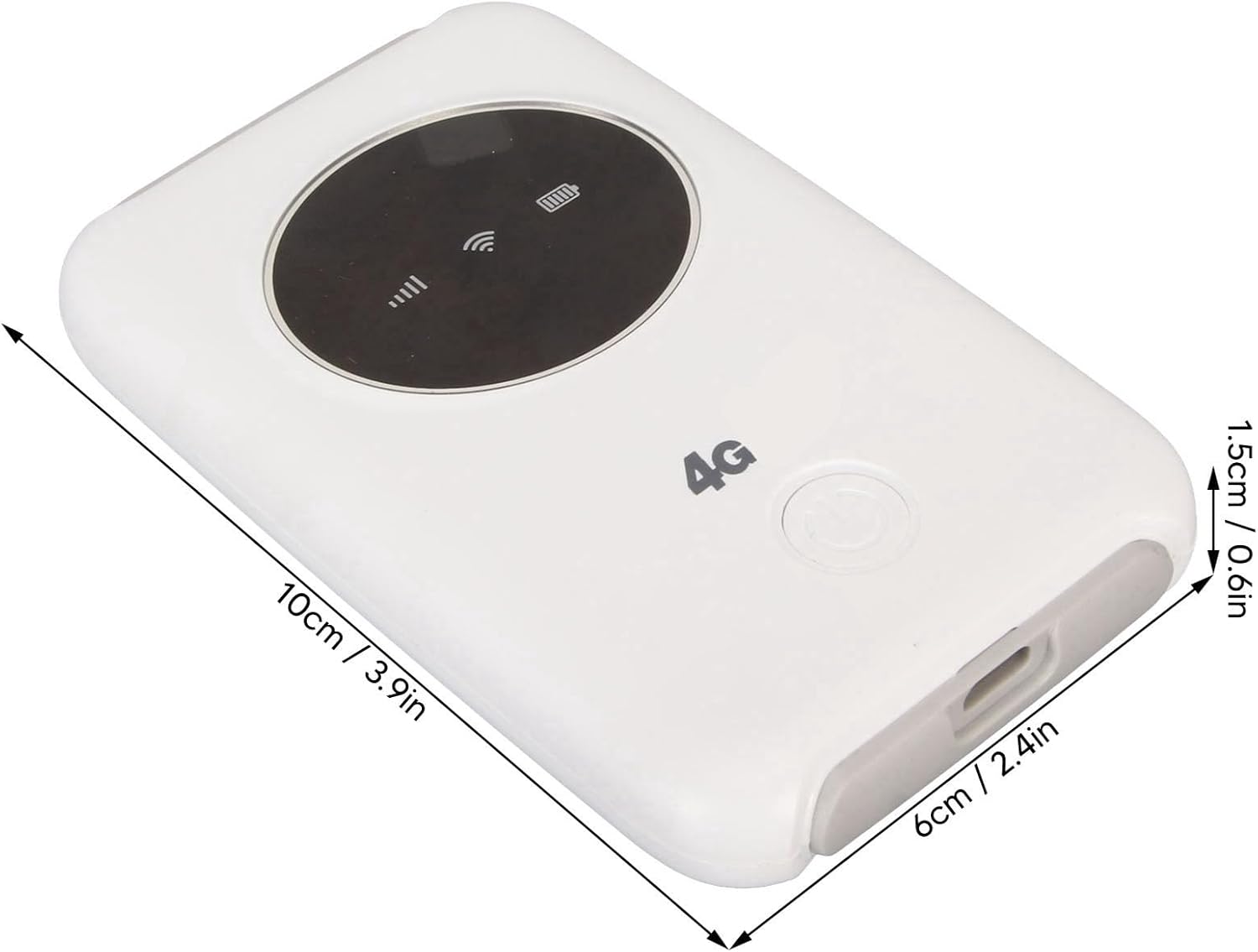
Image 7.1: The modem with its physical dimensions clearly marked, showing its compact size of approximately 10cm x 6cm x 1.5cm.
8. የደህንነት መረጃ
- መሳሪያውን ለመበተን፣ ለመጠገን ወይም ለማሻሻል አይሞክሩ።
- መሳሪያውን ለከፍተኛ ሙቀት፣ ቀጥተኛ የፀሐይ ብርሃን ወይም ከፍተኛ እርጥበት እንዳያጋልጥ።
- መሳሪያውን ከሚቃጠሉ ወይም ከሚፈነዱ ነገሮች ያርቁ።
- Use only the provided or recommended charging cable and power sources.
- ልጆች በማይደርሱበት ቦታ ያስቀምጡ.
9. ዋስትና እና ድጋፍ
Specific warranty information for this product is not available in this manual. Please refer to the documentation provided with your purchase or contact your retailer for details regarding warranty coverage and customer support. For technical assistance, please reach out to the manufacturer or seller through their official channels.