
LC-Power LC-M32-FHD-165-C-A
LC-Power FHD 32 ኢንች 165Hz ጥምዝ ጨዋታ ማሳያ የተጠቃሚ መመሪያ
Model: LC-M32-FHD-165-C-A | Brand: LC-Power
1. መግቢያ
This manual provides essential information for the proper installation, operation, and maintenance of your LC-Power FHD 32 inch 165Hz Curved Gaming Monitor (Model: LC-M32-FHD-165-C-A). Please read this manual thoroughly before using the product to ensure optimal performance and safety.

ምስል 1.1: የፊት view of the LC-Power 32-inch curved gaming monitor.
2. የደህንነት መረጃ
በሞኒተሩ ላይ ጉዳት እንዳይደርስ ለመከላከል እና የተጠቃሚውን ደህንነት ለማረጋገጥ የሚከተሉትን የደህንነት ጥንቃቄዎች ይከተሉ፡
- መቆጣጠሪያውን ለዝናብ፣ ለእርጥበት እና ለከፍተኛ ሙቀት አያጋልጡት።
- በተቆጣጣሪው ዙሪያ ትክክለኛውን አየር ማናፈሻን ያረጋግጡ። የአየር ማናፈሻ ክፍተቶችን አያግዱ.
- ከተቆጣጣሪው ጋር የቀረበውን የኃይል አስማሚ ብቻ ይጠቀሙ።
- በኤሌክትሪክ ገመድ ላይ ከባድ ዕቃዎችን ከማስቀመጥ ተቆጠብ።
- Disconnect the power cable from the outlet during lightning storms or when unused for extended periods.
- ሞኒተሩን እራስዎ ለመጠገን አይሞክሩ። ሁሉንም የአገልግሎት አገልግሎቶች ለባለሙያዎች ያማክሩ።
3. የጥቅል ይዘቶች
ሁሉም እቃዎች በጥቅሉ ውስጥ መኖራቸውን ያረጋግጡ፡-
- LC-Power 32 inch Curved Gaming Monitor
- መቆሚያ (መሠረት እና አንገት) ተቆጣጠር
- የኃይል አስማሚ እና የኃይል ገመድ
- HDMI ገመድ
- የተጠቃሚ መመሪያ
- ለመቆሚያ ስብሰባ ብሎኖች
4. ማዋቀር
4.1 ማቆሚያውን መሰብሰብ
- ተቆጣጣሪውን ከማሸጊያው ላይ በጥንቃቄ ያስወግዱት, ለስላሳ ሽፋን ላይ እንዲቆይ ያድርጉት.
- የተሰጡትን ዊንጮችን በመጠቀም የቆመውን አንገት ወደ መቆጣጠሪያ ፓነል ያያይዙት።
- Connect the stand base to the stand neck and secure it with the remaining screws.
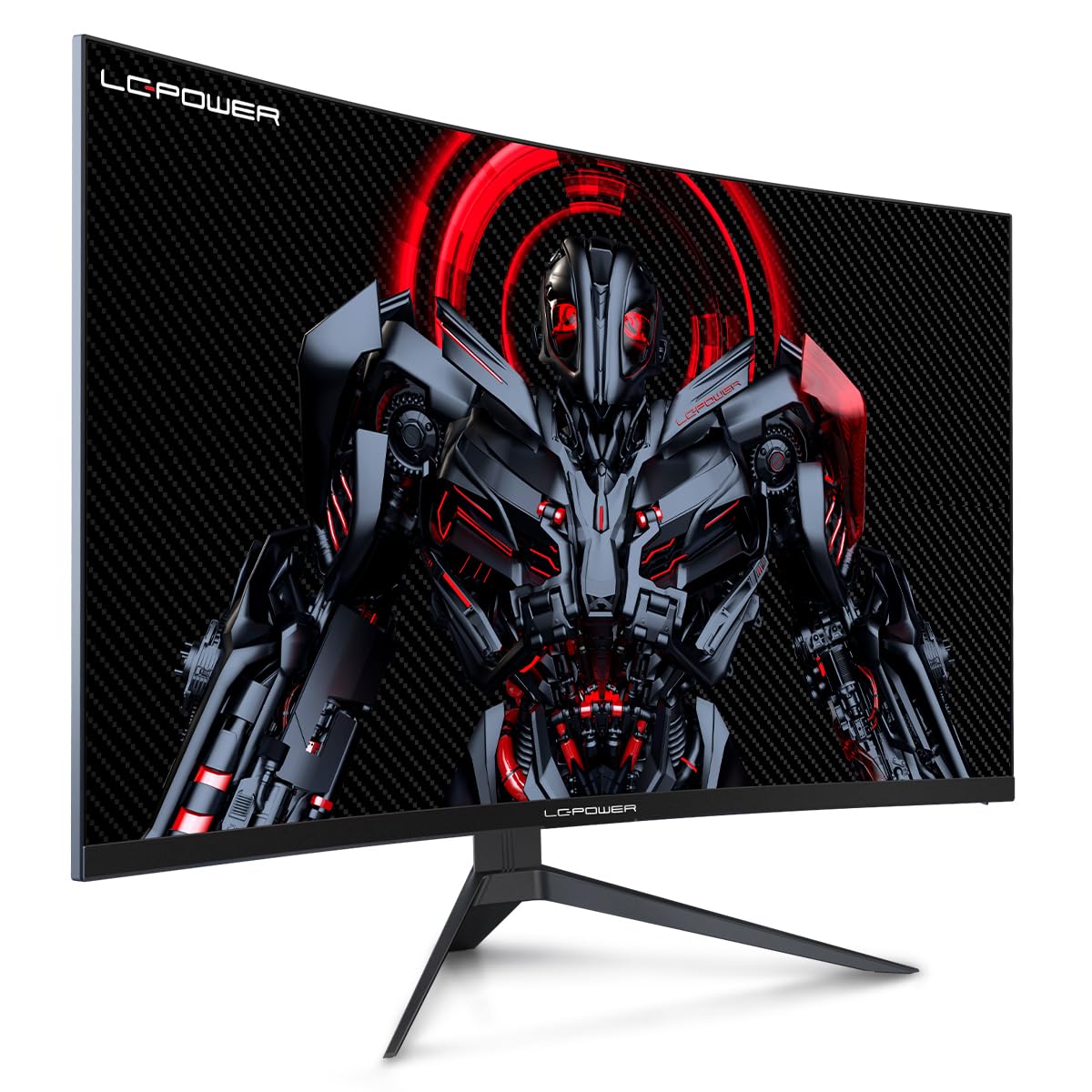
Figure 4.1: LC-Power monitor with stand assembled.
4.2 ማገናኛ ገመዶች
አስፈላጊዎቹን ገመዶች ከሞኒተሩ የኋላ ወደቦች ጋር ያገናኙ፡
- ኃይል፡- የኃይል አስማሚውን ከሞኒተሩ የዲሲ ግብዓት እና ከዚያም ከኃይል መውጫ ጋር ያገናኙ።
- የቪዲዮ ግቤት የኤችዲኤምአይ ወይም የ DisplayPort ኬብልን ከኮምፒዩተርዎ ግራፊክስ ካርድ ወደ ሞኒተሩ ተጓዳኝ ወደብ ያገናኙ።

ምስል 4.2: የኋላ view የመቆጣጠሪያው ከግብዓት ወደቦች ጋር።
4.3 VESA ማፈናጠጥ (አማራጭ)
The monitor supports VESA 100x100mm mounting. To use a VESA mount, remove the stand and attach the monitor to a compatible VESA bracket using appropriate screws (not included).
5. የአሠራር መመሪያዎች
5.1 ማብራት / ማጥፋት
Press the power button, typically located on the back or bottom of the monitor, to turn the monitor on or off. The power indicator light will illuminate when the monitor is on.
5.2 የማያ ገጽ ላይ ማሳያ (OSD) ምናሌ
The OSD menu allows you to adjust various monitor settings. Use the control buttons (joystick or individual buttons) on the monitor to navigate the menu.
የተለመዱ የ OSD ቅንብሮች
- የሥዕል ቅንጅቶች ብሩህነት፣ ንፅፅር፣ ጥርት እና የቀለም ሙቀትን ያስተካክሉ።
- የግቤት ምርጫ፡- በኤችዲኤምአይ እና በ DisplayPort ግብዓቶች መካከል በእጅ ይቀያይሩ።
- ኦዲዮ፡ Adjust volume if external speakers are connected via the monitor's audio output.
- የጨዋታ ቅንብሮች፡- Access features like Overdrive, GamePlus (crosshair overlays), FPS/RTS modes, and Adaptive Sync.
- ማሳያ ቅንብሮች: Adjust aspect ratio, resolution, and refresh rate. Ensure your graphics card is configured to output 1920x1080 resolution at 165Hz for optimal performance.
- ዝቅተኛ ሰማያዊ ብርሃን እና ፍሌከር-ነጻ፦ These features are designed to reduce eye strain during prolonged use. They can be enabled or disabled in the OSD menu.
6. ጥገና
6.1 መቆጣጠሪያውን ማጽዳት
- ከማጽዳትዎ በፊት ሁልጊዜ መቆጣጠሪያውን ይንቀሉ.
- ለስላሳ፣ ከቆሸሸ ነፃ የሆነ ጨርቅ በትንሹ ተጠቀምampበውሃ የታሸገ ወይም ለስላሳ የማይበገር የስክሪን ማጽጃ።
- ማጽጃውን በቀጥታ በስክሪኑ ላይ አይረጩ።
- Avoid using benzene, thinner, or ammonia-based cleaners.
6.2 ማከማቻ
If storing the monitor for an extended period, disconnect all cables, pack it in its original packaging, and store it in a cool, dry place away from direct sunlight.
7. መላ መፈለግ
ለጋራ ጉዳዮች እና መፍትሄዎቻቸው የሚከተለውን ሰንጠረዥ ይመልከቱ።
| ችግር | ሊሆን የሚችል ምክንያት | መፍትሄ |
|---|---|---|
| በማያ ገጹ ላይ ምንም ምስል የለም | Power cable disconnected; Video cable disconnected; Incorrect input selected | Check power and video cable connections; Select correct input via OSD menu |
| ምስል ብልጭ ድርግም የሚል | Faulty video cable; Graphics card driver issue; Refresh rate mismatch | Replace video cable; Update graphics drivers; Set refresh rate to 165Hz in OS display settings |
| ቀለሞች የተሳሳቱ ናቸው | የቀለም ቅንብሮች በ OSD፤ የግራፊክስ ካርድ ቅንብሮች | Adjust color settings in OSD; Calibrate colors via graphics card control panel |
| ሞኒተር አይበራም። | Power cable not connected; Power adapter faulty | Ensure power cable is securely connected; Test power outlet; Contact support if adapter is suspected faulty |
8. ዝርዝሮች
Detailed technical specifications for the LC-Power LC-M32-FHD-165-C-A monitor:
| ባህሪ | ዝርዝር መግለጫ |
|---|---|
| የምርት ስም | LC-ኃይል |
| ሞዴል | LC-M32-FHD-165-CA |
| የስክሪን መጠን | 32 ኢንች |
| የማያ ጥራት | 1920 x 1080 (ኤፍኤችዲ 1080 ፒ) |
| የማደስ ደረጃ | 165 Hz |
| የምላሽ ጊዜ | 1 ሚሊሰከንድ |
| ኩርባ | 1500 አር |
| ምጥጥነ ገጽታ | 16፡9 |
| የማሳያ ቴክኖሎጂ | LCD |
| Viewማእዘን | 178 ዲግሪዎች |
| የሃርድዌር በይነገጽ | ኤችዲኤምአይ ፣ ማሳያ ፖርት |
| ልዩ ባህሪያት | Curved, Flicker-Free, Low Blue Light, GamePlus, Overdrive, FPS/RTS |
| የ VESA ተኳኋኝነት | 100x100 ሚሜ |
| የምርት ልኬቶች | 14.3 x 53.8 x 40.6 ሴሜ (L x W x H) |
| የእቃው ክብደት | 8.24 ኪ.ግ |
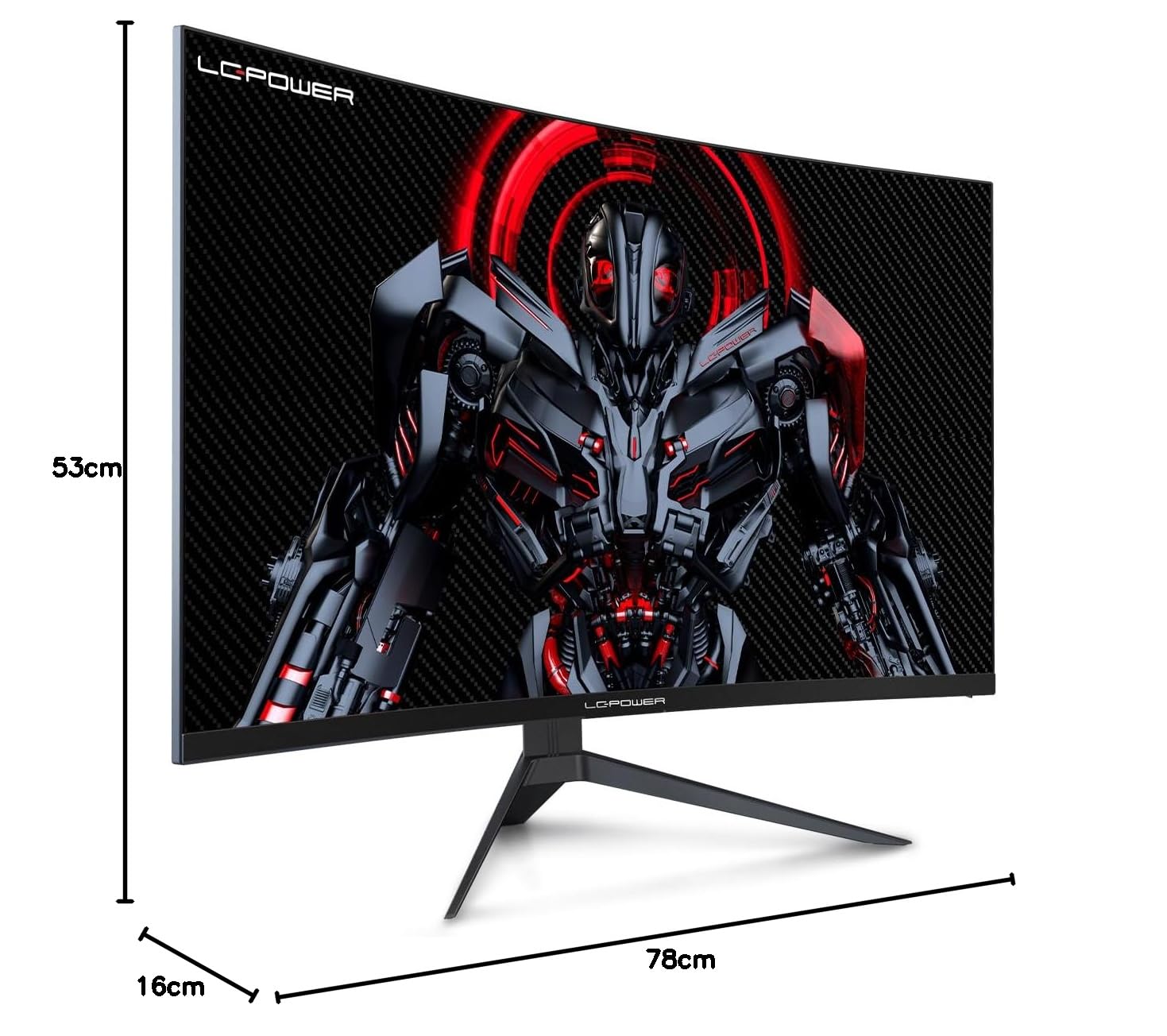
Figure 8.1: Monitor dimensions for planning installation space.
9. ዋስትና እና ድጋፍ
LC-Power provides a three-year warranty for this product. Additionally, a twelve-month replacement service is available. For technical assistance or inquiries regarding damage, defects, or missing parts, please contact LC-Power customer support. Telephone technical support is also available.