
መግቢያ
This manual provides essential instructions for the proper use, setup, and maintenance of your HOCO X89 Type-C to Lightning Charging Data Cable. Please read this manual thoroughly before using the product to ensure optimal performance and safety.
ምርት አልቋልview
The HOCO X89 is a high-quality Type-C to Lightning cable designed for efficient charging and data transfer between compatible devices. It features a durable braided wire exterior and aluminum alloy joints for enhanced longevity.
ቁልፍ ባህሪዎች
- ርዝመት፡ 1 ሜትር (3.2 ጫማ)
- ክብደት፡ 26 ግራም
- ውጫዊ ቁሳቁስ; Braided wire for durability and tangle resistance.
- Joint Material: Aluminum alloy for robust connections.
- የኃይል መሙያ ድጋፍ; Supports Power Delivery (PD) 20W fast charging for compatible Apple devices.
- ግንኙነት፡ Type-C to Lightning connectors.
በሣጥኑ ውስጥ ያለው ነገር፡-
- 1 x HOCO X89 Type-C to Lightning Charging Data Cable
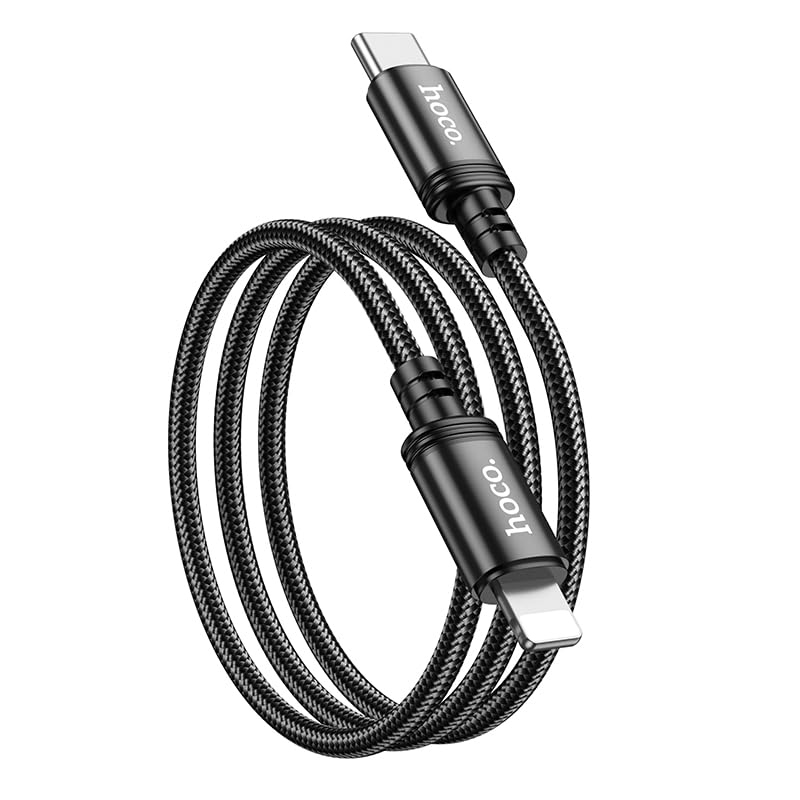
Image: The HOCO X89 cable, coiled, displaying both the Type-C connector and the Lightning connector.
ማዋቀር
The HOCO X89 cable is designed for plug-and-play functionality. No software installation is required.
- ግንኙነቶችን መለየት The cable has two distinct ends: a USB Type-C connector and a Lightning connector.
- Connect to Power Source/Data Port: Insert the USB Type-C end of the cable into a compatible power adapter (e.g., a PD-enabled wall charger) or a device with a Type-C port (e.g., a laptop, power bank).
- ከመሳሪያ ጋር ተገናኝ፡ Insert the Lightning end of the cable into the charging/data port of your compatible Apple device (e.g., iPhone, iPad).
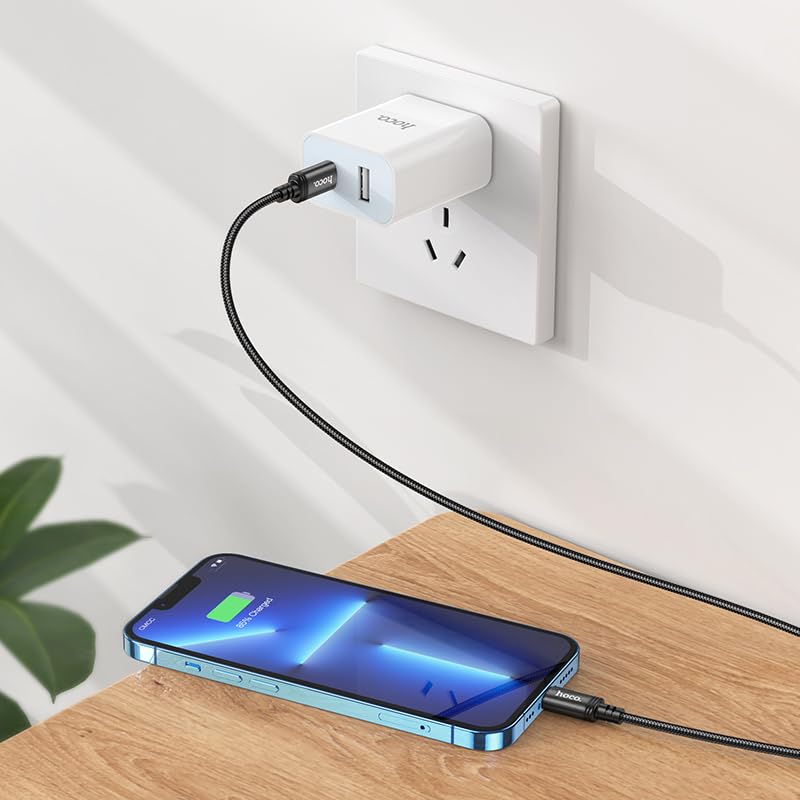
Image: The HOCO X89 cable in use, connecting an iPhone to a wall charger for charging.
የአሠራር መመሪያዎች
መሣሪያዎን ኃይል መሙላት
- Ensure the Type-C end is connected to a power source (wall adapter, power bank, computer). For fast charging, use a Power Delivery (PD) compatible adapter.
- Connect the Lightning end to your Apple device.
- The device should indicate that it is charging. The HOCO X89 supports up to 20W PD charging, allowing for faster charging times on compatible devices.
የውሂብ ማስተላለፍ;
- Connect the Type-C end to a computer or laptop.
- Connect the Lightning end to your Apple device.
- Your computer should recognize the connected device, allowing you to transfer files, sync data, or perform backups. Follow your device's operating system instructions for data management.
ጥገና እና እንክብካቤ
- ማጽዳት፡ Use a soft, dry cloth to wipe the cable and connectors. Avoid using liquids or abrasive cleaners.
- ማከማቻ፡ ገመዱን በቀጥታ ከፀሀይ ብርሀን እና ከከፍተኛ ሙቀት ርቆ በቀዝቃዛና ደረቅ ቦታ ያከማቹ። ውስጣዊ ጉዳት እንዳይደርስ ለመከላከል ገመዱን በሾሉ ማዕዘኖች ላይ በጥብቅ ከመጠቅለል ወይም ከማጠፍ ይቆጠቡ።
- አያያዝ፡ ገመዱን በራሱ ከመሳብ ይልቅ ሁልጊዜ ገመዱን ሲሰካ ወይም ሲነቅል የማገናኛውን ጭንቅላት ይያዙ።
- ጉዳትን ያስወግዱ; Do not expose the cable to water, excessive force, or sharp objects.
መላ መፈለግ
- መሳሪያ እየሞላ አይደለም፡
- ሁለቱም የኬብሉ ጫፎች ደህንነቱ በተጠበቀ ሁኔታ መገናኘታቸውን ያረጋግጡ።
- የኃይል አስማሚው በትክክል እየሰራ መሆኑን እና በቀጥታ መውጫ ላይ መሰካቱን ያረጋግጡ።
- የተለየ የኃይል አስማሚ ወይም የዩኤስቢ ወደብ ይሞክሩ።
- የመሳሪያዎ የኃይል መሙያ ወደብ ንጹህ እና ከቆሻሻ የጸዳ መሆኑን ያረጋግጡ።
- ቀስ ብሎ መሙላት፡
- Ensure you are using a Power Delivery (PD) compatible wall adapter for fast charging.
- በመሳሪያዎ ላይ አላስፈላጊ መተግበሪያዎችን ይዝጉ።
- Avoid using your device heavily while charging.
- የውሂብ ማስተላለፍ ጉዳዮች
- Ensure the Type-C end is connected to a data-enabled USB port on your computer.
- Restart both your computer and your Apple device.
- Check your device's settings for data transfer permissions.
- በኮምፒተርዎ ላይ የተለየ የዩኤስቢ ወደብ ይሞክሩ።
ዝርዝሮች
| የሞዴል ስም | X89_C To I |
| የምርት ስም | HOCO |
| የማገናኛ አይነት | USB Type-C to Lightning |
| የኬብል አይነት | የኃይል መሙያ እና የውሂብ ገመድ |
| ርዝመት | 1 ሜትር (3.2 ጫማ) |
| ክብደት | 26 ግ |
| ውጫዊ ቁሳቁስ | የተጠለፈ ሽቦ |
| Joint Material | የአሉሚኒየም ቅይጥ |
| የኃይል መሙያ ፕሮቶኮል | Supports Power Delivery (PD) 20W |
| ተስማሚ መሣሪያዎች | iPhones (6/6S/7/7+/8/8+/10/11/12/13), iPads, and other Apple devices with Lightning port; Laptops and power adapters with Type-C port. |
| ቀለም | ጥቁር |
የደህንነት መረጃ
- ገመዱን ለመበተን ወይም ለማሻሻል አይሞክሩ።
- ልጆች በማይደርሱበት ቦታ ያስቀምጡ.
- Avoid extreme temperatures, humidity, and corrosive environments.
- ገመዱ የተበላሸ መስሎ ከታየ ወዲያውኑ መጠቀሙን ያቁሙ።
- Use only with compatible and certified power adapters.
ዋስትና እና ድጋፍ
For warranty information and customer support, please refer to the product packaging or contact your retailer. HOCO products are designed for reliability and performance.