
መግቢያ
Thank you for choosing the HOCO W40 Bluetooth Headphones. These wireless headphones are designed to provide a high-quality audio experience with deep bass, clear calls, and comfortable wear. This manual will guide you through the setup, operation, and maintenance of your new headphones.
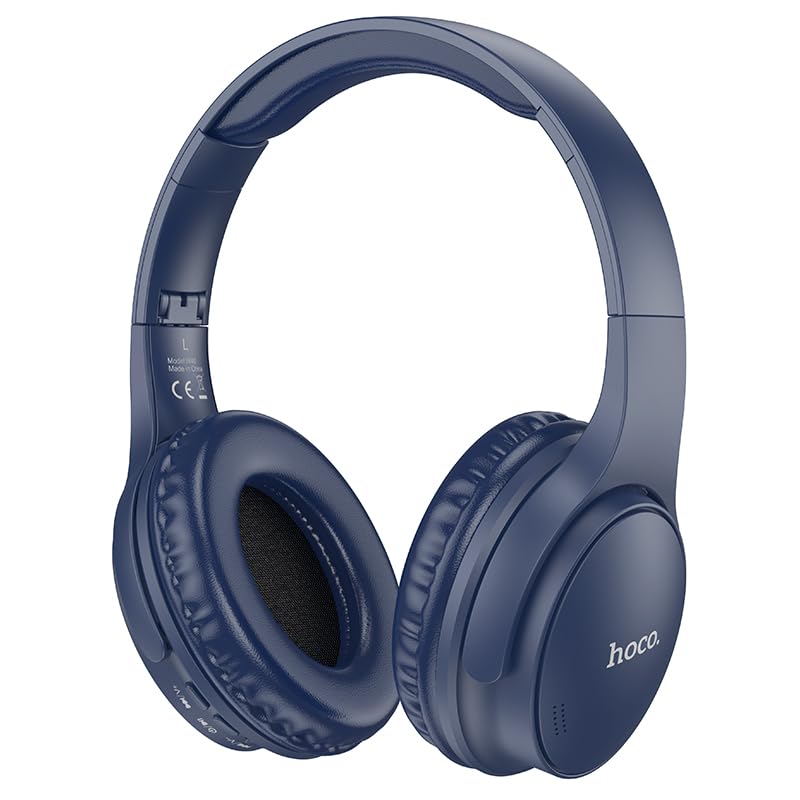
Image: HOCO W40 Bluetooth Headphones in a folded position, showcasing the earcups and headband. The headphones are blue.
በሣጥኑ ውስጥ ያለው
ሁሉም እቃዎች መኖራቸውን ለማረጋገጥ እባክዎ የጥቅልዎን ይዘት ያረጋግጡ፡
- HOCO W40 Bluetooth Headphones
- የጆሮ ኩሽኖች
- የራስ ማሰሪያ (ከጆሮ ማዳመጫዎች ጋር የተዋሃደ)
The package includes the HOCO W40 Bluetooth Headphones, along with ear cushions and the integrated headband for comfortable use.
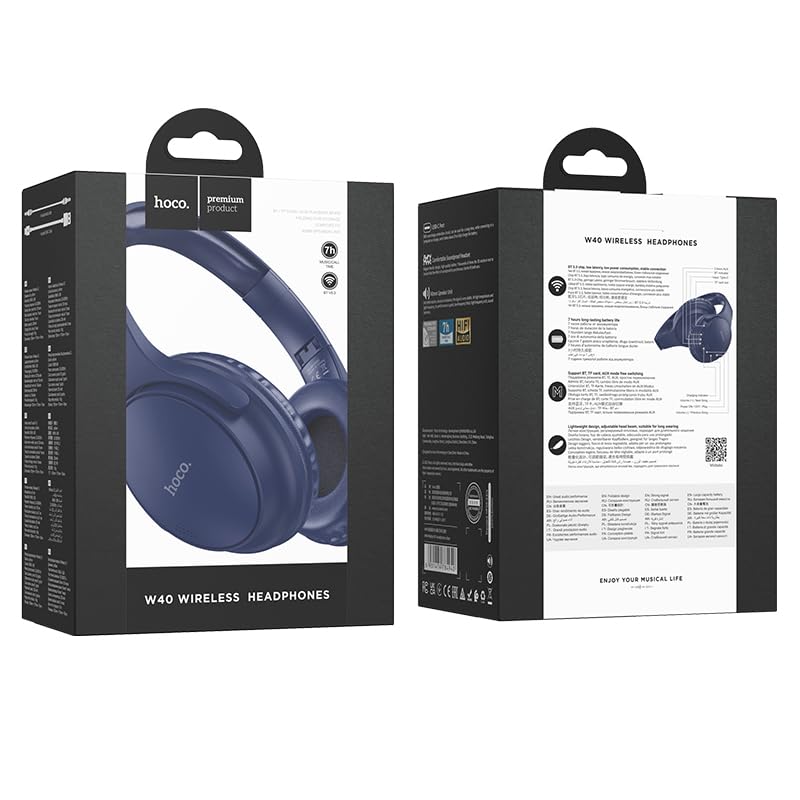
Image: Retail packaging for the HOCO W40 Wireless Headphones, showing the product image and some features on the box.
ምርት አልቋልview
Familiarize yourself with the various parts and controls of your HOCO W40 headphones.
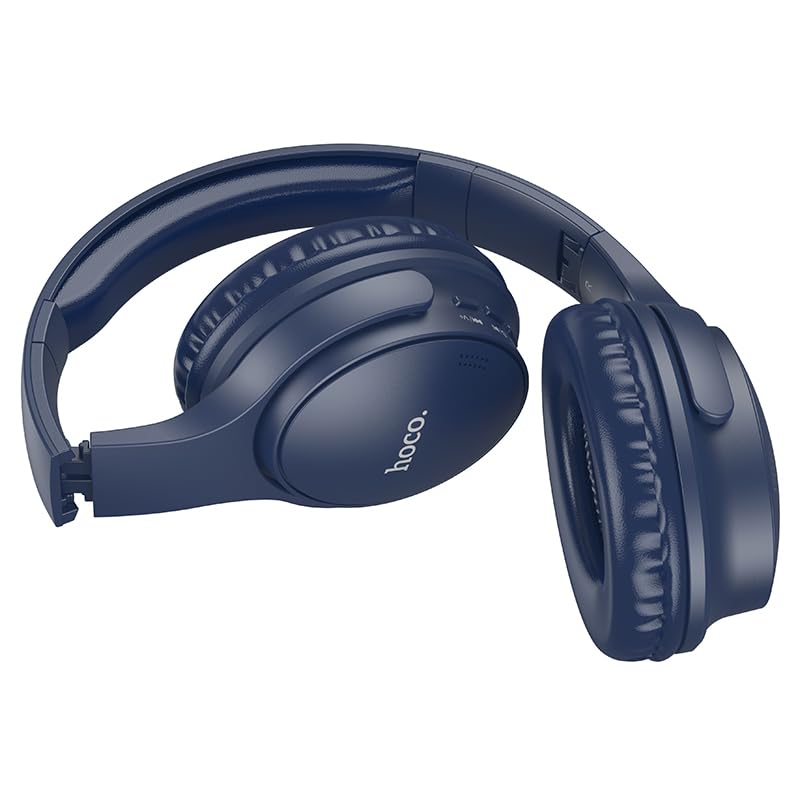
ምስል: ጎን view of the HOCO W40 Bluetooth Headphones, highlighting the earcup and headband design. The controls are visible on the right earcup.
መቆጣጠሪያዎች እና አመላካቾች፡-
- የኃይል ቁልፍ፡- Used to power the headphones on/off and initiate pairing.
- የድምጽ መቆጣጠሪያ፡- Adjusts the listening volume using touch controls.
- ባለብዙ ተግባር አዝራር (ኤምኤፍቢ)፦ ለማጫወት/ለአፍታ ለማቆም፣ ጥሪዎችን ለመመለስ/ለማብቃት
- ማይክሮፎን ለእጅ-ነጻ ጥሪዎች አብሮ የተሰራ።
- የኃይል መሙያ ወደብ; የኃይል መሙያ ገመዱን ለማገናኘት.
- የ LED አመልካች፡- የኃይል ሁኔታን፣ የማጣመሪያ ሁነታን እና የኃይል መሙያ ሁኔታን ያሳያል።
The headphones feature touch controls for volume adjustment and other functions, along with a built-in microphone for clear communication.
ማዋቀር
1. የጆሮ ማዳመጫዎችን መሙላት
Before first use, fully charge your headphones. A full charge takes approximately 1 ሰዓት.
- Connect the charging cable (not included in the JSON's 'whats_in_the_box' but typically provided) to the charging port on the headphones.
- የኬብሉን ሌላኛውን ጫፍ ከዩኤስቢ የኃይል ምንጭ ጋር ያገናኙ (ለምሳሌ, ኮምፒተር, ግድግዳ አስማሚ).
- The LED indicator will show the charging status (e.g., red while charging, blue/off when fully charged).
Once fully charged, the headphones provide up to 12 ሰዓታት of continuous playtime.
2. ከብሉቱዝ መሳሪያ ጋር ማጣመር
The HOCO W40 headphones use Bluetooth 5.3 for stable and seamless connectivity. They are compatible with smartphones, tablets, laptops, and other Bluetooth-enabled devices (iOS, Android).
- የጆሮ ማዳመጫዎች መጥፋታቸውን ያረጋግጡ።
- Press and hold the Power Button until the LED indicator flashes rapidly (usually blue and red alternately), indicating pairing mode.
- በመሳሪያዎ ላይ ብሉቱዝን ያንቁ እና የሚገኙ መሳሪያዎችን ይፈልጉ።
- Select "HOCO W40" from the list of found devices.
- Once paired, the LED indicator will stop flashing and may turn solid blue or off, depending on the model.
- The headphones have a wireless range of up to 10 ሜትር.
If pairing is unsuccessful, turn off both devices, wait a few seconds, and repeat the steps.
የአሠራር መመሪያዎች
ኃይል አብራ/ አጥፋ
- አብራ፡ የ LED አመልካች እስኪበራ ድረስ የኃይል ቁልፉን ተጭነው ለ 3 ሰከንድ ያህል ይያዙ።
- ኃይል ዝጋ: የ LED አመልካች እስኪጠፋ ድረስ የኃይል ቁልፉን ተጭነው ለ 5 ሰከንድ ያህል ይያዙ።
የሙዚቃ ቁጥጥር
- አጫውት/ ለአፍታ አቁም፡ ባለብዙ ተግባር ቁልፍን (MFB) በአጭሩ ይጫኑ።
- ድምጽ ጨምር Tap the designated touch control area for volume up.
- ጥራዝ ታች Tap the designated touch control area for volume down.
- ቀጣይ ትራክ፡ Double-tap the MFB or use the designated touch control.
- ቀዳሚ ትራክ Triple-tap the MFB or use the designated touch control.
Note: Specific touch control gestures may vary slightly. Refer to the quick start guide included with your product for precise details.
የጥሪ መቆጣጠሪያ
- መልስ/ጥሪ ጨርስ፡ ባለብዙ ተግባር ቁልፍን (MFB) በአጭሩ ይጫኑ።
- ጥሪን ውድቅ አድርግ፡ MFB ን ለ 2 ሰከንዶች ተጭነው ይያዙ።
- የመጨረሻ ቁጥር Double-press the MFB when not on a call.
ጥገና
Proper care will extend the life of your HOCO W40 headphones.
- ማጽዳት፡ የጆሮ ማዳመጫዎችን ለማጽዳት ለስላሳ እና ደረቅ ጨርቅ ይጠቀሙ. ገላጭ ማጽጃዎችን ወይም ፈሳሾችን አይጠቀሙ.
- ማከማቻ፡ የጆሮ ማዳመጫዎቹን በቀጥታ ከፀሀይ ብርሀን እና ከከፍተኛ ሙቀት ርቆ በቀዝቃዛና ደረቅ ቦታ ያከማቹ።
- የውሃ መቋቋም; The headphones are water resistant, making them suitable for workouts and outdoor activities. However, they are not designed for submersion in water. Avoid prolonged exposure to heavy rain or direct water jets.
- የባትሪ እንክብካቤ የባትሪ ዕድሜን ለመጠበቅ፣ በተደጋጋሚ ጥቅም ላይ ባይውልም እንኳ የጆሮ ማዳመጫዎቹን በመደበኛነት ኃይል ይሙሉ። ባትሪውን ለረጅም ጊዜ ሙሉ በሙሉ ከመሙላት ይቆጠቡ።
መላ መፈለግ
| ችግር | ሊሆን የሚችል መፍትሄ |
|---|---|
| የጆሮ ማዳመጫዎች አይበሩም። | Ensure the headphones are charged. Connect them to a power source and try again after a few minutes. |
| ከመሳሪያ ጋር ማጣመር አይቻልም። |
|
| ምንም ድምጽ ወይም ዝቅተኛ ድምጽ የለም. |
|
| የጥሪ ጥራት ደካማ ነው። |
|
ዝርዝሮች
| ሞዴል | ወ40 |
| የምርት ስም | HOCO |
| የግንኙነት ቴክኖሎጂ | ገመድ አልባ (ብሉቱዝ 5.3) |
| የብሉቱዝ ክልል | 10 ሜትር |
| የባትሪ ህይወት | እስከ 12 ሰዓታት ድረስ |
| የኃይል መሙያ ጊዜ | በግምት 1 ሰዓት |
| የድምጽ ሾፌር ዓይነት | ተለዋዋጭ ሾፌር |
| የድምጽ መቆጣጠሪያ | የድምፅ ማግለል |
| የውሃ መቋቋም ደረጃ | የውሃ መቋቋም |
| የመቆጣጠሪያ ዓይነት | Volume Control (Touch) |
| አብሮ የተሰራ ማይክሮፎን | Yes, for Hands-Free Calls |
| ተስማሚ መሣሪያዎች | Smartphones, Tablets, Laptops (Universal Compatibility) |
| ቁሳቁስ | ፕላስቲክ |
| የእቃው ክብደት | 180 ግ |
ይፋዊ የምርት ቪዲዮ
ይፋዊውን የምርት ቪዲዮ ለእይታ እይታ ይመልከቱview of the HOCO W40 Bluetooth Headphones and their key features.
ቪዲዮ፡ ይፋዊ ምርት አልቋልview of the HOCO W40 Bluetooth Headphones, demonstrating its features, battery life, design, and device compatibility.
ዋስትና እና ድጋፍ
For warranty information and customer support, please refer to the documentation included with your purchase or visit the official HOCO webጣቢያ. ለማንኛውም የዋስትና ጥያቄዎች የግዢ ማረጋገጫዎን ያስቀምጡ።
ለተጨማሪ እርዳታ ምርቱ የተገዛበትን ቸርቻሪ ማነጋገር ይችላሉ።