
1. በላይview
The BoxWave DirectSync PD Cable is a 10-foot USB-C to USB-C cable designed for efficient power delivery and high-speed data transfer. It supports up to 100 Watts of Power Delivery (PD), making it suitable for charging a wide range of devices, including laptops, tablets, and smartphones. The cable features a durable braided nylon construction and reinforced strain reliefs to ensure longevity and reliable performance.
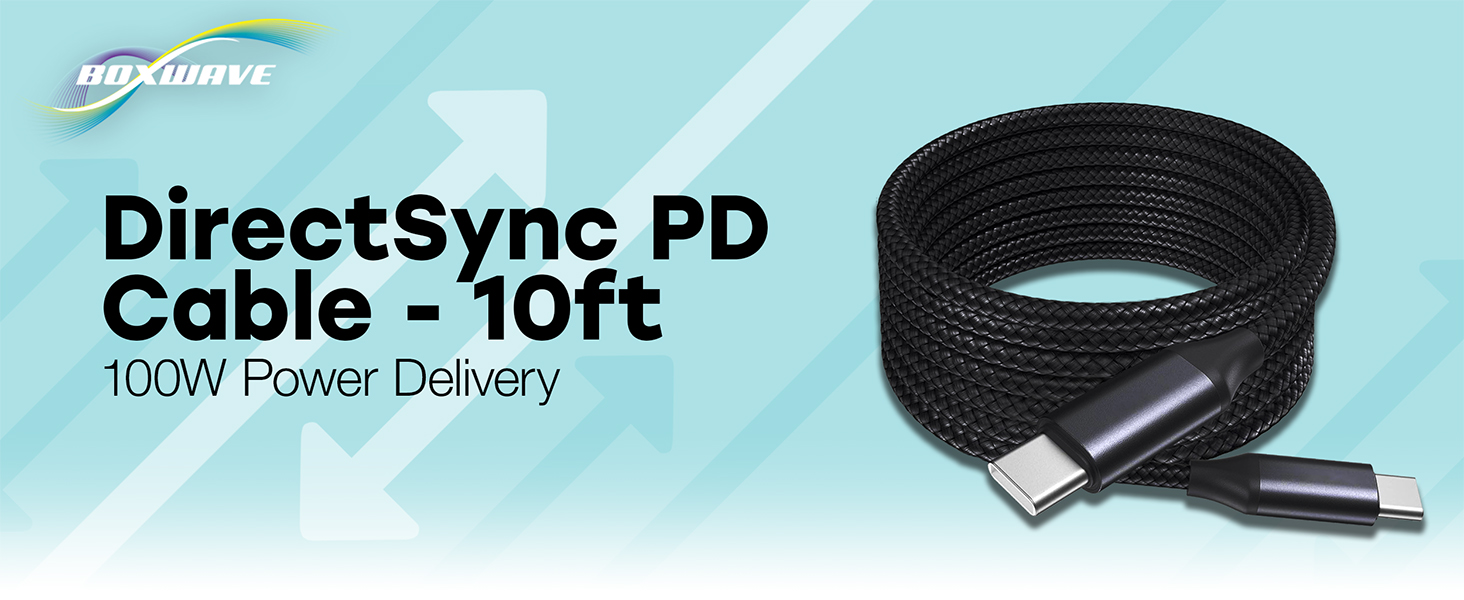
Image: The BoxWave DirectSync PD Cable, highlighting its 10-foot length and 100W Power Delivery capability.
2. ማዋቀር
Setting up your DirectSync PD Cable is straightforward. This cable is designed for universal compatibility with USB-C enabled devices.
- ወደቦችን መለየት፡- Ensure your charging adapter and device both have USB-C ports.
- ከኃይል ምንጭ ጋር ይገናኙ Plug one end of the DirectSync PD Cable into a compatible USB-C power adapter or a computer's USB-C port.
- ከመሳሪያ ጋር ተገናኝ፡ Plug the other end of the cable into your device's USB-C port.
- ግንኙነት አረጋግጥ፡ መሣሪያዎ ለውሂብ ማስተላለፍ ኃይል እየሞላ መሆኑን ወይም እንደተገናኘ መጠቆም አለበት።

Image: A visual representation of the DirectSync PD Cable connected to a laptop and a smartphone, illustrating simultaneous charging and data synchronization.
3. የአሠራር መመሪያዎች
The DirectSync PD Cable offers dual functionality for both charging and data transfer.
3.1 መሳሪያዎን በመሙላት ላይ
Connect the cable as described in the Setup section. The cable supports up to 100W Power Delivery, allowing for rapid charging of compatible devices. Charging speed will depend on your power adapter's output and your device's charging capabilities.
3.2 High-Speed Data Transfer
When connected to a computer, the DirectSync PD Cable facilitates high-speed data transfers up to 480Mbps. This allows you to sync files, photos, and videos between your device and computer efficiently while simultaneously charging.

Image: The DirectSync PD Cable connected to a laptop, illustrating its capability for high-wattage power delivery.
4. ጥገና
To ensure the longevity and optimal performance of your BoxWave DirectSync PD Cable, follow these maintenance guidelines:
- ሹል መታጠፊያዎችን ያስወግዱ፡ While the braided nylon is durable, avoid extreme bending or kinking, especially near the connectors.
- ማገናኛዎችን አጽዳ; Periodically inspect and gently clean the USB-C connectors with a dry, soft cloth to remove dust or debris.
- ትክክለኛ ማከማቻ፡ When not in use, coil the cable loosely. Avoid tightly wrapping it around objects or pulling it taut.
- በጥንቃቄ ይያዙ; ገመዱን በራሱ ከመሳብ ይልቅ ሁልጊዜ ገመዱን ሲሰካ ወይም ሲነቅል የማገናኛውን ጭንቅላት ይያዙ።

Image: Detail of the cable's durable nylon braided exterior.

ምስል፡ መቀራረብ view of the reinforced rubberized strain relief at the connector, designed to prevent fraying.
5. መላ መፈለግ
If you encounter issues with your DirectSync PD Cable, refer to the following common problems and solutions:
- መሳሪያ እየሞላ አይደለም፡
- Ensure both ends of the cable are securely plugged into the power source and your device.
- Verify that your power adapter is functioning correctly and provides sufficient power for your device.
- Test the cable with another compatible device or power source to rule out issues with the cable itself.
- Check your device's charging port for any obstructions or damage.
- ቀርፋፋ የኃይል መሙያ ፍጥነት;
- Confirm that your power adapter supports Power Delivery (PD) and provides adequate wattage (e.g., 100W for maximum speed).
- Ensure your device also supports fast charging via USB-C PD.
- Avoid using the device heavily while charging, as this can slow down the process.
- የውሂብ ማስተላለፍ ጉዳዮች
- Ensure the cable is connected directly between your device and computer, bypassing any hubs or adapters that might not support data transfer.
- Check your device's settings to ensure data transfer mode is enabled (e.g., 'File Transfer' or 'MTP').
- መሳሪያዎን እና ኮምፒተርዎን እንደገና ያስጀምሩ።
- በኮምፒተርዎ ላይ የተለየ የዩኤስቢ-ሲ ወደብ ይሞክሩ።
6. ዝርዝሮች
| ባህሪ | ዝርዝር |
|---|---|
| የምርት ስም | ቦክስዌቭ |
| የማገናኛ አይነት | የዩኤስቢ ዓይነት C |
| የኬብል አይነት | ዩኤስቢ |
| የኃይል አቅርቦት | እስከ 100 ዋ |
| የውሂብ ማስተላለፍ ፍጥነት | 480Mbps |
| የኬብል ርዝመት | 10 ጫማ (በግምት 3 ሜትር) |
| ቁሳቁስ | Braided Nylon Alloy |
| ቀለም | ጄት ጥቁር |
| አያያዥ ጾታ | ወንድ-ለ-ወንድ |
| ልዩ ባህሪ | Braided, Strain Relief |
| የእቃው ክብደት | 6 አውንስ |
7. ዋስትና እና ድጋፍ
BoxWave products are designed for quality and reliability. For specific warranty information regarding your DirectSync PD Cable, please refer to the packaging or the official BoxWave website. If you require technical assistance or have questions about your product, please contact BoxWave customer support through their official channels. Support contact information can typically be found on the product packaging or on the BoxWave webጣቢያ.
የመስመር ላይ ድጋፍ Visit the BoxWave webለተደጋጋሚ ጥያቄዎች፣ የድጋፍ ጽሑፎች እና የእውቂያ አማራጮች ጣቢያ።
የኢሜል ድጋፍ ለደንበኛ አገልግሎት ኢሜይል አድራሻ የምርትዎን ሰነድ ይመልከቱ።