

1. መግቢያ
The PETLIBRO Automatic Cat Feeder (Model PLAF108) is designed to provide convenient and reliable feeding for your pets. This Wi-Fi enabled dispenser features a built-in rechargeable battery, allowing for flexible placement and uninterrupted operation. Control feeding schedules and monitor your pet's meals remotely via the dedicated mobile application.
- Intelligent Feeding: Connects to 2.4GHz Wi-Fi networks for remote scheduling and portion control via the PETLIBRO mobile app.
- ዳግም ሊሞላ የሚችል ባትሪ፡ Built-in lithium battery provides up to 30 days of operation on a full charge, offering placement flexibility.
- 24/7 Wireless Connectivity: Ensures stable connection and emergency feeding even during power outagኢ.
- Overeating Prevention: Secure lid mechanism prevents pets from accessing food outside scheduled times.
- ቀላል ጥገና; Designed for simple disassembly and cleaning of components.
2. የምርት ክፍሎች
Familiarize yourself with the main parts of your PETLIBRO Automatic Cat Feeder:
- የምግብ ሆፐር፦ Stores dry pet food.
- ክዳን፡ Secures the food hopper, features a press-to-lock mechanism.
- የመሠረት ክፍል Contains the electronic components, battery, and dispensing mechanism.
- አይዝጌ ብረት ጎድጓዳ ሳህን; Food-grade bowl for pet feeding.
- Dispenser Outlet: Where food is dispensed into the bowl.
- የኃይል ወደብ ቻርጀሩን ለማገናኘት።
- የWi-Fi አመልካች ብርሃን፡- የግንኙነት ሁኔታን ያሳያል።
- Manual Feed Button: Allows for immediate, unscheduled feeding.
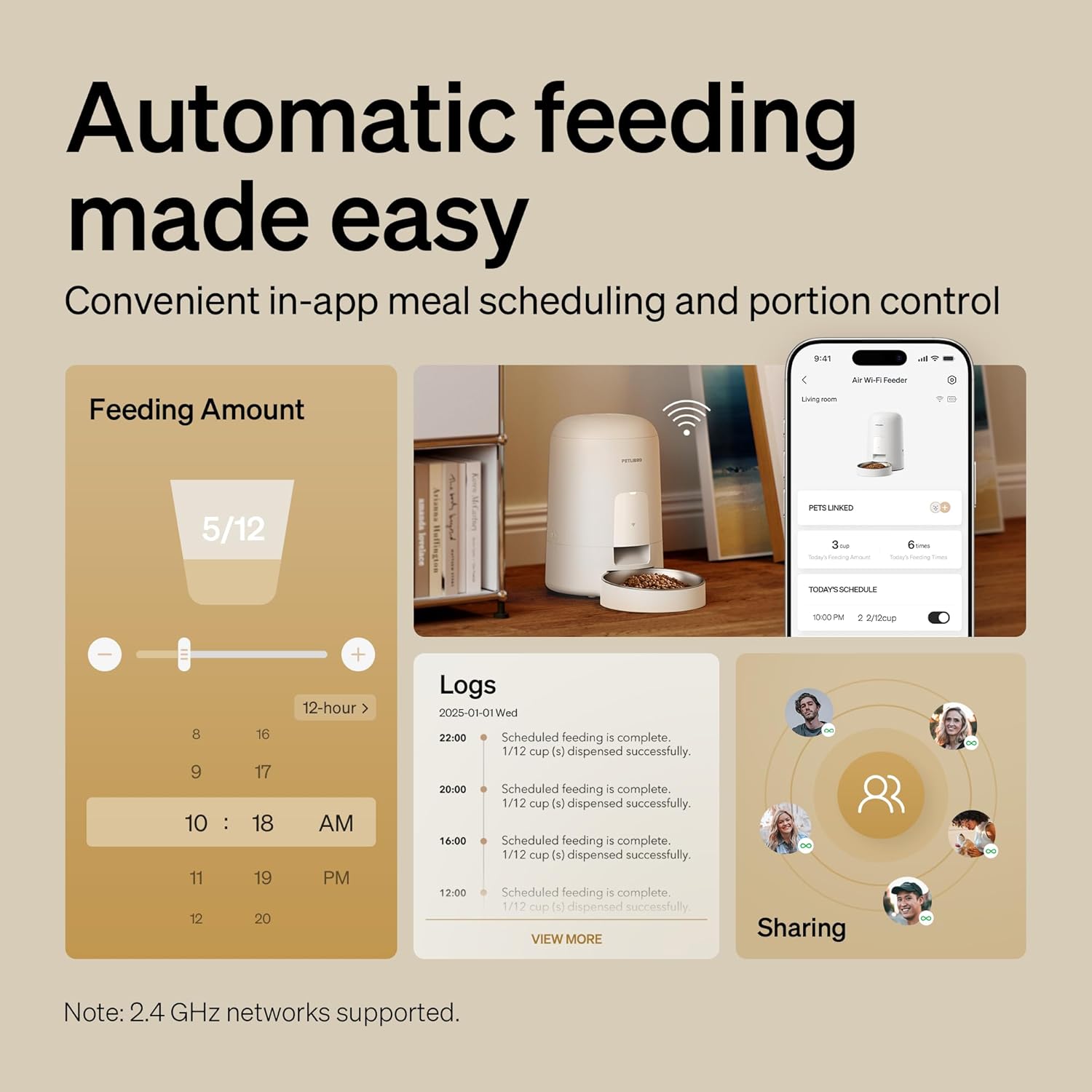
ምስል፡ አልቋልview of the feeder and its app interface, highlighting automatic feeding features and logs.
3. የማዋቀር መመሪያ
3.1 ማሸግ እና የመጀመሪያ ክፍያ
- ሁሉንም ንጥረ ነገሮች ከማሸጊያው ውስጥ በጥንቃቄ ያስወግዱ.
- Connect the charger to the feeder's power port and plug it into a wall outlet. Allow the feeder to fully charge for approximately 8 hours before first use. The battery indicator will show charging status.
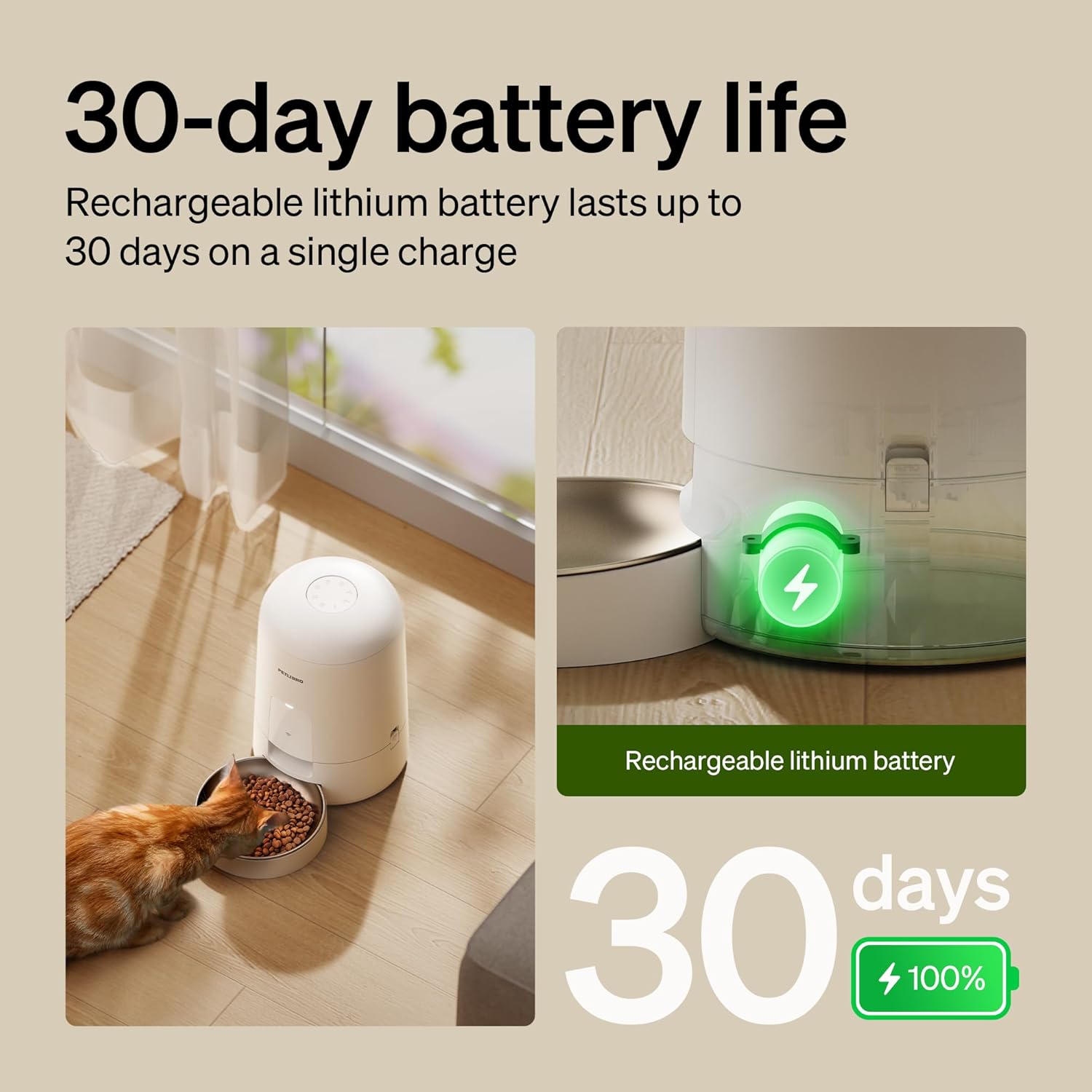
Image: The feeder in use with a cat, illustrating its 30-day battery life and rechargeable nature.
3.2 የመተግበሪያ ጭነት እና የ Wi-Fi ግንኙነት
- Download the "PETLIBRO" mobile app from your device's app store.
- Open the app and follow the on-screen instructions to create an account and add your new feeder.
- የWi-Fi አውታረ መረብዎ መብራቱን ያረጋግጡ 2.4GHz. The feeder does not support 5GHz networks.
- Follow the app's prompts to connect the feeder to your home Wi-Fi network. The Wi-Fi indicator light on the feeder will confirm successful connection.
ጠቃሚ፡- Keep the feeder indoors. Only supports 2.4GHz networks.
3.3 Filling the Food Hopper
- የምግብ ማፍያውን ክዳን ይክፈቱ።
- Pour dry kibble into the hopper. Ensure the kibble diameter is between 2-15mm to prevent jamming.
- Securely close the lid using the press-to-lock mechanism to prevent pets from accessing food and maintain freshness.

Image: Detail of the spill-proof lid design, showing how it locks to secure pet food.
4. የአሠራር መመሪያዎች
4.1 Setting Feeding Schedules (App Control)
The PETLIBRO app allows you to customize your pet's feeding schedule:
- Open the PETLIBRO app on your smartphone.
- Navigate to the feeder's control interface.
- Select "Schedule" or "Feeding Plan" to set meal times and portion sizes. You can typically set 0-10 meals per day, with a maximum of 2/3 cups per meal.
- Save your settings. The feeder will automatically dispense food according to your programmed schedule.

Image: Remote pet feeding via the app, showing a user interacting with the app and a cat near the feeder.
4.2 በእጅ መመገብ
To dispense food immediately outside of the scheduled times:
- በመተግበሪያ በኩል፡ On the app's main screen for the feeder, locate the "Feed Now" or "Manual Feed" option. You can usually select the portion size before dispensing.
- በመጋቢ ላይ፦ Press the manual feed button located on the feeder's base unit. This will dispense a single portion of food.
4.3 Monitoring and Notifications
- The app provides real-time feeding logs, allowing you to track when and how much food was dispensed.
- Receive instant notifications for important events, such as low food levels or low battery power.
5. ጥገና እና ጽዳት
አዘውትሮ ማጽዳት ለቤት እንስሳትዎ ጥሩ አፈፃፀም እና ንፅህናን ያረጋግጣል።
5.1 ለጽዳት መበታተን
The PETLIBRO feeder is designed for easy disassembly:
- Ensure the feeder is unplugged and powered off.
- Remove the food hopper from the base unit. The easy-lock design allows for quick removal.
- Separate the stainless steel bowl from the base.
- Disassemble any other detachable components as per the quick guide.

Image: Detachable components of the feeder being cleaned under running water in a sink.
5.2 የጽዳት መመሪያዎች
- Wash the food hopper, lid, and stainless steel bowl with mild soap and water. Rinse thoroughly.
- DO NOT wash the main base unit with water. የመሠረት ክፍሉን በማስታወቂያ ይጥረጉamp ጨርቅ ብቻ.
- Ensure all washed components are completely dry before reassembling and refilling with food.
5.3 Kibble Recommendations
- Use dry kibble with a diameter between 2-15mm.
- Do not use wet pet food or kibble larger than 15mm, as this can cause jamming.
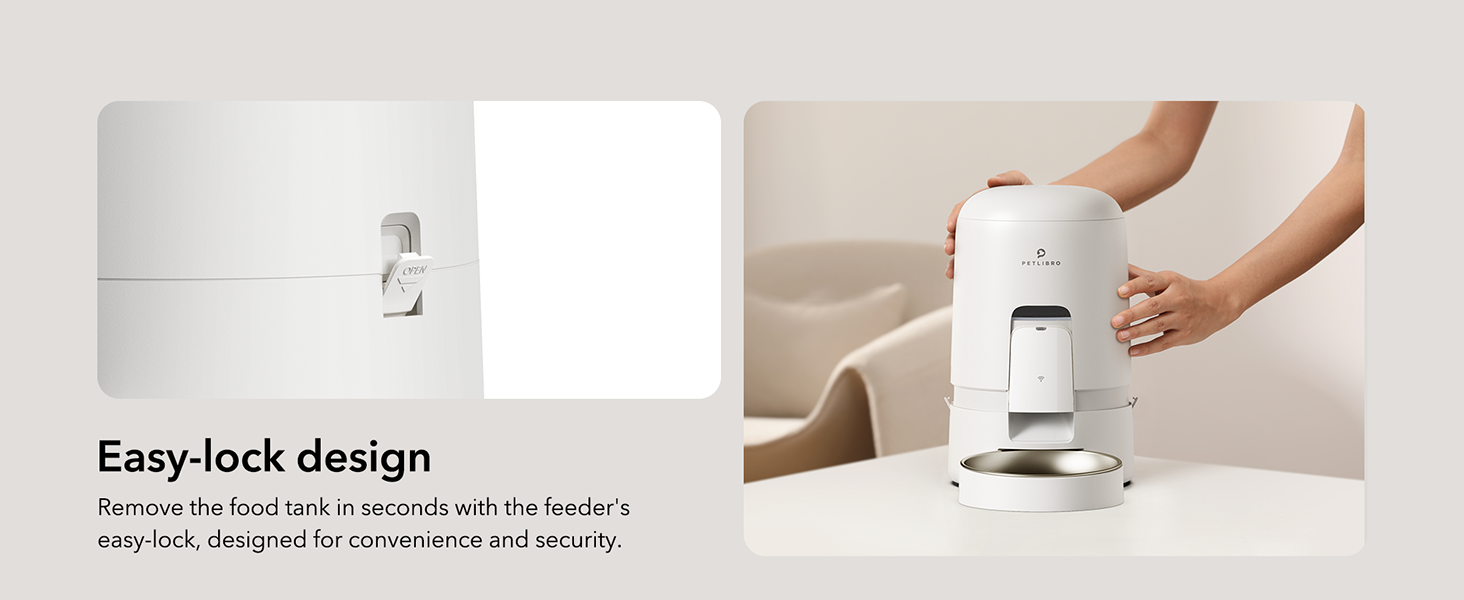
Image: Visual guide for recommended kibble sizes (2-15mm) and compatible food types (dry, freeze-dried, air-dried, mixed food).
6. መላ መፈለግ
| ችግር | ሊሆን የሚችል ምክንያት | መፍትሄ |
|---|---|---|
| መጋቢ ምግብ አይሰጥም። | Food hopper empty; kibble jammed; power issue; incorrect schedule. | Refill hopper; check kibble size (2-15mm); ensure feeder is charged/plugged in; verify app schedule. |
| የ Wi-Fi ግንኙነት ማቋረጥ። | Router issue; feeder out of range; 5GHz network used. | Restart router; move feeder closer to router; ensure 2.4GHz network is used. The built-in battery ensures emergency feeding even if Wi-Fi temporarily disconnects. |
| Pet knocks over feeder/bowl. | Feeder not stable; bowl not securely attached. | Place feeder in a stable location or against a wall; ensure bowl is properly seated. The spill-proof design minimizes mess if tipped. |
| መተግበሪያው ከመጋቢው ጋር አልተገናኘም። | Incorrect Wi-Fi password; feeder not in pairing mode; app issue. | Re-enter Wi-Fi password; follow app instructions to re-pair; restart app and feeder. |
If you encounter issues not listed here, please refer to the ዋስትና እና ድጋፍ የእውቂያ መረጃ ክፍል.
7. የምርት ዝርዝሮች
| ባህሪ | ዝርዝር |
|---|---|
| የሞዴል ስም | air automatic cat feeder (PLAF108) |
| የምርት ስም | ፔትሊብሮ |
| አቅም | 2 ሊትር |
| ቀለም | ነጭ |
| ቁሳቁስ | Acrylonitrile Butadiene Styrene, አይዝጌ ብረት |
| ልኬቶች (LxWxH) | 7.68 x 7.68 x 11.42 ኢንች |
| የእቃው ክብደት | 3.66 ፓውንድ (1.66 ኪሎ ግራም) |
| የኃይል ምንጭ | Rechargeable Lithium Battery (30-day life), Charger |
| ግንኙነት | ዋይ ፋይ (2.4GHz ብቻ) |
| የኪብል መጠን | 2-15mm diameter dry kibble |
| ከፍተኛ ምግቦች/ቀን | 0-10 ምግቦች |
| Max Portion/Meal | 2/3 ኩባያ |
| የዒላማ ዝርያዎች | Cat, Small to Medium Animals |
| የተካተቱ አካላት | WiFi automatic pet feeder*1, Stainless Steel Bowl*1, Charger*1, Quick Guide*1, User Manual*1 |
8. ዋስትና እና ድጋፍ
Your PETLIBRO Automatic Cat Feeder comes with a የ 24 ወራት ዋስትና ከተገዛበት ቀን ጀምሮ.
For technical support, warranty claims, or any questions regarding your product, please contact PETLIBRO customer service. You can find more information and contact details on the official PETLIBRO webጣቢያ ወይም በአማዞን ማከማቻ ገጻቸው በኩል፡-
Visit the PETLIBRO Store on Amazon
Please have your model number (PLAF108) and purchase details ready when contacting support.


