
መግቢያ
This manual provides comprehensive instructions for the safe and efficient use of your DOOGEE N50PRO smartphone. Please read this manual thoroughly before operating your device and retain it for future reference. The DOOGEE N50PRO is an Android 13 smartphone equipped with an Octa-Core processor, a 6.52-inch HD+ display, a 50MP main camera, a 4200mAh battery, and supports 4G Dual SIM, Face ID, and Fingerprint ID.
የጥቅል ይዘቶች
ሁሉም የሚከተሉት ዕቃዎች በምርት ጥቅልዎ ውስጥ መካተታቸውን ያረጋግጡ፡
- DOOGEE N50PRO Smartphone
- የማሸጊያ ሳጥን
- ኃይል መሙያ (9 ቪ / 2 ኤ)
- የዩኤስቢ ዓይነት- C ገመድ
- ሲም ካርድ ፒን
- Pre-applied TP Protective Film
- የተጠቃሚ መመሪያ (ይህ ሰነድ)
ማዋቀር
1. ሲም ካርድ እና TF ካርድ መጫን
The DOOGEE N50PRO supports dual Nano SIM cards or one Nano SIM card and one TF (MicroSD) card for expandable storage up to 1TB. Ensure the device is powered off before inserting or removing cards.
- የሲም ካርዱን ትሪ ከስልኩ ጎን ያግኙት።
- Insert the SIM card pin into the small hole next to the tray to eject it.
- ትሪውን በጥንቃቄ ያውጡ.
- የናኖ ሲም ካርድዎን እና/ወይም የTF ካርድዎን በትሪው ላይ በተቀመጡት ቦታዎች ውስጥ ያስቀምጡ። የወርቅ ንክኪዎቹ ወደ ታች መመልከታቸውን ያረጋግጡ።
- ትሪውን ወደ ስልኩ ጠቅ እስኪያደርጉ ድረስ ቀስ ብለው ይግፉት።
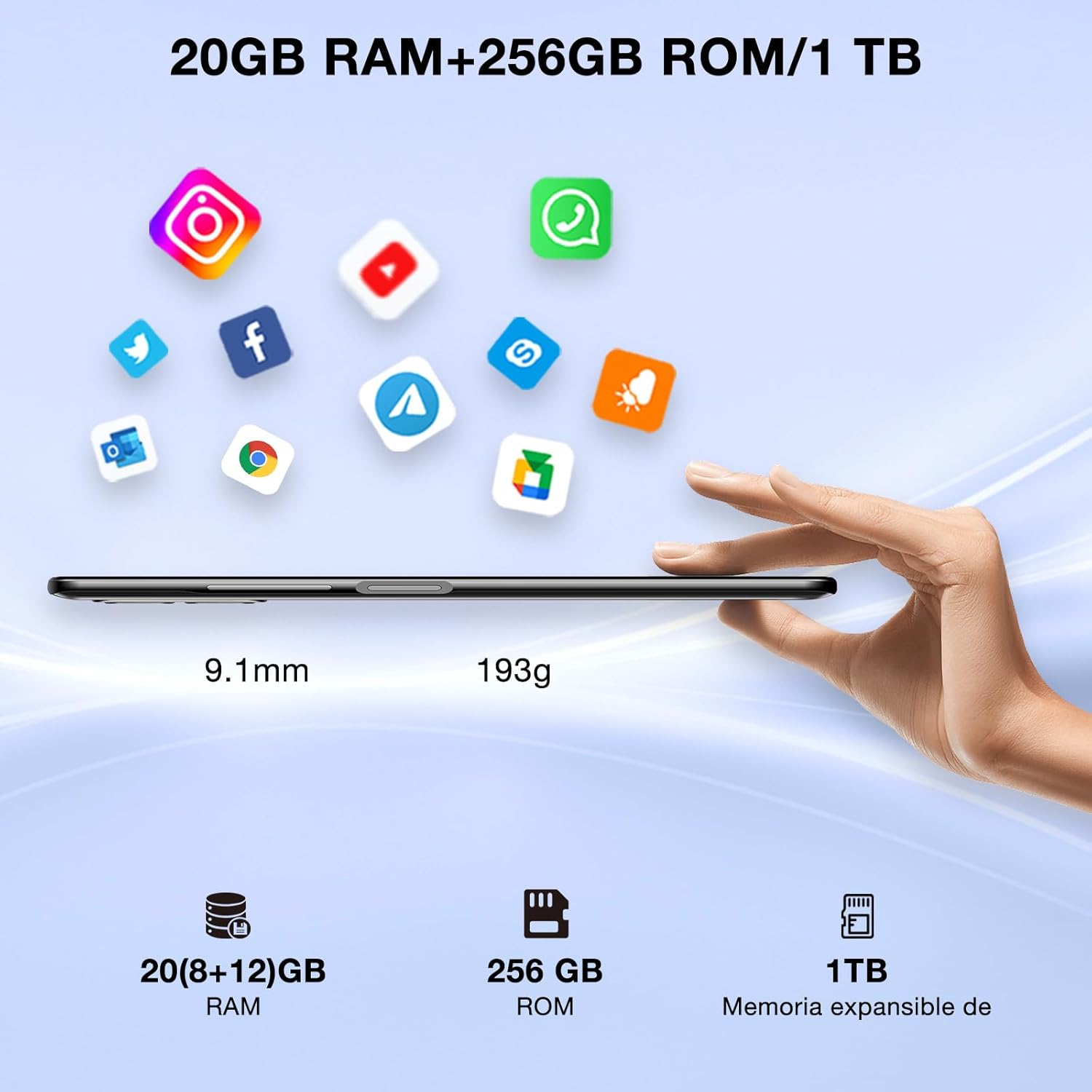
Image: DOOGEE N50PRO smartphone showing its slim profile (9.1mm), weight (193g), and memory configuration (20GB RAM, 256GB ROM, 1TB expandable memory).
2. የመጀመሪያ ኃይል በርቷል
Press and hold the Power button located on the side of the device until the DOOGEE logo appears. Follow the on-screen prompts to complete the initial setup, including language selection, Wi-Fi connection, and Google account setup.
3. ባትሪውን በመሙላት ላይ
Before first use, it is recommended to fully charge the device. Connect the USB Type-C cable to the phone's charging port and the other end to the provided 9V/2A charger. Plug the charger into a power outlet. The charging indicator will appear on the screen.

Image: DOOGEE N50PRO connected to a charger, illustrating its 4200mAh battery capacity and 18W fast charging capability. The image also highlights OTG reverse charging.
የአሠራር መመሪያዎች
1. Basic Navigation and Android 13 Features
Your DOOGEE N50PRO runs on Android 13, offering an intuitive user experience. Swipe down from the top of the screen to access the notification panel and quick settings. Customize your control center and direct access operations for efficient use of various functions.

Image: Visual representation of the DOOGEE N50PRO's internal components, highlighting the Spreadtrum T606 Octa-Core processor with 1.6GHz high frequency and 12nm advanced technology, running on Android 13.
2. Security Features: Face ID and Fingerprint ID
Enhance your device's security and convenience with advanced biometric authentication:
- የፊት መታወቂያ፡- Register your face to unlock the phone by simply looking at the front camera.
- የጣት አሻራ መታወቂያ፡ Register your fingerprint(s) to unlock the phone or authorize purchases with a touch. The fingerprint sensor is typically located on the side or back of the device.

Image: A user demonstrating Face ID unlock and a close-up of the Fingerprint ID sensor on the DOOGEE N50PRO, showcasing its multi-function security features.
3. የካሜራ አጠቃቀም
The DOOGEE N50PRO features a triple camera system:
- 50 ሜፒ ዋና ካሜራ፡ ለከፍተኛ ጥራት ፎቶዎች.
- 8 ሜፒ የፊት ካሜራ፡ ለራስ ፎቶዎች እና የቪዲዮ ጥሪዎች።
- 2 MP Macro Camera: ለዝርዝር የተጠጋ ጥይቶች።
Access the Camera app from your home screen or app drawer. Explore various modes such as Panorama, Portrait, and Night mode to capture different scenes effectively.

Image: Diagram illustrating the DOOGEE N50PRO's dual AI camera setup, featuring a 50MP main camera, an 8MP front camera, and a 2MP macro camera. Sample photos taken with the 50MP main and 8MP front cameras are also shown.
4. ግንኙነት
- ዋይ ፋይ፡ Supports 2.4G/5G Wi-Fi for fast and stable internet connection. Go to Settings > Network & internet > Wi-Fi to connect to available networks.
- ብሉቱዝ 5.0: For connecting wireless accessories like headphones or speakers. Go to Settings > Connected devices > Bluetooth.
- OTG (በጉዞ ላይ)፡- Allows the phone to act as a host to connect USB devices like flash drives or external keyboards. It also supports reverse charging for other devices.
- አሰሳ፡ Integrated GPS, GLONASS, BeiDou, and Galileo for accurate location services.
- ኤፍኤም ሬዲዮ Use the built-in FM radio feature (requires headphones to act as an antenna).
- 3.5 ሚሜ የጆሮ ማዳመጫ ጃክ; ባለገመድ የድምጽ መለዋወጫዎች.
5. የወላጅ ቁጥጥር
The device includes parental control features, allowing you to monitor and manage screen time and application usage for children. Access these settings through the device's system settings to balance usage effectively.
ጥገና
1. የባትሪ እንክብካቤ
- ባትሪውን ለከፍተኛ ሙቀት (ሙቅ ወይም ቀዝቃዛ) ከማጋለጥ ይቆጠቡ።
- Do not fully discharge the battery frequently. Charge it before it drops below 20%.
- Use only the provided charger and cable to prevent damage.
2. ማጽዳት
የስልኩን ስክሪን እና አካል ለማፅዳት ለስላሳ፣ ከጥጥ ነጻ የሆነ ጨርቅ ይጠቀሙ። ኃይለኛ ኬሚካሎችን ወይም ሻካራ ቁሳቁሶችን ከመጠቀም ይቆጠቡ. ለግትር ማጭበርበሮች በትንሹ መampጨርቁን በውሃ ወይም ለኤሌክትሮኒክስ የተነደፈ ስክሪን ማጽጃ።
3. የሶፍትዌር ዝመናዎች
መሣሪያዎ የቅርብ ጊዜ ባህሪያት፣ የደህንነት መጠገኛዎች እና የአፈጻጸም ማሻሻያዎች እንዳሉት ለማረጋገጥ በየጊዜው የሶፍትዌር ማሻሻያዎችን ይፈልጉ እና ይጫኑ። ወደ ቅንብሮች> ስርዓት> የስርዓት ዝመና ይሂዱ።
መላ መፈለግ
- መሣሪያው እየበራ አይደለም፡- ባትሪው መሙላቱን ያረጋግጡ። ባትሪ መሙያውን ያገናኙ እና እንደገና ለማብራት ከመሞከርዎ በፊት ጥቂት ደቂቃዎችን ይጠብቁ።
- ማያ ገጽ ምላሽ የማይሰጥ፡ የኃይል አዝራሩን ከ10-15 ሰከንድ ያህል በመያዝ መሳሪያውን እንደገና ለማስጀመር ይሞክሩ።
- የአውታረ መረብ ችግሮች፡- Check if your SIM card is properly inserted. Try toggling Airplane Mode on and off. If issues persist, contact your mobile service provider.
- የሚበላሹ መተግበሪያዎች Clear the cache of the problematic app (Settings > Apps > [App Name] > Storage & cache > Clear cache). If the issue continues, consider reinstalling the app.
- ዝቅተኛ አፈጻጸም; ጥቅም ላይ ያልዋሉ መተግበሪያዎችን ዝጋ፣ መሸጎጫ አጽዳ ወይም የፋብሪካ ዳግም ማስጀመርን እንደ የመጨረሻ አማራጭ አስብ (መጀመሪያ የውሂብህን ምትኬ አስቀምጥ)።
ዝርዝሮች
| ባህሪ | ዝርዝር መግለጫ |
|---|---|
| የሞዴል ስም | DOOGEE N50PRO |
| ስርዓተ ክወና | አንድሮይድ 13.0 |
| ፕሮሰሰር | ኦክታ-ኮር (ስፕሬድትረም T606) |
| ራም | 20 GB (Extended Memory) |
| የውስጥ ማከማቻ (ሮም) | 256 ጊባ |
| ሊሰፋ የሚችል ማከማቻ | እስከ 1 ቴባ (TF ካርድ) |
| የማሳያ መጠን | 6.52 ኢንች |
| የማሳያ ጥራት | HD+ (720x1600) |
| ዋና ካሜራ | 50 ሜፒ |
| የፊት ካሜራ | 8 ሜፒ |
| ማክሮ ካሜራ | 2 ሜፒ |
| የባትሪ አቅም | 4200 ሚአሰ |
| በመሙላት ላይ | 18 ዋ ዓይነት-ሲ ፈጣን ባትሪ መሙላት |
| ሴሉላር ቴክኖሎጂ | 4G |
| የሲም ካርድ አይነት | ናኖ ሲም (ባለሁለት ሲም ድጋፍ) |
| ግንኙነት | Wi-Fi (2.4G/5G), Bluetooth 5.0, OTG, FM Radio |
| አሰሳ | GPS፣ GLONASS፣ BeiDou፣ Galileo |
| የደህንነት ባህሪያት | Face ID, Fingerprint ID |
| መጠኖች | 165.8 x 76.2 x 9.1 ሚ.ሜ |
| ክብደት | 187 ግ |
| የጆሮ ማዳመጫ ጃክ | 3.5 ሚ.ሜ |
| የንግግር ጊዜ | እስከ 16 ሰዓታት ድረስ |

Image: The DOOGEE N50PRO's 6.52-inch Waterdrop HD+ display, showing its 720x1600 resolution, 20:9 aspect ratio, and 86% screen-to-body ratio.
ዋስትና እና ድጋፍ
1. የዋስትና መረጃ
Your DOOGEE N50PRO smartphone comes with a የሁለት ዓመት ኦፊሴላዊ ዋስትና from the date of purchase. Please retain your proof of purchase for warranty claims. This warranty covers manufacturing defects and malfunctions under normal use conditions.
2. የደንበኛ ድጋፍ
For technical assistance, warranty claims, or further inquiries, please contact DOOGEE customer support through their official website or the contact information provided with your purchase. Ensure you have your device model number and proof of purchase ready when contacting support.