
1. መግቢያ
This manual provides detailed instructions for the MEETION MT-M915 USB Gaming Mouse with Backlight. Please read this guide thoroughly before using the product to ensure correct installation, optimal performance, and to understand its features. This mouse is designed for gaming and general computer use, offering reliable performance and a comfortable design.
2. የጥቅል ይዘቶች
- MEETION MT-M915 USB Gaming Mouse
- የትምህርት መመሪያ (ይህ ሰነድ)
3. የስርዓት መስፈርቶች
- Operating System: Windows XP, Linux
- Compatible Devices: Personal Computer, Laptop
- የሚገኝ የዩኤስቢ ወደብ
4. ማዋቀር
4.1 አይጤን በማገናኘት ላይ
- በኮምፒተርዎ ወይም ላፕቶፕዎ ላይ የሚገኝ የዩኤስቢ ወደብ ያግኙ።
- Plug the USB connector of the MEETION MT-M915 mouse into the USB port.
- The operating system will automatically detect and install the necessary drivers. This is a plug-and-play device, so no additional software installation is typically required.
- The mouse backlight will illuminate upon successful connection.
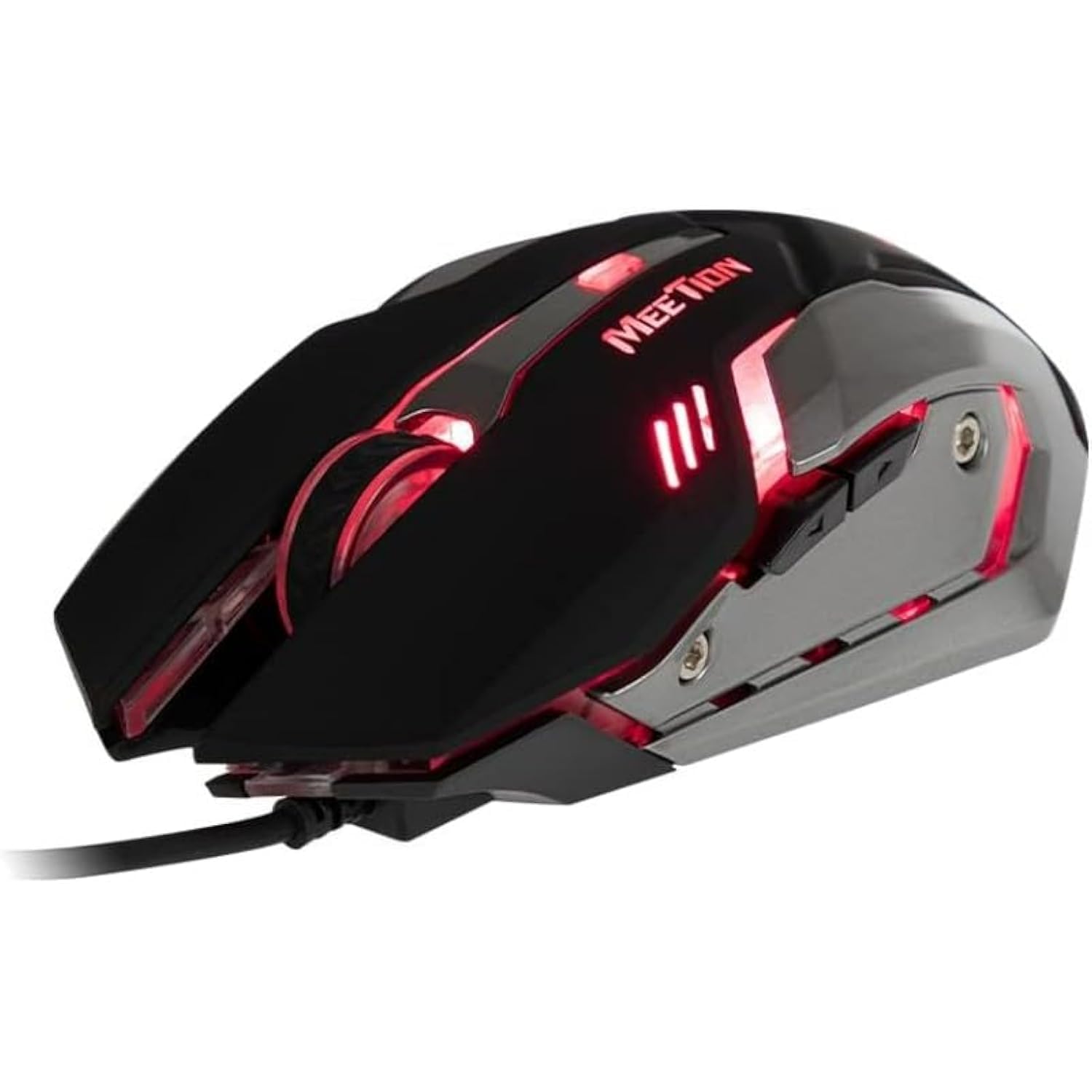
ምስል 1: ጎን view of the MEETION MT-M915 mouse with red backlight.
5. መዳፊትን መስራት
5.1 መሰረታዊ ተግባራት
- የግራ ጠቅታ፡- Primary action button, typically used for selecting items, opening files, or interacting with software.
- በቀኝ ጠቅታ: Secondary action button, typically used for opening context menus or accessing additional options.
- የማሽከርከር ጎማ፡ ሰነዶችን ለማሸብለል እና ለማሸብለል ያገለግላል web ገጾች። እንዲሁም እንደ መካከለኛ ጠቅታ አዝራር ሆኖ ሊያገለግል ይችላል።
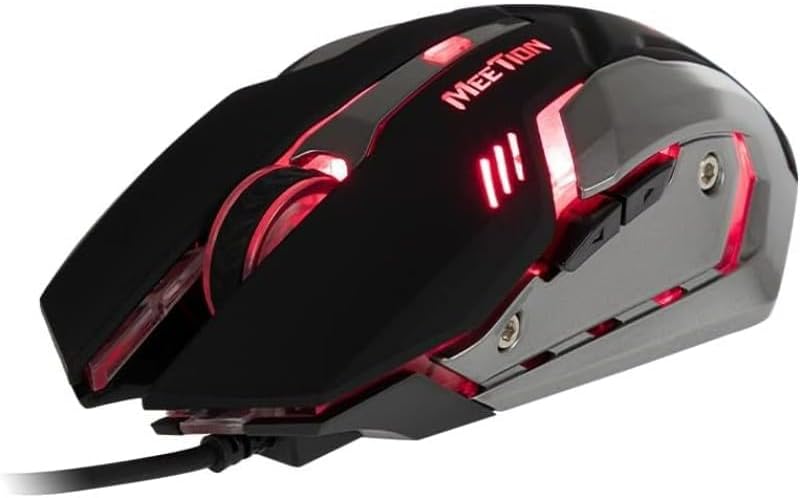
ምስል 2፡ ከላይ ወደ ታች view of the MEETION MT-M915 mouse, showing button layout.
5.2 የጀርባ ብርሃን አሠራር
The MEETION MT-M915 mouse features an integrated backlight. The backlight activates automatically when the mouse is connected to a powered USB port. The color of the backlight may vary or cycle through different colors, as shown in Figure 3.

ምስል 3: ጎን view of the MEETION MT-M915 mouse with purple backlight.
5.3 Ambidextrous ንድፍ
The mouse is designed for ambidextrous use, meaning it can be comfortably used by both left-handed and right-handed individuals.
6. ጥገና
6.1 ጽዳት
- ከማጽዳትዎ በፊት አይጤውን ከኮምፒዩተርዎ ያላቅቁት።
- የመዳፊቱን ገጽታ ለማጽዳት ለስላሳ እና ደረቅ ጨርቅ ይጠቀሙ.
- ለግትር ቆሻሻ፣ በትንሹ መampበጨርቁ ላይ በውሃ ወይም ለስላሳ የጽዳት መፍትሄ. ኃይለኛ ኬሚካሎችን ያስወግዱ.
- ፈሳሾች ወደ መዳፊት እንዲገቡ አይፍቀዱ casing.
6.2 ማከማቻ
አይጡን ለረጅም ጊዜ ጥቅም ላይ በማይውልበት ጊዜ ከቀጥታ የፀሐይ ብርሃን እና ከፍተኛ የሙቀት መጠን ራቅ ባለ ቀዝቃዛና ደረቅ ቦታ ያስቀምጡት።
7. መላ መፈለግ
7.1 አይጥ ምላሽ አይሰጥም
- የዩ ኤስ ቢ ገመዱ ደህንነቱ በተጠበቀ ሁኔታ በኮምፒዩተርዎ ላይ በሚሰራ የዩኤስቢ ወደብ ላይ መሰካቱን ያረጋግጡ።
- መዳፊቱን ወደ ሌላ የዩኤስቢ ወደብ ለመሰካት ይሞክሩ።
- ኮምፒተርዎን እንደገና ያስጀምሩ.
- Test the mouse on another computer to determine if the issue is with the mouse or your computer's USB ports.
7.2 የጀርባ ብርሃን አይሰራም
- አይጤው በትክክል ከተሰራ የዩኤስቢ ወደብ ጋር መገናኘቱን ያረጋግጡ።
- If the mouse functions but the backlight does not, there might be an internal issue. Contact customer support if the mouse is still under warranty.
7.3 የተሳሳተ የጠቋሚ እንቅስቃሴ
- Ensure the optical sensor on the bottom of the mouse is clean and free from dust or debris.
- አይጡን በንጹህ እና ወጥ በሆነ ቦታ ላይ ይጠቀሙ። በጣም አንጸባራቂ ወይም ግልጽ የሆኑ ቦታዎችን ያስወግዱ።
- ኮምፒተርዎን እንደገና ለማስጀመር ይሞክሩ።
8. ዝርዝሮች
| ባህሪ | ዝርዝር |
|---|---|
| የምርት ስም | ስብሰባ |
| የሞዴል ስም | MT-M915 |
| የአምራች ሞዴል ቁጥር | CE ELECTRON-559 |
| የግንኙነት ቴክኖሎጂ | ዩኤስቢ |
| የእንቅስቃሴ ማወቂያ ቴክኖሎጂ | ኦፕቲካል |
| የእጅ አቀማመጥ | አሻሚ |
| ልዩ ባህሪያት | ቀላል ክብደት |
| ለምርት የሚመከር አጠቃቀሞች | ጨዋታ |
| ተስማሚ መሣሪያዎች | የግል ኮምፒውተር፣ ላፕቶፕ |
| ስርዓተ ክወና | ሊኑክስ፣ ዊንዶውስ ኤክስፒ |
| የእቃው ክብደት | 50 ግራም |
| የጥቅል ልኬቶች | 20.7 x 14.3 x 6.1 ሴ.ሜ |
| ባትሪዎች ተካትተዋል። | አይ |
9. ዋስትና እና ድጋፍ
9.1 የዋስትና መረጃ
This product is covered by a standard manufacturer's warranty. Please refer to the warranty card included with your purchase or contact your retailer for specific warranty terms and conditions.
9.2 የደንበኛ ድጋፍ
For technical assistance, troubleshooting, or warranty claims, please contact the retailer where you purchased the product or visit the official MEETION webለድጋፍ ሀብቶች ጣቢያ.

