
መግቢያ
This manual provides instructions for the proper use and maintenance of your BoxWave AllReader SD Card Reader. Please read this manual thoroughly before using the device to ensure optimal performance and longevity. The AllReader SD Card Reader is designed to facilitate easy file transfer between various devices and SD/microSD cards.
ምርት አልቋልview
The BoxWave AllReader SD Card Reader is a compact device featuring multiple interfaces for broad compatibility with various electronic devices. It supports both standard SD cards and microSD cards.
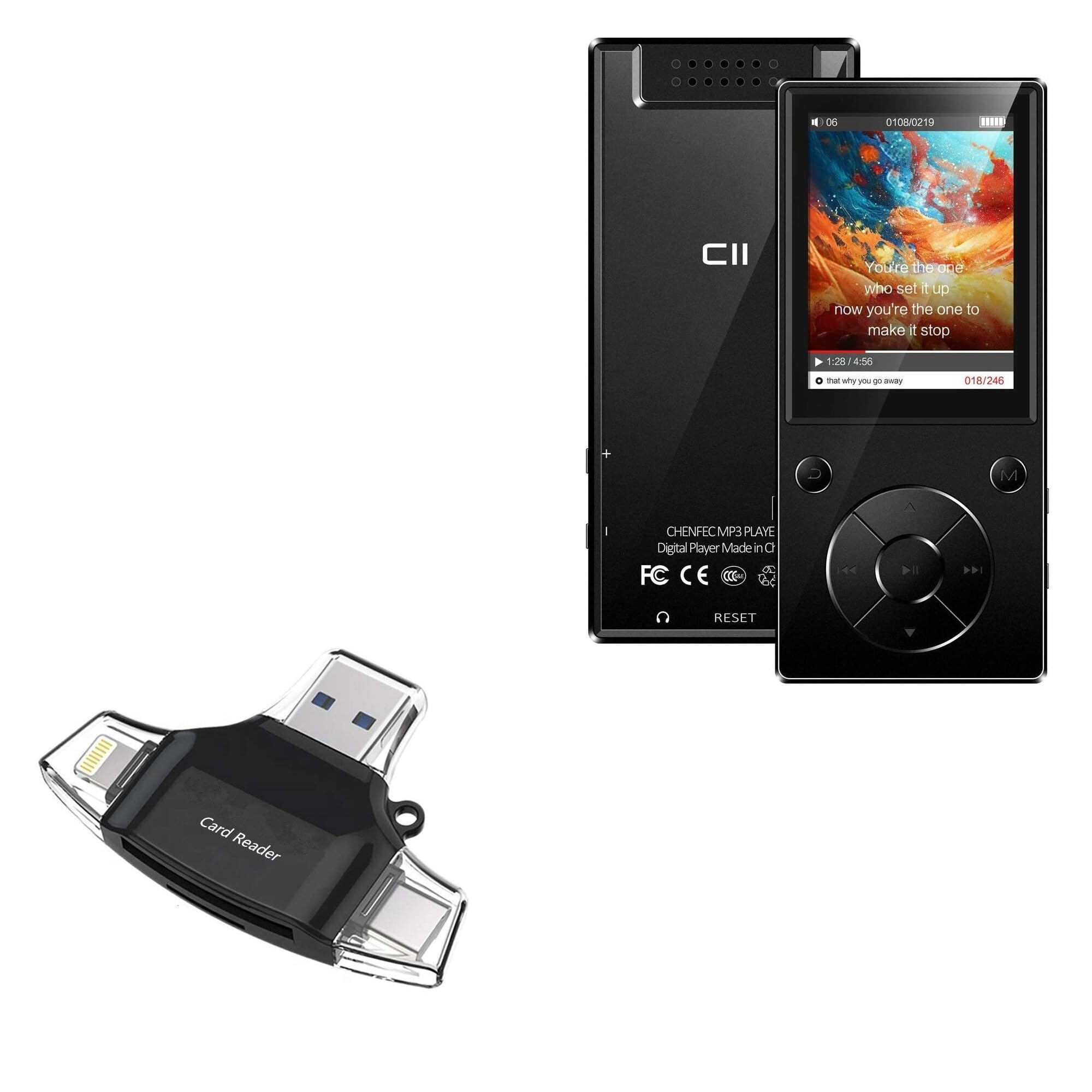
Image: The BoxWave AllReader SD Card Reader, showing its compact design and various connectors.
ቁልፍ ባህሪዎች
- Four Interfaces: Equipped with USB-C, USB-A, Micro-USB, and Apple (Lightning) connectors for wide device compatibility.
- ቀላል File ማስተላለፍ Enables direct transfer of files between memory cards and connected devices.
- ይሰኩ እና ይጫወቱ፡ ለአብዛኛዎቹ ኦፕሬቲንግ ሲስተሞች ምንም ሾፌሮች ወይም የሶፍትዌር ጭነት አያስፈልግም።
- የታመቀ ንድፍ Small and portable for convenient use on the go.
- የማህደረ ትውስታ ካርድ ድጋፍ; Compatible with both SD and microSD card formats.

ምስል፡ ዝርዝር view of the four integrated interfaces: USB-A, USB-C, Apple (Lightning), and Flip-out Micro USB.
ማዋቀር
- የማህደረ ትውስታ ካርድ አስገባ፡ Gently insert your SD or microSD card into the appropriate slot on the AllReader SD Card Reader until it clicks into place. Ensure the card is inserted in the correct orientation.
- ከመሳሪያ ጋር ተገናኝ፡ Select the appropriate connector (USB-C, USB-A, Micro-USB, or Apple Lightning) for your host device (e.g., smartphone, tablet, laptop, desktop PC). Plug the AllReader into your device's port.
- የመሣሪያ እውቅና፡ Your device should automatically detect the card reader and the inserted memory card. A notification or file browser window may appear, indicating that the storage is ready for access.
ማስታወሻ፡- For some mobile devices, you may need to use a file management application to browse the contents of the connected memory card.

Image: The AllReader with an SD card inserted, connected to a tablet, illustrating the setup for file ማስተላለፍ
የአሠራር መመሪያዎች
በማስተላለፍ ላይ Files:
- Ensure the AllReader is properly connected to your device and the memory card is inserted.
- መሳሪያዎን ይክፈቱ file manager or photo gallery application.
- Locate the external storage device, typically labeled as "USB Storage," "SD Card," or similar.
- Browse to the desired fileበማህደረ ትውስታ ካርድ ላይ s.
- የሚለውን ይምረጡ fileማስተላለፍ ይፈልጋሉ።
- Use the "Copy" or "Move" function within your device's file ለማዛወር አስተዳዳሪ files to your device's internal storage or another connected storage.
- ለማስተላለፍ files from your device to the memory card, reverse the process: select files from your device's storage and copy/move them to the external storage (memory card).

Image: The AllReader connected to various devices including smartphones, tablets, laptops, and desktop PCs, demonstrating its versatility for file ማስተላለፍ
Safely Removing the Device:
Before disconnecting the AllReader from your computer, always safely eject the device through your operating system's options (e.g., "Safely Remove Hardware" on Windows, "Eject" on macOS). For mobile devices, ensure no file transfers are active before unplugging.
ጥገና
- ማጽዳት፡ የካርድ አንባቢውን ውጫዊ ክፍል ለማጽዳት ለስላሳና ደረቅ ጨርቅ ይጠቀሙ። ፈሳሽ ማጽጃዎችን ወይም መሟሟቶችን ከመጠቀም ይቆጠቡ።
- ማከማቻ፡ Store the AllReader in a cool, dry place away from direct sunlight and extreme temperatures.
- አያያዝ፡ Avoid dropping the device or subjecting it to strong impacts. Do not force memory cards or connectors into slots.
- የግንኙነት እንክብካቤ; Keep the connectors free from dust and debris. If necessary, use a soft brush or compressed air to clean them.
መላ መፈለግ
| ችግር | ሊሆን የሚችል መፍትሄ |
|---|---|
| መሳሪያው አልታወቀም። |
|
| መድረስ አልተቻለም fileበማህደረ ትውስታ ካርድ ላይ s. |
|
| ቀርፋፋ file የዝውውር ፍጥነት. |
|
ዝርዝሮች
- የሞዴል ስም፡- AllReader SD Card Reader
- የምርት ስም፡ ቦክስዌቭ
- በይነገጾች፡ USB-C, USB-A, Micro-USB, Apple (Lightning)
- የካርድ ተኳሃኝነት ኤስዲ፣ ማይክሮ ኤስዲ
- ቀለም፡ ጄት ጥቁር
- የእቃው ክብደት፡ 6 አውንስ
- ASIN: B0CNSDX7WD
- መጀመሪያ የሚገኝ ቀን፡- ህዳር 13፣ 2023
ዋስትና እና ድጋፍ
For warranty information and technical support, please refer to the official BoxWave webጣቢያ ወይም በቀጥታ የደንበኛ አገልግሎታቸውን ያግኙ። ለዋስትና ጥያቄዎች የግዢ ደረሰኝዎን ያስቀምጡ።
BoxWave Customer Service: www.boxwave.com/support