
FIFINE K688W
ፊፊን AmpliTank K688W Dynamic USB/XLR Microphone User Manual
Model: K688W | Brand: FIFINE
1. መግቢያ
ስለገዙ እናመሰግናለንasing the FIFINE AmpliTank K688W Dynamic USB/XLR Microphone. This microphone is designed for high-quality audio capture in various applications, including gaming, streaming, podcasting, and professional recording. Please read this manual carefully to ensure proper setup and operation.

ምስል፡ ፊፊን AmpliTank K688W microphone demonstrating its sound capture capabilities with a visual representation of sound waves.
2. የጥቅል ይዘቶች
ከዚህ በታች የተዘረዘሩት ሁሉም እቃዎች በጥቅልዎ ውስጥ መካተታቸውን ያረጋግጡ፡-
- ፊፊን AmpliTank K688W Microphone Body
- ከዩኤስቢ-ሲ ወደ ዩኤስቢ-ኤ ገመድ (2.5ሜ)
- ከ3/8" እስከ 5/8" የዊንች አስማሚ
- የተጠቃሚ መመሪያ (ጃፓንኛ)
Note: A microphone stand and XLR cable are not included and must be purchased separately.

ምስል፡ ፊፊን AmpliTank K688W microphone and its included accessories: USB cable and screw adapter, alongside the user guide.
3. ምርት አብቅቷልview (Components and Controls)
Familiarize yourself with the microphone's components and controls:

ምስል: የኋላ view የ FIFINE AmpliTank K688W microphone, highlighting the XLR output terminal and USB connection port.
- XLR Output Terminal: For connecting to audio interfaces, mixers, or other professional audio equipment.
- USB Connection Port (USB Type-C): For direct connection to computers or game consoles.
- 3.5 ሚሜ የጆሮ ማዳመጫ ጃክ; ለእውነተኛ ጊዜ የድምጽ ክትትል።
- Microphone Volume Control (Gain Knob): Adjusts the microphone's input sensitivity. (USB mode only)
- Headphone Jack Volume Control: Adjusts the monitoring volume through the 3.5mm headphone jack. (USB mode only)
- ድምጸ-ከል አዝራር ከ LED አመልካች ጋር፡ Toggles microphone mute. LED indicates mute status. (USB mode only)
4. ማዋቀር
4.1 የዩኤስቢ ግንኙነት
For direct connection to a computer (Windows/Mac OS) or game console (PS4/PS5):
- Connect the USB-C end of the provided USB cable to the microphone's USB port.
- Connect the USB-A end of the cable to an available USB port on your computer or game console.
- The device will automatically recognize the microphone.
- Select "FIFINE K688W" as your input and output device in your system's sound settings or application settings.

ምስል፡ ፊፊን AmpliTank K688W microphone connected to a laptop via its USB-C port, illustrating plug-and-play functionality.
4.2 XLR Connection
For connecting to professional audio equipment (audio interfaces, mixers):
- Connect a standard XLR cable (not included) to the XLR output terminal on the microphone.
- የ XLR ኬብሉን ሌላኛውን ጫፍ በድምጽ በይነገጽዎ ወይም በማደባለቅዎ ላይ ካለው የ XLR ግብዓት ጋር ያገናኙ።
- Ensure your audio interface or mixer is properly configured to receive input from the connected XLR channel.
- እንደ አስፈላጊነቱ የድምጽ በይነገጽ/ማደባለቅዎ ላይ የማሳደጊያ ደረጃዎችን ያስተካክሉ።

ምስል: ዝርዝር view የ FIFINE AmpliTank K688W's connectivity panel, showing both USB and XLR ports for versatile audio setups.
5. የአሠራር መመሪያዎች
5.1 Gain Control (USB Mode Only)
The gain knob on the microphone allows you to adjust the input sensitivity. Rotate the knob clockwise to increase gain and counter-clockwise to decrease it. Adjust this to achieve an optimal recording level without clipping or distortion.
5.2 Mute Function (USB Mode Only)
Press the touch-sensitive mute button on top of the microphone to instantly mute or unmute the audio input. The LED indicator will change color to show the microphone's status (e.g., green for active, red for muted).
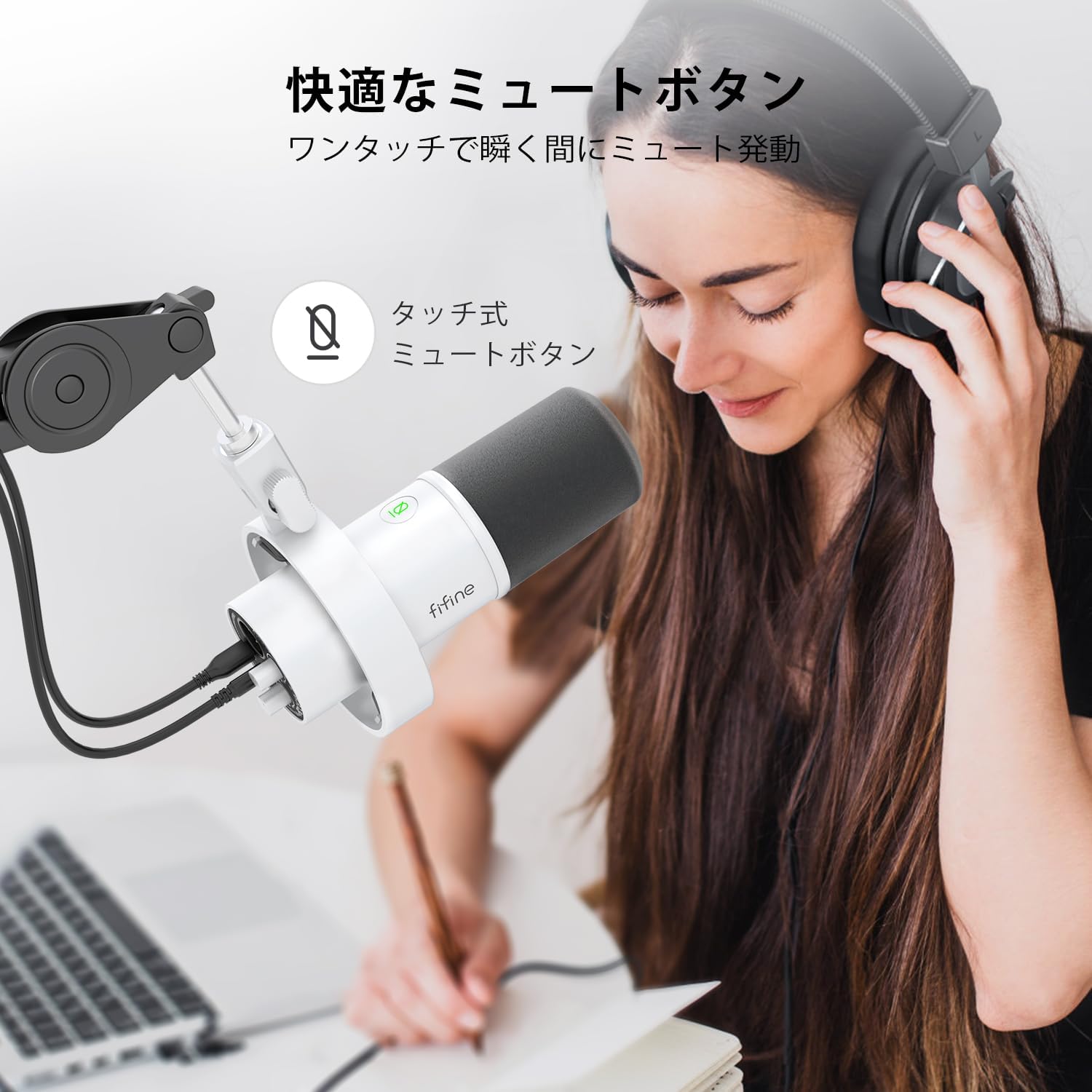
Image: A user interacting with the touch-sensitive mute button on the FIFINE AmpliTank K688W microphone, demonstrating its ease of use.
5.3 Headphone Monitoring (USB Mode Only)
Connect your headphones to the 3.5mm headphone jack on the microphone to monitor your audio in real-time with zero latency. Use the dedicated headphone volume knob to adjust the monitoring level to your preference.
6. ጥገና
- ማይክሮፎኑን ለስላሳና ደረቅ ጨርቅ በማጽዳት ንጹህ አድርገው ያስቀምጡት።
- ማይክሮፎኑን ለከፍተኛ ሙቀት፣ እርጥበት ወይም ቀጥተኛ የፀሐይ ብርሃን ከማጋለጥ ይቆጠቡ።
- አቧራ እና ጉዳትን ለመከላከል ማይክሮፎኑን በማይጠቀሙበት ጊዜ በመከላከያ መያዣ ውስጥ ያከማቹ።
- Do not attempt to disassemble the microphone, as this will void the warranty.

ምስል፡ ፊፊን AmpliTank K688W microphone mounted on a boom arm, showcasing its integrated metal body design suitable for various recording environments.
7. መላ መፈለግ
| ችግር | ሊሆን የሚችል ምክንያት | መፍትሄ |
|---|---|---|
| No sound output (USB) |
|
|
| No sound output (XLR) |
|
|
| የተዛባ ኦዲዮ |
|
|
| ከመጠን በላይ የጀርባ ድምጽ |
|
|
8. ዝርዝሮች
| ባህሪ | ዝርዝር |
|---|---|
| ሞዴል | K688 ዋ |
| የምርት ስም | ፊፊን |
| የማይክሮፎን ዓይነት | ተለዋዋጭ |
| የዋልታ ንድፍ | ባለአቅጣጫ (Cardioid) |
| ግንኙነት | USB (Type-C), XLR |
| የድግግሞሽ ምላሽ | 70Hz - 15 ኪኸ |
| የምልክት-ወደ-ጫጫታ ሬሾ (ኤስ/ኤን) | 75 ዲቢቢ |
| የኃይል ዓይነት | ባለገመድ ኤሌክትሪክ (ዩኤስቢ የተጎላበተ) |
| ተስማሚ መሣሪያዎች | PC (Windows/Mac OS), Game Consoles (PS4/PS5), Audio Mixers, Audio Interfaces, Smartphones (with adapter, not included) |
| ልዩ ባህሪያት | Volume Control, Mute Function, Headphone Monitoring |
| ቀለም | ነጭ |
| ቁሶች | ፕላስቲክ, ብረት |
| ዩፒሲ | 850052511821 |
9. ዋስትና እና ድጋፍ
9.1 የዋስትና መረጃ
ይህ ምርት ከ ሀ የ 1 ዓመት የአምራች ዋስትና from the date of purchase. The warranty covers defects in materials and workmanship under normal use.
ዋስትናው የሚከተሉትን አያካትትም-
- አላግባብ መጠቀም፣ አላግባብ መጠቀም፣ አደጋ ወይም ቸልተኝነት የሚያስከትለው ጉዳት።
- ያልተፈቀዱ ጥገናዎች ወይም ማሻሻያዎች የሚደርስ ጉዳት።
- መደበኛ አለባበስ እና እንባ።
9.2 የደንበኛ ድጋፍ
በእርስዎ FIFINE ላይ ማንኛውም ችግር ካጋጠመዎት AmpliTank K688W microphone, such as packaging damage, color discrepancies, or product defects, please contact FIFINE Japan customer support immediately. Provide your purchase details and a description of the issue for prompt assistance.
For further support, please visit the official FIFINE webጣቢያ.

Image: Information regarding FIFINE's customer support process, including steps to contact them via Amazon and their operating hours.
Ask a question about this manual
Ask about setup, troubleshooting, compatibility, parts, safety, or missing instructions. Manuals+ will review the question and use this page’s manual context to help answer it.