
KERUI M523
KERUI Wireless Doorbell (Model M523) User Manual
Model: M523 | Brand: KERUI
መግቢያ
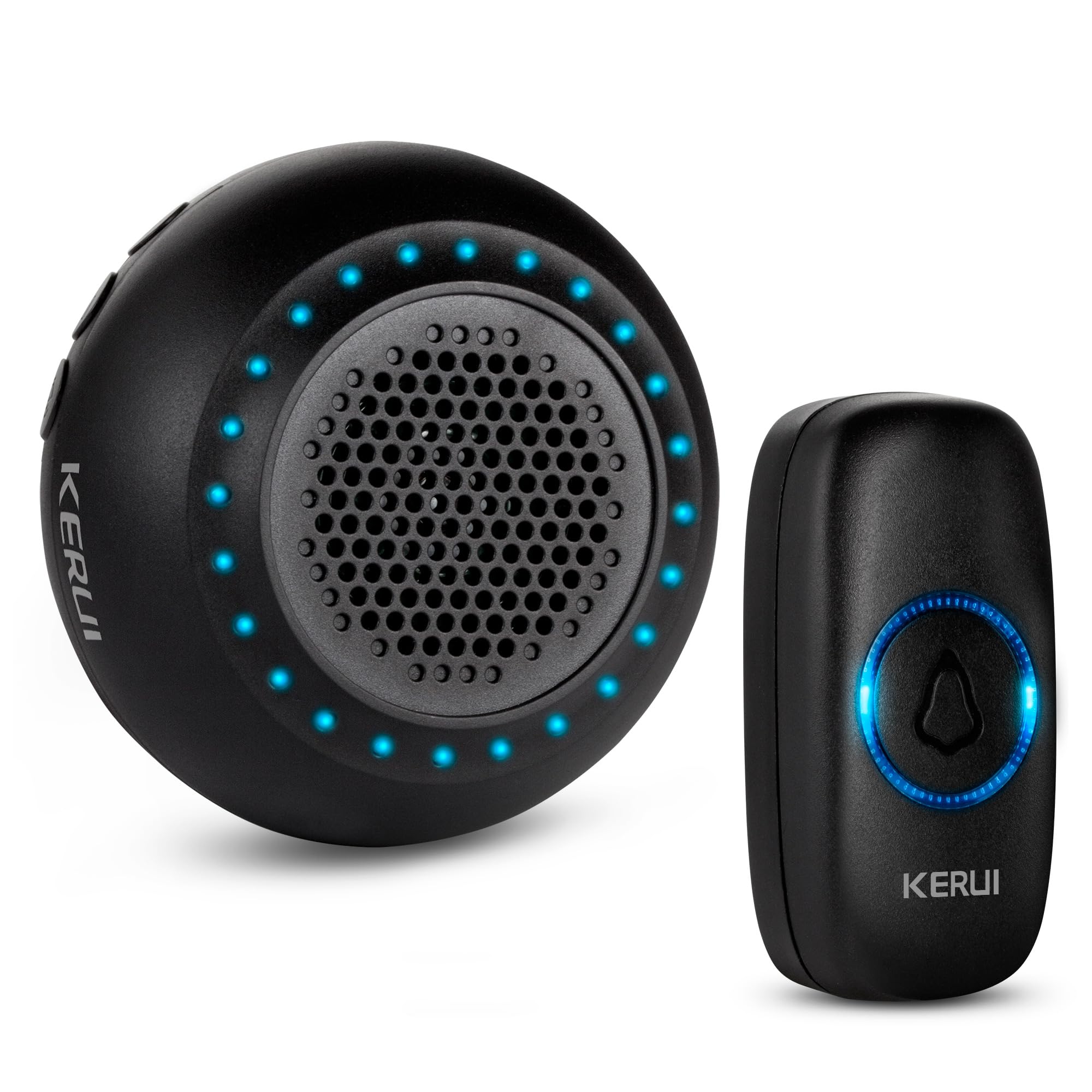
Thank you for choosing the KERUI Wireless Doorbell. This system is designed to provide a reliable and convenient notification solution for your home or office. Featuring an IP55 waterproof push button, a plug-in receiver with 32 selectable chimes, 4 adjustable volume levels, and a long operating range, this doorbell ensures you never miss a visitor. Please read this manual carefully before installation and use to ensure optimal performance and longevity of your device.
የጥቅል ይዘቶች
ሁሉም እቃዎች በጥቅልዎ ውስጥ መኖራቸውን ያረጋግጡ፡-
- 1 x Doorbell Receiver (Black)
- 1 x Push Button (Black)
- Mounting Accessories for Push Button (screws, anchors, adhesive tape)
- 1 x የተጠቃሚ መመሪያ
ምርት አልቋልview
Familiarize yourself with the components and features of your KERUI Wireless Doorbell system.
Video 1: KERUI Wireless Doorbell Product Overview. ይህ ቪዲዮ አጠቃላይ መግለጫ ይሰጣልview of the KERUI wireless doorbell, showcasinግ. ባህሪያቱ እና አካሎቹ።


የማዋቀር መመሪያዎች
1. የግፊት አዝራር መጫኛ
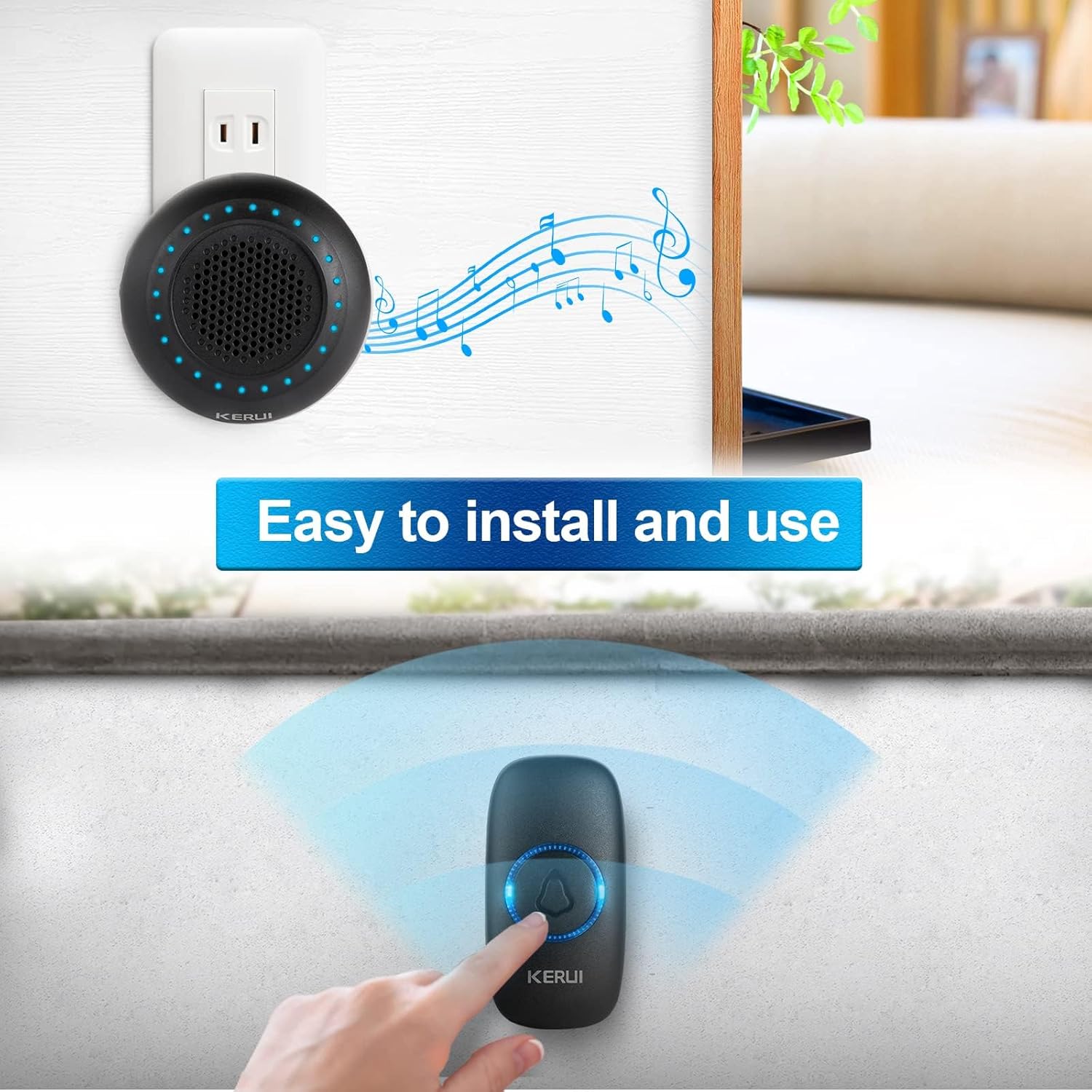
The push button can be installed using either the provided adhesive tape or screws.
- Choose a suitable location for the push button, typically near your door.
- Using Adhesive Tape: Clean the surface thoroughly. Peel off one side of the double-sided adhesive tape and stick it to the back of the push button. Peel off the other side and firmly press the button onto the desired surface for 30 seconds.
- ብሎኖች መጠቀም፡- Open the back cover of the push button (refer to the Maintenance section for battery replacement for guidance on opening). Mark the screw holes on the wall. Drill pilot holes if necessary and insert the wall anchors. Secure the back cover to the wall with the screws, then reattach the front part of the push button.
2. ተቀባይ ማዋቀር
Plug the doorbell receiver into any standard electrical outlet within range of the push button. The receiver will light up and emit a default chime.

3. መሳሪያዎቹን ማጣመር
Your doorbell kit is pre-paired at the factory. If re-pairing is needed or you add new push buttons, follow these steps:
- መቀበያውን ወደ ኤሌክትሪክ መሰኪያ ይሰኩት.
- ን በረጅሙ ተጫን የቅንብር አዝራር (gear icon) on the receiver for approximately 5 seconds until the LED indicators flash and the receiver beeps once. This indicates it has entered pairing mode.
- Within 8 seconds, short press the push button. The receiver will emit two "Ding" sounds and the LED light will flash, confirming successful pairing.
- አጭር ተጫን የቅንብር አዝራር again to exit pairing mode. The LED indicators will turn off.
Video 2: KERUI Wireless Doorbell Pairing Operation. This video demonstrates the step-by-step process of pairing the push button with the receiver.
Video 3: How to Pair the Doorbell. A visual guide on how to successfully pair your doorbell components.
የአሠራር መመሪያዎች
1. Changing the Ringtone
The receiver offers 32 different melodies. To select a ringtone:
- የሚለውን ይጫኑ Music Select Button (musical note icon) on the receiver to cycle through the available melodies.
- Once you hear a melody you like, stop pressing the button. The selected melody will be saved automatically.
- If you wish to assign a specific ringtone to a particular push button, enter pairing mode (as described in the Setup section), select your desired ringtone, then press the push button to confirm.
Video 4: How to Change Ringtone and Re-pair Doorbell. This video illustrates how to change the ringtone and re-pair the doorbell if needed.
Video 5: How to Choose Your Favorite Ringtone. A visual guide on selecting and setting your preferred ringtone.
2. የድምጽ መጠን ማስተካከል
The receiver has 4 adjustable volume levels, including a mute mode. Press the የድምጽ መቆጣጠሪያ አዝራር (speaker icon) on the receiver repeatedly to cycle through the volume levels until you reach your desired setting.
3. ድምጸ-ከል ሁነታ
To activate mute mode, press the የድምጽ መቆጣጠሪያ አዝራር until the volume is set to the lowest level or the mute indicator is shown (if applicable). In mute mode, the receiver's LED flash will still activate when the push button is pressed, providing a visual alert without sound.
ጥገና
1. የግፊት አዝራር ባትሪ መተካት
The push button is powered by a CR2032 Lithium Ion battery (included). When the button's LED indicator no longer lights up or the signal range decreases significantly, it's time to replace the battery.
- Carefully pry open the back cover of the push button using a small flat-head screwdriver or the provided tool, inserting it into the notch at the bottom.
- የድሮውን CR2032 ባትሪ ያስወግዱ።
- Insert a new CR2032 battery, ensuring the positive (+) side faces up.
- የኋላ ሽፋኑን በጥብቅ ወደ ቦታው መልሰው ይሰኩት።
Video 6: How to Replace the Battery. This video provides a visual guide on replacing the battery in the push button transmitter.
ማስታወሻ፡- በአካባቢያዊ ደንቦች መሰረት የቆዩ ባትሪዎችን በሃላፊነት ያስወግዱ.
መላ መፈለግ
| ችግር | ሊሆን የሚችል ምክንያት | መፍትሄ |
|---|---|---|
| የበር ደወል አይደወልም። |
|
|
| አጭር የአሠራር ክልል። |
|
|
| Receiver rings randomly. |
|
|
ዝርዝሮች
- የምርት ስም፡ ኬሩአይ
- የሞዴል ቁጥር፡- M523
- የእቃው ክብደት፡ 3.52 አውንስ
- የምርት መጠኖች: 4 x 3 x 3 ኢንች
- የግፊት አዝራር ባትሪ፡- 1 x Lithium Ion (CR2032)
- የውሃ መከላከያ ደረጃ IP55 (Push Button)
- የስራ ክልል፡ እስከ 1000 ጫማ (ክፍት ቦታ)
- ቺምስ፡ 32 ሊመረጡ የሚችሉ ዜማዎች
- የድምጽ ደረጃዎች፡- 4 adjustable levels (including mute)
- የተካተቱ አካላት፡- 1 Doorbell Receiver, 1 Push Button
ዋስትና እና ድጋፍ
For warranty information or technical support, please refer to the contact details provided with your product packaging or visit the official KERUI webጣቢያ. የግዢ ደረሰኝህን እንደ ግዢ ማረጋገጫ አቆይ።
ተዛማጅ ሰነዶች - M523
 |
Wireless Doorbell Kit Instruction Manual M5375+F152 Instruction manual for the M5375+F152 Wireless Doorbell Kit, covering safety, installation, setup, operation, and troubleshooting. Learn how to install and use your new wireless doorbell. |
 |
KERUI M7 የተከፈለ የእንኳን ደህና መጡ ማንቂያ ተጠቃሚ መመሪያ ለKERUI M7 Split እንኳን ደህና መጡ ማንቂያ ስርዓት የተጠቃሚ መመሪያ፣ ባህሪያቱን፣ ማዋቀሩን፣ ተግባራቶቹን እና ቴክኒካል ዝርዝር መግለጫዎቹን የሚገልጽ። ይህ የገመድ አልባ ማንቂያ ደወል ከ32 የዘፈን አማራጮች ጋር የእንኳን ደህና መጣችሁ፣ ዘራፊ፣ የበር ደወል እና የምሽት ብርሃን ሁነታዎችን ያቀርባል። |
 |
የKERUI M5 የኢንፍራሬድ ምርመራ እንኳን ደህና መጡ የማንቂያ ደወል የተጠቃሚ መመሪያ የKERUI M5 የኢንፍራሬድ ዲቴክሽን የእንኳን ደህና መጡ ማንቂያ የተጠቃሚ መመሪያ። ስለ ባህሪያቱ፣ ስለ መጫኑ፣ ስለ አሠራሩ እና ለቤት፣ ለሱቅ እና ለቢሮ ደህንነት ቴክኒካዊ ዝርዝሮች ይወቁ። |
 |
የKERUI DW520 የእንቅስቃሴ ዳሳሽ ማንቂያ የተጠቃሚ መመሪያ የKERUI DW520 የእንቅስቃሴ ዳሳሽ ማንቂያ ስርዓት ዝርዝር የተጠቃሚ መመሪያ፣ የምርት መግቢያን፣ ባህሪያትን፣ ማዋቀርን፣ ማጣመርን፣ መጫንን እና ቴክኒካዊ ዝርዝሮችን ያካትታል። የFCC ተገዢነት መረጃን ያካትታል። |
 |
የሼንዘን ኬሩይ ስማርት ቴክኖሎጂ KR-M525 ገመድ አልባ የበር ደወል የተጠቃሚ መመሪያ የሼንዘን ኬሩይ ስማርት ቴክኖሎጂ KR-M525 ገመድ አልባ የበር ደወል አጠቃላይ የተጠቃሚ መመሪያ፣ የማዋቀር፣ የአሠራር እና የመላ ፍለጋ መረጃዎችን ይሰጣል። |
 |
KERUI M120 Motion Sensor Alarm User Manual - Features, Setup, and Support Comprehensive user manual for the KERUI M120 Motion Sensor Alarm. Learn about its features, different operating modes (Welcome, Smart, Alarm), remote control functions, technical specifications, and warranty information from TOWODE. |
Ask a question about this manual
Ask about setup, troubleshooting, compatibility, parts, safety, or missing instructions. Manuals+ will review the question and use this page’s manual context to help answer it.