
1. መግቢያ
The BoxWave AllReader SD Card Reader is a versatile and compact device designed for easy file transfer between various digital devices and SD or microSD cards. It features multiple interfaces to ensure broad compatibility with smartphones, tablets, laptops, and desktop PCs. This manual provides instructions for setting up, operating, and maintaining your AllReader SD Card Reader.
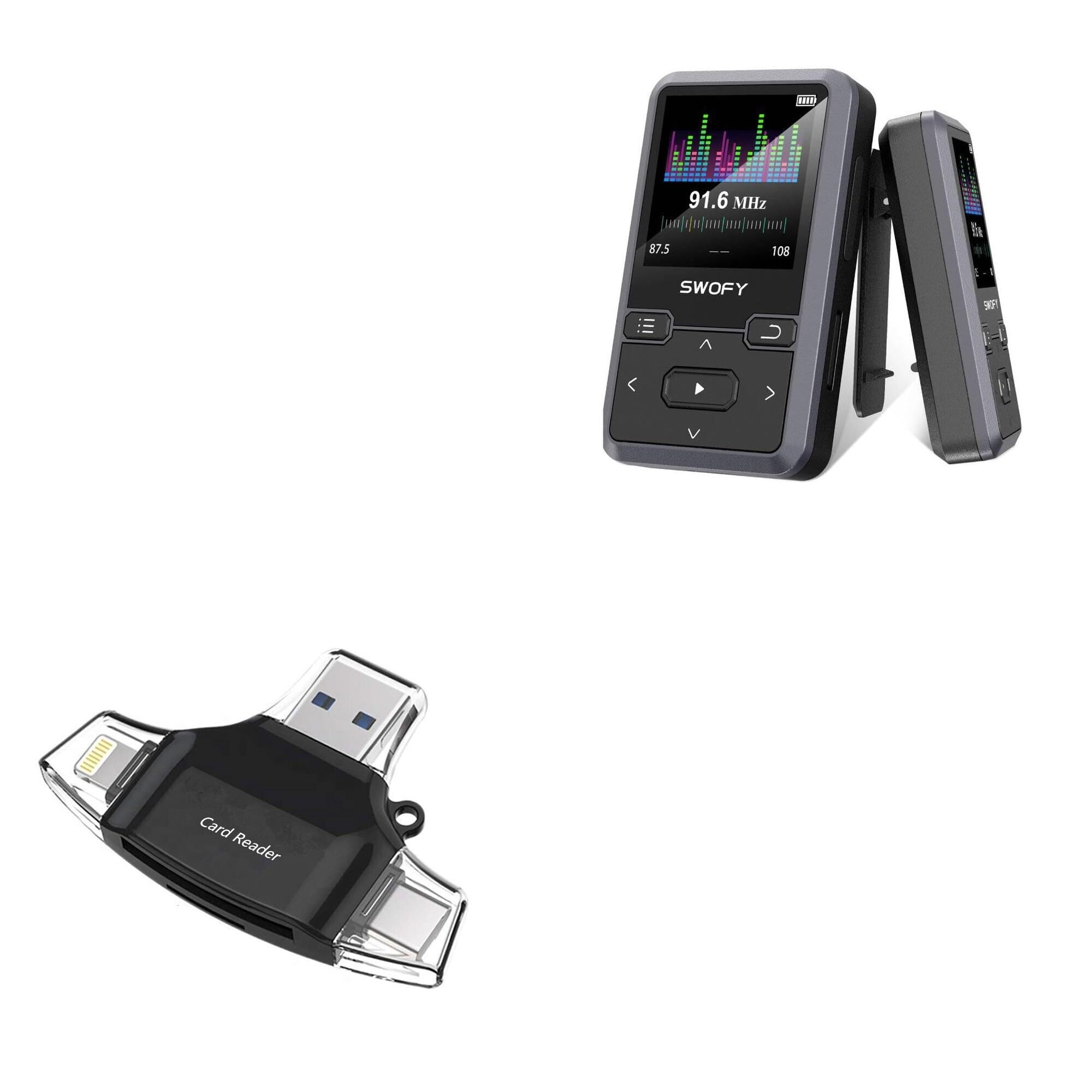
Image: The BoxWave AllReader SD Card Reader, showcasing its compact design and various connector types.
2. የምርት ባህሪዎች
- Four Interfaces: Equipped with USB-C, USB-A, Micro-USB, and Apple/Lightning connectors for maximum device compatibility.
- ቀላል File ማስተላለፍ Facilitates quick and straightforward transfer of photos, videos, music, and other files between your memory cards and devices.
- ይሰኩ እና ይጫወቱ፡ No drivers or complex software installation required. Simply connect and use.
- የታመቀ ንድፍ Small and portable, designed to fit easily in your pocket, bag, or purse.
- Universal Card Compatibility: Supports both standard SD cards and microSD cards.

ምስል፡ ዝርዝር view of the four distinct interfaces on the AllReader SD Card Reader.
3. የማዋቀር መመሪያ
Setting up your BoxWave AllReader SD Card Reader is a simple plug-and-play process.
- የማህደረ ትውስታ ካርድ አስገባ፡ Gently insert your SD card or microSD card into the appropriate slot on the AllReader. Ensure the card is fully seated.
- ከመሳሪያ ጋር ተገናኝ፡ Select the correct connector (USB-C, USB-A, Micro-USB, or Apple/Lightning) for your smartphone, tablet, laptop, or desktop PC. Plug the AllReader into your device's port.
- መዳረሻ Files: Your device should automatically detect the AllReader and the inserted memory card. You can then navigate to the card's contents through your device's file manager or photo application.

Image: The AllReader connected to a tablet with an SD card, illustrating the ease of setup and file መዳረሻ.
4. የአሠራር መመሪያዎች
Once connected, the AllReader allows for seamless data management.
- File ማሰስ፡ On most devices, the inserted memory card will appear as an external storage device. Open your device's file አስተዳዳሪ (ለምሳሌ፣ "Files" on iOS, "My Files" on Android, "File Explorer" on Windows, "Finder" on macOS) to browse the contents of the card.
- በማስተላለፍ ላይ Files: ለማስተላለፍ files, simply copy and paste or drag and drop files between the memory card and your device's internal storage or other connected storage.
- ደህንነቱ የተጠበቀ ማስወገድ; Before disconnecting the AllReader from your computer, always safely eject the device through your operating system to prevent data corruption. For mobile devices, simply unplugging is generally safe after file transfers are complete.

Image: The AllReader facilitating file transfers across various devices including smartphones, tablets, laptops, and desktop PCs.
5. ጥገና
To ensure the longevity and optimal performance of your BoxWave AllReader SD Card Reader, follow these maintenance guidelines:
- ንጽህናን ይጠብቁ; የመሳሪያውን ውጫዊ ክፍል ለማጽዳት ለስላሳና ደረቅ ጨርቅ ይጠቀሙ። ፈሳሽ ማጽጃዎችን ወይም መሟሟቶችን ከመጠቀም ይቆጠቡ።
- ማገናኛዎችን ጠብቅ፡ Keep the connectors free from dust and debris. Avoid touching the metal contacts directly.
- በትክክል ያከማቹ፡ ካርድ አንባቢውን በማይጠቀሙበት ጊዜ፣ ከቀጥታ የፀሐይ ብርሃን እና ከፍተኛ የሙቀት መጠን ራቅ ባለ ቀዝቃዛና ደረቅ ቦታ ያስቀምጡ።
- በጥንቃቄ ይያዙ; መሳሪያውን ከመጣል ወይም ለጠንካራ ተጽእኖዎች ከማጋለጥ ይቆጠቡ፣ ይህም ውስጣዊ ክፍሎችን ሊጎዳ ይችላል።
6. መላ መፈለግ
If you encounter issues with your AllReader SD Card Reader, consider the following troubleshooting steps:
- መሣሪያ አልታወቀም፡-
- Ensure the AllReader is firmly plugged into your device's port.
- Try connecting to a different port on your device or a different device altogether to rule out port issues.
- መሣሪያዎን እንደገና ያስጀምሩትና እንደገና ይሞክሩ።
- የማህደረ ትውስታ ካርድ አልተገኘም፦
- Ensure the SD or microSD card is correctly and fully inserted into the AllReader.
- Try using a different memory card to determine if the issue is with the card or the reader.
- Check the memory card for physical damage or a locked switch (for SD cards).
- ቀርፋፋ የዝውውር ፍጥነት;
- Transfer speeds can vary based on the memory card's speed class and the device's USB port version.
- Ensure your device's USB port is functioning correctly.
If these steps do not resolve the issue, please contact BoxWave customer support.
7. ዝርዝሮች
| ባህሪ | ዝርዝር |
|---|---|
| የምርት ስም | BoxWave AllReader SD Card Reader |
| የሞዴል ቁጥር | B0CS4HCWLK |
| በይነገጾች | USB-C, USB-A, Micro-USB, Apple/Lightning |
| የካርድ ተኳሃኝነት | ኤስዲ፣ ማይክሮ ኤስዲ |
| ክብደት | 6 አውንስ |
| አምራች | ቦክስዌቭ |
| ንድፍ | የታመቀ፣ ተንቀሳቃሽ |
8. ዋስትና እና ድጋፍ
BoxWave is committed to providing high-quality accessories and excellent customer service. If you have any questions, require assistance, or experience any issues with your AllReader SD Card Reader, please do not hesitate to contact our customer support team. We are dedicated to offering real answers and helpful advice to ensure your satisfaction.
For support, please refer to the contact information provided with your product packaging or visit the official BoxWave webጣቢያ.