
መግቢያ
The JLab Nightfall Wired Gaming Headset is designed to provide an immersive audio experience for gamers across multiple platforms. Featuring 50mm drivers, cloud foam cushions, and a sound-isolating inner shelf, this headset ensures clear communication and comfortable wear during extended gaming sessions.
የጥቅል ይዘቶች
- JLab Nightfall Wired Gaming Headset
- መመሪያ መመሪያ
ማዋቀር እና ግንኙነት
The Nightfall headset offers universal compatibility through its wired 3.5mm connection cable, making it suitable for a wide range of gaming and multimedia devices.
የጆሮ ማዳመጫዎን በማገናኘት ላይ
- Locate the 3.5mm audio jack on your device (PC/Mac, Xbox, PlayStation 4 & 5, Nintendo Switch).
- Insert the 3.5mm connector from the headset cable firmly into the device's audio jack.
- Adjust your device's audio settings to ensure the headset is selected as the input and output device.

Image: The JLab Nightfall Wired Gaming Headset in use, connected to a gaming setup, demonstrating its universal compatibility.
የአሠራር መመሪያዎች
Audio Quality and Immersion
Equipped with 50mm drivers and a sound-isolating inner shelf, the Nightfall headset delivers immersive and powerful sound. This design enhances your gaming experience by providing rich audio with clarity and deep bass, allowing you to hear crucial in-game details.

ምስል፡ የፈነዳ view diagram highlighting the 50mm audio driver and the sound-isolating inner shelf within the headset's ear cup.
የማይክሮፎን አጠቃቀም
The headset features a flip-to-mute rotating boom mic, ensuring clear team communications during gaming sessions. The TeamSpeak Certified near-field directional mic captures your voice while actively eliminating background noise, ensuring your teammates hear you clearly without distractions.
- ድምጸ-ከል ለማድረግ፡- Flip the microphone boom upwards.
- ድምጸ-ከል ለማንሳት፡- Flip the microphone boom downwards.
- The rotating design allows for optimal positioning of the mic for better voice pickup.
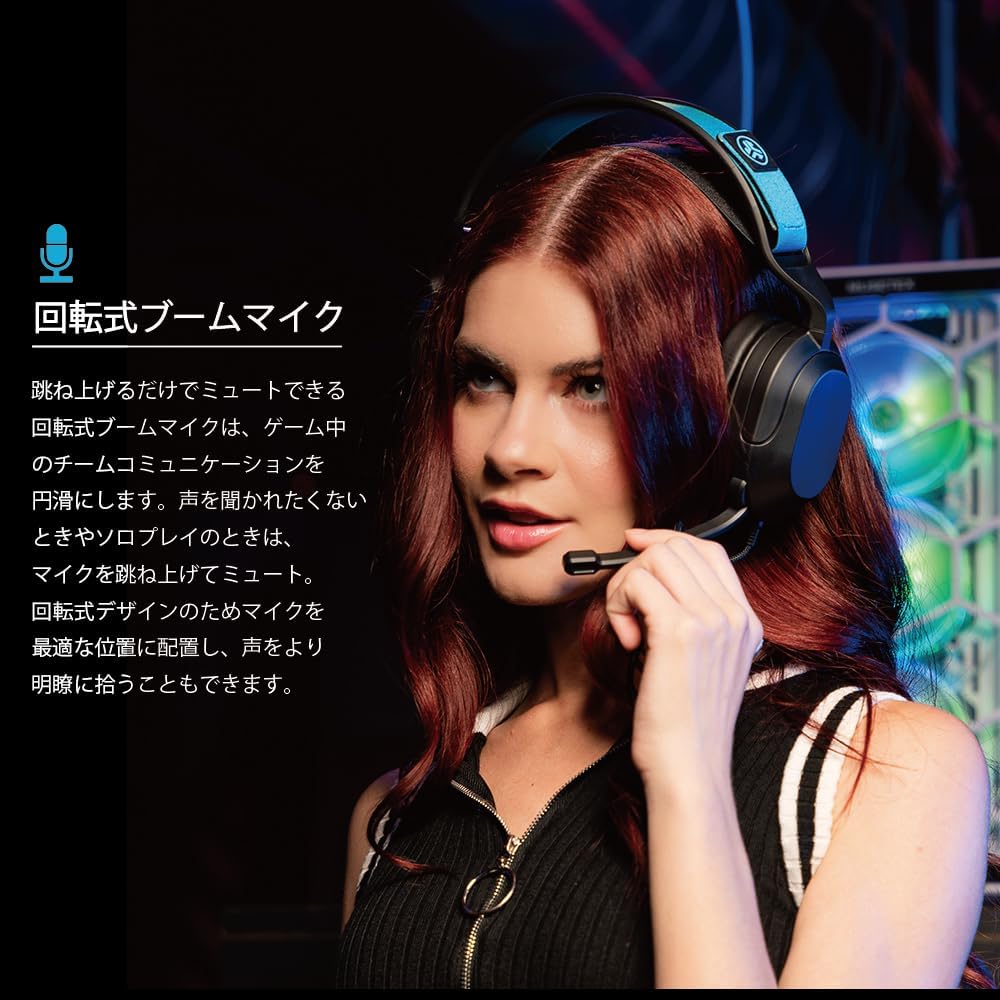
Image: A user wearing the JLab Nightfall headset, demonstrating the flexible and rotating boom microphone in an active position.

Image: A gamer wearing the JLab Nightfall headset, illustrating the effective noise elimination provided by the directional microphone for clear communication.
ምቾት እና ዲዛይን
The Nightfall headset is engineered for all-night comfort. It features super-wide stretchable and adjustable headbands that provide a customizable fit for various head sizes. The cloud foam cushions further enhance comfort, preventing discomfort during long gaming sessions.
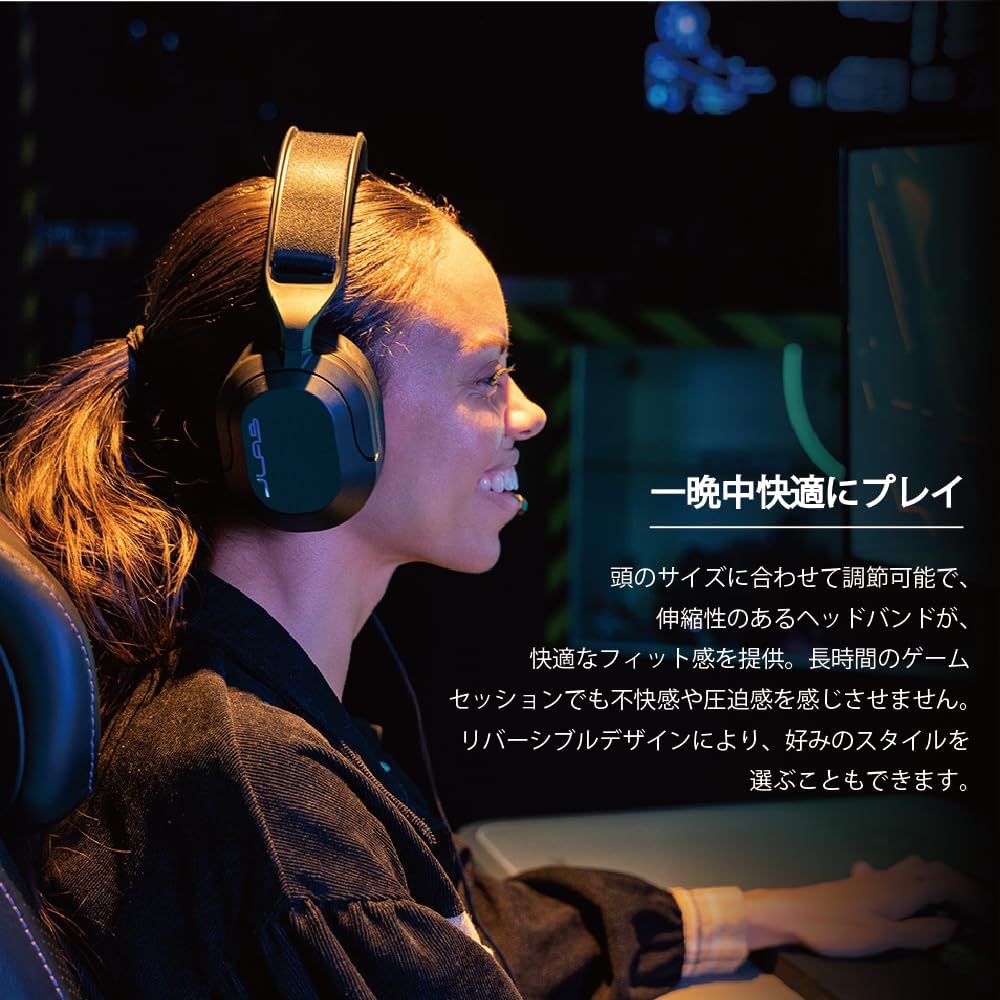
Image: A user wearing the JLab Nightfall headset, showcasing the comfortable over-ear design and adjustable headband for extended wear.

ምስል: ዝርዝር view of the JLab Nightfall headset's cloud foam ear cushions, emphasizing their soft and comfortable design.
ዝርዝሮች
| ባህሪ | ዝርዝር |
|---|---|
| የምርት ስም | ጃላብ |
| የሞዴል ስም | Nightfall |
| የግንኙነት ቴክኖሎጂ | ባለገመድ (3.5ሚሜ ጃክ) |
| የጆሮ አቀማመጥ | ከጆሮ በላይ |
| የድምጽ ነጂ መጠን | 50 ሚሊሜትር |
| እክል | 32 ኦኤም |
| ስሜታዊነት | 102 ዲቢቢ |
| የድግግሞሽ ክልል | 20Hz - 20,000Hz |
| የድምጽ መቆጣጠሪያ | የድምፅ ማግለል |
| ማይክሮፎን | Flip-to-mute rotating boom mic, TeamSpeak Certified near-field directional |
| ተስማሚ መሣሪያዎች | PC/Mac, Xbox, PlayStation 4, PlayStation 5, Nintendo Switch |
| የእቃው ክብደት | 0.39 ኪ |
| ቁሳቁስ | Plastic, Metal, Synthetic materials |
| ተጨማሪ ባህሪያት | Adjustable Headband, Cloud Foam Cushions |
ጥገና
- ማጽዳት፡ የጆሮ ማዳመጫውን ለማጽዳት ለስላሳ እና ደረቅ ጨርቅ ይጠቀሙ. ፈሳሽ ማጽጃዎችን ወይም ኤሮሶሎችን አይጠቀሙ.
- ማከማቻ፡ የጆሮ ማዳመጫውን በቀጥታ ከፀሀይ ብርሀን እና ከከፍተኛ ሙቀት ርቆ በቀዝቃዛና ደረቅ ቦታ ያከማቹ።
- የኬብል እንክብካቤ; ጉዳት እንዳይደርስ ለመከላከል ስለታም መታጠፍ ወይም ገመዱን ከመጠን በላይ መጎተትን ያስወግዱ።
መላ መፈለግ
- ድምጽ የለም፡
- የ3.5ሚሜ መሰኪያው ሙሉ በሙሉ ወደ መሳሪያዎ መገባቱን ያረጋግጡ።
- Check your device's audio settings to confirm the headset is selected as the output device and volume is not muted.
- በመሳሪያው ላይ የተወሰነ ችግር እንዳይፈጠር የጆሮ ማዳመጫውን በሌላ መሳሪያ ይሞክሩት።
- ማይክሮፎን አይሰራም;
- Ensure the microphone boom is flipped down to the active position (not muted).
- Verify your device's audio settings have the headset microphone selected as the input device and input volume is not muted.
- Check for any in-game or application-specific microphone settings.
- የተዛባ ኦዲዮ፡
- Lower the volume on your device or the headset.
- የ3.5 ሚሜ ግንኙነት ደህንነቱ የተጠበቀ እና ከቆሻሻ የጸዳ መሆኑን ያረጋግጡ።
- ጉዳዩ ከጆሮ ማዳመጫው ወይም ከምንጩ መሳሪያው ጋር መሆኑን ለማወቅ ከሌላ የድምጽ ምንጭ ይሞክሩ።
ዋስትና እና ድጋፍ
The JLab Nightfall Wired Gaming Headset comes with a 2-Year Warranty from the manufacturer, JLab Audio. For detailed warranty information, technical support, or service inquiries, please refer to the official JLab webጣቢያ ወይም የደንበኞቻቸውን ድጋፍ በቀጥታ ያነጋግሩ።
Manufacturer: JLab Audio