
1. መግቢያ
Thank you for choosing the Mi-Mic Kids Karaoke Machine Model MMC3 (TY6374). This portable Bluetooth speaker with wireless microphones is designed to provide hours of entertainment. This manual will guide you through the setup, operation, and maintenance of your device.

Image 1.1: The Mi-Mic Kids Karaoke Machine with its two wireless microphones.
2. የደህንነት መረጃ
Please read all safety warnings carefully before use and retain this manual for future reference.
- ማስጠንቀቂያ! በትንሽ ክፍሎች ምክንያት ከ 36 ወር በታች ለሆኑ ህጻናት ተስማሚ አይደለም.
- የመተንፈስ አደጋ፡- This product contains a long cable. Keep out of reach of young children.
- የሚጥል በሽታ ማስጠንቀቂያ፡- This toy produces flashes that may trigger epilepsy in sensitized individuals. Use with caution.
- መሳሪያውን በውሃ ወይም ከመጠን በላይ እርጥበት አያጋልጡ.
- መሳሪያውን እራስዎ ለመበተን ወይም ለመጠገን አይሞክሩ. ሁሉንም አገልግሎቶች ብቁ ለሆኑ ባለሙያዎች ያመልክቱ።
- Use only the charging cable provided or recommended by the manufacturer.
3. የጥቅል ይዘቶች
ሁሉም እቃዎች በጥቅሉ ውስጥ መኖራቸውን ያረጋግጡ፡-
- 1 x Mi-Mic Karaoke Speaker
- 2 x ገመድ አልባ ማይክሮፎኖች
- 1 x የዩኤስቢ ባትሪ መሙያ ገመድ
- 1 x የተጠቃሚ መመሪያ (ይህ ሰነድ)
4. የምርት ባህሪዎች
The Mi-Mic Karaoke Machine offers a range of features for an engaging experience:
- ተንቀሳቃሽ ንድፍ; Lightweight with a carry handle for easy transport.
- የብሉቱዝ ግንኙነት; Seamless pairing with smartphones, tablets, and other Bluetooth-enabled devices.
- ባለሁለት ገመድ አልባ ማይክሮፎኖች; Two microphones for duets and interactive singing.
- የ LED ብርሃን ማሳያ; 12 vibrant color variations to enhance the performance atmosphere.
- የድምፅ ውጤቶች፡- Includes 11 fun effects such as echo, auto-tune, baby, robot, monster, and animal voices.
- የማይክሮ ኤስዲ ካርድ ድጋፍ; ሙዚቃን በቀጥታ ከማይክሮ ኤስዲ ካርድ ያጫውቱ።
- ረጅም የጨዋታ ጊዜ፡ Built-in battery provides up to 8 hours of continuous play.
- Echo Function: Adds an authentic arena-like sound to vocals.
- Boom Mode: Amplifies music for a louder sound experience.

Image 4.1: Key features of the Mi-Mic Karaoke Machine.
5. ማዋቀር
5.1 መሳሪያውን መሙላት
- Connect the provided USB charging cable to the charging port on the karaoke speaker.
- የዩኤስቢ ገመዱን ሌላኛውን ጫፍ ወደ ተኳሃኝ የዩኤስቢ ኃይል አስማሚ (ያልተካተተ) ወይም የኮምፒተር ዩኤስቢ ወደብ ይሰኩት።
- የኃይል መሙያ አመልካች መብራቱ ይበራል። ሙሉ በሙሉ ከተሞላ በኋላ ብርሃኑ ቀለሙን ሊቀይር ወይም ሊጠፋ ይችላል።
- ሙሉ ክፍያ ወደ 8 ሰዓታት የሚጠጋ የጨዋታ ጊዜ ይሰጣል።
5.2 ማብራት / ማጥፋት
- To power on the speaker, press and hold the power button until the LED lights illuminate and you hear an audible prompt.
- To power off, press and hold the power button again until the lights turn off and you hear an audible prompt.
6. የአሠራር መመሪያዎች
6.1 የብሉቱዝ ግንኙነት
The Mi-Mic Karaoke Machine can connect wirelessly to your Bluetooth-enabled devices.
- Ensure the karaoke speaker is powered on and in Bluetooth pairing mode (indicated by a flashing light or audible prompt).
- On your smartphone, tablet, or other device, go to the Bluetooth settings.
- ፈልግ available devices and select "Mi-Mic" from the list.
- Once paired, you will hear a confirmation sound, and the speaker's indicator light will become solid.
- You can now play music from your device through the karaoke speaker.

Image 6.1: Connecting your device via Bluetooth for music playback.
6.2 ገመድ አልባ ማይክሮፎኖችን መጠቀም
The two wireless microphones automatically connect to the speaker when both are powered on.
- ማብራት/ማጥፋት፡ Press and hold the power button on each microphone to turn it on or off.
- የድምጽ መቆጣጠሪያ፡- Use the volume buttons on the microphone to adjust your vocal volume.
- የድምፅ ውጤቶች፡- Press the dedicated effect button on the microphone to cycle through the 11 available voice effects (e.g., echo, baby, robot, monster, animal).
- Echo Function: The microphone includes an echo function for an authentic performance feel.
- Reset Voice Effect: A long press on the effect button should reset the voice effect. If not, power cycling the microphone may be required.
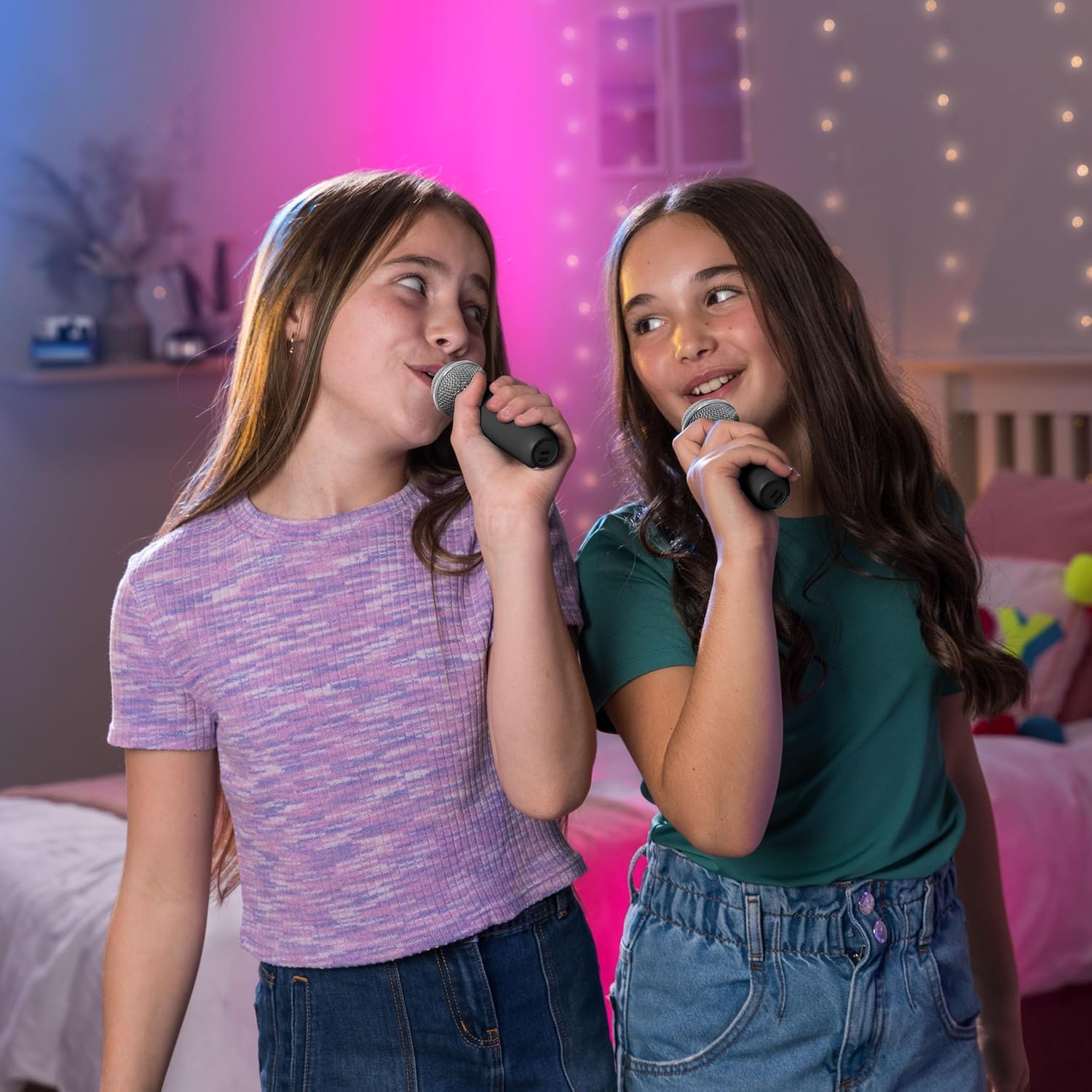
Image 6.2: Children enjoying the wireless microphones.

ምስል 6.3፡ አልቋልview of the voice effects available.
6.3 የ LED መብራቶች
The karaoke speaker features dynamic LED lights to create a party atmosphere.
- መብራቶችን አግብር፡ Press the LED button on the speaker to turn the lights on.
- የዑደት ሁነታዎች፡- Press the LED button repeatedly to cycle through the 12 vibrant color variations and light patterns.
- መብራቶችን አጥፋ; Continue pressing the LED button until the lights turn off.
6.4 የማይክሮ ኤስዲ ካርድ መልሶ ማጫወት
You can play music directly from a Micro SD card inserted into the speaker.
- Insert a Micro SD card (pre-loaded with music files) በድምጽ ማጉያው ላይ በተጠቀሰው ቦታ ላይ።
- The speaker should automatically detect the card and begin playing music.
- Use the speaker's controls (play/pause, skip track) to manage playback.
7. ጥገና
- ማጽዳት፡ መሳሪያውን ለስላሳ እና ደረቅ ጨርቅ ይጥረጉ. ገላጭ ማጽጃዎችን ወይም ፈሳሾችን አይጠቀሙ.
- ማከማቻ፡ የካራኦኬ ማሽኑን ከፀሐይ ብርሃን እና ከፍተኛ የሙቀት መጠን ራቅ ባለ ቀዝቃዛና ደረቅ ቦታ ያስቀምጡ።
- የባትሪ እንክብካቤ የባትሪውን ዕድሜ ለማራዘም መሳሪያውን በተደጋጋሚ ባይጠቀሙም እንኳ በየጊዜው ቻርጅ ያድርጉ። ባትሪውን ለረጅም ጊዜ ሙሉ በሙሉ ከመሙላት ይቆጠቡ።
8. መላ መፈለግ
| ችግር | ሊሆን የሚችል ምክንያት | መፍትሄ |
|---|---|---|
| መሣሪያው አይበራም። | ዝቅተኛ ባትሪ. | የቀረበውን የዩኤስቢ ገመድ ተጠቅመው መሳሪያውን ይሙሉት። |
| ከተናጋሪው ምንም ድምፅ የለም። | Volume too low; not connected via Bluetooth; Micro SD card issue. | Increase volume on speaker and connected device. Re-pair Bluetooth. Check Micro SD card for proper insertion and file ቅርጸት. |
| ማይክሮፎኖች አይሰሩም። | Microphones not powered on; low battery in microphones; not paired. | Ensure microphones are powered on. Check microphone batteries. Microphones should auto-pair; if not, power cycle both speaker and microphones. |
| የብሉቱዝ ግንኙነት ያልተረጋጋ። | መሳሪያ ከድምጽ ማጉያ በጣም የራቀ; ጣልቃ መግባት. | Move the connected device closer to the speaker. Avoid obstacles or other wireless devices that may cause interference. |
| Voice effect won't reset. | የሶፍትዌር ችግር። | Try a long press on the effect button. If unsuccessful, power off and then power on the microphone. |
9. ዝርዝሮች
| ባህሪ | ዝርዝር |
|---|---|
| የሞዴል ስም | TY6374 (also known as MMC3) |
| የምርት ስም | Mi-Mic |
| የግንኙነት ቴክኖሎጂ | ብሉቱዝ |
| ልዩ ባህሪያት | Echo Effect, LED Lights, Voice Effects |
| የተካተቱ አካላት | One Speaker, Two Wireless Microphones |
| የእቃው ክብደት | 1.09 ኪ |
| የምርት ልኬቶች | 12 x 12 x 0.1 cm (Speaker: L12cm x W12cm x H16cm) |
| ባትሪዎች | 1 መደበኛ ያልሆነ ባትሪ (ተጨምሯል) |
| የጨዋታ ጊዜ | እስከ 8 ሰዓታት ድረስ |
| አምራች | Wilton Bradley |

Image 9.1: Physical dimensions of the Mi-Mic Karaoke Machine.
10. ዋስትና እና ድጋፍ
For warranty information and customer support, please refer to the documentation provided at the point of purchase or visit the official Mi-Mic webጣቢያ. ለማንኛውም የዋስትና ጥያቄዎች የግዢ ማረጋገጫዎን ያስቀምጡ።