
1. መግቢያ
The Yealink BHC70 is a dedicated charging stand designed for use with the Yealink BH70 Bluetooth Headset and WH64 Hybrid Headphone. This stand provides a convenient and efficient method for charging your compatible headset. It is important to note that this unit functions solely as a charging device and does not offer any headset control capabilities.
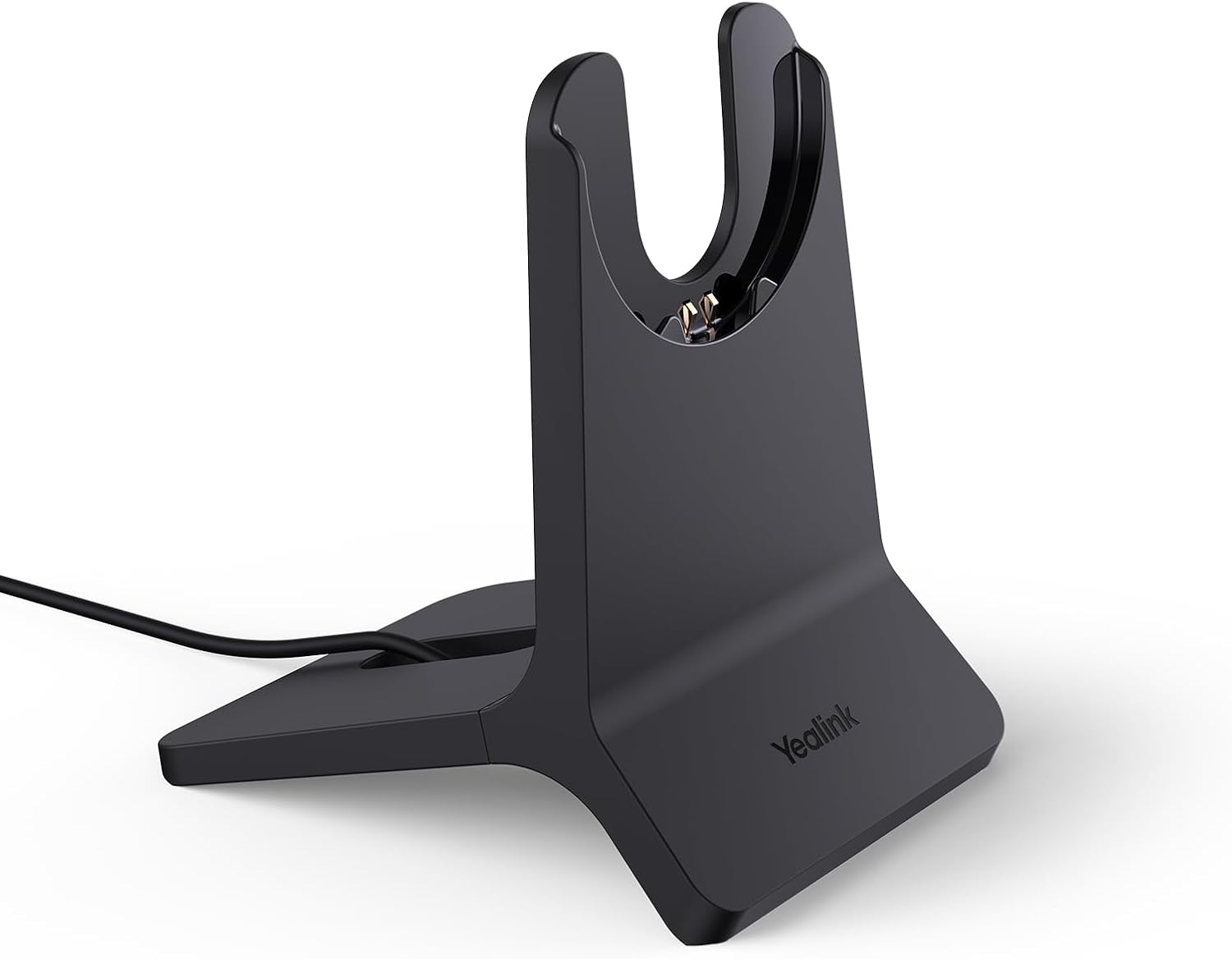
Image 1.1: The Yealink BHC70 Charging Stand, a black, sleek base with a cradle designed to hold and charge compatible headsets.
2. የጥቅል ይዘቶች
ሁሉም እቃዎች በጥቅልዎ ውስጥ መኖራቸውን ያረጋግጡ፡-
- Yealink BHC70 Charging Stand (x1)
- Integrated USB-A Cable (1.2 meters / 3.9 feet)

Image 2.1: The BHC70 Charging Stand with its attached USB-A cable, illustrating its primary function as a charging-only device without requiring an external power adapter.
3. የማዋቀር መመሪያዎች
- አቀማመጥ፡- Select a stable, flat surface for the charging stand. Ensure the location is free from obstructions and allows easy access for placing and removing your headset.
- ከኃይል ጋር ይገናኙ፡ Plug the integrated USB-A cable from the charging stand into a compatible USB-A port on a computer, laptop, or a USB wall adapter. No separate power adapter is required for the stand itself.
4. የአሠራር መመሪያዎች
To charge your compatible headset:
- Ensure the BHC70 charging stand is connected to a powered USB-A port.
- Carefully place your Yealink BH70 Bluetooth Headset or WH64 Hybrid Headphone onto the charging cradle of the stand. Ensure the charging contacts on the headset align correctly with those on the stand.
- The headset should begin charging automatically. A full charge typically takes approximately 90 minutes or less.

Image 4.1: A compatible headset placed on the BHC70 Charging Stand, indicating the fast charging capability of less than 90 minutes for a full charge.
ጠቃሚ ማስታወሻ፡- The BHC70 charging stand is designed exclusively for charging. It does not provide any control functions for the headset, such as answering calls, adjusting volume, or muting.

Image 4.2: The BHC70 Charging Stand shown with a transparent outline of a headset, emphasizing that the product is the stand itself, not including the headset.
5. ጥገና
To ensure the longevity and proper function of your charging stand:
- ማጽዳት፡ Use a soft, dry, lint-free cloth to clean the surface of the charging stand. Avoid using liquid cleaners, aerosols, or harsh chemicals, as these can damage the device.
- ማከማቻ፡ ለረጅም ጊዜ ጥቅም ላይ በማይውሉበት ጊዜ፣ የኃይል መሙያ መደርደሪያውን ከፀሐይ ብርሃን እና ከፍተኛ የሙቀት መጠን ራቅ ባለ ቀዝቃዛና ደረቅ ቦታ ያስቀምጡ።
- አያያዝ፡ Handle the stand with care to prevent physical damage.
6. መላ መፈለግ
| ጉዳይ | ሊሆን የሚችል ምክንያት | መፍትሄ |
|---|---|---|
| የጆሮ ማዳመጫው እየሞላ አይደለም። |
|
|
| መቆም ያልተረጋጋ ነው። | ያልተስተካከለ ወለል | Place the charging stand on a flat, stable, and level surface. |
7. ዝርዝሮች
- የምርት መጠኖች: 6.96 x 8.14 x 2.08 ኢንች
- የእቃው ክብደት፡ 7 አውንስ
- የኬብል ርዝመት፡- 1.2 meters / 3.9 feet (Integrated USB-A)
- የኃይል መሙያ ጊዜ: ≤90 minutes for full charge (for compatible headsets)
- የማገናኛ አይነት፡ የዩኤስቢ አይነት A
- ተስማሚ መሣሪያዎች Yealink BH70 Bluetooth Headset, Yealink WH64 Hybrid Headphone
- ቀለም፡ ጥቁር
- የኃይል ግቤት፡ USB-A (No dedicated power adapter needed)
8. ዋስትና እና ድጋፍ
This product is covered by a manufacturer's warranty. For detailed warranty information, technical support, or service inquiries, please refer to the official Yealink website or contact Yealink customer support directly. Keep your proof of purchase for warranty claims.