
መግቢያ
The Yesido YSP13 Air Conduction Bluetooth Earphones are designed to provide a comfortable and secure audio experience without blocking your ear canals. Featuring Bluetooth 5.3 for stable connectivity, an ear hook design for active use, and IPX4 waterproofing, these earphones are suitable for various activities. The included charging case offers extended battery life and a digital display for convenience.
ማዋቀር
1. የጆሮ ማዳመጫዎችን መሙላት እና የኃይል መሙያ መያዣ
ከመጠቀምዎ በፊት የጆሮ ማዳመጫውን እና የኃይል መሙያውን ሙሉ በሙሉ ይሙሉ።
- Place the earphones into the charging case. Ensure they are correctly seated to initiate charging.
- የቀረበውን የዩኤስቢ ገመድ በመጠቀም የኃይል መሙያ መያዣውን ከኃይል ምንጭ ጋር ያገናኙ።
- The digital display on the charging case will indicate the battery level.
- Charging time for the earphones is approximately 1 hour. The charging case takes approximately 2.5 hours to fully charge.
- A fully charged earphone battery provides about 6 hours of music/call time. The charging case has a capacity of 600mAh, allowing for multiple earphone recharges.

ምስል፡ Earphones inside the charging case, showing the digital battery display. This display indicates the current charge level of the case and the charging status of the earbuds.
2. የብሉቱዝ ማጣመር
Follow these steps to pair your Yesido YSP13 earphones with your device:
- የጆሮ ማዳመጫዎች መሙላታቸውን ያረጋግጡ።
- የኃይል መሙያ መያዣውን ይክፈቱ። የጆሮ ማዳመጫዎች በራስ-ሰር ወደ ማጣመር ሁነታ ይገባሉ።
- በእርስዎ ዘመናዊ ስልክ ወይም ብሉቱዝ የነቃ መሣሪያ ላይ ወደ ብሉቱዝ ቅንብሮች ይሂዱ።
- ፈልግ available devices and select "YSP13" (or similar name) from the list.
- አንዴ ከተገናኘ በኋላ የማረጋገጫ ድምፅ ይሰማል፣ እና የጆሮ ማዳመጫዎቹ ለአገልግሎት ዝግጁ ይሆናሉ።
- The earphones utilize Bluetooth 5.3 for a fast and stable connection.
ምስል፡ Earphones shown next to a smartphone, illustrating quick connection and readiness for music playback.
የአሠራር መመሪያዎች
1. የጆሮ ማዳመጫዎችን መልበስ
The Yesido YSP13 earphones feature a rotatable ear hook design for a secure and comfortable fit.
- Gently place the earphone over your ear, positioning the main body in front of your ear canal.
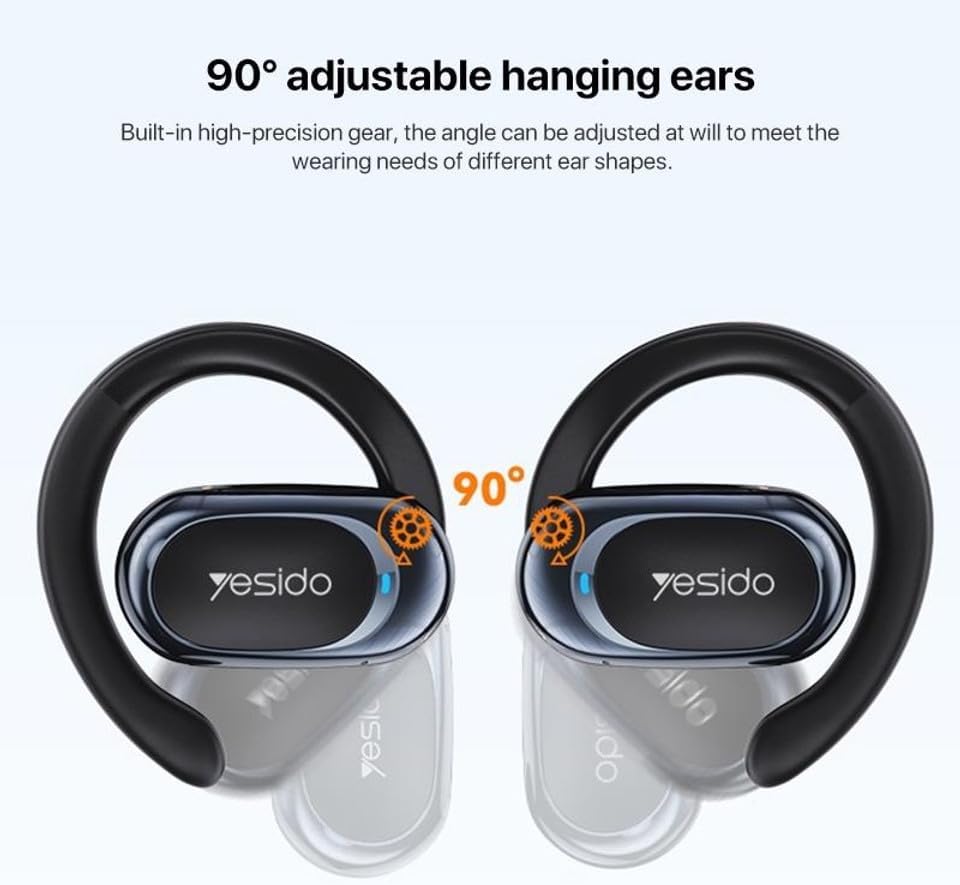
- Adjust the ear hook to fit snugly and comfortably around the back of your ear. The ear hooks are 90° adjustable to accommodate different ear shapes.
- The air conduction technology allows you to hear your audio while remaining aware of your surroundings.

ምስል፡ Illustration showing the 90° adjustable ear hooks, highlighting their flexibility for a custom fit.

ምስል፡ An earphone positioned on an ear, illustrating the adaptive directional sound transmission technology.
2. የንክኪ መቆጣጠሪያዎች
The earphones feature intuitive touch controls for managing audio playback and calls. The specific touch functions are typically:
- አጫውት/ ለአፍታ አቁም፡ በሁለቱም የጆሮ ማዳመጫዎች ላይ አንድ ጊዜ መታ ያድርጉ።
- ቀጣይ ትራክ፡ በቀኝ ጆሮ ማዳመጫ ላይ ሁለቴ መታ ያድርጉ።
- ቀዳሚ ትራክ በግራ የጆሮ ማዳመጫው ላይ ሁለቴ መታ ያድርጉ።
- መልስ/ጥሪ ጨርስ፡ Single tap on either earphone during an incoming call or active call.
- ጥሪን ውድቅ አድርግ፡ በሚመጣ ጥሪ ወቅት በሁለቱም የጆሮ ማዳመጫዎች ላይ ተጭነው ይያዙ።
- የድምፅ ረዳት Triple tap on either earphone (functionality may vary by device).
Note: Specific touch control mappings may vary slightly. Refer to the quick start guide included in your product packaging for precise instructions.
3. Sound Quality and Calls
The Yesido YSP13 earphones deliver HiFi sound quality through master-level tuning, providing a balanced audio experience with clear highs, rich mids, and strong lows. The built-in microphone ensures clear voice transmission for hands-free calls.

ምስል፡ An exploded diagram illustrating the internal components responsible for the high-fidelity sound production.
ጥገና
1. ማጽዳት
To maintain optimal performance and hygiene, regularly clean your earphones.
- የጆሮ ማዳመጫውን እና ቻርጅ መሙያውን ለስላሳ፣ ደረቅ እና ከተሸፈነ ጨርቅ ይጥረጉ።
- ለግትር ቆሻሻ, ትንሽ መamp cloth can be used, ensuring no moisture enters any openings.
- ሻካራ ቁሶችን፣ መፈልፈያዎችን ወይም ኃይለኛ ኬሚካሎችን ከመጠቀም ይቆጠቡ።
2. የውሃ መቋቋም
The Yesido YSP13 earphones feature an IPX4 waterproof design, providing protection against splashing water from any direction.
- This makes them suitable for workouts and light rain.
- Do not submerge the earphones in water or expose them to strong jets of water.
- Ensure the earphones are dry before placing them back into the charging case to prevent damage.
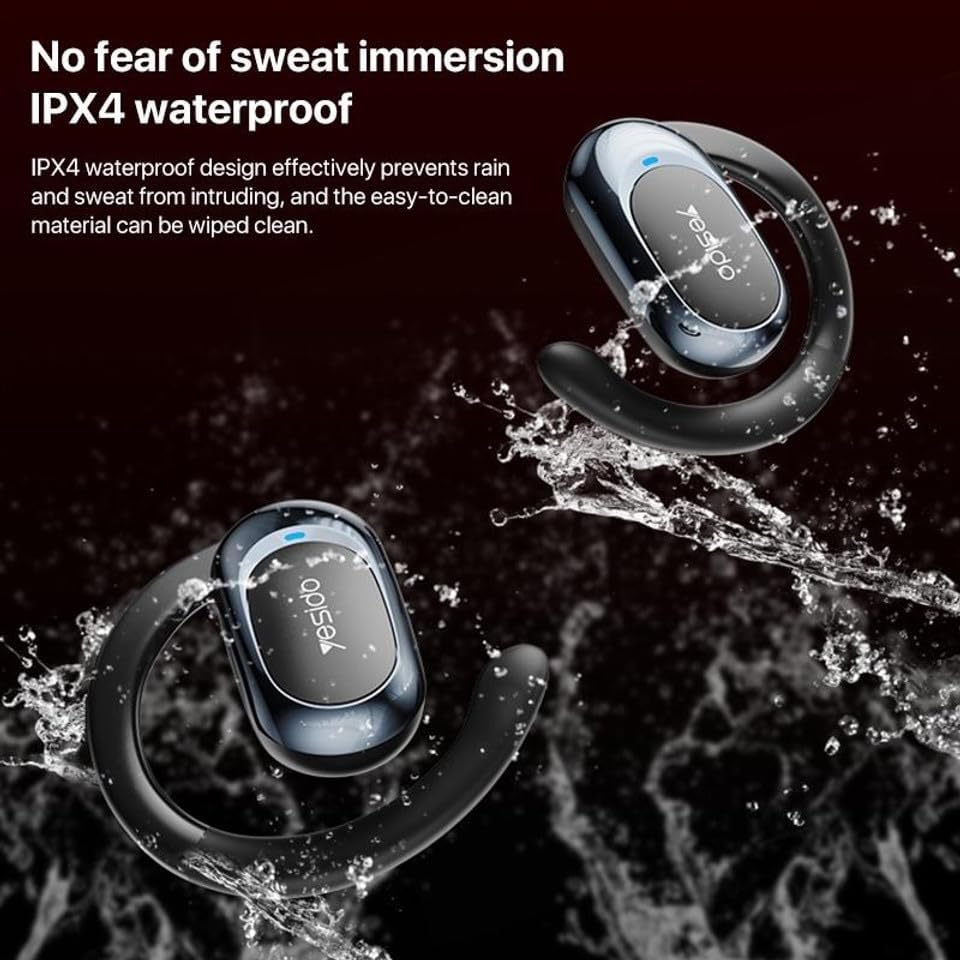
ምስል፡ Earphones shown with water splashing, demonstrating their IPX4 waterproof capability against sweat and light rain.
3. ማከማቻ
Store the earphones in their charging case when not in use to protect them from dust, damage, and to keep them charged.
መላ መፈለግ
If you encounter issues with your Yesido YSP13 earphones, try the following solutions:
- ድምፅ የለም/መገናኘት አይቻልም፡
- የጆሮ ማዳመጫዎች መሙላታቸውን ያረጋግጡ።
- በመሳሪያዎ ላይ ብሉቱዝ መንቃቱን ያረጋግጡ።
- Check if the earphones are paired with another device. Disconnect and re-pair if necessary.
- Try resetting the earphones (refer to specific reset instructions if available in the product's quick start guide, otherwise, place them in the case and close/open).
- በ10 ሜትር የብሉቱዝ ክልል ውስጥ መሆንዎን ለማረጋገጥ ወደ መሳሪያዎ ቅርብ ያድርጉ።
- አንድ የጆሮ ማዳመጫ የማይሰራ;
- Place both earphones back into the charging case and then take them out again.
- ሁለቱም የጆሮ ማዳመጫዎች መሞላታቸውን ያረጋግጡ።
- የጆሮ ማዳመጫዎችን ከመሳሪያዎ ጋር እንደገና ለማጣመር ይሞክሩ።
- የመሙላት ጉዳዮች፡-
- የኃይል መሙያ ገመዱ እና አስማሚው በትክክል እየሠሩ መሆናቸውን ያረጋግጡ።
- በጆሮ ማዳመጫዎች እና በሻንጣው ውስጥ ያሉት የኃይል መሙያ እውቂያዎች ንጹህ እና ከቆሻሻ የፀዱ መሆናቸውን ያረጋግጡ።
- Check the digital display on the charging case for charging indicators.
- ደካማ የጥሪ ጥራት፡
- ማይክሮፎኑ እንዳልተከለከለ ያረጋግጡ።
- ጸጥ ወዳለ አካባቢ ይሂዱ።
- የመሣሪያዎን የአውታረ መረብ ምልክት ያረጋግጡ።
ዝርዝሮች
| የምርት ስም | YESIDO |
| የሞዴል ስም | YSP13 (Model Number: BUF58) |
| የግንኙነት ቴክኖሎጂ | ገመድ አልባ (ብሉቱዝ 5.3) |
| የብሉቱዝ ስሪት | BT8926B2 V5.3 |
| የብሉቱዝ ክልል | እስከ 10 ሜትር |
| የጆሮ ማዳመጫ የባትሪ አቅም | 50mAh x 2 |
| የመሙያ ሳጥን የባትሪ አቅም | 600mAh |
| የሙዚቃ / የጥሪ ጊዜ | በግምት 6 ሰዓታት |
| የጆሮ ማዳመጫ መሙያ ጊዜ | በግምት 1 ሰዓት |
| የመሙያ ሳጥን የመሙያ ጊዜ | በግምት 2.5 ሰዓታት |
| የውሃ መቋቋም ደረጃ | IPX4 (ውሃ መከላከያ) |
| የመቆጣጠሪያ ዘዴ | ንካ |
| ቁሳቁስ | PC+ABS+Electroplating UV |
| የቅጽ ምክንያት | On Ear (Ear Hook Design) |
| ተጨማሪ ባህሪያት | Air Conduction Technology, Digital Display, Built-in Microphone |
የዋስትና መረጃ
The product comes with a manufacturer's warranty. For detailed information regarding the warranty period and terms, please refer to the warranty card included in your product packaging or contact your retailer. Please retain your proof of purchase for any warranty claims.
የደንበኛ ድጋፍ
For further assistance, technical support, or inquiries, please visit the official YESIDO website or contact the customer service department of your retailer.