
Anker Soundcore K20i
የአንከር ሳውንድኮር K20i ትሩ ገመድ አልባ የጆሮ ማዳመጫዎች የተጠቃሚ መመሪያ
Model: K20i | Brand: Anker Soundcore
1. መግቢያ
The Anker Soundcore K20i are true wireless earbuds designed for comfortable, extended listening. They feature Bluetooth 5.3 connectivity, IPX5 water resistance, and up to 36 hours of total playback with the charging case. Enjoy powerful bass and clear calls with AI noise reduction.

Image: Anker Soundcore K20i earbuds and charging case in black, white, purple, and blue.
2. የጥቅል ይዘቶች
ሁሉም እቃዎች በምርት ጥቅልዎ ውስጥ መኖራቸውን ያረጋግጡ፡-
- Soundcore K20i True Wireless Earbuds
- የመሙያ መያዣ
- USB-C & USB-A Charging Cable
- Safety Manual & Quick Start Guide

Image: The Anker Soundcore K20i earbuds, their charging case, and the included USB-C charging cable.
3. ማዋቀር
3.1. መሙላት
ከመጠቀምዎ በፊት ሁለቱንም የጆሮ ማዳመጫዎች እና የኃይል መሙያ መያዣውን ሙሉ በሙሉ ይሙሉ።
- Place the earbuds into the charging case. Close the case to begin charging the earbuds.
- የቀረበውን የዩኤስቢ-ሲ ገመድ በመጠቀም የኃይል መሙያ መያዣውን ከኃይል ምንጭ ጋር ያገናኙ።
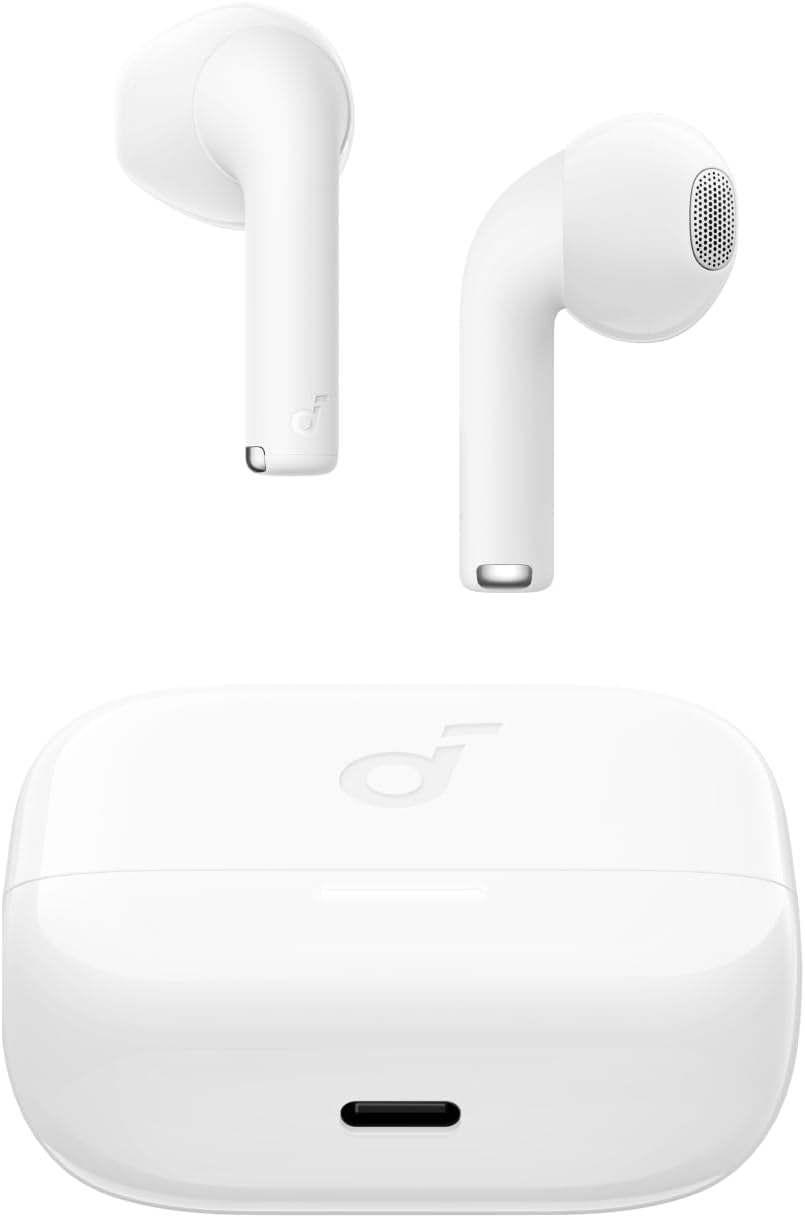
Image: The Anker Soundcore K20i earbuds resting in their open charging case, with the USB-C charging port visible at the front of the case.
3.2. ማጣመር
የጆሮ ማዳመጫዎችዎን በብሉቱዝ ከነቃ መሳሪያ ጋር ለማጣመር እነዚህን ደረጃዎች ይከተሉ፡-
- የኃይል መሙያ መያዣውን ይክፈቱ። የጆሮ ማዳመጫዎች የብሉቱዝ ማጣመሪያ ሁነታን በራስ-ሰር ያስገባሉ።
- On your device (smartphone, PC), enable Bluetooth and search for 'Soundcore K20i'.
- Select 'Soundcore K20i' to connect.
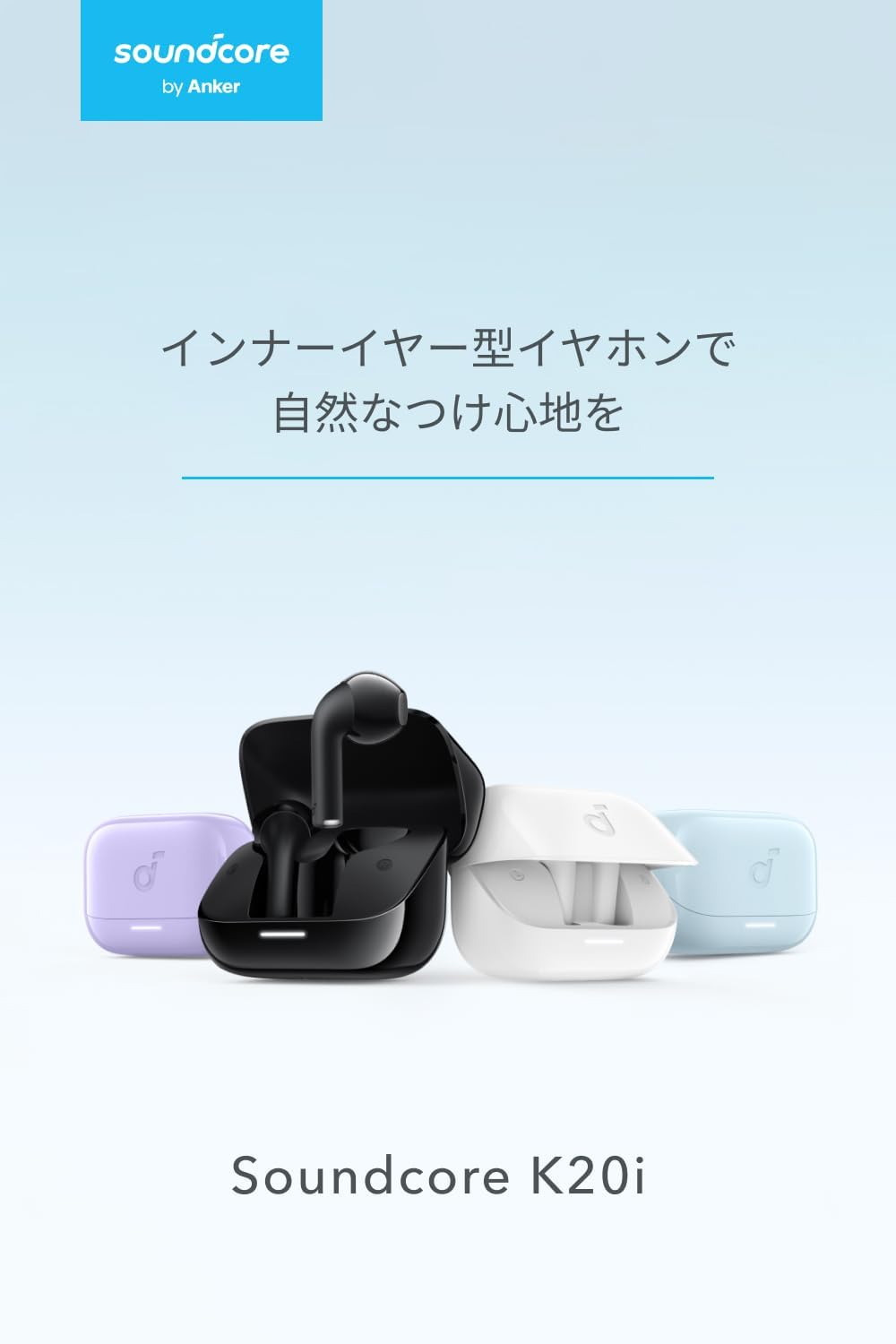
Image: The Anker Soundcore K20i earbuds removed from their charging case, indicating they are ready for Bluetooth pairing.
4. የአሠራር መመሪያዎች
4.1. የጆሮ ማዳመጫዎችን መልበስ
ለተሻለ ምቾት እና የድምፅ ጥራት፣ የጆሮ ማዳመጫዎቹ በጆሮዎ ውስጥ በትክክል መቀመጡን ያረጋግጡ።
- የጆሮ ማዳመጫዎቹን ወደ ጆሮዎ ውስጥ ያስገቡና በደንብ እስኪገጣጠሙና እስኪመቹ ድረስ በቀስታ ያሽከርክሩዋቸው።
- Each earbud weighs approximately 3.3g, designed for extended comfortable wear without ear tips.

Image: A diagram illustrating the correct way to position the Anker Soundcore K20i earbud in the ear canal for a secure and comfortable fit.
4.2. መሰረታዊ ቁጥጥሮች
The Soundcore K20i earbuds feature touch controls for various functions. Specific actions for single, double, or triple taps can often be customized via the Soundcore app.
4.3. Soundcore መተግበሪያ
Enhance your listening experience by downloading the Soundcore app. The app allows you to:
- Customize sound settings and adjust the equalizer.
- የጆሮ ማዳመጫዎችዎን ከተሳሳቱ ያግኙት።
- Update earbud firmware.

Image: A user interacting with the Soundcore application on a smartphone, displaying various sound customization options for the earbuds.
5. ጥገና
5.1. ማጽዳት
መደበኛ ጽዳት ከፍተኛ አፈፃፀም እና ንፅህናን ለመጠበቅ ይረዳል-
- የጆሮ ማዳመጫዎቹን እና የኃይል መሙያ መያዣውን በደረቅ፣ ለስላሳ እና በጨርቅ ያለ ጨርቅ አዘውትረው ያጽዱ።
- ኃይለኛ ኬሚካሎችን ወይም ሻካራ ቁሳቁሶችን ከመጠቀም ይቆጠቡ.
5.2. የውሃ መቋቋም (IPX5)
The earbuds are IPX5 water-resistant, meaning they can withstand splashes and sweat. This makes them suitable for workouts and light rain. በውሃ ውስጥ አታስገቡዋቸው.

Image: Two Anker Soundcore K20i earbuds covered in water droplets, illustrating their IPX5 water-resistant design.
5.3. ማከማቻ
Store the earbuds in their charging case when not in use to protect them from damage and ensure they remain charged.
6. መላ መፈለግ
If you encounter issues with your Soundcore K20i earbuds, try the following solutions:
- የጆሮ ማዳመጫዎች የማይጣመሩ Ensure both earbuds are charged and within range of your device. Turn off and on your device's Bluetooth.
- አንድ የጆሮ ማዳመጫ ብቻ ድምጽ ያሰማል፦ Try placing both earbuds back into the charging case, closing it for a few seconds, then reopening. Refer to the quick start guide for specific earbud reset instructions.
- ደካማ የድምፅ ጥራት; Ensure the earbuds are properly seated in your ears. Try adjusting equalizer settings in the Soundcore app.
- የመሙላት ችግሮች፡- Verify the charging cable is securely connected to both the case and the power source. Ensure the charging contacts on the earbuds and inside the case are clean.
7. ዝርዝሮች
| ባህሪ | ዝርዝር መግለጫ |
|---|---|
| የሞዴል ስም | ሳውንድኮር K20i |
| የግንኙነት ቴክኖሎጂ | ገመድ አልባ (ብሉቱዝ 5.3) |
| የጆሮ አቀማመጥ | ጆሮ ውስጥ |
| የጆሮ ማዳመጫ ዘይቤ | ጆሮ ውስጥ |
| እክል | 16 ኦኤም |
| የድምጽ መቆጣጠሪያ | None (AI Noise Reduction for calls) |
| የመልሶ ማጫወት ጊዜ (የጆሮ ማዳመጫዎች) | እስከ 6 ሰዓታት ድረስ |
| ጠቅላላ የመልሶ ማጫወት ጊዜ (ከኬዝ ጋር) | እስከ 36 ሰዓታት ድረስ |
| ፈጣን ባትሪ መሙላት | 10 minutes charge for approx. 2 hours playback |
| Earbud Weight (per earbud) | በግምት. 3.3 ግ |
| የምርት ክብደት | 42.6 ግ |
| የውሃ መቋቋም | IPX5 |
| የአምራች ሞዴል ቁጥር | አ3994 |
| ተስማሚ መሣሪያዎች | Smartphones, PCs, and other Bluetooth-compatible devices |
8. ዋስትና እና ድጋፍ
Anker Soundcore K20i comes with an የ 18 ወር የምርት ዋስትና from the date of purchase. For registered members, an additional 6-month extended warranty is provided, totaling 24 months of coverage.
For product or delivery-related inquiries, please contact customer support. Anker provides dedicated Japanese customer support.

Image: Details on Anker's 18-month product warranty, an additional 6-month extended warranty for members, and information for contacting Japanese customer support.
Ask a question about this manual
Ask about setup, troubleshooting, compatibility, parts, safety, or missing instructions. Manuals+ will review the question and use this page’s manual context to help answer it.