
1. መግቢያ
The PAKITE 850 Wireless HDMI Receiver is designed to provide a seamless high-definition video and audio transmission experience. This additional receiver unit is intended for use with an existing PAKITE 850 transmitter, allowing you to extend your display to multiple locations. It supports long-range transmission, advanced dual-band Wi-Fi, full HD 1080P resolution with low latency, and convenient features like HDMI loop-out and IR remote control extension.
2. ምርት አብቅቷልview
2.1. Components and Indicators
The PAKITE 850 system consists of a Transmitter (TX) and one or more Receiver (RX) units. Each unit features various ports and indicator lights for easy setup and monitoring.
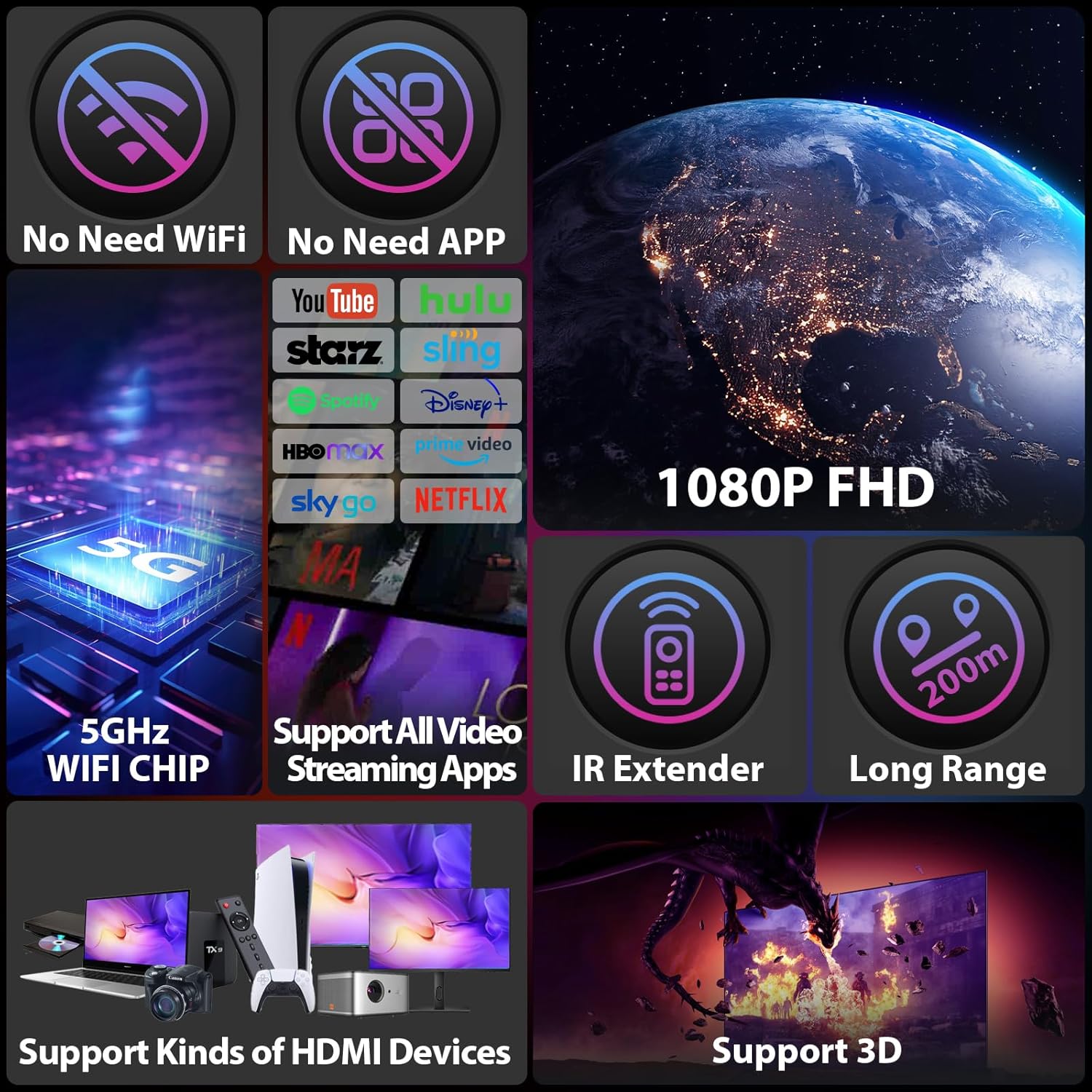
Figure 1: Transmitter (TX) and Receiver (RX) units with labeled ports and indicators. Key indicators include Power, Video, Link, Reset, IR-Out/In, HDMI Out/In, and USB-C 5V power supply.
- የኃይል አመልካች፡- የመሳሪያውን የኃይል ሁኔታ ያሳያል።
- የቪዲዮ አመልካች፡ Lights up when a video signal is detected.
- የአገናኝ አመልካች፡- Indicates a successful wireless connection between TX and RX.
- ዳግም አስጀምር አዝራር፡- Used to reset the device (press for 5 seconds).
- IR-Out (Transmitter): Connects to the IR emission cable to control the source device.
- IR-In (Receiver): Connects to the IR receiving cable to receive remote signals.
- HDMI In (Transmitter): Connects to the HDMI source device.
- HDMI Out (Transmitter & Receiver): Connects to the display device.
- USB-C 5V: የኃይል ግብዓት ወደብ.
3. ማዋቀር እና መጫን
Follow these steps to set up your PAKITE 850 Wireless HDMI Receiver with a compatible transmitter:
- አንቴናዎችን ያገናኙ፡ Screw the provided antennas onto both the Transmitter (TX) and Receiver (RX) units.
- የኃይል ግንኙነት; Plug the provided USB-C power cables into the USB-C 5V ports on both the TX and RX units, then connect them to power adapters and a power outlet.
- Transmitter (TX) Connection:
- Connect an HDMI cable from your video source (e.g., laptop, set-top box) to the ኤችዲኤምአይ በ በቴክሳስ ዩኒት ላይ ወደብ።
- If using the HDMI Loop-out feature, connect an HDMI cable from the HDMI ውጪ port on the TX unit to a local display.
- Receiver (RX) Connection: የኤችዲኤምአይ ገመድ ከ HDMI ውጪ port on the RX unit to your display device (e.g., TV, projector, monitor).
- IR Remote Extender Setup:
- Connect the IR emission cable to the IR-ውጭ port on the TX unit and place the emitter near the IR sensor of your source device.
- Connect the IR receiving cable to the IR-In port on the RX unit and place the receiver in a location where your remote control can easily send signals to it.
- አብራ፡ Ensure both TX and RX units are powered on. The units are designed for plug-and-play convenience and should automatically connect within 18-22 seconds. The Link indicator will light up when connected.
Video 1: Demonstrates the basic connection process for the transmitter and receiver units, including power and HDMI cables, and shows a successful connection to a display.
Video 2: Illustrates the setup and application of the Wireless HDMI Transmitter and Receiver 850, including IR remote control functionality and cross-room transmission.
Video 3: Shows how to connect a MacBook (iOS) to the wireless HDMI system using a USB-C to HDMI adapter, demonstrating both extended and mirror display modes.
Video 4: Demonstrates the 1 TX to 2 RXs capability, showing how to connect multiple receivers to a single transmitter for simultaneous display on two monitors.
Video 5: Illustrates two connection modes (SW and SP) for the wireless HDMI extender, showing how to set up the transmitter and receiver for auto streaming.
4. የአሠራር መመሪያዎች
4.1. የገመድ አልባ ማስተላለፊያ
Once connected, the PAKITE 850 system automatically establishes a stable wireless link. It utilizes 5G/2.4GHz dual-band Wi-Fi for faster, more stable connections with anti-interference capabilities. The system supports Full HD 1080P 60Hz video playback with ultra-low latency.

Figure 2: Enjoy unlimited video freedom with wireless access to all your streaming devices in 1080P Full HD.
4.2. Extended Range and Through-Wall Capability
The system offers a transmission range of up to 657 feet (200m) in open spaces and up to 165 feet (50m) through walls, making it suitable for various home environments and even farm monitoring.
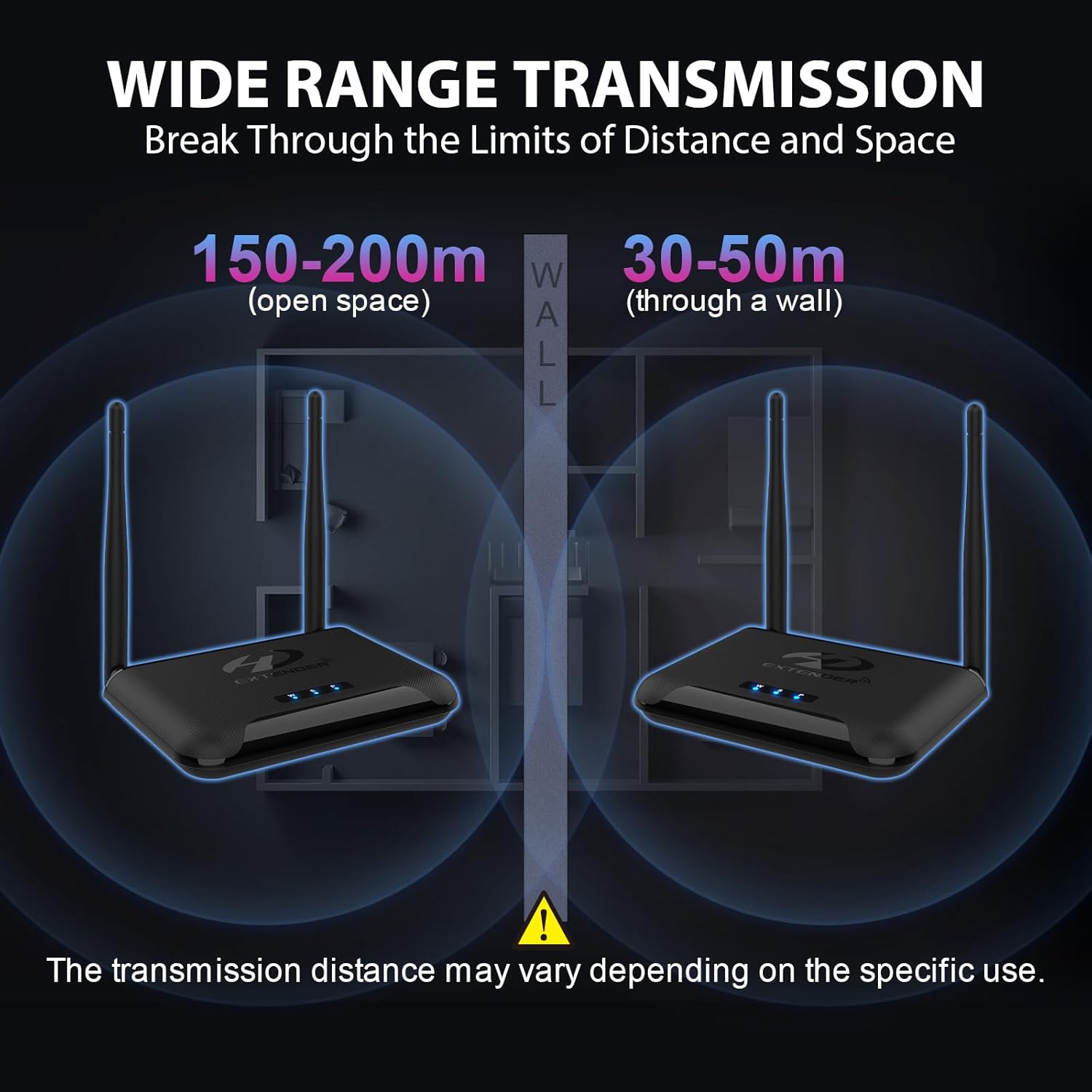
Figure 3: Wide range transmission capabilities, showing effective distances in open spaces and through walls. Note that actual transmission distance may vary based on environmental factors.
4.3. Multi-Receiver Support (1 TX to 4 RXs)
A single transmitter can connect to up to four receivers simultaneously, allowing you to duplicate or extend your screen to multiple rooms like the living room, bedroom, and kitchen.

Figure 4: Extend your vision by connecting one source to four screens wirelessly, ideal for multi-room viewing ወይም አቀራረቦች.
4.4. HDMI Loop-out
The transmitter features an HDMI loop-out port, enabling the source device (e.g., set-top box) to display video on a local monitor while simultaneously transmitting to other receivers.

Figure 5: HDMI Loop-out function allows you to add an extra screen for the transmitter, providing local viewing while broadcasting wirelessly.
4.5. IR Remote Control Extension
Control your source device from the receiver's location using the IR remote extension function. This allows you to change channels or navigate menus of your set-top box from another room.

Figure 6: IR Extend Function allows you to control your TV box or other source device from a different room using its original remote control.
5. ጥገና
To ensure optimal performance and longevity of your PAKITE 850 Wireless HDMI Receiver, follow these maintenance guidelines:
- Keep the devices in a cool, dry place, away from direct sunlight and excessive heat.
- Ensure proper ventilation around the units to prevent overheating. The design includes excellent heat dissipation features.
- Clean the devices with a soft, dry cloth. Avoid using liquid cleaners or aerosols.
- የአየር ማናፈሻ ቀዳዳዎችን አያግዱ.
6. መላ መፈለግ
If you encounter issues with your PAKITE 850 Wireless HDMI Receiver, refer to the following common solutions:
- ምንም ምልክት/ግንኙነት የለም፦
- Ensure both the transmitter and receiver are powered on and their Link indicators are lit.
- Verify all HDMI cables are securely connected to the correct ports (HDMI In on TX, HDMI Out on RX).
- Check the signal source connection. If the display shows "Please check the signal source connection", ensure your source device is active and outputting a signal.
- Try resetting both units by pressing the Reset button for 5 seconds.
- No Picture/Incorrect Resolution:
- The device supports progressive scan resolutions up to 1080P (e.g., 1080P). It does not support interlaced resolutions such as 1080i. Ensure your source device is set to a supported progressive scan resolution.
- Verify your display device is set to the correct HDMI input.
- የ IR የርቀት መቆጣጠሪያ እየሰራ አይደለም፡
- Ensure the IR emission cable is correctly positioned near the IR sensor of your source device.
- Ensure the IR receiving cable is connected to the RX unit and is in line-of-sight of your remote control.
- The IR function supports various infrared frequencies. If it does not work, try adjusting the IR frequency switch on the unit to select a matching frequency (e.g., 30KHz, 38KHz, 47KHz, 56KHz).
- Note: This function is not compatible with Bluetooth remotes.
- ደካማ የምልክት/ጣልቃ ገብነት፦
- Ensure the antennas on both units are securely attached and oriented correctly.
- Minimize obstacles (especially thick walls or metal objects) between the transmitter and receiver.
- Avoid placing the units near other wireless devices that might cause interference.
7. ዝርዝሮች
| ባህሪ | መግለጫ |
|---|---|
| የምርት ስም | PAKITE |
| የሞዴል ስም | HDMI ሽቦ አልባ አስተላላፊ እና ተቀባይ |
| የሞዴል ቁጥር | BIN-850 |
| የግንኙነት ቴክኖሎጂ | HDMI፣ USB፣ Wi-Fi |
| የማገናኛ አይነት | HDMI |
| ጥራት | 1080 ፒ |
| የቪዲዮ የውጤት ጥራት | 1920x1080 |
| ቪዲዮ ኮዴክ | ኤች.264፣ ኤች.265/HEVC |
| ልዩ ባህሪ | Chromecast |
| የሚደገፉ የበይነመረብ አገልግሎቶች | Netflix, Hulu, YouTube |
| የመቆጣጠሪያ አይነት | የርቀት መቆጣጠሪያ |
| የቅጽ ምክንያት | የቲቪ ሳጥን |
| ቀለም | ጥቁር |
| ተስማሚ መሣሪያዎች | Television, Personal Computer, Laptop, Tablet |
| Transmission Distance (Open Area) | 657 ጫማ (200ሜ) |
| Transmission Distance (Through Walls) | 165 ጫማ (50ሜ) |
| የንጥል መጠኖች L x W x H | 4.72"ኤል x 3.15" ዋ x 4.84" ኤች |
8. ዋስትና እና ድጋፍ
PAKITE stands behind its products with a comprehensive warranty and support:
- ለ365-ቀን ነፃ ምትክ፦ We offer a 365-day free replacement service for non-artificial damage.
- የ30-ቀን የመመለሻ ፖሊሲ፡- የ30 ቀን ያለምንም ጥያቄ የመመለሻ ፖሊሲ ይደሰቱ።
- የአምራች ዋስትና፡- A 1-year free replacement warranty is provided.
For further assistance or technical support, please refer to the contact information provided with your product packaging or visit the official PAKITE webጣቢያ.