መግቢያ
Welcome to the user manual for your new Redmi Xiaomi 13 4G LTE smartphone. This guide provides essential information on setting up, operating, maintaining, and troubleshooting your device to ensure optimal performance and user experience. Please read this manual thoroughly before using your phone.
በሣጥኑ ውስጥ ያለው
Upon unboxing your Redmi Xiaomi 13, verify that all the following items are included:
- Redmi Xiaomi 13 Smartphone
- 33 ዋ ግድግዳ መሙያ
- አስማሚ
- ፈጣን የመኪና ባትሪ መሙያ
- የሲም ትሪ ኤጀክተር
ማዋቀር
1. ሲም ካርድ እና ማይክሮ ኤስዲ ካርድ መጫን
Your Redmi 13 supports Dual Nano SIM cards or one Nano SIM and one MicroSD card in a hybrid slot. Ensure your SIM card is activated by your carrier before installation.
- የሲም ትሪውን ከስልክዎ ጎን ያግኙት።
- የሲም ትሪ ማስወጫ መሳሪያውን ከጣፋዩ ቀጥሎ ባለው ትንሽ ቀዳዳ ውስጥ ያስገቡ እና ትሪው ብቅ እስኪል ድረስ አጥብቀው ይጫኑ።
- Carefully place your Nano SIM card(s) and/or MicroSD card into the designated slots on the tray. Ensure the gold contacts face downwards.
- ትሪውን ከመሳሪያው ጋር እስኪስማማ ድረስ ቀስ ብለው ወደ ስልኩ መልሰው ይግፉት።
ምስል: ጎን view of the Redmi Xiaomi 13, illustrating the location of the SIM tray and camera module.
2. የመነሻ ኃይል ማብራት እና ማዋቀር
መሣሪያዎን ለመጀመሪያ ጊዜ ለማብራት፡-
- Press and hold the Power button (located on the right side of the phone) until the Redmi logo appears on the screen.
- Follow the on-screen instructions to select your language, region, connect to a Wi-Fi network, and set up your Google account.
- You will be prompted to set up security features such as a PIN, pattern, password, fingerprint, or face unlock.

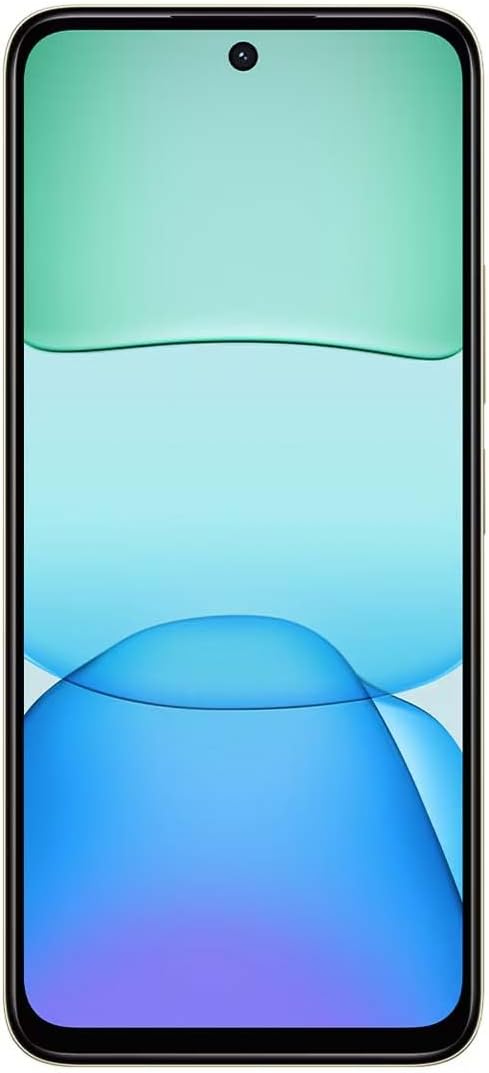
ምስል፡ ፊት ለፊት view of the Redmi Xiaomi 13, showing the display and front camera.
3. የአውታረ መረብ ውቅር
Your device is designed for 4G LTE connectivity. For USA users, it is compatible with Tello and Mint Mobile. For global users, it supports various GSM carriers. Ensure your APN settings are correctly configured if you experience network issues. These settings are usually automatically detected upon SIM insertion.
መሣሪያዎን በመስራት ላይ
1. የማሳያ ባህሪያት
The Redmi 13 features a 6.79-inch Dot Drop HD+ display with a resolution of 1650 x 720. It supports Sunlight display for better visibility in bright conditions and Reading mode to reduce eye strain. You can adjust color temperature in the display settings.
2. የካሜራ አጠቃቀም
Your phone is equipped with a powerful camera system:
- የኋላ ካሜራ; 108MP main camera (f/1.8 with 4-in-1 pixel binning) and a 2MP depth camera (f/2.4).
- የፊት ካሜራ፡ 13 ሜፒ ለራስ ፎቶዎች እና የቪዲዮ ጥሪዎች።
ፎቶ ለማንሳት፡-
- የካሜራ መተግበሪያን ይክፈቱ።
- የሚፈልጉትን ሁነታ ይምረጡ (ፎቶ፣ የቁም ምስል፣ ቪዲዮ፣ ወዘተ)።
- ምስል ለማንሳት የመዝጊያ አዝራሩን መታ ያድርጉ።
The camera features HDR mode for improved dynamic range and quick snap functionality for capturing moving moments efficiently.

ምስል፡ ተመለስ view of the Redmi Xiaomi 13, highlighting the 108MP dual camera system.
3. ግንኙነት
The device supports Wi-Fi for internet access, GPS for navigation (including AGPS, GLONASS, Beidou, Galileo), and Bluetooth for connecting wireless accessories. It also includes a 3.5mm headphone jack for wired audio.
4. የደህንነት ባህሪያት
የሚከተሉትን የደህንነት አማራጮች በመጠቀም መሳሪያዎን እና ውሂብዎን ይጠብቁ፦
- የኋላ የጣት አሻራ ዳሳሽ፡- ፈጣን እና ደህንነቱ የተጠበቀ ለመክፈት የጣት አሻራዎችዎን ያስመዝግቡ።
- AI ፊት መክፈት፡- መሳሪያውን ለመክፈት ፊትዎን ይጠቀሙ።
- ፒን/ስርዓተ-ጥለት/ይለፍ ቃል፡ Standard lock screen security methods.
ጥገና
1. የባትሪ እንክብካቤ
The Redmi 13 is equipped with a 5030mAh (typ) battery. To prolong battery life:
- ከፍተኛ የሙቀት መጠንን ያስወግዱ.
- Use the provided 33W charger for optimal charging speed and safety.
- ባትሪው ብዙ ጊዜ ሙሉ በሙሉ እንዲፈስ አይፍቀዱ።
2. የሶፍትዌር ዝመናዎች
መሣሪያዎ የቅርብ ጊዜ ባህሪያት፣ የደህንነት መጠገኛዎች እና የአፈጻጸም ማሻሻያዎች እንዳሉት ለማረጋገጥ በየጊዜው የሶፍትዌር ማሻሻያዎችን ይፈልጉ እና ይጫኑ። ሂድ ወደ መቼቶች > ስለ ስልክ > የስርዓት ዝማኔ ዝማኔዎችን ለመፈተሽ.
3. መሳሪያዎን ማጽዳት
ስልክዎን ለማጽዳት ለስላሳ፣ ከላጣ ነፃ የሆነ ጨርቅ ይጠቀሙ። ስክሪኑን ወይም ጨርቁን ሊጎዱ የሚችሉ ጠጣር ኬሚካሎችን ወይም ሻካራ ቁሳቁሶችን ከመጠቀም ይቆጠቡ።
መላ መፈለግ
If you encounter issues with your Redmi 13, try the following common troubleshooting steps:
- መሣሪያ ምላሽ እየሰጠ አይደለም፡- እንደገና እንዲጀመር ለማስገደድ የኃይል ቁልፉን ለ10-15 ሰከንድ ያህል ተጭነው ይቆዩ።
- የአውታረ መረብ ችግሮች፡- Check if your SIM card is properly inserted. Toggle Airplane Mode on and off. Reset network settings via ቅንብሮች > ግንኙነት እና ማጋራት > Wi-Fiን፣ የሞባይል አውታረ መረቦችን እና ብሉቱዝን ዳግም ያስጀምሩ.
- የመተግበሪያ ብልሽት የመተግበሪያውን መሸጎጫ እና ውሂብ በ በኩል ያጽዱ መቼቶች > መተግበሪያዎች > መተግበሪያዎችን አስተዳድር > [የመተግበሪያ ስም] > ውሂብ አጽዳ. ችግሩ ከቀጠለ መተግበሪያውን ያራግፉ እና እንደገና ይጫኑት።
- ባትሪ በፍጥነት እየፈሰሰ ነው; Review ውስጥ የባትሪ አጠቃቀም ቅንብሮች > ባትሪ ኃይል የሚጠይቁ መተግበሪያዎችን ለመለየት። የማያ ገጽ ብሩህነትን ይቀንሱ እና ጥቅም ላይ በማይውሉበት ጊዜ እንደ ጂፒኤስ ወይም ብሉቱዝ ያሉ አላስፈላጊ ባህሪያትን ያሰናክሉ።
- ማከማቻ ሙሉ፡ አላስፈላጊ ሰርዝ files, photos, and videos. Uninstall unused apps. Consider moving media to a MicroSD card if installed.
- ፍቅር: ለቀጣይ የሶፍትዌር ጉዳዮች የመጨረሻ አማራጭ እንደመሆኖ፣ የፋብሪካ ዳግም ማስጀመርን ማከናወን ይችላሉ። ማስጠንቀቂያ፡ ይህ በስልክዎ ላይ ያለውን ሁሉንም ውሂብ ይሰርዛል። ከመቀጠልዎ በፊት አስፈላጊ ውሂብን ያስቀምጡ። ወደ ሂድ መቼቶች > ስለ ስልክ > የፋብሪካ ዳግም ማስጀመር.
ዝርዝሮች
Below are the key technical specifications for the Redmi Xiaomi 13 4G LTE:
| የሞዴል ስም | ሬድሚ 13 |
| ስርዓተ ክወና | አንድሮይድ 14 ሃይፐርኦኤስ |
| ፕሮሰሰር | MediaTek Helio G91 Ultra Octa-core (2x2.0 GHz Cortex-A75 & 6x1.8 GHz Cortex-A55) |
| ጂፒዩ | ማሊ-G52 MC2 |
| ማሳያ | 6.79 Inches Dot Drop HD+ (1650 x 720) |
| ራም | 6 ጊባ |
| የውስጥ ማከማቻ | 128 ጊባ |
| የኋላ ካሜራ | 108 ሜፒ (ዋና) + 2 ሜፒ (ጥልቀት) |
| የፊት ካሜራ | 13 ሜፒ |
| የባትሪ አቅም | 5030 ሚአሰ (የተለመደ) |
| በመሙላት ላይ | 33 ዋ ፈጣን ባትሪ መሙላት (ዩኤስቢ ዓይነት-ሲ) |
| ግንኙነት | 4G LTE, Wi-Fi, Bluetooth, GPS (AGPS, GLONASS, Beidou, Galileo) |
| ኦዲዮ ጃክ | 3.5 ሚ.ሜ |
| ደህንነት | የኋላ የጣት አሻራ ዳሳሽ፣ AI ፊት መክፈት |
| የጥቅል ልኬቶች | 7 x 4 x 2 ኢንች |
| ክብደት | 6 አውንስ |
Note: Specifications are subject to change without prior notice. Please refer to the official Redmi webበጣም ወቅታዊ መረጃ ለማግኘት ጣቢያ.
ዋስትና እና ድጋፍ
For warranty information, please refer to the warranty card included with your product or visit the official Redmi/Xiaomi website. For technical support, software updates, or service inquiries, please contact Xiaomi customer service or visit their official support channels. Keep your proof of purchase for warranty claims.
Official Redmi/Xiaomi Support: https://www.mi.com/global/support