
1. መግቢያ
ስለገዙ እናመሰግናለንasing the Zenwire D300S Mini Projector. This manual provides essential information for the safe and efficient operation of your device. Please read it thoroughly before use and retain it for future reference.
የደህንነት ጥንቃቄዎች
- l ጊዜ በቀጥታ ወደ ፕሮጀክተር ሌንስን አይመልከቱamp በርቷል ።
- ከመጠን በላይ ሙቀትን ለመከላከል ትክክለኛ የአየር ዝውውርን ያረጋግጡ. የአየር ማናፈሻ ክፍተቶችን አያግዱ.
- የቀረበውን የኃይል አስማሚ ብቻ ይጠቀሙ።
- ፕሮጀክተሩን ከውሃ ወይም ከሌሎች ፈሳሾች ያርቁ።
- ፕሮጀክተሩን ባልተረጋጉ ቦታዎች ላይ ከማስቀመጥ ተቆጠብ።
- ፕሮጀክተሩን እራስዎ ለመበተን ወይም ለመጠገን አይሞክሩ። ብቃት ያላቸውን የአገልግሎት ባለሙያዎችን ያነጋግሩ።
2. የጥቅል ይዘቶች
እባክዎ ሁሉም እቃዎች በጥቅልዎ ውስጥ እንዳሉ ያረጋግጡ፡-
- Zenwire D300S Mini Projector
- የርቀት መቆጣጠሪያ
- የኃይል አስማሚ
- ኤቪ ገመድ
- የተጠቃሚ መመሪያ (ይህ ሰነድ)
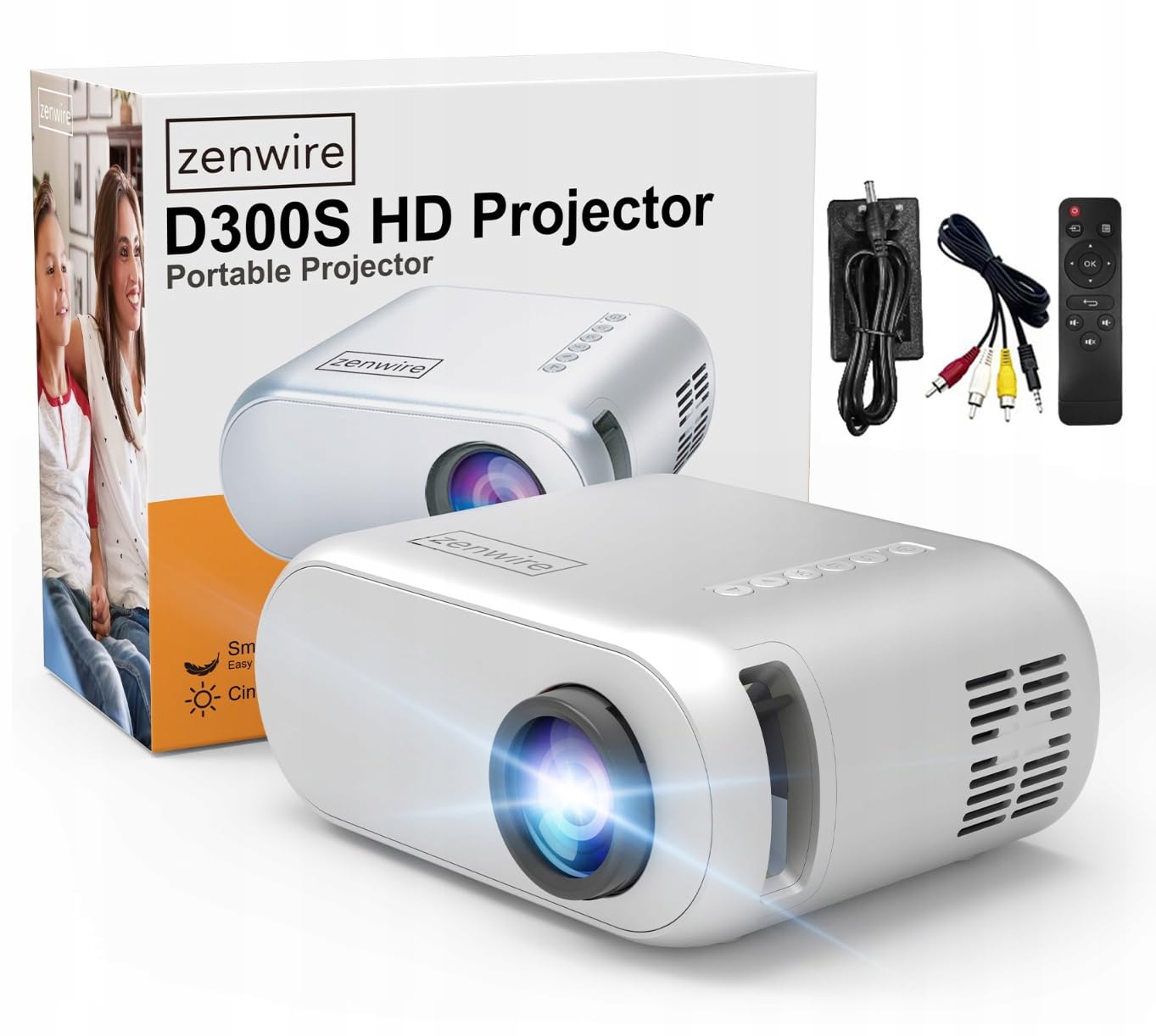
Image 2.1: Zenwire D300S Mini Projector and included accessories.
3. ምርት አብቅቷልview
Projector Front and Top View
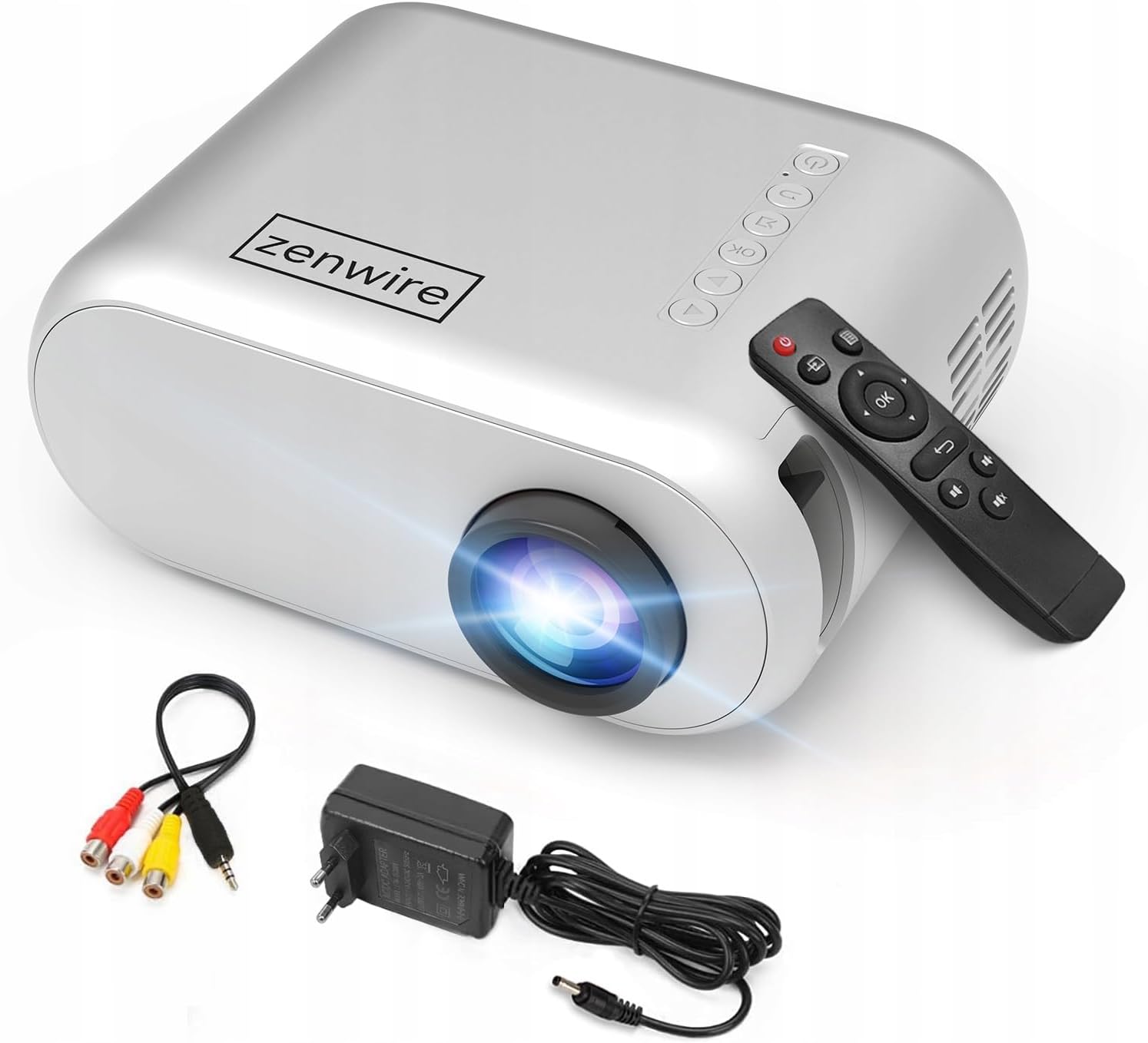
ምስል 3.1፡ የፊትና የላይኛው view of the projector, showing the lens and top control panel.
የኋላ ፓነል እና ግንኙነት
The rear panel of the projector features various ports for connecting external devices:

ምስል 3.2፡ የኋላ view of the projector, highlighting the input/output ports.
- የኤቪ ግቤት፡ For connecting devices using the included AV cable.
- የኤችዲኤምአይ ግቤት For connecting devices such as laptops, gaming consoles, or streaming sticks.
- የዩኤስቢ ወደብ፡ የዩኤስቢ ፍላሽ አንጻፊዎችን ለማገናኘት ሚዲያ ለማጫወት files በቀጥታ.
- AUX ውፅዓት፡ ውጫዊ ድምጽ ማጉያዎችን ወይም የጆሮ ማዳመጫዎችን ለማገናኘት.
- የዲሲ የኃይል ግቤት፡- የኃይል አስማሚውን ለማገናኘት.
የላይኛው የቁጥጥር ፓነል
The top of the projector features a control panel for basic operations:
- የኃይል ቁልፍ፡- ፕሮጀክተሩን ያበራል ወይም ያጠፋል.
- የማውጫ ቁልፎች (ላይ/ታች/ግራ/ቀኝ)፡ ምናሌዎችን ለማሰስ ይጠቅማል።
- እሺ አዝራር; ምርጫዎችን ያረጋግጣል።
- ተመለስ አዝራር፡- ወደ ቀዳሚው ምናሌ ወይም ማያ ገጽ ይመለሳል።
- ምንጭ ቁልፍ Selects input source (HDMI, AV, USB).
4. ማዋቀር
4.1 አቀማመጥ
Place the projector on a stable, flat surface. Ensure there is adequate space around the projector for ventilation. The projection distance affects the screen size. Refer to the image below for recommended distances and corresponding screen sizes.

Image 4.1: Recommended projection distances and screen sizes.
- For a 30-inch screen, place the projector approximately 0.9 meters away.
- For a 50-inch screen, place the projector approximately 1.5 meters away.
- For an 80-inch screen, place the projector approximately 2.4 meters away.
- For a 100-inch screen, place the projector approximately 3.0 meters away.
4.2 የኃይል ግንኙነት
Connect the power adapter to the DC Power Input port on the projector, then plug the adapter into a power outlet.
4.3 ማገናኛ መሳሪያዎች
The Zenwire D300S supports various input sources:
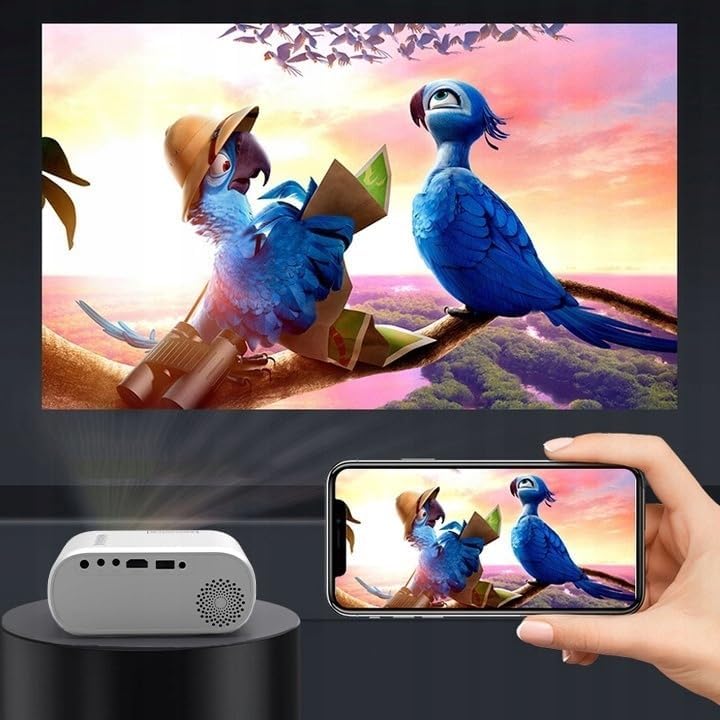
ምስል 4.2፡ ዘጸamples of devices that can be connected to the projector.
- ኤችዲኤምአይ: Connect your laptop, gaming console, or streaming device using an HDMI cable.
- ዩኤስቢ፡ ሚዲያ ለማጫወት የዩኤስቢ ፍላሽ አንፃፊን ወደ ዩኤስቢ ወደብ ያስገቡ files በቀጥታ.
- ኤቪ Use the included AV cable to connect older devices like DVD players.
- Audio Out (AUX): Connect external speakers or headphones to the AUX port for enhanced audio.
4.4 የትኩረት ማስተካከያ
Turn on the projector. Adjust the focus ring located near the lens until the projected image is clear and sharp.
5. የአሠራር መመሪያዎች
5.1 ማብራት / ማጥፋት
Press the Power button on the projector or the remote control to turn the device on or off.
5.2 የምንጭ ምርጫ
After powering on, use the 'Source' button on the projector or remote control to select the desired input source (HDMI, AV, USB).
5.3 የምናሌ ዳሰሳ
Use the navigation buttons (Up/Down/Left/Right) on the projector or remote to browse through menus. Press 'OK' to confirm a selection and 'Back' to return.
5.4 የድምጽ መቆጣጠሪያ
በርቀት መቆጣጠሪያው ላይ የድምጽ አዝራሮችን በመጠቀም ድምጹን ያስተካክሉ.
5.5 Connecting to a Phone/Laptop
To project content from a phone or laptop:
- ለላፕቶፖች Connect via HDMI cable. Select HDMI as the input source on the projector.
- ለስልክ፡- Depending on your phone model, you may need an adapter (e.g., USB-C to HDMI, Lightning to HDMI) to connect via HDMI. Alternatively, some phones support wireless display technologies that can be used with a compatible streaming stick connected to the projector's HDMI port.

Image 5.1: Projecting content from a smartphone to the Zenwire D300S Mini Projector.
6. ጥገና
6.1 ሌንስን ማጽዳት
የፕሮጀክተር ሌንስን በቀስታ ለማጽዳት ለኦፕቲካል ሌንሶች የተነደፈ ለስላሳ፣ ከላጣ ነፃ የሆነ ጨርቅ ይጠቀሙ። ሻካራ ማጽጃዎችን ወይም ከመጠን በላይ ኃይል አይጠቀሙ።
6.2 የፕሮጀክተር አካልን ማጽዳት
የፕሮጀክተሩን ውጫዊ ክፍል ለስላሳ እና ደረቅ ጨርቅ ይጥረጉ. ለግትር ምልክቶች, ትንሽ መamp ጨርቅ መጠቀም ይቻላል, ከዚያም ደረቅ ጨርቅ ይከተላል.
6.3 የአየር ማናፈሻ
Regularly check that the ventilation openings are free from dust and obstructions to ensure proper airflow and prevent overheating.
7. መላ መፈለግ
በፕሮጀክተርዎ ላይ ችግሮች ካጋጠሙዎት፣ እባክዎ የሚከተሉትን የተለመዱ ችግሮች እና መፍትሄዎች ይመልከቱ።
| ችግር | ሊሆን የሚችል ምክንያት | መፍትሄ |
|---|---|---|
| ምንም ምስል አልተገመተም | Power not connected, incorrect input source, device not sending signal. | Check power connection, select correct input source, ensure connected device is on and outputting video. |
| ምስሉ ደብዛዛ ነው | Focus not adjusted, projector too close/far. | Adjust the focus ring, reposition the projector according to recommended distances. |
| ድምጽ የለም። | Volume too low, external speakers not connected, audio format not supported. | Increase volume, connect external speakers via AUX, check audio settings on source device. |
| የርቀት መቆጣጠሪያ አይሰራም | Batteries dead, obstruction between remote and projector. | Replace batteries, ensure clear line of sight to the projector's IR receiver. |
8. ዝርዝሮች
- ሞዴል፡ Zenwire D300S
- ቤተኛ ጥራት፡ 1280 x 720p HD
- ብሩህነት፡- 3000 ሉመንስ (100 ANSI Lumens)
- ግንኙነት፡ HDMI, USB, AUX, AV
- ምጥጥነ ገጽታ፡ 16፡9 / 4፡3
- የፕሮጀክሽን ርቀት፡ 0.9m - 3.0m (approx. 30-100 inches)
9. ዋስትና እና ድጋፍ
The Zenwire D300S Mini Projector comes with a standard manufacturer's warranty. Please refer to the warranty card included in your package for specific terms and conditions. For technical support or service inquiries, please contact your retailer or the Zenwire customer service department.