
XHDATA D-220-O
የXHDATA D220 ተንቀሳቃሽ የሬዲዮ መመሪያ መመሪያ
Model: D-220-O | Brand: XHDATA
1. መግቢያ
The XHDATA D220 is a compact and lightweight portable radio designed for easy carrying and use. It supports AM, FM, and Shortwave (SW) bands, providing access to a wide range of broadcasts. Featuring a DSP chip for enhanced reception and a built-in speaker for clear audio, this radio is suitable for various environments, from home to outdoor activities. It operates on two AA batteries, ensuring portability and convenience.
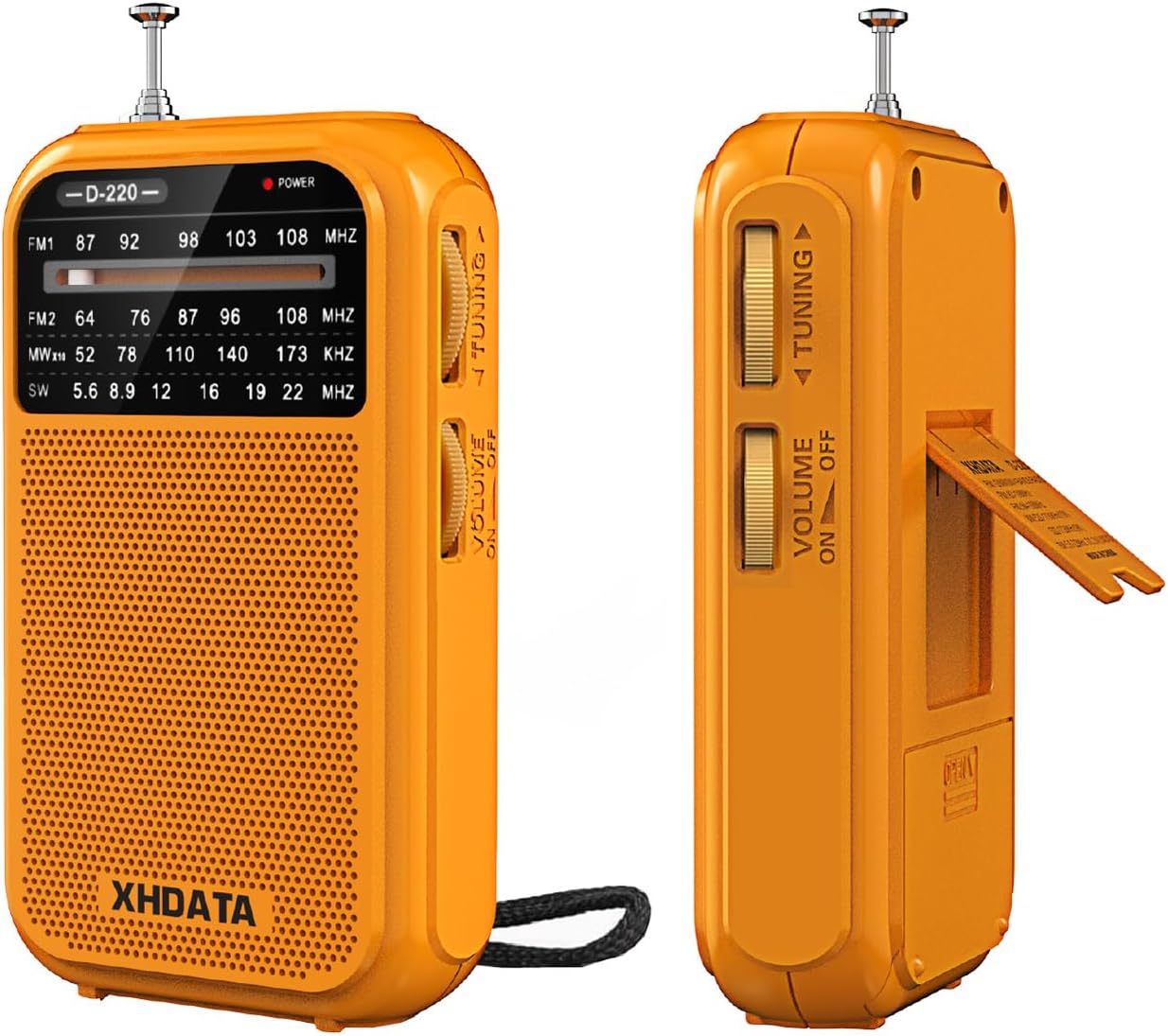
ምስል 1.1: የፊት እና ጎን view of the XHDATA D220 Portable Radio in orange.

Figure 1.2: The compact size of the D220 radio, highlighting its portability and dimensions (125mm x 72mm x 28mm).
2. ማዋቀር
2.1 የባትሪ ጭነት
The XHDATA D220 radio operates on two (2) AA batteries (not included). Follow these steps to install the batteries:
- የባትሪውን ክፍል በሬዲዮ ጀርባ ላይ ያግኙ።
- ክፍሉን ለመክፈት ሽፋኑን ወደ ታች ያንሸራትቱ.
- በክፍሉ ውስጥ እንደተገለጸው ትክክለኛውን ፖላሪቲ (+ እና -) በማረጋገጥ ሁለት AA ባትሪዎችን ያስገቡ።
- የባትሪውን ክፍል ክዳን ወደ ቦታው እስኪገባ ድረስ ወደ ላይ በማንሸራተት ይዝጉት።

ምስል 2.1: የኋላ view of the D220 radio, illustrating the battery compartment and control layout.

Figure 2.2: Proper insertion of two AA batteries into the radio's battery compartment.
3. የአሠራር መመሪያዎች
3.1 ማብራት / ማጥፋት እና የድምጽ መቆጣጠሪያ
ሬዲዮን ለማብራት፣ ያሽከርክሩት። የድምጽ መጠን / የኃይል ማብሪያ / ማጥፊያ located on the side of the unit clockwise. Continue rotating to increase the volume. To turn off the radio, rotate the switch counter-clockwise until it clicks and the sound ceases.
3.2 ባንድ ምርጫ
The D220 supports multiple frequency bands. Use the ባንድ መቀየሪያ located on the side of the radio to select your desired band:
- ኤፍ ኤም 1 87-108 MHz (Standard FM band)
- ኤፍ ኤም 2 64-108 MHz (Extended FM band)
- ጥ: 520-1730 KHz (Medium Wave)
- SW 5.6-22.0 MHz (Shortwave)
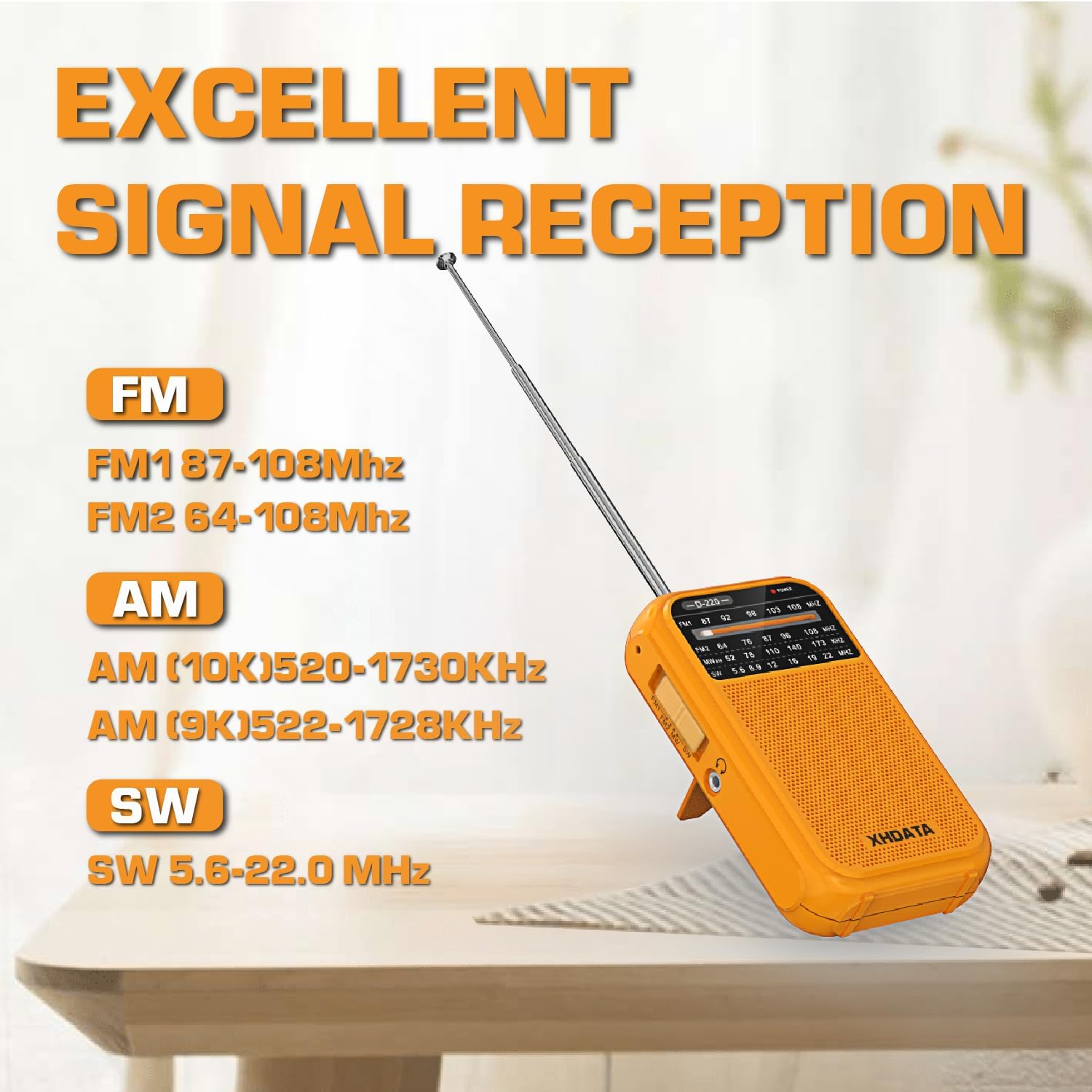
Figure 3.1: The D220 radio with its antenna extended, illustrating the supported frequency bands for optimal signal reception.
3.3 ጣቢያን ማስተካከል
Once a band is selected, use the ኖንቦን በማዞር ላይ to scan for stations. Rotate the knob slowly to fine-tune to a clear signal. The frequency display on the front panel will indicate the approximate frequency.
- For FM and SW reception, extend the telescopic antenna fully for best results.
- For AM reception, the radio uses a built-in ferrite bar antenna. Rotate the radio for optimal signal strength.
3.4 የጆሮ ማዳመጫዎችን መጠቀም
The D220 radio is equipped with a 3.5mm headphone jack. Insert standard 3.5mm headphones into this jack to listen privately. When headphones are connected, the built-in speaker will automatically mute.

Figure 3.2: A user enjoying audio through headphones connected to the D220 radio.
4. ጥገና
- ማጽዳት፡ Wipe the radio with a soft, dry cloth. Do not use abrasive cleaners or solvents, as they may damage the surface.
- የባትሪ እንክብካቤ ሬዲዮው ረዘም ላለ ጊዜ ጥቅም ላይ የማይውል ከሆነ, ፍሳሽን እና ዝገትን ለመከላከል ባትሪዎቹን ያስወግዱ.
- ማከማቻ፡ ሬዲዮውን ከፀሐይ ብርሃን፣ ከፍተኛ ሙቀት እና ከፍተኛ እርጥበት ራቅ ባለ ቀዝቃዛና ደረቅ ቦታ ያስቀምጡ።
- የአንቴና እንክብካቤ; Handle the telescopic antenna gently to avoid bending or breaking. Do not force it.
5. መላ መፈለግ
| ችግር | ሊሆን የሚችል ምክንያት | መፍትሄ |
|---|---|---|
| ምንም ኃይል / ሬዲዮ አይበራም. | ባትሪዎች ሞተዋል ወይም በስህተት ገብተዋል። | ትክክለኛውን ዋልታ በማረጋገጥ በአዲስ AA ባትሪዎች ይተኩ። |
| ደካማ አቀባበል / የማይንቀሳቀስ. | ደካማ ምልክት፣ ያልተዘረጋ አንቴና ወይም ጣልቃ ገብነት። | Extend the telescopic antenna fully (for FM/SW). Rotate the radio for AM. Try moving to a different location away from electronic devices. Fine-tune the tuning knob. |
| ከተናጋሪው ምንም ድምፅ የለም። | የድምጽ መጠኑ በጣም ዝቅተኛ ነው ወይም የጆሮ ማዳመጫዎች ተገናኝተዋል። | Increase the volume. Disconnect headphones if you wish to use the speaker. |
| ድምፅ የተዛባ ነው። | Volume too high or weak signal. | Decrease the volume. Try to fine-tune the station or move to a better reception area. |
6. ዝርዝሮች
- ሞዴል፡ D-220-O
- የምርት መጠኖች: 2.8 x 1.1 x 4.9 ኢንች (125 x 74 x 30 ሚሜ)
- የእቃው ክብደት፡ 6.7 ounces (125g without batteries)
- የኃይል ምንጭ፡- 2 x AA ባትሪዎች (አልተካተተም)
- መቃኛ ቴክኖሎጂ፡ AM/FM/SW with DSP chip
- የሬዲዮ ባንዶች ይደገፋሉ፡
- FM1: 87-108 ሜኸ
- FM2: 64-108 ሜኸ
- ጥዋት: 520-1730 kHz
- SW: 5.6-22.0 ሜኸ
- የግንኙነት ቴክኖሎጂ; 3.5mm የድምጽ ጃክ
- ልዩ ባህሪያት፡ Built-In AM Antenna, Dust Resistant, Lightweight, Portable, Shockproof
7. ዋስትና እና ድጋፍ
7.1 የዋስትና መረጃ
XHDATA provides a 1-year after-sales service for the D220 Portable Radio. Additionally, a 30-day return policy is available from the date of purchase. Please retain your proof of purchase for warranty claims.
7.2 የደንበኛ ድጋፍ
For any questions, technical assistance, or warranty inquiries, please contact XHDATA customer support. Refer to the contact information provided in your product packaging or visit the official XHDATA webለተጨማሪ ዝርዝሮች ጣቢያ።
This product includes an Owner's Manual. Please consult it for additional information and detailed instructions.
Ask a question about this manual
Ask about setup, troubleshooting, compatibility, parts, safety, or missing instructions. Manuals+ will review the question and use this page’s manual context to help answer it.