

1. ምርት አብቅቷልview
The LeTianPai Presence Sensor Box, Model B1H54, is a multi-functional smart sensor designed for comprehensive environmental monitoring and human presence detection. It integrates five types of sensors into a single device, offering advanced capabilities for smart home automation and security.
ቁልፍ ባህሪያት የሚከተሉትን ያካትታሉ:
- 5-በ-1 ዳሳሽ፦ Combines millimeter wave radar, infrared, light, temperature, and humidity sensing.
- የቁስ ተኳሃኝነት፡ Seamlessly integrates with smart home ecosystems such as Alexa, SmartThings, Google Home, and Apple Home.
- Dual Human Presence Detection: Utilizes both radar and infrared for precise identification of human presence and states.
- ተለዋዋጭ ጭነት; Features a magnetic design and supports various mounting options.
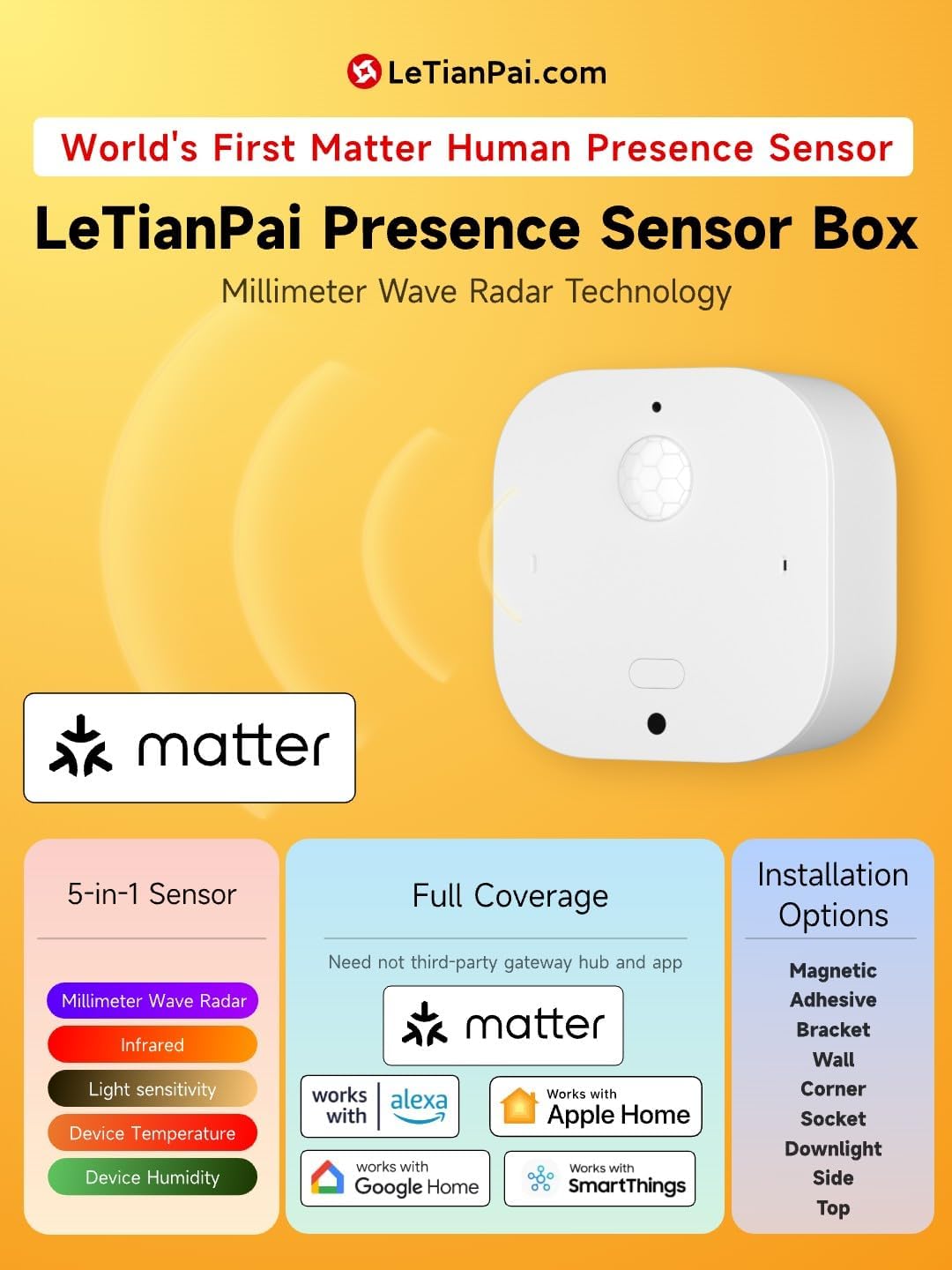
An illustration detailing the 5-in-1 sensor capabilities, Matter compatibility, and various installation options for the LeTianPai Presence Sensor Box.

A visual representation of the sensor's integrated 5-in-1 functionality, dual radar and infrared detection for human presence, and its support for multiple smart home platforms.
2. ቁልፍ ባህሪያት
The LeTianPai Presence Sensor Box is engineered with advanced technology to provide reliable and versatile smart home functionality.
- Comprehensive Sensing: Integrates millimeter wave radar, infrared, light, humidity, and temperature sensors for a complete environmental picture.
- Matter Direct Connection: Supports direct connection to Matter-enabled smart home platforms, eliminating the need for third-party gateways or apps.
- Ultra-Wide Angle & Long Range Detection: Offers a 130-degree detection angle with a static perception range of 4 meters and a dynamic perception range of 8 meters.
- Configurable Detection Modes: Allows selection between Radar only, Radar and Auxiliary Infrared, Radar and Infrared, or Infrared only for customized detection scenarios.
- የዩኤስቢ-ሲ ኃይል አቅርቦት፡- Powered via USB-C, removing the need for batteries.
- Real-time Light Detection: Features a professional illuminance recognition chip capable of detecting light intensity from 0 to 10000 lux.
- የአየር ላይ (ኦቲኤ) ዝማኔዎች፡ Supports firmware updates for continuous improvement and new features.
- አብሮ የተሰራ ማግኔት፡ Facilitates easy and flexible installation with various accessories.

An infographic highlighting the sensor's CSA certification, 5-in-1 capabilities, ultra-wide angle detection, hidden USB-C installation, Matter Direct Connection, and customizable detection modes.

A summary of the seven key advantages of the sensor box, including its precise human presence recognition, wide detection range, dual detection, integrated sensors, USB-C power, easy device search, and magnetic installation.
3. ማዋቀር እና መጫን
Follow these steps to set up and install your LeTianPai Presence Sensor Box.
3.1 አካላዊ ጭነት
The sensor box features a compact design (2.13 x 2.13 x 0.87 inches) and a built-in magnet for flexible mounting. It can be surface-mounted or embedded.
- መግነጢሳዊ መጫኛ; Use the integrated magnet to attach the sensor to metallic surfaces or compatible accessories.
- ተለጣፊ መጫኛ; For non-metallic surfaces, use suitable adhesive brackets (not included unless specified in packaging).
- የተከተተ ጭነት The USB-C recess design allows for vertical wiring behind the box, enabling a clean, invisible installation in 75mm tube lamp holes or standard 86 home boxes.
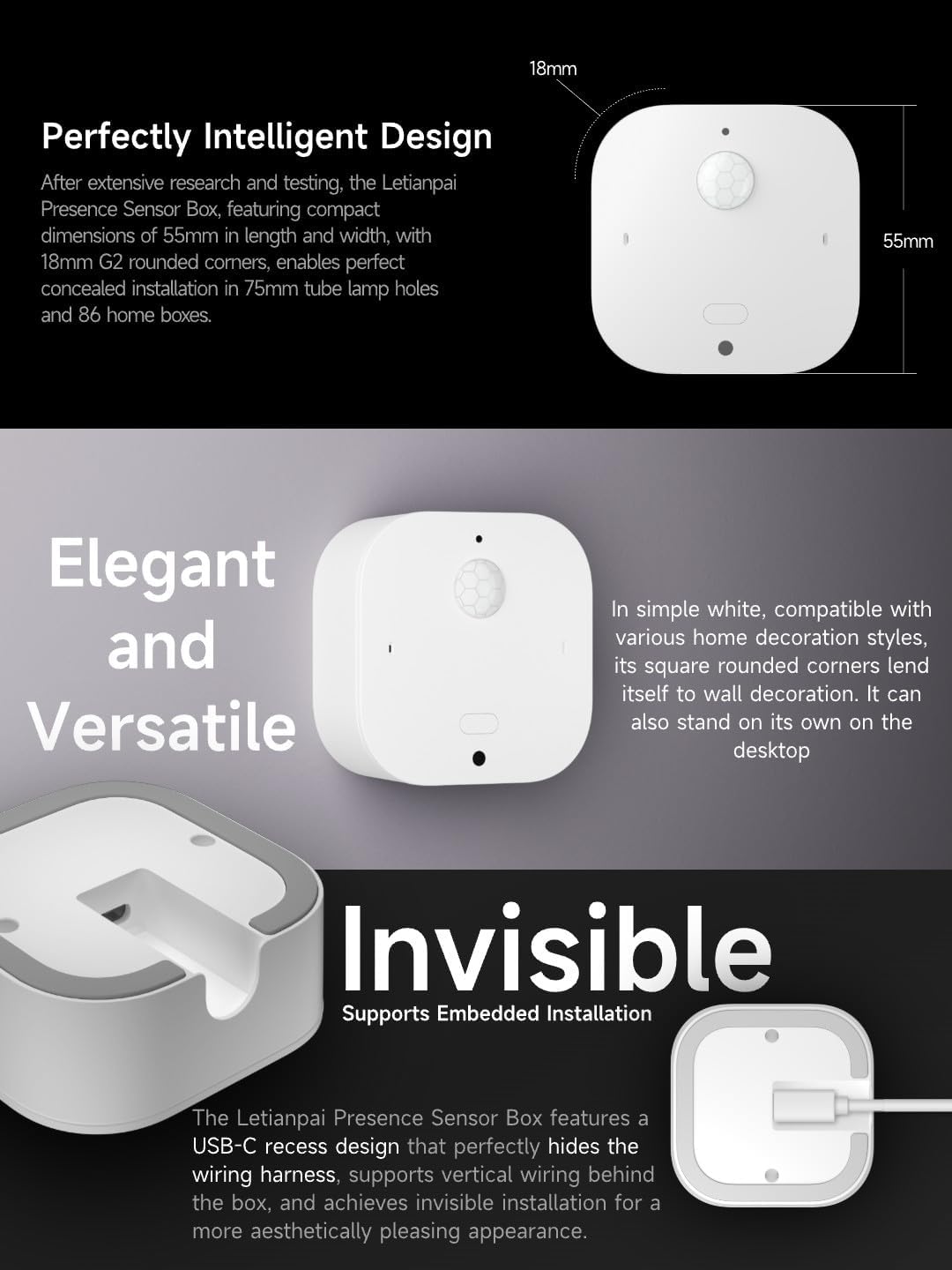
An image illustrating the compact dimensions (55mm x 55mm x 18mm) of the sensor, its elegant white design, and the recessed USB-C port for invisible wiring and embedded installation.
3.2 የኃይል ግንኙነት
Connect the sensor to a power source using a USB-C cable. The device does not require batteries.
3.3 Pairing with Smart Home Platforms
The LeTianPai Presence Sensor Box is Matter-enabled, allowing direct integration with various smart home ecosystems.
- Ensure your smart home hub (e.g., Amazon Alexa, Google Home, Apple Home, SmartThings) supports Matter.
- Open your preferred smart home application.
- Initiate the device pairing process (often labeled as "Add Device" or "Add Accessory").
- Scan the Matter QR code located on the device or its packaging. Follow the on-screen prompts to complete the pairing.
- Once paired, the sensor will appear in your smart home app, and you can configure its settings and automations.

Screenshots demonstrating the process of scanning the Matter QR code to add the sensor to Google Home, SmartThings, Amazon Alexa, and Apple Home applications.
4. የአሠራር መመሪያዎች
The sensor's multi-functional capabilities allow for diverse applications in your smart home.
4.1 Understanding Sensor Modes
The sensor offers configurable detection modes to suit different environments and preferences:
- Radar Only: Detects presence using millimeter wave radar.
- Radar and Auxiliary Infrared: Enhanced detection by combining radar with auxiliary infrared.
- Radar and Infrared: Utilizes both radar and primary infrared for comprehensive detection.
- ኢንፍራሬድ ብቻ፦ Detects presence using only the infrared sensor.
These modes can typically be adjusted within your smart home application's device settings.
4.2 Smart Home Integration and Scenarios
Leverage the sensor's data for various automations:
- የመብራት ቁጥጥር; Automatically turn lights on when presence is detected and off when a room is vacant. Adjust light brightness based on ambient light levels detected by the sensor.
- Appliance Control: Trigger smart appliances (e.g., TV, air conditioning) upon entry or exit.
- የቤት ደህንነት፡ Use presence detection for security monitoring and alerts.
- የአካባቢ ክትትል; Monitor temperature and humidity to adjust HVAC systems or trigger alerts.
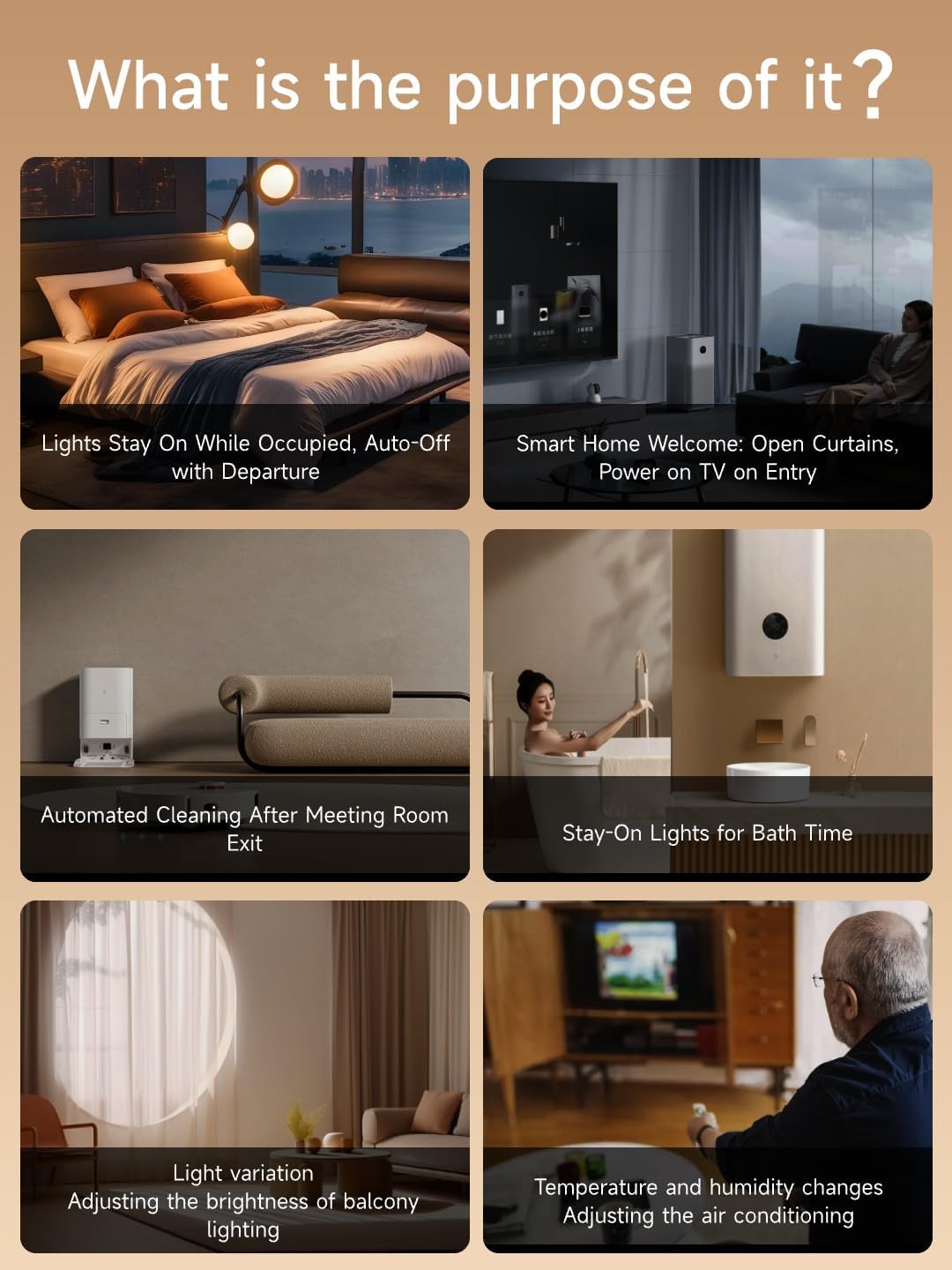
Illustrations of practical applications for the sensor, including automatic light control, smart home welcome scenes, automated cleaning triggers, and environmental adjustments based on temperature and humidity.

A visual emphasizing the sensor's professional chip for real-time light detection, capable of measuring illuminance from 0 to 10000 lux.
5. ጥገና
To ensure optimal performance and longevity of your LeTianPai Presence Sensor Box, follow these maintenance guidelines:
- ማጽዳት፡ የዳሳሹን ውጫዊ ክፍል ለስላሳና ደረቅ ጨርቅ በቀስታ ይጥረጉ። መሳሪያውን ሊጎዱ ስለሚችሉ ሻካራ ማጽጃዎችን፣ ሟሟቶችን ወይም ከመጠን በላይ እርጥበትን ከመጠቀም ይቆጠቡ።
- የጽኑዌር ዝማኔዎች ፦ Regularly check for and install firmware updates through your connected smart home application. Updates often include performance improvements, bug fixes, and new features. The device supports Over-The-Air (OTA) updates.
- አቀማመጥ፡- Ensure the sensor is placed in an area free from obstructions that could interfere with its detection capabilities. Avoid direct sunlight or strong drafts that might affect temperature and humidity readings.
6. መላ መፈለግ
If you encounter issues with your LeTianPai Presence Sensor Box, refer to the following troubleshooting tips:
- መሳሪያ ምላሽ የማይሰጥ፡
- Verify the USB-C power connection. Ensure the sensor is receiving power.
- Check your Wi-Fi network and Matter hub connectivity.
- Attempt to restart the sensor by unplugging and re-plugging the USB-C cable.
- ትክክለኛ ያልሆነ የሙቀት/የእርጥበት ንባቦች፡-
- Ensure the sensor is not placed near heat sources (e.g., direct sunlight, vents, appliances) or in areas with significant drafts.
- Allow some time for the sensor to stabilize after initial setup or relocation.
- Check for available firmware updates, as these can improve sensor accuracy.
- Slow Response in Apple Home/Other Platforms:
- Ensure your smart home hub and the sensor have the latest firmware.
- Verify network stability and signal strength between the sensor and your Matter hub.
- If issues persist, try re-pairing the device with your smart home platform.
- Detection Issues (False Alerts or No Detection):
- Review the sensor's placement to ensure there are no obstructions blocking its field of view.
- Adjust the detection mode and sensitivity settings within your smart home application.
- Ensure the detection range is appropriate for the room size.
- Difficulty with Manufacturer App (if applicable):
- Since the device is Matter-enabled, direct use of a manufacturer app may not be necessary for core functionality. Focus on integration with your primary Matter-compatible smart home platform.
- If a specific manufacturer app is desired, ensure it is the latest version and compatible with your device.
7. ዝርዝሮች
| ዝርዝር መግለጫ | ዝርዝር |
|---|---|
| የምርት ስም | LeTianPai |
| የሞዴል ቁጥር | B1H54 |
| የምርት ልኬቶች | 2.13 x 2.13 x 0.87 ኢንች |
| የእቃው ክብደት | 1.58 አውንስ |
| ቀለም | ነጭ |
| ቁሳቁስ | አሲሪሎኒትሪል ቡታዲየን ስቲሪን (ኤቢኤስ) |
| የኃይል ምንጭ | የዩኤስቢ-ዓይነት |
| ከፍተኛው ክልል | 8 Meters (Dynamic Perception) |
| የመጫኛ አይነት | Surface ተራራ |
| ተስማሚ መሣሪያዎች | Alexa, SmartThings, Google Home, Apple Home (via Matter) |
| የአሠራር ሙቀት | Up to 30 Degrees Celsius (50 Degrees Celsius Upper Rating) |
| የሙቀት ክልል | 6E+1 Degrees Celsius (Note: User reviews indicate potential for variation) |
| የተካተቱ አካላት | Light Sensor, mmWave Radar |
| ማረጋገጫ | ISO 9001, CSA Certified (Matter) |