
መግቢያ
Thank you for choosing the T&G Wireless Speaker TG619C. This manual provides essential information for setting up, operating, and maintaining your new portable speaker. Please read this manual carefully before use to ensure optimal performance and longevity of your device.
The T&G Wireless Speaker TG619C is designed to deliver rich, immersive audio with the convenience of wireless connectivity. It features a 1200mAh battery for extended playtime and supports various audio sources including Bluetooth, memory cards, and USB drives.
የደህንነት መረጃ
- ድምጽ ማጉያውን ለውሃ፣ ለእርጥበት ወይም ለከፍተኛ ሙቀት አታጋልጥ።
- ተናጋሪውን ለጠንካራ ተጽእኖዎች ከመጣል ወይም ከማስገዛት ተቆጠብ።
- ድምጽ ማጉያውን እራስዎ ለመበተን፣ ለመጠገን ወይም ለማሻሻል አይሞክሩ። አስፈላጊ ከሆነ ብቃት ያላቸውን የአገልግሎት ባለሙያዎችን ያነጋግሩ።
- ድምጽ ማጉያውን ከሙቀት ምንጮች፣ ቀጥታ የፀሐይ ብርሃን እና ተቀጣጣይ ቁሶች ያርቁ።
- Use only the provided or a certified charger cable for charging.
- ልጆች በማይደርሱበት ቦታ ያስቀምጡ.
የጥቅል ይዘቶች
እባክዎ ሲከፈቱ የጥቅል ይዘቱን ያረጋግጡ። ማንኛቸውም ነገሮች ከጠፉ ወይም ከተበላሹ፣ ቸርቻሪዎን ያነጋግሩ።
- 1 x T&G Wireless Speaker TG619C
- 1 x ባትሪ መሙያ ገመድ
ምርት አልቋልview
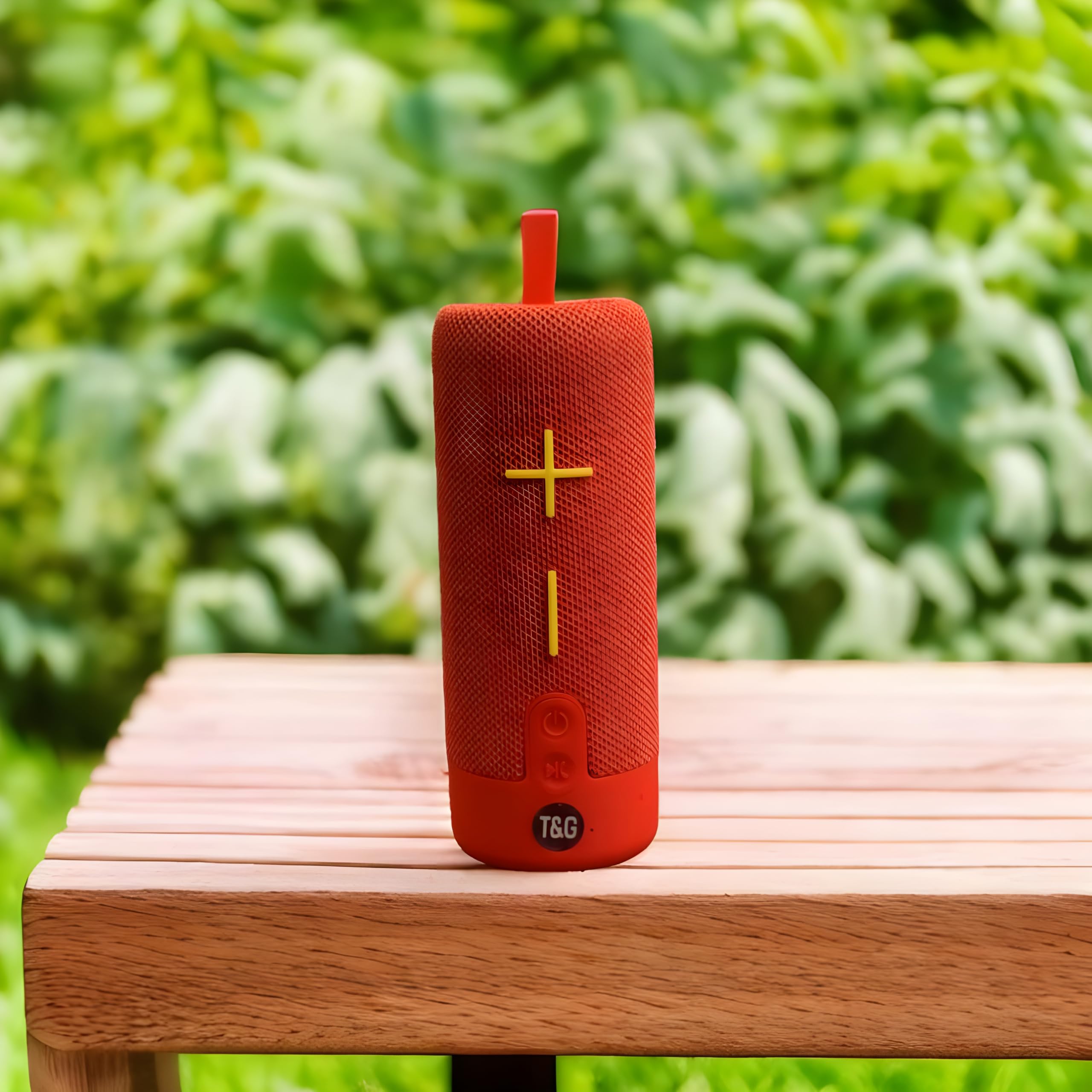
This image displays the T&G Wireless Speaker in red, highlighting its compact, cylindrical design. Visible features include the speaker grille and a control panel with buttons for power, volume, and mode selection.
The T&G Wireless Speaker TG619C is a portable audio device designed for ease of use and versatility. It features a robust speaker grille, intuitive control buttons for power, volume adjustment, track navigation, and mode switching. Input ports for charging, USB drives, and memory cards are typically located on the side or rear of the unit.
ማዋቀር
ተናጋሪውን መሙላት
Before first use, fully charge the speaker. Connect the provided charger cable to the speaker's charging port and the other end to a USB power adapter (not included) or a computer's USB port. The charging indicator light will illuminate during charging and turn off or change color when fully charged.
በማብራት / በማጥፋት ላይ
To power on the speaker, press and hold the power button for a few seconds until you hear an audible prompt or see an indicator light. To power off, press and hold the power button again.
የብሉቱዝ ማጣመር
- Ensure the speaker is powered on and in Bluetooth pairing mode (usually indicated by a flashing LED).
- በእርስዎ ዘመናዊ ስልክ፣ ታብሌት ወይም ሌላ ብሉቱዝ የነቃ መሣሪያ ላይ ወደ ብሉቱዝ ቅንብሮች ይሂዱ።
- ፈልግ available devices and select "T&G Speaker" (or similar name) from the list.
- Once paired, the speaker will emit a confirmation sound, and the LED indicator will typically stop flashing.
የአሠራር መመሪያዎች
ሙዚቃ መጫወት
After successful Bluetooth pairing, you can stream audio from your connected device. Use your device's media player to control playback (play/pause, skip tracks).
የድምጽ መቆጣጠሪያ
Press the '+' button to increase volume and the '-' button to decrease volume. You can also adjust the volume from your connected device.
ሁነታ ምርጫ
Press the 'M' (Mode) button to switch between available input modes: Bluetooth, Memory Card (TF card), and USB drive. The speaker will announce the current mode.
Using Memory Card/USB Drive
Insert a compatible memory card (TF card) or USB drive into the respective slot. The speaker will automatically detect the storage device and begin playing audio files. Use the track navigation buttons on the speaker to skip songs.
ጥገና
- ድምጽ ማጉያውን ለስላሳ እና ደረቅ ጨርቅ ያጽዱ. ገላጭ ማጽጃዎችን ወይም ፈሳሾችን አይጠቀሙ.
- ድምጽ ማጉያውን በማይጠቀሙበት ጊዜ ቀዝቃዛና ደረቅ ቦታ ውስጥ ያከማቹ.
- To prolong battery life, avoid fully discharging the battery frequently and charge it regularly, even if not in use for extended periods.
- ወደቦች ከአቧራ እና ከቆሻሻ ነፃ ያድርጓቸው።
መላ መፈለግ
| ችግር | መፍትሄ |
|---|---|
| ድምጽ ማጉያ አይበራም። | Ensure the battery is charged. Connect the charger cable and try again. |
| ከተናጋሪው ምንም ድምፅ የለም ፡፡ | Check the volume level on both the speaker and your connected device. Ensure the speaker is correctly paired via Bluetooth or the correct input mode is selected. |
| በብሉቱዝ በኩል ማጣመር አይቻልም። | ድምጽ ማጉያው በብሉቱዝ ማጣመሪያ ሁነታ (ብልጭ ድርግም የሚል LED) ላይ መሆኑን ያረጋግጡ። በመሳሪያዎ ላይ ብሉቱዝን ያጥፉና ያብሩት። ድምጽ ማጉያውን ወደ መሳሪያዎ ቅርብ ያድርጉት። በመሳሪያዎ ላይ የነበሩትን የብሉቱዝ ግንኙነቶች ያጽዱ። |
| Memory card/USB drive not playing. | Ensure the speaker is in the correct mode (Memory Card/USB). Check that the files on the card/drive are compatible audio formats. Ensure the card/drive is inserted correctly. |
ዝርዝሮች
| ባህሪ | ዝርዝር |
|---|---|
| የምርት ስም | T&g |
| የሞዴል ስም | TG619C |
| የድምጽ ማጉያ አይነት | ተንቀሳቃሽ |
| ቀለም | ቀይ |
| የባትሪ አቅም | 1200mAh |
| ግንኙነት | Wireless (Bluetooth), Memory Card (TF), USB |
| የምርት ልኬቶች (D x W x H) | 6.9D x 6.6W x 17.8H ሴንቲሜትር |
| የተካተቱ አካላት | የኃይል መሙያ ገመድ |
| የትውልድ ሀገር | ቻይና |
ዋስትና እና ድጋፍ
ይህ ምርት አብሮ ይመጣል ምንም ዋስትና የለም። እንደ አምራቹ ዝርዝር መግለጫዎች።
For any support inquiries, technical assistance, or issues not covered in this manual, please contact the seller or retailer where the product was purchased. Please retain your proof of purchase for any potential service requests.