
መግቢያ
This manual provides instructions for the VTech VG232-2 Cordless Phone with Digital Answering System. It covers setup, operation, maintenance, and troubleshooting to ensure optimal performance of your device. Please read these instructions carefully before using your phone.
ማዋቀር
1. የማሸግ እና የንጥረ ነገሮች ፍተሻ
ከመጀመርዎ በፊት ሁሉም ክፍሎች በጥቅሉ ውስጥ መኖራቸውን ያረጋግጡ-
- 1 ቤዝ ዩኒት
- 2 ገመድ አልባ የእጅ ስልኮች
- 2 AC አስማሚዎች
- 2 ዳግም ሊሞሉ የሚችሉ ባትሪዎች
- 1 የእጅ ባትሪ መሙያ
2. የባትሪ ጭነት
Install the rechargeable battery into each cordless handset. Open the battery compartment cover on the back of the handset, connect the battery connector, and place the battery inside. Close the cover securely.

የምስል መግለጫ፡- A VTech cordless phone handset is shown next to its base unit. The image highlights that the unit can be placed on a tabletop or mounted on a wall, demonstrating its versatile placement options. This image also shows the general form factor of the handset and base, relevant for battery installation.
3. የመሠረት ክፍል ግንኙነት
Connect the AC adapter to the base unit and plug it into a standard electrical outlet. Connect the telephone line cord to the base unit and then to your telephone wall jack.
4. Initial Handset Charging
Place each handset in its respective charger or the base unit. Allow the handsets to charge for at least 16 hours before initial use to ensure full battery capacity.
5. ቀን እና ሰዓት ማቀናበር
After the initial charge, follow the on-screen prompts or refer to the handset menu to set the correct date and time. This is crucial for accurate caller ID and answering system timestamps.
የአሠራር መመሪያዎች
1. ጥሪዎችን ማድረግ እና መቀበል
- ጥሪ ለማድረግ፡- ተጫን TALK / FLASHከዚያም የስልክ ቁጥሩን ይደውሉ።
- ጥሪ ለመቀበል፡- ስልኩ ሲደወል ይጫኑ TALK / FLASH or any dial pad key (0-9, #, *).
- ጥሪን ለማቆም፡- ተጫን አጥፋ/ሰርዝ ወይም ስልኩን በቻርጅ መሙያው ውስጥ መልሰው ያስቀምጡት።
2. Full-Duplex Speakerphone
ስልኩ ሙሉ ባለሁለት ድምጽ ማጉያ ያለው ሲሆን ሁለቱም ወገኖች በተመሳሳይ ጊዜ እንዲናገሩ እና የበለጠ ተፈጥሯዊ ውይይቶችን እንዲያደርጉ ያስችላቸዋል።
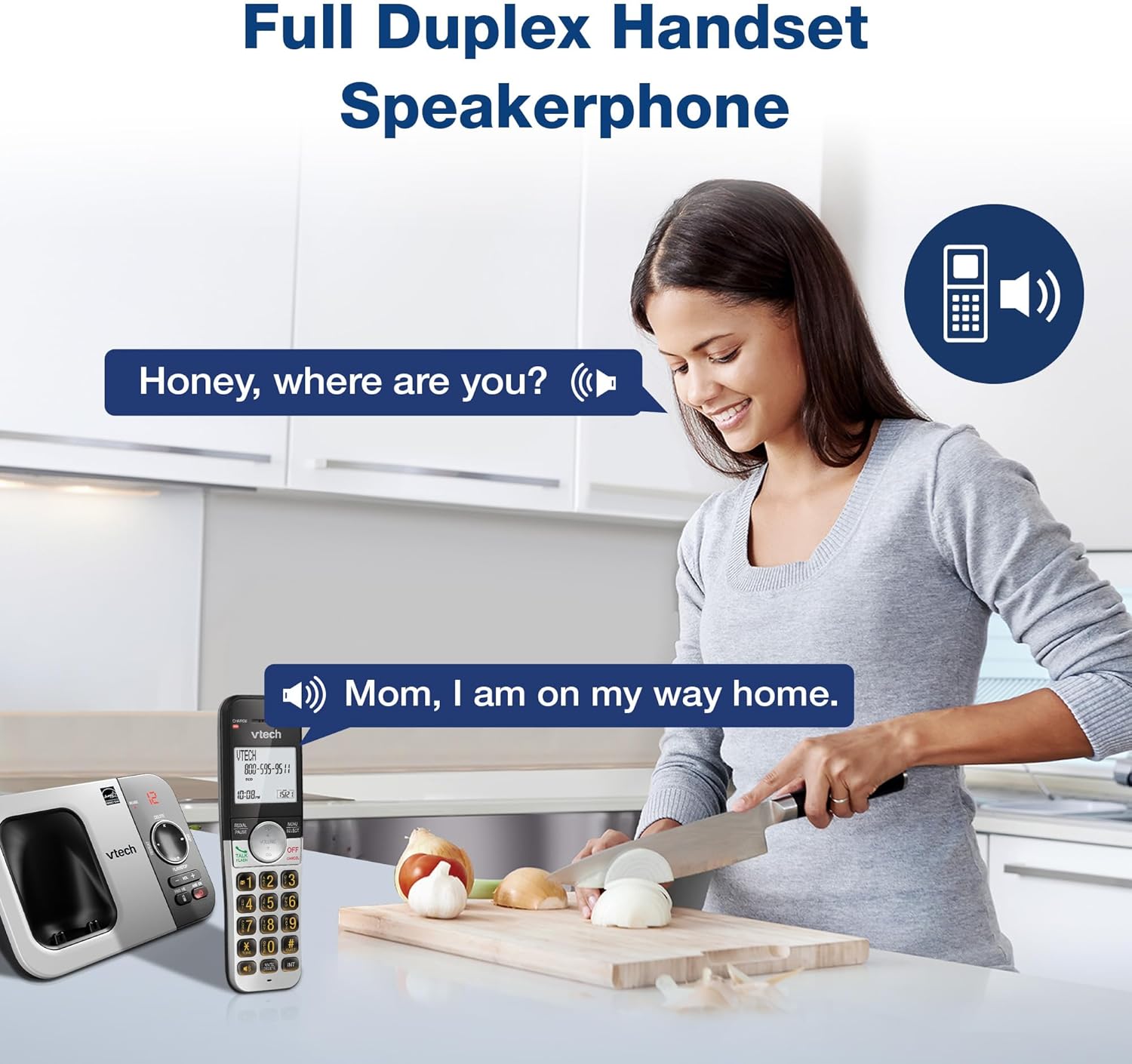
የምስል መግለጫ፡- A woman is shown in a kitchen, talking on the VTech cordless phone which is placed on the counter. A speech bubble indicates a conversation, highlighting the full-duplex speakerphone feature that allows hands-free communication.
3. የደዋይ መታወቂያ እና የጥሪ በመጠባበቅ ላይ
The handset displays the name, number, time, and date of incoming calls. The system stores up to 50 caller ID entries.

የምስል መግለጫ፡- The VTech cordless phone handset and base unit are displayed. The handset screen shows a list of phone numbers, demonstrating the Caller ID feature which stores up to 50 calls.
4. ዲጂታል ምላሽ ሥርዓት
The integrated digital answering system records messages for up to 14 minutes.

የምስል መግለጫ፡- A man in a suit points to the VTech phone base unit, which has a digital display showing '12' (likely message count). A graphic bubble indicates 'Record 14 Mins', highlighting the answering system's recording capacity.
Message Counter
The base unit features a message counter that displays the number of new or saved messages.

የምስል መግለጫ፡- A close-up of the VTech phone base unit's digital display, showing the number '12'. A text overlay explains that this displays the number of recorded messages.
የርቀት መዳረሻ
You can access your answering system messages remotely by calling your phone number from an external line and entering your remote access code.

የምስል መግለጫ፡- A woman is shown smiling while on a phone call, with arrows pointing between her and the VTech cordless phone. A speech bubble states 'You have 3 new messages...', illustrating the remote access feature for checking messages.
5. የስልክ ማውጫ
በፍጥነት ለመደወል እስከ 50 የሚደርሱ ስሞችን እና ቁጥሮችን በስልክ ማውጫ ውስጥ ያስቀምጡ።

የምስል መግለጫ፡- The VTech cordless phone handset is shown with a graphic illustrating a phonebook icon and the text '50 Name and Number Phonebook Contacts', indicating the capacity of the phone's contact list.
6. Last 10 Number Redial
Quickly redial any of the last 10 numbers called using the redial feature.

የምስል መግለጫ፡- A hand is shown pressing the 'REDIAL/PAUSE' button on the VTech cordless phone handset. A graphic icon depicts two arrows circling, symbolizing the redial function for the last 10 numbers.
7. Intercom Between Handsets
Use the intercom feature to communicate between two handsets within the system.

የምስል መግለጫ፡- Two VTech cordless phone handsets are displayed, with blue arrows pointing between them, symbolizing the intercom functionality that allows communication between handsets.
8. ጸጥታ ሁነታ
Activate Quiet Mode to silence the ringer on the handset and base unit for a specified period.

የምስል መግለጫ፡- The VTech cordless phone handset is shown with the '# QUIET' button highlighted. The background shows a person sleeping, illustrating the benefit of the Quiet Mode feature.
9. የኢኮ ሁነታ
The phone utilizes ECO Mode power-conserving technology to optimize battery life and reduce power consumption.

የምስል መግለጫ፡- The VTech cordless phone handset and base unit are shown. A green leaf icon with a recycling symbol represents 'ECO Mode Power-Conserving Technology', indicating the phone's energy efficiency.
10. Backlit Keypad and Display
The entire keypad and the 2-inch LCD screen are backlit for easier viewበዝቅተኛ ብርሃን ሁኔታዎች ውስጥ።
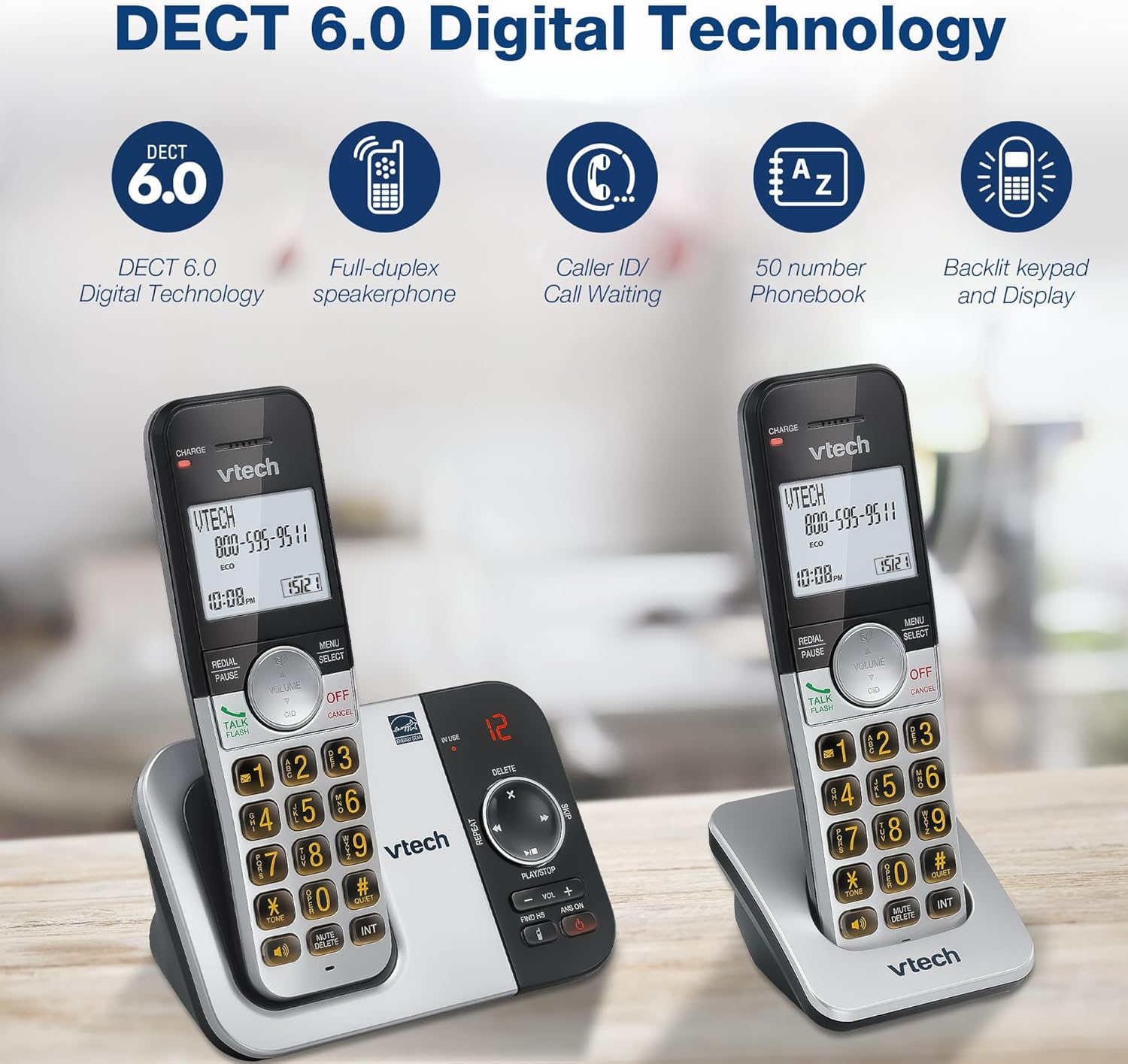
የምስል መግለጫ፡- A close-up of the VTech cordless phone handset's keypad, showing the illuminated buttons, highlighting the 'Lighted Keypad' feature for visibility in the dark.
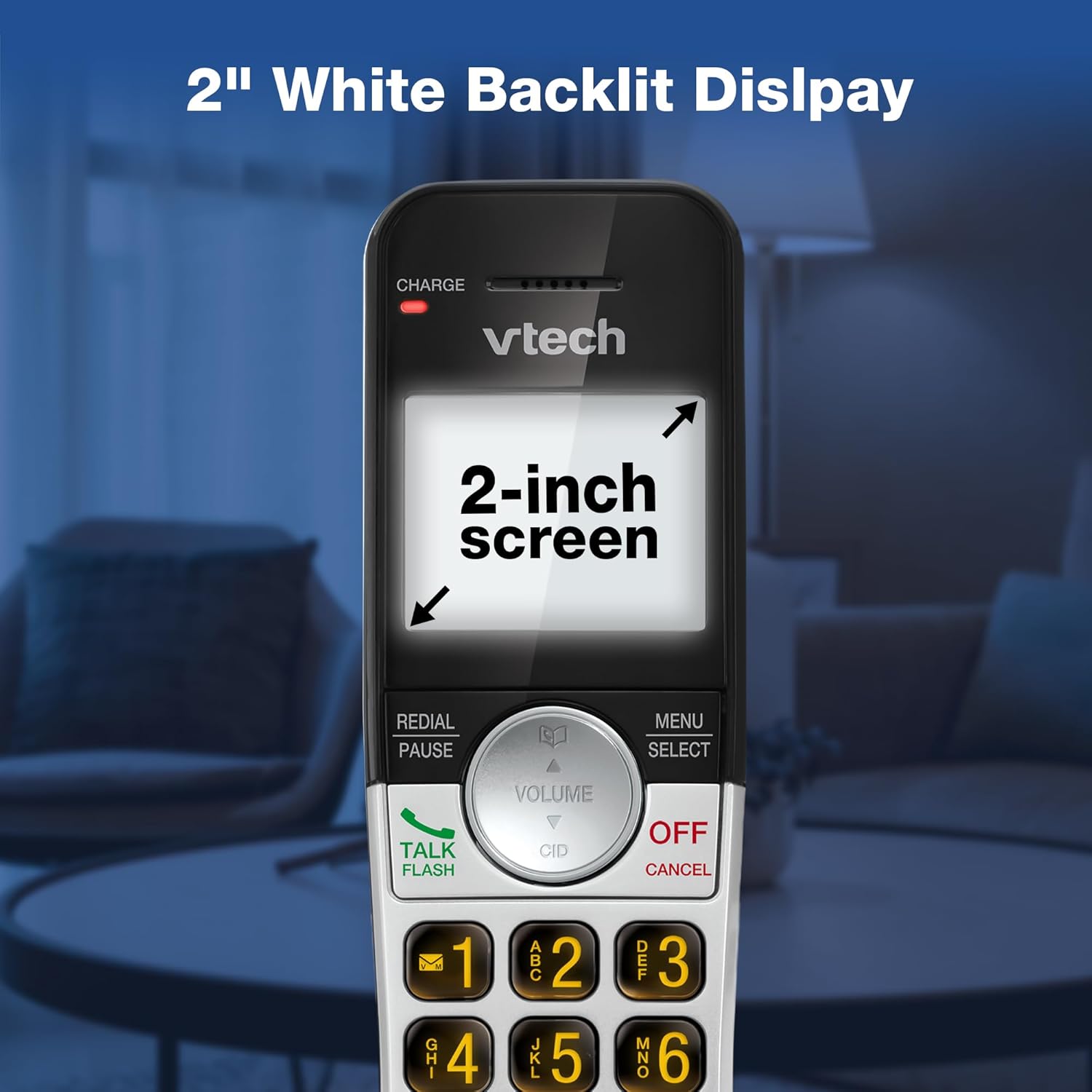
የምስል መግለጫ፡- A close-up of the VTech cordless phone handset's screen, which is illuminated with a white backlight. Text on the screen indicates '2-inch screen', emphasizing the display size and backlighting.
ጥገና
To maintain your VTech VG232-2 phone, follow these guidelines:
- ማጽዳት፡ ስልኩን እና መሰረታዊውን ክፍል በለስላሳ፣ ዲ ይጥረጉamp ጨርቅ. የጽዳት መርጫዎችን ወይም ጠንካራ ኬሚካሎችን አይጠቀሙ.
- የባትሪ እንክብካቤ ባትሪዎቹ ባትሪ መሙላት ሲያቆሙ ይተኩ። በVTech የተፈቀደላቸውን ምትክ ባትሪዎች ብቻ ይጠቀሙ።
- አቀማመጥ፡- ስልኩን በቀጥታ የፀሐይ ብርሃን፣ በሙቀት ምንጮች አቅራቢያ ወይም ከመጠን በላይ እርጥበት ባለባቸው ቦታዎች ላይ ከማስቀመጥ ይቆጠቡ።
መላ መፈለግ
| ችግር | መፍትሄ |
|---|---|
| ምንም የመደወያ ድምጽ የለም። | የስልክ መስመር ገመዱ ከመሠረቱ ክፍል እና ከግድግዳ መሰኪያው ጋር ደህንነቱ በተጠበቀ ሁኔታ መገናኘቱን ያረጋግጡ። የኤሲ አስማሚው በትክክል መገናኘቱን ያረጋግጡ። |
| የእጅ ስልክ ባትሪ እየሞላ አይደለም። | Ensure the handset is correctly seated in the charger. Clean the charging contacts on both the handset and charger with a dry cloth. Verify the charger is plugged into a working power outlet. |
| ደካማ የድምጽ ጥራት | Move the handset closer to the base unit. Avoid placing the phone near other electronic devices that may cause interference. Check for any obstructions between the handset and base. |
| የመልስ ስርዓት እየተመዘገበ አይደለም | የመልስ ስርዓቱ መብራቱን ያረጋግጡ። ማህደረ ትውስታው ሞልቶ እንደሆነ ያረጋግጡ፤ አስፈላጊ ከሆነ የድሮ መልዕክቶችን ይሰርዙ። |
| Date/Time incorrect | Manually reset the date and time through the handset menu. Ensure the phone has a stable power connection. |
ዝርዝሮች
| ባህሪ | ዝርዝር |
|---|---|
| የምርት ስም | ቪቴክ |
| የሞዴል ቁጥር | ቪጂ 232-2 |
| የስልክ ዓይነት | ገመድ አልባ |
| ቀለም | ብር/ጥቁር |
| ቁሳቁስ | ፕላስቲክ |
| የኃይል ምንጭ | ባለገመድ ኤሌክትሪክ |
| የእጅ ስልኮች ብዛት | 2 |
| የባትሪ ዓይነት | Product-specific (2 included) |
| የስርዓት አይነት ምላሽ መስጠት | ዲጂታል |
| የመቅዳት መጠን | 14 ደቂቃዎች |
| የደዋይ መታወቂያ | Yes (stores 50 calls) |
| የድምጽ ማጉያ | ሙሉ-ዱፕሌክስ |
| የስልክ ማውጫ አቅም | 50 Name and Number Contacts |
| የስብሰባ ጥሪ ችሎታ | 3-መንገድ |
| የስልክ ንግግር ጊዜ | 7 ሰዓታት |
| የስልክ ተጠባባቂ ጊዜ | 5 ቀናት |
| የንጥል መጠኖች (L x W x H) | 14.1 x 8.5 x 18.4 ሴ.ሜ |
| ዩፒሲ | 735078053824 |
| የተካተቱ አካላት | 1 handset charger, 2 AC adapters, 2 cordless handsets, 2 batteries, Base unit |
ምርት አልቋልview ቪዲዮ
የቪዲዮ መግለጫ፡- ይህ ቪዲዮ አጠቃላይ መግለጫ ይሰጣልview of the VTech VG232-2 cordless phone, showcasing its features and design. It offers a visual guide to the product's main functionalities.
የዋስትና መረጃ
VTech products are manufactured with high-quality components and are subject to rigorous testing. This product is covered by a limited warranty against defects in material and workmanship. For specific warranty terms and conditions, please refer to the warranty card included in your product packaging or visit the official VTech webጣቢያ.
ድጋፍ
If you require further assistance or have questions not covered in this manual, please visit the VTech support website or contact customer service. Contact details can typically be found on the VTech official webጣቢያ ወይም በምርት ማሸጊያው ውስጥ.