
BoxWave bw-14-52905-0
BoxWave DirectSync Cable User Manual
For Yada RoadCam 1080p HD Dash Cam (BT58186-6/2)
1. መግቢያ
The BoxWave DirectSync Cable is designed to provide reliable charging and high-speed data synchronization for your Yada RoadCam 1080p HD Dash Cam (BT58186-6/2). This manual outlines the features, setup, operation, maintenance, and specifications of your DirectSync Cable to ensure optimal performance.
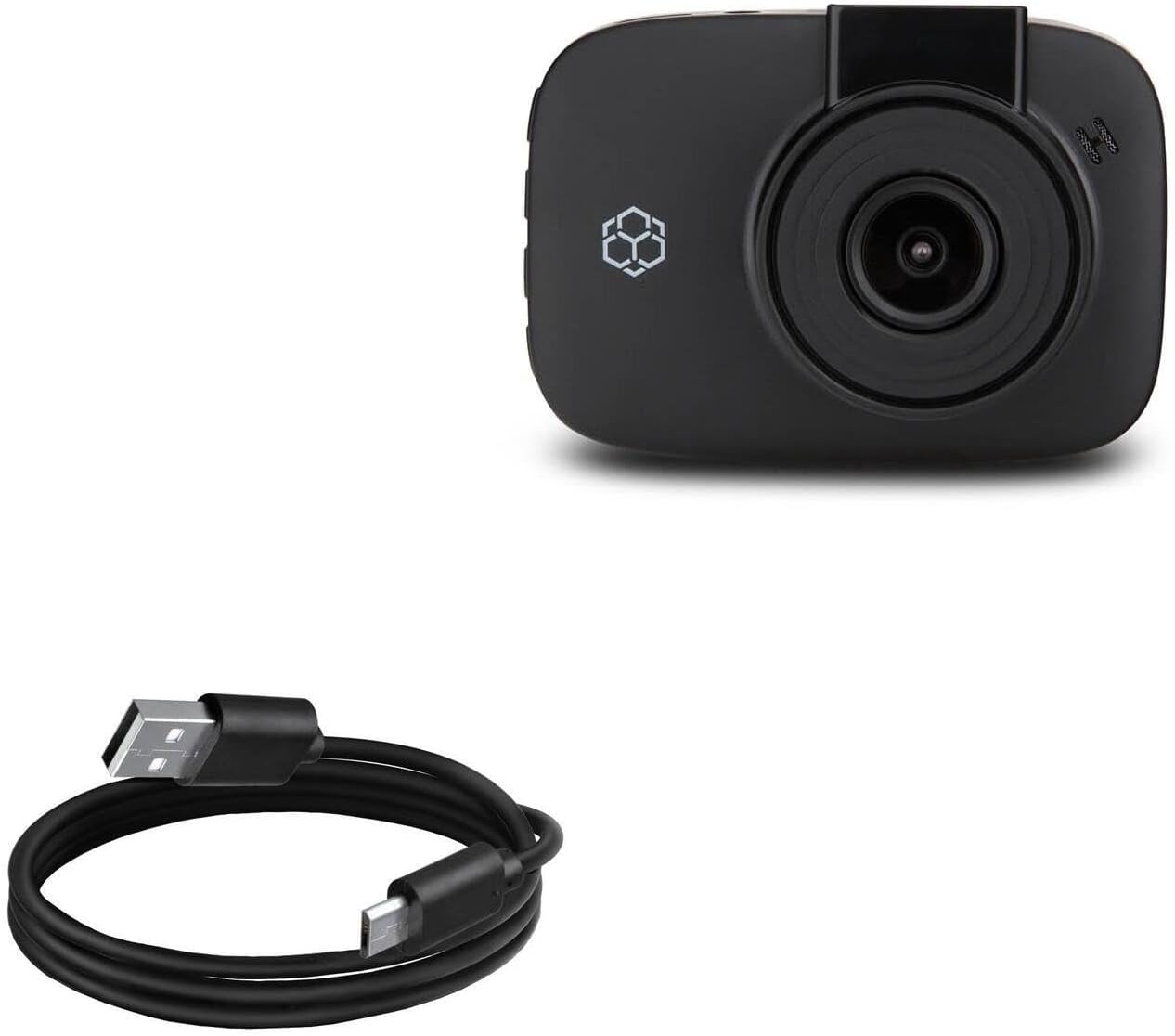
Image 1.1: The BoxWave DirectSync Cable. This image displays the black USB-A to Micro-USB cable, coiled neatly.
2. የምርት ባህሪዎች
The DirectSync Cable offers several key features for efficient and durable use:
- Hi-Speed USB 2.0 Support: Facilitates data transfers at speeds up to 480Mbps.
- Dual-Functionality: Simultaneously charges your device and transfers data, enhancing convenience.
- ዘላቂ ግንባታ; Engineered for longevity and consistent performance.
- Reinforced Strain Relief: Features strong rubberized grommet strain reliefs at connector points to prevent kinking and splitting, extending the cable's lifespan.
- ለጋስ ርዝመት; ያቀርባል ample length for flexible placement and connection.

Image 2.1: The DirectSync Cable connected to a laptop and a smartphone, illustrating its charge and sync capabilities.
3. የማዋቀር መመሪያዎች
Follow these steps to connect your DirectSync Cable:
- ግንኙነቶችን መለየት The cable has a standard USB-A connector on one end and a Micro-USB connector on the other.
- ከኃይል/ኮምፒውተር ጋር ይገናኙ፦ Insert the USB-A end of the cable into a compatible USB port on a power adapter, car charger, or computer.
- ከመሳሪያ ጋር ተገናኝ፡ Insert the Micro-USB end of the cable into the Micro-USB port on your Yada RoadCam 1080p HD Dash Cam.
- ግንኙነት አረጋግጥ፡ Ensure both ends are securely seated. Your device should indicate that it is charging or connected for data transfer.
4. የአሠራር መመሪያዎች
Using your DirectSync Cable for charging and data transfer:
4.1. መሳሪያዎን በመሙላት ላይ
- Connect the cable as described in Section 3.
- When connected to a power source (e.g., wall adapter, car charger), your Yada RoadCam will begin charging.
- Monitor your device's screen for charging indicators.
4.2. የውሂብ ማስተላለፍ
- Connect the USB-A end to a computer's USB port and the Micro-USB end to your Yada RoadCam.
- Your computer should recognize the connected device. You may need to select a 'data transfer' or 'mass storage' mode on your dash cam, if prompted.
- Access your device's files through your computer's file explorer to transfer videos, photos, or other data.
5. ጥገና
Proper care will extend the life of your DirectSync Cable:
- ማከማቻ፡ ገመዱን ቀዝቃዛና ደረቅ ቦታ ላይ ከቀጥታ የፀሐይ ብርሃንና ከፍተኛ የሙቀት መጠን ራቅ አድርገው ያስቀምጡት። ገመዱን በሹል ማዕዘኖች በጥብቅ ከመጠምዘዝ ወይም ከማጠፍ ይቆጠቡ።
- ማጽዳት፡ Gently wipe the cable and connectors with a dry, soft cloth to remove dust or debris. Do not use liquid cleaners or abrasive materials.
- አያያዝ፡ Always grasp the connector head when plugging or unplugging the cable. Avoid pulling directly on the cable itself, as this can damage the internal wires or strain relief.

ምስል 5.1፡ መቀራረብ view of the reinforced strain relief on the DirectSync Cable, designed to prevent damage from bending.
6. መላ መፈለግ
If you encounter issues with your DirectSync Cable, consider the following:
- ገመድ ባትሪ እየሞላ አይደለም፡
- ሁለቱም የኬብሉ ጫፎች ደህንነቱ በተጠበቀ ሁኔታ መገናኘታቸውን ያረጋግጡ።
- የተለየ የኃይል ምንጭ ወይም የዩኤስቢ ወደብ ይሞክሩ።
- Test the cable with another compatible device, if available, to determine if the issue is with the cable or the device/power source.
- Cable Not Syncing Data:
- Verify the cable is firmly connected to both your device and computer.
- Ensure your computer's operating system and device drivers are up to date.
- Check your Yada RoadCam settings to ensure it is set to 'data transfer' or 'mass storage' mode when connected to a computer.
- በኮምፒተርዎ ላይ የተለየ የዩኤስቢ ወደብ ይሞክሩ።
- አካላዊ ጉዳት; Inspect the cable for any visible signs of damage, such as cuts, fraying, or bent connectors. A damaged cable should be replaced.
7. ዝርዝሮች
| ባህሪ | ዝርዝር መግለጫ |
|---|---|
| የሞዴል ቁጥር | bw-14-52905-0 |
| የእቃው ክብደት | 1.7 አውንስ |
| የጥቅል ልኬቶች | 3.82 x 1.18 x 0.55 ኢንች |
| የዩኤስቢ መደበኛ | USB 2.0 (up to 480Mbps data transfer) |
| የኬብል አይነት | USB-A to Micro-USB |
| የኬብል ርዝመት | በግምት 3 ጫማ |

Image 7.1: A measuring tape indicating the cable's approximate length of 3 feet.

Image 7.2: The Hi-Speed USB 2.0 logo, indicating the cable's data transfer standard.
8. ዋስትና እና ድጋፍ
For information regarding the warranty of your BoxWave DirectSync Cable, please refer to the official BoxWave website or contact BoxWave customer support directly. Any specific technical support for the Yada RoadCam 1080p HD Dash Cam (BT58186-6/2) should be directed to Yada's official support channels.
Ask a question about this manual
Ask about setup, troubleshooting, compatibility, parts, safety, or missing instructions. Manuals+ will review the question and use this page’s manual context to help answer it.