
መግቢያ
ስለገዙ እናመሰግናለንasing the KTC H27S17 27-inch WQHD 180Hz Curved Gaming Monitor. This manual provides essential information for the safe and efficient use of your new monitor. Please read it thoroughly before use and retain it for future reference.
ምርት አልቋልview ቪዲዮ
ቪዲዮ፡ ይፋዊ የምርት ቪዲዮ ማሳያasing the key features and design of the KTC H27S17 27-inch Curved Gaming Monitor.
የጥቅል ይዘቶች
ከዚህ በታች የተዘረዘሩት ሁሉም እቃዎች በጥቅልዎ ውስጥ መካተታቸውን ያረጋግጡ፡-
- የኃይል ገመድ
- የማሳያPort ገመድ
- የኃይል አስማሚ
- የቁጥጥር አቋም
- የመቆም መሠረት
- Driver CD (or download link)
- ማፈናጠጥ ብሎኖች
- Instruction Manual (Japanese version)
- ፈጣን ጅምር መመሪያ
- የዋስትና ካርድ
የማዋቀር መመሪያዎች
1. መቆሚያውን መሰብሰብ
Attach the stand base to the monitor stand using the provided screws. Then, securely attach the assembled stand to the back of the monitor.
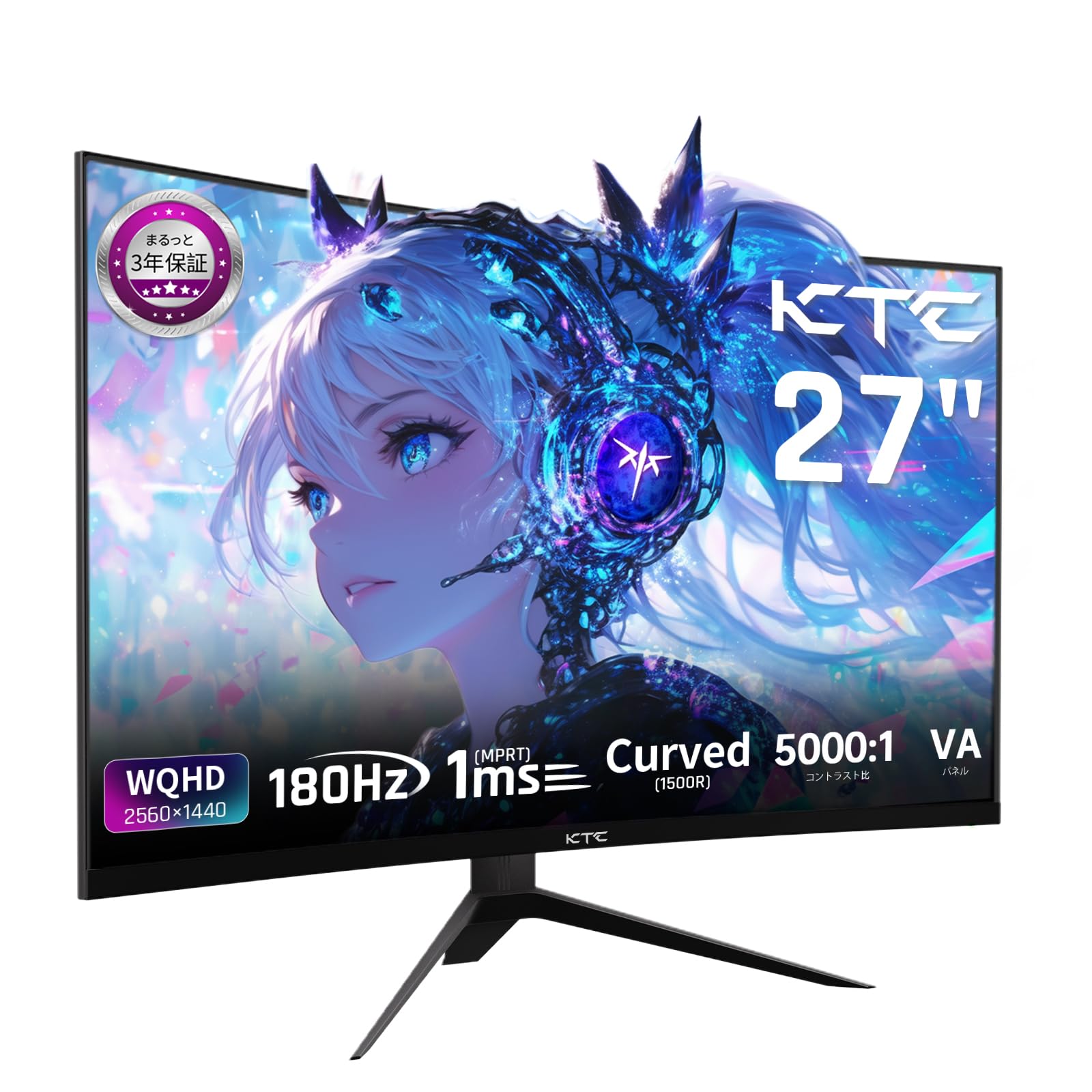
Image: The KTC H27S17 monitor fully assembled with its stand, viewed ከፊት.
2. ከኃይል ምንጭ ጋር መገናኘት
የኃይል አስማሚውን ከሞኒተሩ የዲሲ ግብዓት ወደብ ጋር ያገናኙ፣ ከዚያም የኃይል ገመዱን ከግድግዳ ሶኬት ጋር ይሰኩ።
3. ከመሳሪያ ጋር መገናኘት
Use the appropriate cable (DisplayPort or HDMI) to connect your computer or gaming console to the monitor. Ensure the cable is securely connected to both the monitor and your device.

ምስል: የኋላ view of the monitor showing the various input ports including DC, USB, HDMI, DisplayPort, and headphone jack.
4. VESA ማፈናጠጥ (አማራጭ)
The monitor supports VESA 100mm x 100mm mounting. If using a VESA mount, remove the stand and attach the monitor to your VESA-compatible arm or wall mount using appropriate screws.
Image: Diagram illustrating the VESA 100x100mm mounting pattern and tilt adjustment range on the back of the monitor.
የአሠራር መመሪያዎች
ኃይል አብራ/ አጥፋ
ለማብራት ወይም ለማጥፋት፣ አብዛኛውን ጊዜ በማሳያው ጀርባ ወይም ግርጌ ላይ የሚገኘውን የኃይል አዝራሩን ይጫኑ። ማሳያው ሲበራ የኃይል አመልካች መብራቱ ይበራል።
የማያ ገጽ ላይ ማሳያ (OSD) ምናሌ
Use the joystick or buttons on the monitor to navigate the OSD menu. This menu allows you to adjust various display settings such as brightness, contrast, color temperature, input source, and gaming features.
የግቤት ምንጭ ምርጫ
If multiple devices are connected, use the OSD menu to select the desired input source (HDMI 1, HDMI 2, DisplayPort 1, DisplayPort 2).
የማሳያ ባህሪያት
Curved Display (1500R)
የ1500R ኩርባው አስማጭ የሆነ ነገር ያቀርባል viewing experience, reducing eye strain during extended use by matching the natural curve of the human eye.

Image: A curved monitor displaying a vibrant image, highlighting the 1500R curvature for an immersive experience.
WQHD Resolution (2560x1440)
Experience detailed visuals with WQHD (2560x1440) resolution, offering approximately 1.7 times the pixel density of Full HD displays.

Image: A monitor displaying a high-resolution image, emphasizing the clarity of WQHD (2560x1440) compared to lower resolutions.
High Refresh Rate (180Hz) and Fast Response Time (1ms MPRT)
The 180Hz refresh rate and 1ms (MPRT) response time ensure smooth, blur-free visuals, crucial for fast-paced gaming and action scenes.

Image: A split screen comparison on the monitor, demonstrating the difference between 180Hz/1ms and 60Hz/5ms, highlighting reduced motion blur.
Vibrant Color Reproduction and HDR10
With sRGB 132%, DCI-P3 104%, Adobe RGB 112% color volume, and HDR10 support, the monitor delivers accurate and vivid colors with enhanced contrast between bright and dark areas.

Image: A monitor displaying a colorful scene, illustrating the wide color gamut and high contrast ratio (5000:1).
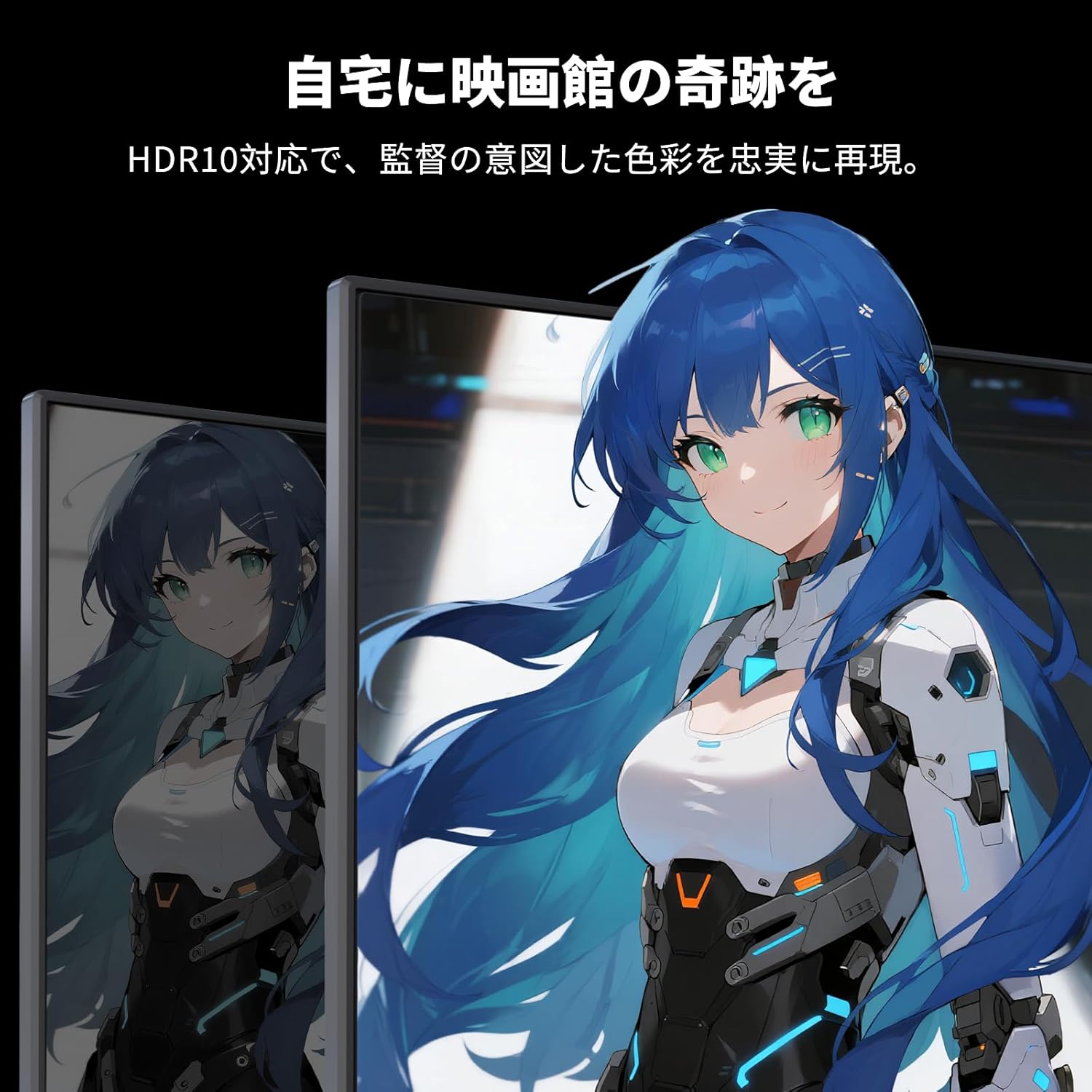
Image: A monitor showing a scene with HDR10 enabled, demonstrating improved dynamic range and detail in both bright and dark areas.
አስማሚ የማመሳሰል ቴክኖሎጂ
Adaptive Sync (FreeSync and G-Sync compatible) eliminates screen tearing and stuttering, providing a fluid gaming experience.

Image: A split screen comparison on the monitor, showing the difference between Adaptive Sync OFF (screen tearing) and ON (smooth image).
የአይን እንክብካቤ ባህሪዎች
The monitor includes Flicker-Free technology and a Low Blue Light mode to reduce eye strain during prolonged use.

Image: Illustrations demonstrating Flicker-Free technology and Low Blue Light mode, designed to reduce eye fatigue.
ግንኙነት
የKTC H27S17 ማሳያ በርካታ የግንኙነት አማራጮችን ያቀርባል፦
- 2 x HDMI 2.0: Supports WQHD (2560x1440) at 144Hz.
- 2 x DisplayPort 1.4: Supports WQHD (2560x1440) at 180Hz.
- 1 x ዩኤስቢ 2.0: ለጽኑዌር ማሻሻያዎች ብቻ።
- 1 x 3.5mm Headphone Jack: ለድምጽ ውፅዓት።
- 1 x DC Input: ለኃይል ግንኙነት.
ምስል፡ ዝርዝር view of the monitor's rear panel, highlighting the DC input, USB port, HDMI ports, DisplayPort inputs, and headphone jack.
Physical Adjustments
የማዘንበል ማስተካከያ
The monitor stand allows for tilt adjustment from -5 to 15 degrees, enabling you to find an optimal viewምቾት ለማግኘት አንግል.
Image: Diagram illustrating the tilt adjustment range of the monitor stand.
የ VESA ተኳኋኝነት
The monitor is compatible with VESA 100mm x 100mm mounting standards, allowing for flexible installation with monitor arms or wall mounts.
ጥገና
ማያ ገጹን ማጽዳት
ስክሪኑን በቀስታ ለስላሳ እና ከተሸፈነ ጨርቅ ይጥረጉ። ለግትር ምልክቶች፣ በትንሹ መampጨርቁን በውሃ ወይም በስክሪን ማጽጃ መፍትሄ. ኃይለኛ ኬሚካሎችን ወይም ሻካራ ቁሳቁሶችን ከመጠቀም ይቆጠቡ.
Cleaning the Monitor Body
Wipe the monitor body with a soft, dry cloth. Do not use liquid cleaners directly on the monitor.
ማከማቻ
ረዘም ላለ ጊዜ ጥቅም ላይ በማይውልበት ጊዜ መቆጣጠሪያውን በቀጥታ ከፀሀይ ብርሀን እና ከከፍተኛ ሙቀት ርቆ በቀዝቃዛና ደረቅ ቦታ ያከማቹ።
መላ መፈለግ
በእርስዎ ማሳያ ላይ ችግሮች ካጋጠሙዎት የሚከተሉትን የተለመዱ መፍትሄዎች ይመልከቱ፡
- ኃይል የለም፡ Ensure the power cable and adapter are securely connected and the power outlet is functional.
- ምንም ምልክት የለም፡ Verify that the input cable (HDMI/DisplayPort) is correctly connected to both the monitor and the source device. Select the correct input source via the OSD menu.
- ብልጭ ድርግም የሚል/የተዛባ ምስል፡ Check cable connections. Ensure your graphics card drivers are up to date. Try adjusting the refresh rate in your device's display settings.
- የሞቱ ፒክሰሎች፡ While rare, a small number of dead pixels may be within manufacturing tolerances. Refer to the warranty policy for details.
- Audio Issues (Headphone Jack): Ensure headphones are fully plugged in. Check audio settings on your connected device.
For further assistance, please contact KTC customer support.
ዝርዝሮች
| ባህሪ | ዝርዝር መግለጫ |
|---|---|
| የምርት ስም | ኬቲሲ |
| ሞዴል | H27S17 |
| የስክሪን መጠን | 27 ኢንች |
| ጥራት | WQHD (2560 x 1440 pixels) |
| ምጥጥነ ገጽታ | 16፡9 |
| ኩርባ | 1500 አር |
| የፓነል ዓይነት | VA |
| የማደስ ደረጃ | 180 Hz |
| የምላሽ ጊዜ | 1 ሚሴ (MPRT) |
| የንፅፅር ሬሾ | 5000፡1 |
| ብሩህነት | 300 ሲዲ/ሜXNUMX |
| ቀለም ጋሙት | sRGB 132% / DCI-P3 104% / Adobe RGB 112% |
| የኤችዲአር ድጋፍ | HDR10 |
| አስማሚ ማመሳሰል | FreeSync, G-Sync Compatible |
| ግንኙነት | 2x HDMI 2.0, 2x DisplayPort 1.4, 1x USB 2.0 (Upgrade only), 1x Headphone Jack |
| VESA ተራራ | 100 ሚሜ x 100 ሚሜ |
| የማዘንበል ማስተካከያ | - ከ 5 እስከ 15 ዲግሪዎች |
| የአይን እንክብካቤ ባህሪዎች | ፍሊከር-አልባ፣ ዝቅተኛ ሰማያዊ ብርሃን |
ዋስትና እና ድጋፍ
KTC provides a 3-year warranty and a 12-month exchange service for this product. For any questions or issues, please contact customer support.
- ስልክ፡ 050-3606-8990
- ኢሜይል፡- support@ktcplay.com

Image: Information regarding KTC's 3-year warranty and contact details for customer support.
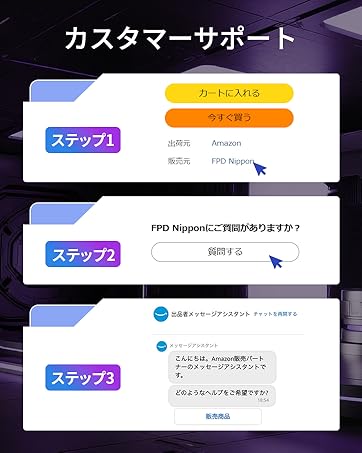
Image: Step-by-step guide on how to contact customer support via Amazon.