
መግቢያ
This manual provides essential information for the proper setup, operation, and maintenance of your ONN 24-inch FHD Gaming Monitor, model 100027813. Please read this manual thoroughly before using the product to ensure optimal performance and safety. This monitor is designed to deliver a high-quality gaming experience with its 1080p resolution, 165Hz refresh rate, 1ms response time, and FreeSync technology.
የደህንነት መረጃ
Always observe the following safety precautions to prevent damage to the monitor and ensure user safety:
- የእሳት ወይም የድንጋጤ አደጋዎችን ለማስወገድ መቆጣጠሪያውን ለዝናብ ወይም ለእርጥበት አያጋልጡት።
- ተቆጣጣሪውን አይክፈቱ ሐasinሰ. በውስጥም ለተጠቃሚ አገልግሎት የሚሰጡ ክፍሎች የሉም። ሁሉንም አገልግሎቶች ብቁ ለሆኑ የአገልግሎት ሰራተኞች ያመልክቱ።
- ተቆጣጣሪውን እንዳይወድቅ በተረጋጋ ጠፍጣፋ መሬት ላይ ያድርጉት።
- በተቆጣጣሪው ዙሪያ ትክክለኛውን አየር ማናፈሻን ያረጋግጡ። የአየር ማናፈሻ ክፍተቶችን አያግዱ.
- ከተቆጣጣሪው ጋር የቀረበውን የኃይል አስማሚ ብቻ ይጠቀሙ።
- በመብረቅ አውሎ ንፋስ ጊዜ ወይም ለረጅም ጊዜ ጥቅም ላይ በማይውልበት ጊዜ መቆጣጠሪያውን ከኃይል ማሰራጫው ያላቅቁት።
የጥቅል ይዘቶች
ሁሉም እቃዎች በጥቅሉ ውስጥ መኖራቸውን ያረጋግጡ፡-
- ONN 24-inch FHD Gaming Monitor
- መቆሚያ (መሠረት እና አንገት) ተቆጣጠር
- የኃይል አስማሚ
- DisplayPort Cable (6 ft)
- HDMI ገመድ (6 ጫማ)
- የተጠቃሚ መመሪያ (ይህ ሰነድ)

Image: Retail box of the ONN 24-inch Gaming Monitor, highlighting key features like 165Hz, 1ms response time, DisplayPort, HDMI, and Adaptive-Sync.
ማዋቀር
1. መቆሚያውን መሰብሰብ
- መቆጣጠሪያውን በጥንቃቄ ያስወግዱ እና ከማሸጊያው ውስጥ ክፍሎችን ይቁሙ.
- የመቆሚያውን አንገት ከቆመበት መሰረት ጋር ያያይዙት። አስፈላጊ ከሆነ በተሰጠው ዊንጣ ያስጠብቁት።
- Align the assembled stand with the mounting slot on the back of the monitor. Gently push until it clicks into place or secure with screws as per the design.
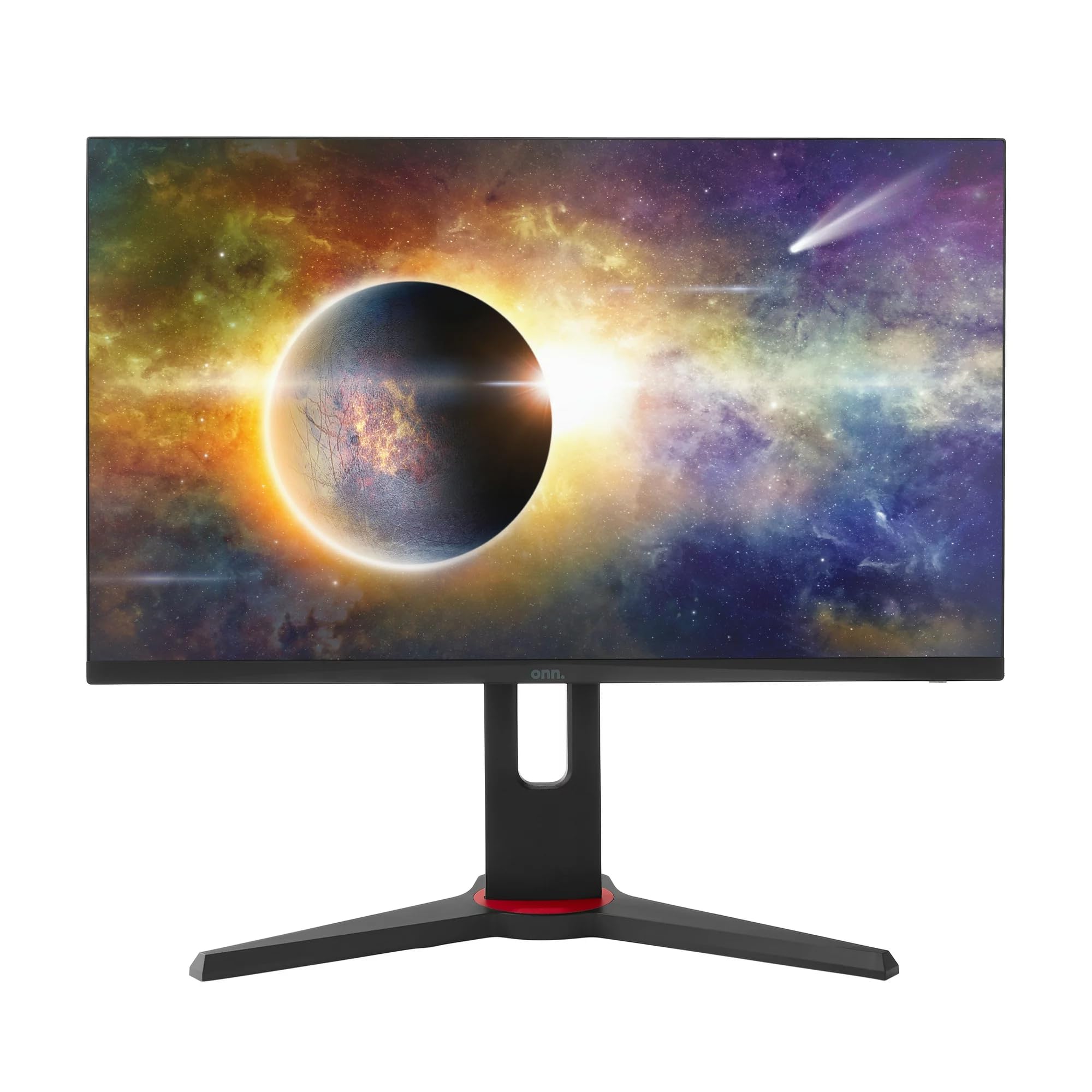
ምስል፡ ፊት ለፊት view of the ONN 24-inch Gaming Monitor, fully assembled with its stand.

ምስል: የኋላ view of the ONN 24-inch Gaming Monitor, illustrating the stand attachment and cable management area.
2. ገመዶችን ማገናኘት
Locate the input ports on the back of your monitor:
- ኃይል፡- የኃይል አስማሚውን ወደ ተቆጣጣሪው የኃይል ግብዓት እና ከዚያ ከኃይል መውጫ ጋር ያገናኙ።
- የቪዲዮ ግቤት Connect one end of the provided DisplayPort or HDMI cable to the corresponding port on your computer's graphics card and the other end to the monitor. The monitor supports 2 HDMI inputs and 1 DisplayPort input.
- የድምጽ ውፅዓት (ከተፈለገ) If your monitor has a 3.5mm audio jack, you can connect external speakers or headphones.

ምስል፡ መቀራረብ view of the monitor's rear ports, including HDMI 1, HDMI 2, DisplayPort (DP), and power input.
3. የመጀመሪያ ኃይል-በ
- ሁሉም ገመዶች ደህንነቱ በተጠበቀ ሁኔታ መገናኘታቸውን ያረጋግጡ።
- Press the power button on the monitor (usually located on the back or bottom right).
- The monitor should display the ONN logo and then search for an input signal.
- If no image appears, ensure your computer is powered on and the correct input source is selected on the monitor (see Operating section).
በመስራት ላይ
1. ማብራት / ማጥፋት
Press the power button to turn the monitor on or off. The power indicator light will show the monitor's status (e.g., blue for on, amber for standby).
2. የማያ ገጽ ላይ ማሳያ (OSD) ምናሌ ዳሰሳ
Your monitor features an OSD menu for adjusting various settings. Typically, buttons on the back or bottom of the monitor control the OSD:
- የምናሌ አዝራር፡- የ OSD ምናሌን ይከፍታል።
- የማውጫ ቁልፎች (ላይ/ታች/ግራ/ቀኝ)፡ በምናሌ አማራጮች ውስጥ ለማሰስ ይጠቅማል።
- የመረጡ/አስገባ አዝራር፡ ምርጫን ያረጋግጣል ወይም ንዑስ ምናሌ ያስገባል።
- የመውጫ ቁልፍ ከአሁኑ ምናሌ ወይም OSD ይወጣል።
3. ቅንብሮችን ማስተካከል
በ OSD ምናሌ በኩል ማስተካከል የሚችሏቸው ቁልፍ ቅንብሮች የሚከተሉትን ያካትታሉ:
- ብሩህነት/ንፅፅር፡ በብርሃን እና በጨለማ ቦታዎች መካከል ያለውን አጠቃላይ ብርሃን እና ልዩነት ያስተካክሉ።
- የቀለም ቅንጅቶች የቀለም ሙቀት፣ ጋማ እና የግለሰብ RGB ደረጃዎችን ያስተካክሉ።
- የግቤት ምንጭ፡- በኤችዲኤምአይ 1፣ በኤችዲኤምአይ 2 ወይም በDisplayPort ግቤቶች መካከል በእጅ ይምረጡ።
- የማደስ መጠን፡ Ensure your graphics card and monitor are set to 165Hz for the smoothest experience. This is usually configured in your operating system's display settings.
- የምላሽ ጊዜ፡- Adjust the monitor's response time setting (e.g., 1ms) for reduced motion blur in fast-paced games.
- FreeSync ቴክኖሎጂ፡ Enable FreeSync in the OSD menu and in your AMD graphics card settings to synchronize the monitor's refresh rate with your GPU's frame rate, eliminating screen tearing and stuttering.
- የሥዕል ሁነታዎች Select from preset modes optimized for different content (e.g., Standard, Game, Movie, Text).

Image: The ONN 24-inch Gaming Monitor displayed in a typical desk setup, connected to a laptop with gaming peripherals.
ጥገና
ሞኒተርን ማጽዳት
- ከማጽዳትዎ በፊት ሁልጊዜ መቆጣጠሪያውን ይንቀሉ.
- ለስላሳ፣ ከቆሸሸ ነፃ የሆነ ጨርቅ በትንሹ ተጠቀም መampበውሃ የታሸገ ወይም ለስላሳ የማይበገር የስክሪን ማጽጃ።
- ማጽጃውን በቀጥታ በስክሪኑ ላይ አይረጩ። በመጀመሪያ በጨርቅ ላይ ይተግብሩ.
- ኃይለኛ ኬሚካሎችን፣ መፈልፈያዎችን ወይም ፈሳሾችን ከመጠቀም ይቆጠቡ።
ማከማቻ
ሞኒተሩን ረዘም ላለ ጊዜ ካስቀመጠ ሁሉንም ገመዶች ያላቅቁ ፣ በዋናው ማሸጊያው ውስጥ ያሽጉ (ካለ) እና ከፀሀይ ብርሀን እና ከፍተኛ የሙቀት መጠን ርቆ በቀዝቃዛና ደረቅ ቦታ ያከማቹ።
መላ መፈለግ
በእርስዎ ማሳያ ላይ ችግሮች ካጋጠሙዎት የሚከተሉትን የተለመዱ ችግሮች እና መፍትሄዎች ይመልከቱ፡
| ችግር | ሊሆን የሚችል መፍትሄ |
|---|---|
| በማያ ገጹ ላይ ምንም ምስል የለም |
|
| Image is flickering or distorted |
|
| ድምፅ የለም (የሞኒተር ድምጽ ማጉያዎችን/ኦዲዮን ከተጠቀሙ) |
|
| መቆጣጠሪያው 165Hz አይደርስም። |
|
ዝርዝሮች
Detailed technical specifications for the ONN 24-inch FHD Gaming Monitor (Model 100027813):
| ባህሪ | ዝርዝር መግለጫ |
|---|---|
| የሞዴል ቁጥር | 100027813 |
| የስክሪን መጠን | 24 ኢንች |
| ጥራት | FHD 1080p (1920x1080) |
| የማደስ ደረጃ | 165 Hz |
| የምላሽ ጊዜ | 1 ሚሊሰከንዶች |
| የማሳያ ቴክኖሎጂ | አይፒኤስ |
| አስማሚ ማመሳሰል | FreeSync |
| ምጥጥነ ገጽታ | 16፡9 |
| የንፅፅር ሬሾ | 2000፡1 |
| የስክሪን ወለል | Matte, Anti-glare with low blue light setting |
| ግንኙነት | 2 x HDMI፣ 1 x DisplayPort |
| የምርት ልኬቶች (D x W x H) | 61.3 x 11.3 x 37.3 ሴ.ሜ |
| የእቃው ክብደት | 6.1 ኪ.ግ |
| ቀለም | ጥቁር |
| የመጫኛ አይነት | ዴስክ ተራራ |
| ልዩ አጠቃቀሞች | Entertainment, Gaming |
ዋስትና
This ONN 24-inch FHD Gaming Monitor is a renewed product. Warranty terms and conditions for renewed products may vary. Please refer to the specific warranty information provided by the seller or retailer at the time of purchase. It is recommended to retain your proof of purchase for any warranty claims.
ድጋፍ
For technical assistance, troubleshooting beyond this manual, or warranty inquiries, please contact the retailer or the Amazon Renewed support channel where the product was purchased. Have your model number (100027813) and proof of purchase ready when contacting support.