
1. ምርት አብቅቷልview
The PowerHOOD 12V AC Adapter is designed to provide a reliable and efficient power source for compatible electronic devices. This adapter is specifically compatible with BIGASUO HD 9000L Bluetooth Projector Built in DVD Player, and models Pro302, Pro302-TP, B-302, B302, KZE12040009, and KZ1204000J. It features multiple built-in safety protections to ensure secure operation.

Image 1.1: The PowerHOOD 12V AC Adapter. This image displays the compact design of the adapter unit.
ቁልፍ ባህሪዎች
- ግብዓት Voltage: 100~240V, Input Frequency: 50~60HZ, Output Voltagሠ: 12 ቪ.
- ተኳኋኝነት Designed for BIGASUO Pro302, Pro302-TP, B-302, B302, HD 9000L Bluetooth Projector DVD Player, and models KZE12040009, KZ1204000J.
- የደህንነት ማረጋገጫዎች፡- Tested, Approved, and Certified by UL.
- የጥበቃ ባህሪዎች Short circuit protection, over temperature protection, over voltage protection, over current protection, over charge protection, and over load protection.
- ግንባታ፡- PCB & Cover manufactured with fireproofing materials, NTC temperature protection, insulation paper for electrode isolation, and fire protection glue paper/silica gel for enhanced safety.

Image 1.2: Diagram illustrating the multiple safety protections integrated into the PowerHOOD AC Adapter, including over charge, short circuit, over current, temperature, over voltage, and over load protection.
2. የማዋቀር መመሪያዎች
Follow these steps to correctly set up your PowerHOOD 12V AC Adapter:
- ተኳኋኝነትን ያረጋግጡ፡ Ensure your device (e.g., BIGASUO projector) requires a 12V power input and matches the compatible models listed in Section 1.
- ከመሳሪያ ጋር ተገናኝ፡ Insert the barrel connector end of the AC adapter cable firmly into the DC input port of your compatible device.
- ከኃይል መውጫ ጋር ይገናኙ፡ Plug the AC adapter's power plug into a standard wall outlet (100-240V, 50/60Hz). Ensure the outlet is easily accessible.
- በመሣሪያ ላይ ኃይል; Once connected, you may power on your device according to its own operating instructions.
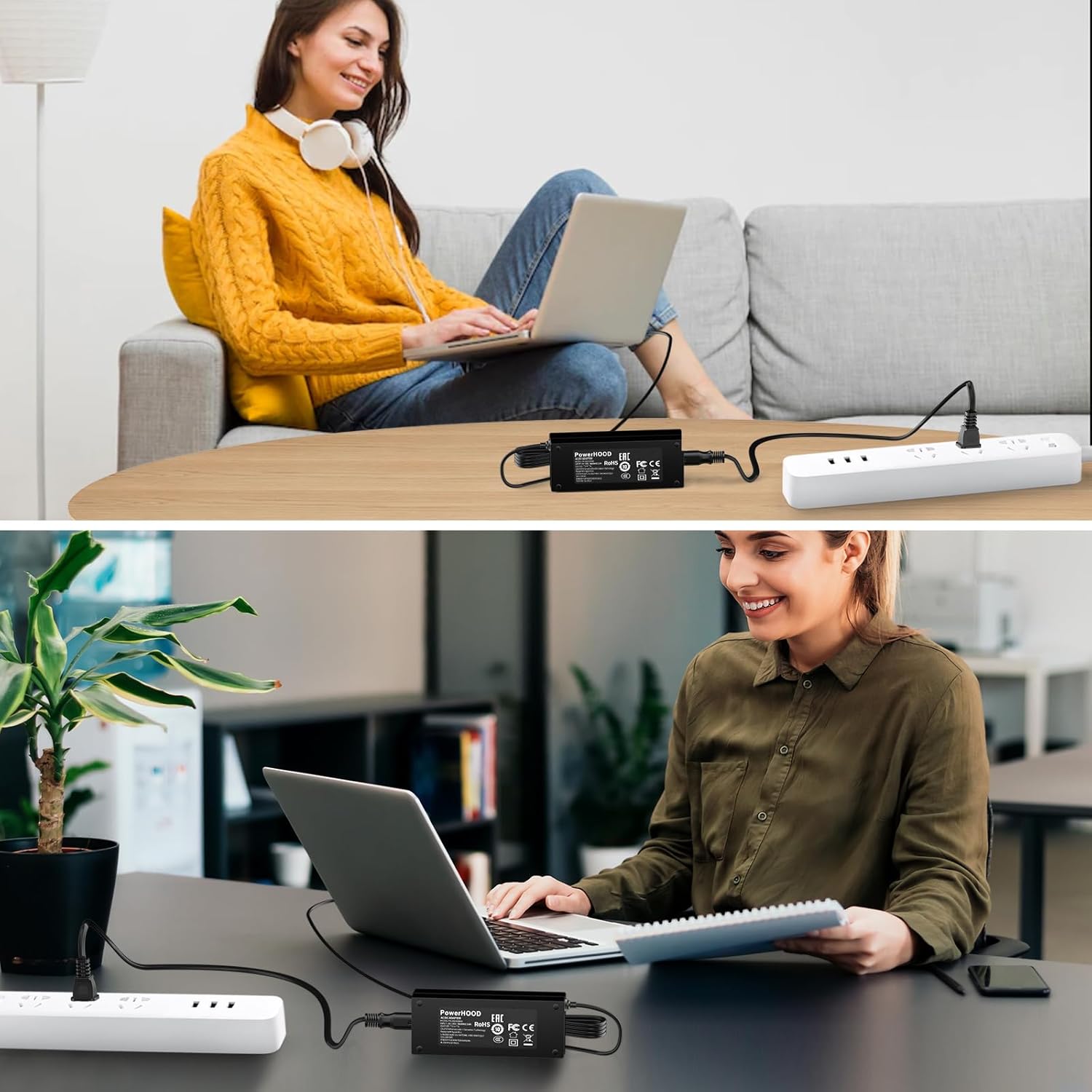
Image 2.1: The PowerHOOD AC Adapter connected to a power strip and an electronic device, demonstrating a typical setup scenario.
3. የአሠራር መመሪያዎች
For optimal performance and safety, observe the following operating guidelines:
- Use the adapter only with devices that match the specified voltagሠ እና ወቅታዊ መስፈርቶች.
- አስማሚውን በቀጥታ የፀሐይ ብርሃን ወይም በሙቀት ምንጮች አቅራቢያ ከማስቀመጥ ይቆጠቡ።
- አስማሚውን ለውሃ ወይም ከመጠን በላይ እርጥበት አያጋልጡት።
- ከመጠን በላይ ሙቀትን ለመከላከል በሚጠቀሙበት ጊዜ በአዳፕተሩ ዙሪያ በቂ የአየር ዝውውርን ያረጋግጡ።
- Unplug the adapter from the wall outlet when not in use for extended periods.
4. ጥገና
Proper maintenance helps prolong the life of your AC adapter:
- ማጽዳት፡ Disconnect the adapter from both the power outlet and your device before cleaning. Use a soft, dry cloth to wipe the surface. Do not use liquid cleaners or aerosols.
- ማከማቻ፡ Store the adapter in a cool, dry place when not in use. Avoid wrapping the cable too tightly around the adapter, as this can damage the internal wires.
- ምርመራ፡- Periodically inspect the adapter and its cable for any signs of damage, such as frayed wires, bent pins, or cracks in the casing. If damage is found, discontinue use and replace the adapter.
5. መላ መፈለግ
If you encounter issues with your PowerHOOD 12V AC Adapter, refer to the following common troubleshooting steps:
- ወደ መሳሪያው ኃይል የለውም፦
- Ensure the adapter is securely plugged into both the wall outlet and your device.
- የግድግዳ መውጫውን በሌላ መሳሪያ በመጠቀም ተግባራዊ መሆኑን ያረጋግጡ።
- Check the adapter cable for any visible damage.
- አስማሚ ከመጠን በላይ ማሞቅ;
- Ensure the adapter is not covered and has adequate ventilation.
- Verify that the device connected is compatible and not drawing excessive power.
- If overheating persists, discontinue use.
- Device Not Charging/Operating Correctly:
- Confirm the adapter's output specifications (12V) match your device's requirements.
- Ensure the barrel connector is fully inserted into the device's power port.
- መሣሪያዎን እንደገና ለማስጀመር ይሞክሩ።
እነዚህ እርምጃዎች ችግሩን ካልፈቱት፣ ለተጨማሪ እርዳታ እባክዎን የድጋፍ ክፍሉን ይመልከቱ።
6. ዝርዝሮች
| የሞዴል ቁጥር | PH-18210000D |
| ግብዓት Voltage | 100-240V ኤሲ |
| የግቤት ድግግሞሽ | 50/60Hz |
| የውጤት ቁtage | 12 ቪ ዲ.ሲ |
| የውጤት ወቅታዊ | 4 Amps |
| የማገናኛ አይነት | በርሜል አያያዥ |
| የደህንነት ማረጋገጫ | UL የተረጋገጠ |
| ክብደት | 8 አውንስ |
| ተስማሚ መሣሪያዎች | BIGASUO HD 9000L Bluetooth Projector Built in DVD Player, Pro302, Pro302-TP, B-302, B302, KZE12040009, KZ1204000J |

Image 6.1: Icons representing the broad range of electronic devices compatible with PowerHOOD adapters, including routers, security cameras, audio equipment, home appliances, laptops, tools, and lighting.
7. ዋስትና እና ድጋፍ
የዋስትና መረጃ፡-
This PowerHOOD product comes with a የ 14 ቀን ገንዘብ ተመላሽ ዋስትና እና ሀ የ 30 ቀን ልውውጥ አገልግሎት from the date of purchase. This warranty covers manufacturing defects under normal use. It does not cover damage caused by misuse, accidents, unauthorized modifications, or external causes.
የደንበኛ ድጋፍ፡
For technical assistance, warranty claims, or any questions regarding your PowerHOOD 12V AC Adapter, please contact PowerHOOD customer support through the retailer where the product was purchased. Please have your model number (PH-18210000D) and purchase details ready when contacting support.