
Cumrige M2

Cumrige Self Cleaning Litter Box Instruction Manual
ሞዴል፡ M2
1. መግቢያ
Thank you for choosing the Cumrige Self Cleaning Litter Box. This automatic litter box is designed to provide a clean and convenient solution for cat owners, ensuring a fresh environment for your feline companion. Please read this manual thoroughly before operation to ensure proper use and maintenance.
ቁልፍ ባህሪዎች
- Cat Safety Priority: Advanced sensors detect your cat's presence, pausing cleaning cycles for their safety.
- Large Drum Capacity: 95 L roller capacity suitable for cats weighing 2.2 to 33 lbs.
- Extended Waste Bin Capacity: 15 L waste bin lasts up to 15 days, compatible with clump litter types.
- ጸጥ ያለ አሠራር; Designed for whisper-quiet performance, ensuring undisturbed rest for both you and your cat.
- Effortless Cleanup & Odor Control: Deodorizing design prevents leakage and odors, maintaining a pristine and fresh living space.
- ብልጥ የAPP ቁጥጥር፡- Manage hygiene remotely with the Tuya Smart APP, offering automatic cleaning, one-touch waste disposal, litter changes, and health tracking. Compatible with 2.4G WiFi only.
2. ጠቃሚ የደህንነት መመሪያዎች
Please follow these instructions strictly to ensure safe operation and prevent injury to your pet or damage to the unit:
- ጉዳትን እና የደህንነት አደጋዎችን ለማስወገድ የመጀመሪያውን የኤሌክትሪክ ገመድ እና አስማሚ ይጠቀሙ።
- Turn off the power before cleaning and disassembling. Do not soak or clean the base and circuit parts with water.
- Place the product on a stable, flat surface. Do not place it on a high surface to avoid fall hazards.
- Not suitable for kittens under 3 months of age. Make sure pets are properly guided when using it and prevent them from chewing on the cord.
- The self-cleaning cat litter box is only for cats over 2.2 lbs (1 kg) and it is recommended that cats do not exceed a maximum weight of 33.1 lbs (15 kg).
- Please do not tilt the machine while it is in operation.
- Please do not stack any objects on the top cover, otherwise it will affect the normal operation of the machine.
- Do not put your hands into the rolling mechanism while the machine is running.
- Do not switch between cleaning and emptying tasks; you must wait until the current task is completed.
- Failure to follow safety guidelines may result in accidental injury to your pet.
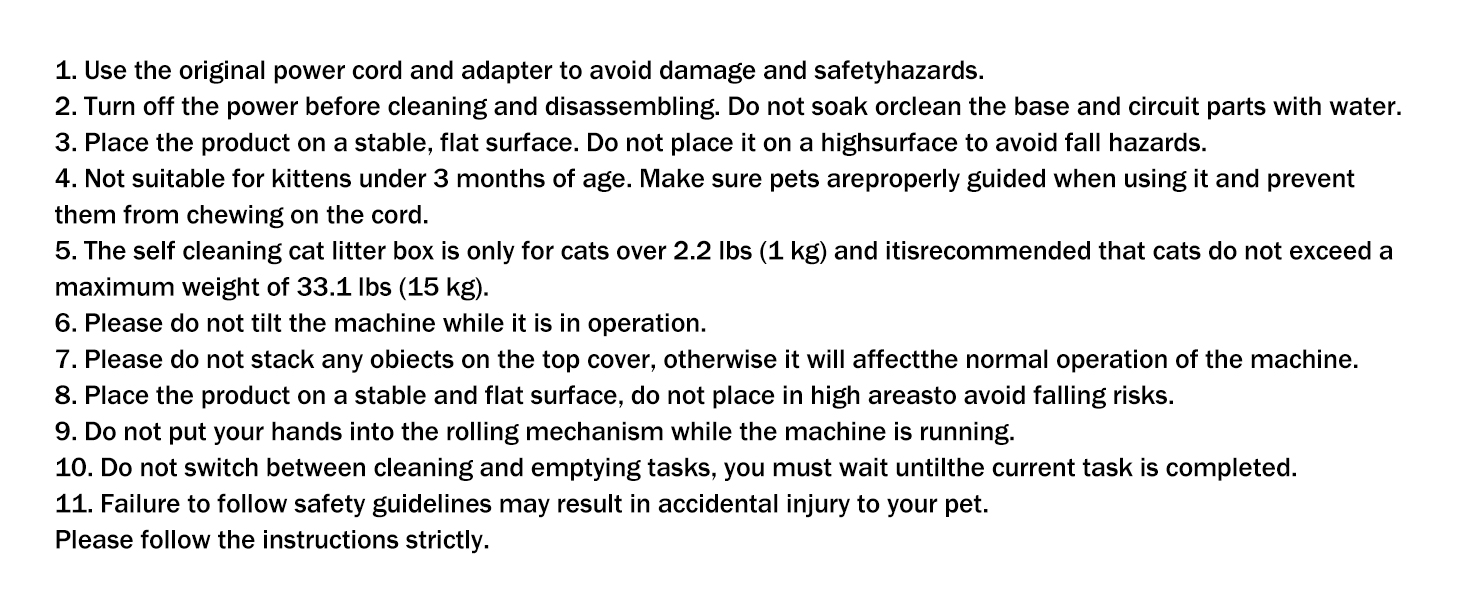
Image: Important Safety Guidelines for the Cumrige Self Cleaning Litter Box, detailing precautions and usage restrictions.
3. የማዋቀር መመሪያ
3.1 ማሸግ እና አቀማመጥ
Carefully remove all components from the packaging. Place the Cumrige Self Cleaning Litter Box on a firm, level surface in a location accessible to your cat and near a power outlet. Ensure there is enough space around the unit for proper operation and maintenance.

Image: The Cumrige Self Cleaning Litter Box in a home setting, showcasing its design and the accompanying mobile application interface.
3.2 Adding Litter
Open the top cover of the litter box. Fill the drum with clumping cat litter, ensuring it reaches the indicated fill line. The 95L drum capacity is designed for optimal performance with various clumping litter types.

Image: Diagram illustrating the extra-large capacity of the Cumrige litter box, including its 95L drum and 15L waste bin, along with overall dimensions.
3.3 የኃይል ግንኙነት
Connect the provided power adapter to the litter box and plug it into a wall outlet. The unit will power on and perform an initial calibration cycle.
3.4 የመተግበሪያ ግንኙነት (Tuya Smart APP)
Download the Tuya Smart APP from your device's app store. Follow the in-app instructions to connect your Cumrige litter box. Please note that the app only supports 2.4G WiFi band connectivity.

Image: Close-up of the Cumrige litter box control panel alongside a smartphone displaying the Tuya Smart APP interface for remote control and health monitoring.
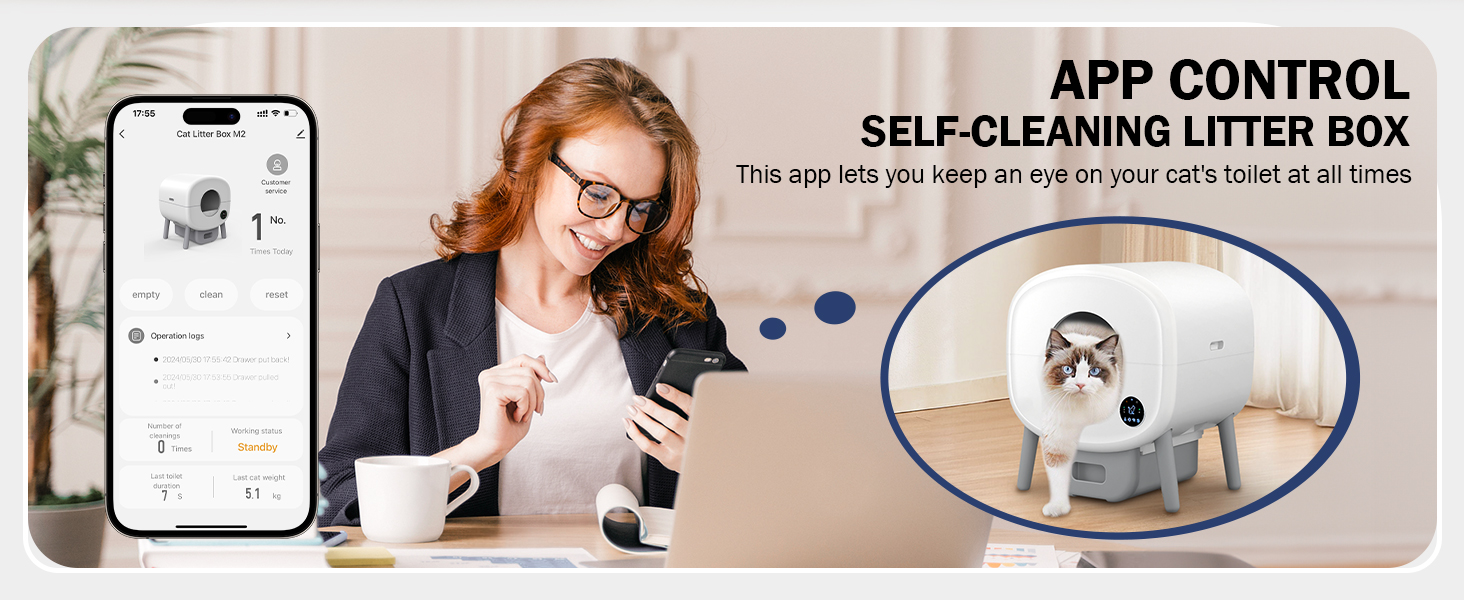
Image: A woman using a smartphone to control the Cumrige Self-Cleaning Litter Box via its dedicated app, highlighting the convenience of remote management.
4. ኦፕሬሽን
4.1 አውቶማቲክ የጽዳት ዑደት
The Cumrige litter box is equipped with advanced sensors that detect when your cat has used the litter box. After a set delay (configurable via the app), the unit will automatically initiate a cleaning cycle, sifting waste into the enclosed waste bin.

Image: An infrared sensor on the Cumrige litter box detecting a cat's presence, illustrating the safety feature that pauses operation when a cat is nearby.
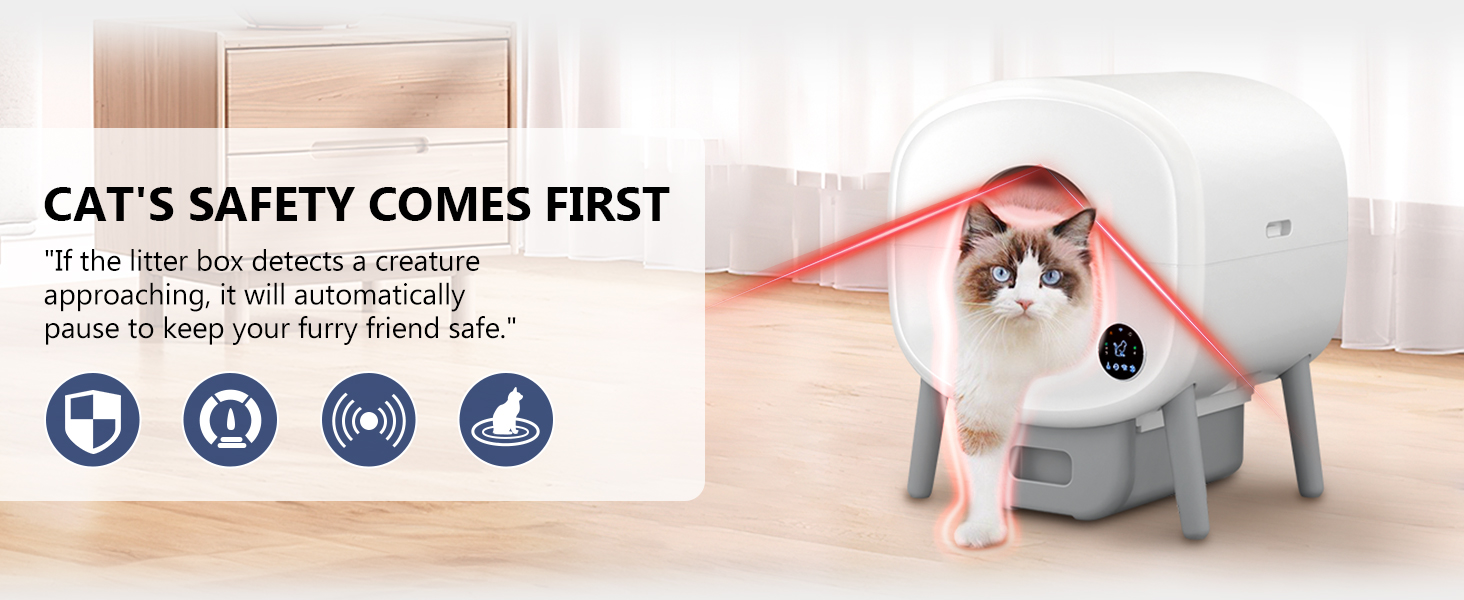
Image: Visual representation of the Cumrige litter box's safety features, including sensors that detect a cat's approach and automatically pause operation to ensure safety.
4.2 Manual Cleaning & Emptying
You can initiate a cleaning cycle or empty the waste bin manually using the control panel on the unit or through the Tuya Smart APP. The app also allows for one-touch litter changes.
4.3 የጤና ክትትል
The Tuya Smart APP provides intelligent health monitoring, tracking your cat's usage patterns. It can send alerts for full litter boxes or irregularities, helping you keep track of your cat's well-being.
4.4 ጸጥ ያለ አሠራር
The Cumrige litter box operates at a whisper-quiet level (≤33dB), ensuring it does not disturb your household, even during nighttime cleaning cycles.

Image: Illustration demonstrating the low noise level (≤33dB) of the Cumrige automatic litter box, ensuring a peaceful environment for both pets and owners.
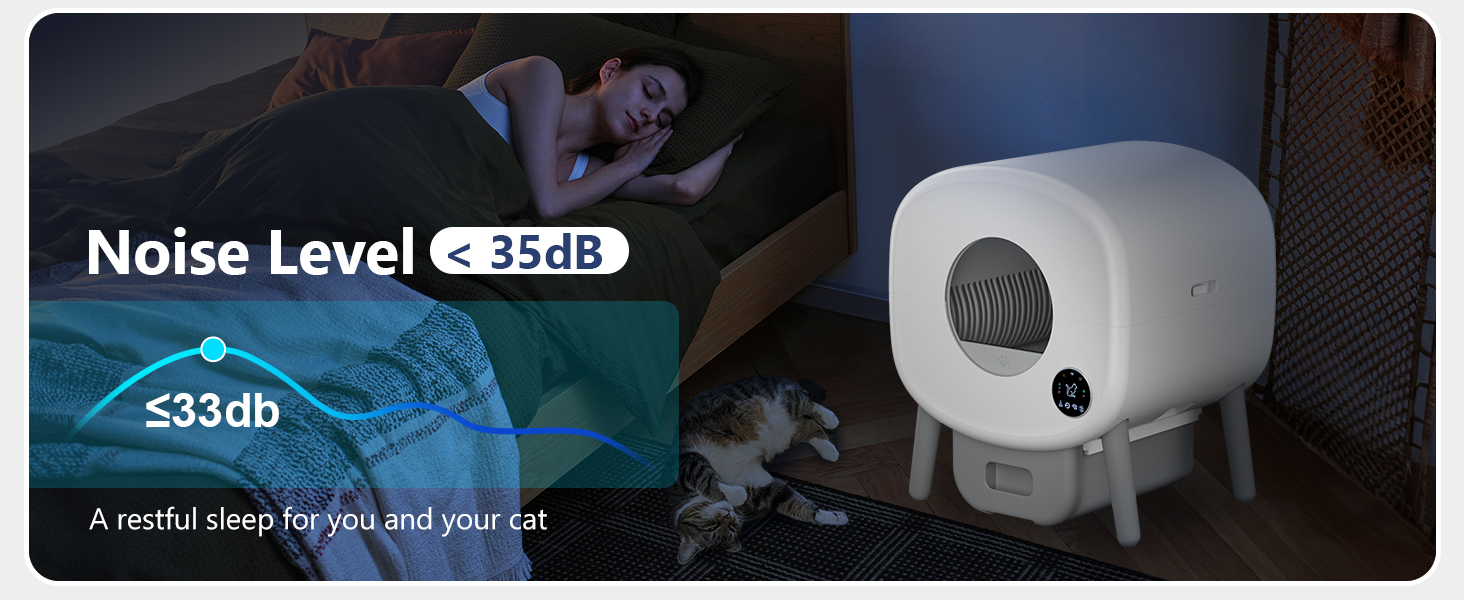
Image: A graphic indicating the low noise level of the Cumrige litter box, stated as less than 35dB, promoting a restful environment.
4.5 Built-in LED Ambient Light
Customize the ambient lighting within your cat's litter box using your smartphone. This feature enhances your cat's toilet experience and can be adjusted to your preference.
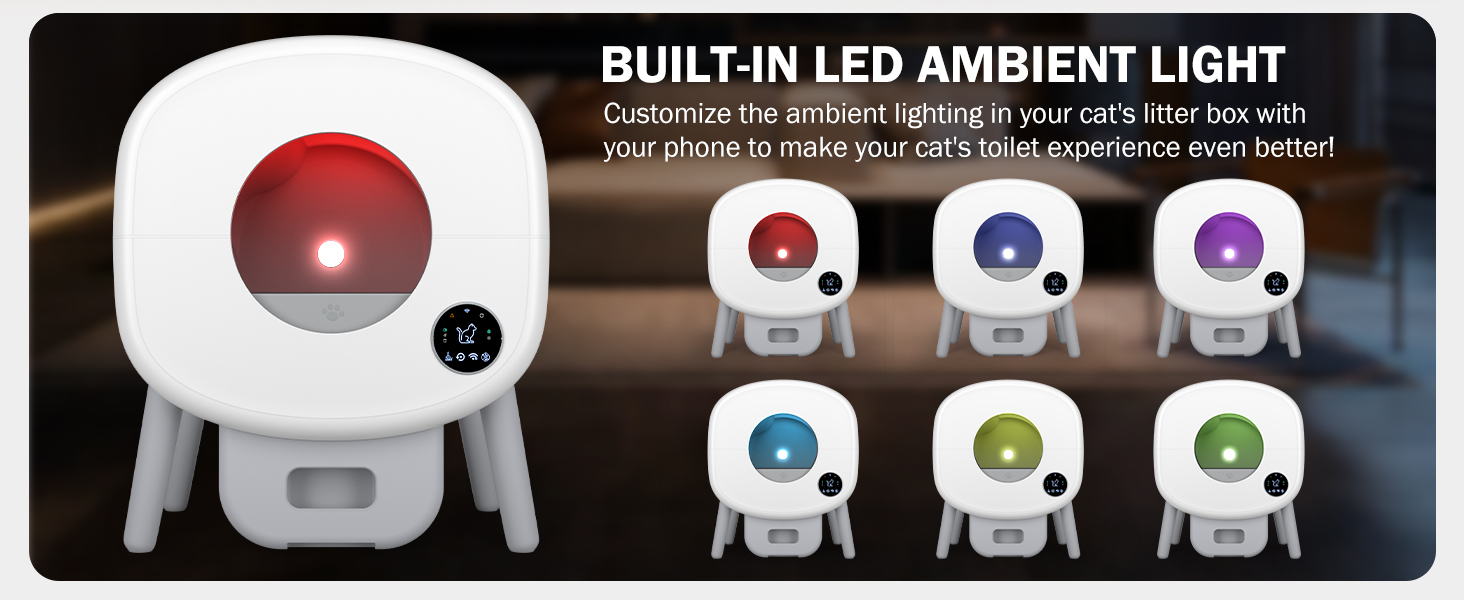
Image: Display of the Cumrige litter box with various built-in LED ambient light color options, customizable via a smartphone app.
5. ጥገና
5.1 የቆሻሻ መጣያውን ባዶ ማድረግ
The 15L waste bin should be emptied regularly, typically every 15 days for a single cat, or more frequently for multiple cats. Simply pull out the drawer at the bottom of the unit, dispose of the waste, and replace the liner and bin.

Image: A visual representation of the Cumrige litter box's cleaning mechanism, showing how waste is separated and deposited into the lower bin, allowing for easy disposal.
5.2 ጥልቅ ጽዳት
For a thorough cleaning, the unit can be disassembled. Turn off and unplug the device before beginning. The drum and waste bin can be removed for washing. Do not submerge the main base unit or any electrical components in water. Allow all parts to dry completely before reassembly.
5.3 የሽታ መቆጣጠሪያ
The litter box features a deodorizing design to minimize odors. Regular emptying of the waste bin and proper use of clumping litter are key to maintaining a fresh environment. Ensure the waste bin is properly sealed when inserted.
6. መላ መፈለግ
If you encounter any issues with your Cumrige Self Cleaning Litter Box, please refer to the following common solutions:
- ምላሽ የማይሰጥ ክፍል፡- Check power connection. Ensure the unit is placed on a stable, flat surface.
- Cleaning Cycle Not Initiating: Verify that the waste bin is properly inserted and not full. Check for any obstructions in the drum. Ensure no cat is currently inside or near the unit, as safety sensors will pause operation.
- የመተግበሪያ ግንኙነት ጉዳዮች፡- Confirm your home WiFi is 2.4G. Restart your router and the litter box. Re-attempt the pairing process in the Tuya Smart APP.
- ያልተለመዱ ድምፆች; Ensure the drum is properly seated and there are no foreign objects inside.
- የሽታ ጽናት; Empty the waste bin more frequently. Ensure you are using a high-quality clumping litter. Perform a deep clean of the unit.
For persistent issues or technical support, please contact Cumrige customer service.
7. ዝርዝሮች
| ባህሪ | ዝርዝር |
|---|---|
| የምርት ስም | ኩምሪጌ |
| የሞዴል ቁጥር | M2 |
| Litter Box Type | ራስ-ሰር የራስ-ጽዳት ቆሻሻ ሳጥን |
| ቁሳቁስ | ፖሊፕሮፒሊን (PP) |
| ቀለም | ነጭ እና ግራጫ |
| የንጥል መጠኖች (LxWxH) | 21.25 x 20.5 x 22.25 ኢንች |
| የእቃው ክብደት | 30.4 ፓውንድ £ |
| ሮለር አቅም | 95 ሊትር |
| የቆሻሻ መጣያ አቅም | 15 ሊትር |
| የሚመከር የድመት ክብደት | 2.2 to 33 lbs (1 kg to 15 kg) |
| ግንኙነት | 2.4G WiFi (Tuya Smart APP) |
| የድምጽ ደረጃ | ≤33ዲቢ |
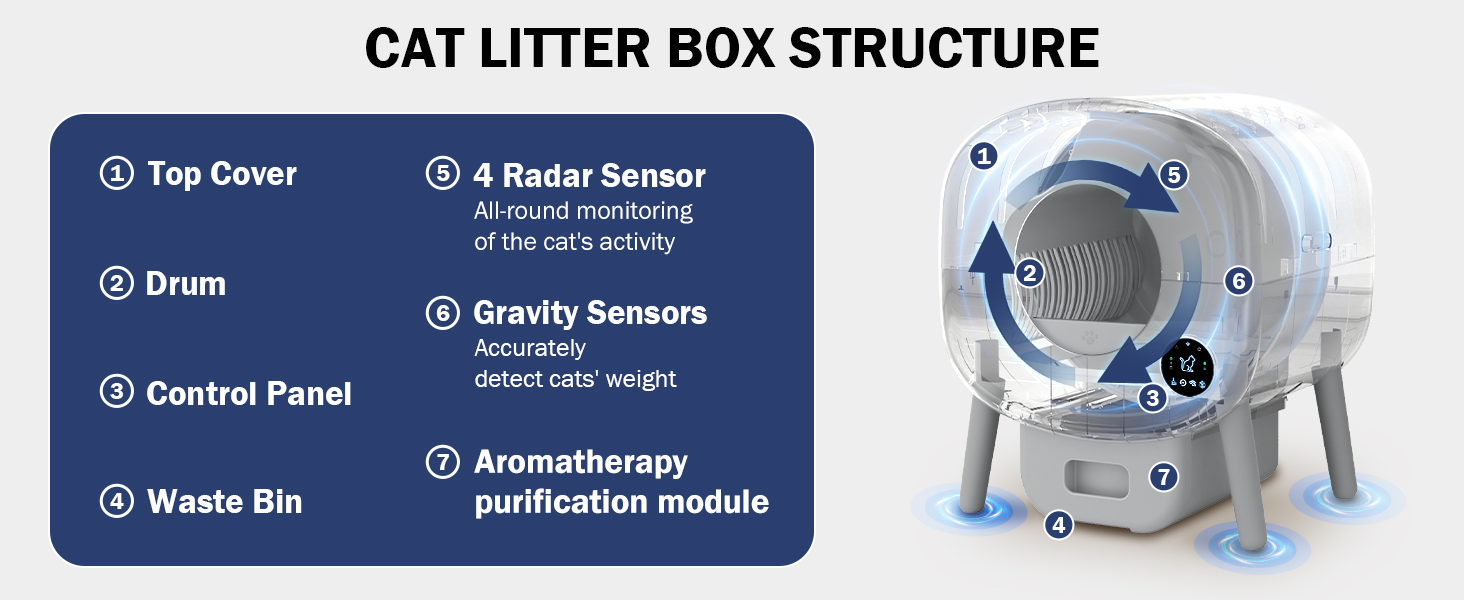
Image: A detailed diagram illustrating the internal and external components of the Cumrige Cat Litter Box, including the top cover, drum, control panel, waste bin, radar sensor, gravity sensors, and aromatherapy purification module.
8. ዋስትና እና ድጋፍ
Cumrige products are designed for quality and reliability. For any questions, concerns, or technical assistance regarding your Cumrige Self Cleaning Litter Box, please do not hesitate to reach out to our customer service team. We are committed to providing a response within 24 hours to ensure your satisfaction.
ለተወሰኑ የዋስትና ዝርዝሮች እና ውሎች እባክዎን የግዢ ሰነድዎን ይመልከቱ።

Image: A customer service representative wearing a headset, symbolizing available support for product inquiries.
Ask a question about this manual
Ask about setup, troubleshooting, compatibility, parts, safety, or missing instructions. Manuals+ will review the question and use this page’s manual context to help answer it.