
1. መግቢያ
This manual provides essential information for setting up, operating, maintaining, and troubleshooting your Khadas Mind 2 Mini PC. Please read this manual thoroughly before using the device to ensure optimal performance and longevity.
2. የጥቅል ይዘቶች
ሁሉም እቃዎች በጥቅልዎ ውስጥ መኖራቸውን ያረጋግጡ፡-
- Mind 2 Mini PC
- የኃይል አስማሚ
- የ USB-C ገመድ
- የትምህርት መመሪያ (ይህ ሰነድ)
3. ምርት አብቅቷልview
3.1 አካላዊ ባህሪያት እና ወደቦች
The Khadas Mind 2 Mini PC features a compact design with essential ports for connectivity.

ምስል 3.1፡ Khadas Mind 2 Mini PC with its compact form factor and side ports.
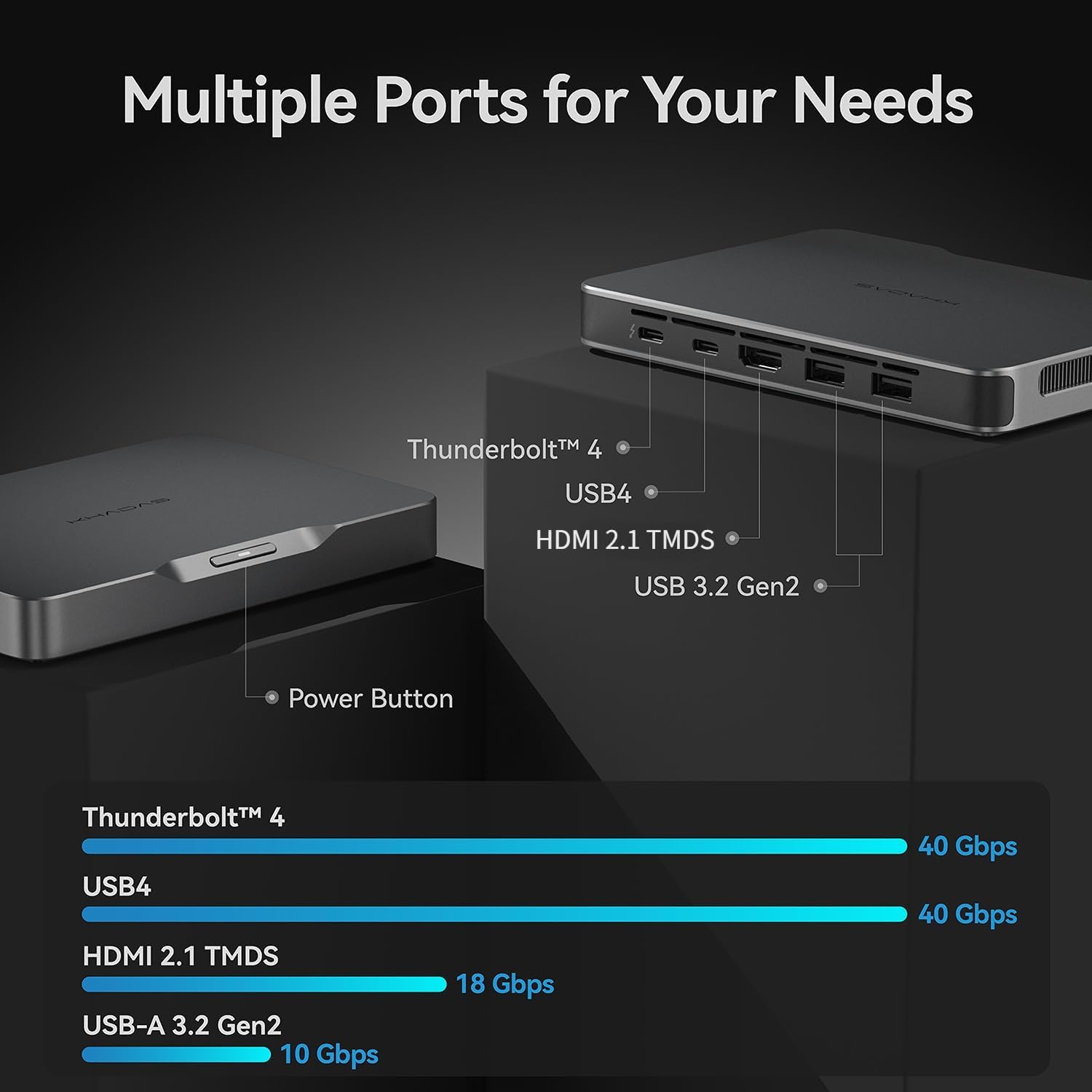
The device includes multiple ports for various peripherals and displays:
- ነጎድጓድ 4፡ For high-speed data transfer (up to 40Gbps) and power delivery.
- ዩኤስቢ 4 እስከ 40Gbps የሚደርስ የውሂብ ማስተላለፍ ፍጥነት ይሰጣል።
- ኤችዲኤምአይ 2.1 TMDS፡ Supports video output up to 18Gbps.
- ዩኤስቢ-A 3.2 Gen2፡ Two ports for connecting standard USB devices, with speeds up to 10Gbps.
- የኃይል ቁልፍ፡- Located on the device for power control.

ምስል 3.2፡ Port configuration and data transfer speeds.
3.2 የውስጥ አካላት
The Khadas Mind 2 is equipped with advanced internal hardware for high performance.

ምስል 3.3፡ Internal layout showing key components.
- ፕሮሰሰር፡ Intel Core Ultra 7 155H (16 Cores, 22 Threads, up to 4.8GHz).
- ማህደረ ትውስታ፡ 32GB LPDDR5 ራም.
- ማከማቻ፡ 1TB PCIe 4.0 SSD.
- ግራፊክስ፡ Integrated Arc Graphics with AI Boost NPU.

ምስል 3.4፡ Intel Core Ultra 7 155H Processor details.

ምስል 3.5፡ Arc Integrated Graphics and AI Boost NPU capabilities.
4. ማዋቀር
4.1 ማገናኛ ፔሪፈራል
- የግንኙነት ማሳያ; Use an HDMI cable to connect your monitor to the HDMI 2.1 TMDS port on the Khadas Mind 2. Alternatively, use a USB-C to DisplayPort/HDMI adapter with the Thunderbolt 4 or USB4 ports.
- የቁልፍ ሰሌዳ እና መዳፊት ያገናኙ፡ Plug your USB keyboard and mouse into the USB-A 3.2 Gen2 ports. For wireless devices, ensure their receivers are connected or pair via Bluetooth.
- የግንኙነት ኃይል; Connect the provided USB-C power adapter to the Thunderbolt 4 port on the Khadas Mind 2 and then to a power outlet.
4.2 በማብራት ላይ
Press the power button located on the device. The system will boot into Windows 11 Home. Follow the on-screen instructions for initial Windows setup if this is your first use.
5. የአሠራር መመሪያዎች
5.1 መሠረታዊ አሠራር
The Khadas Mind 2 operates like a standard Windows 11 Home desktop PC. Utilize the connected keyboard, mouse, and display for navigation and interaction.
5.2 Portability and Battery
The Khadas Mind 2 is designed for portability, weighing approximately 435 grams and measuring 2 cm thick. It includes a built-in 5.55Wh battery.
ምስል 5.1፡ Khadas Mind 2 Mini PC size comparison.
ምስል 5.2፡ Built-in battery for uninterrupted mobility.
When unplugged, the device can enter sleep mode without data loss, offering up to 25 hours of standby time. It can resume operation in approximately 2 seconds.
5.3 ግንኙነት
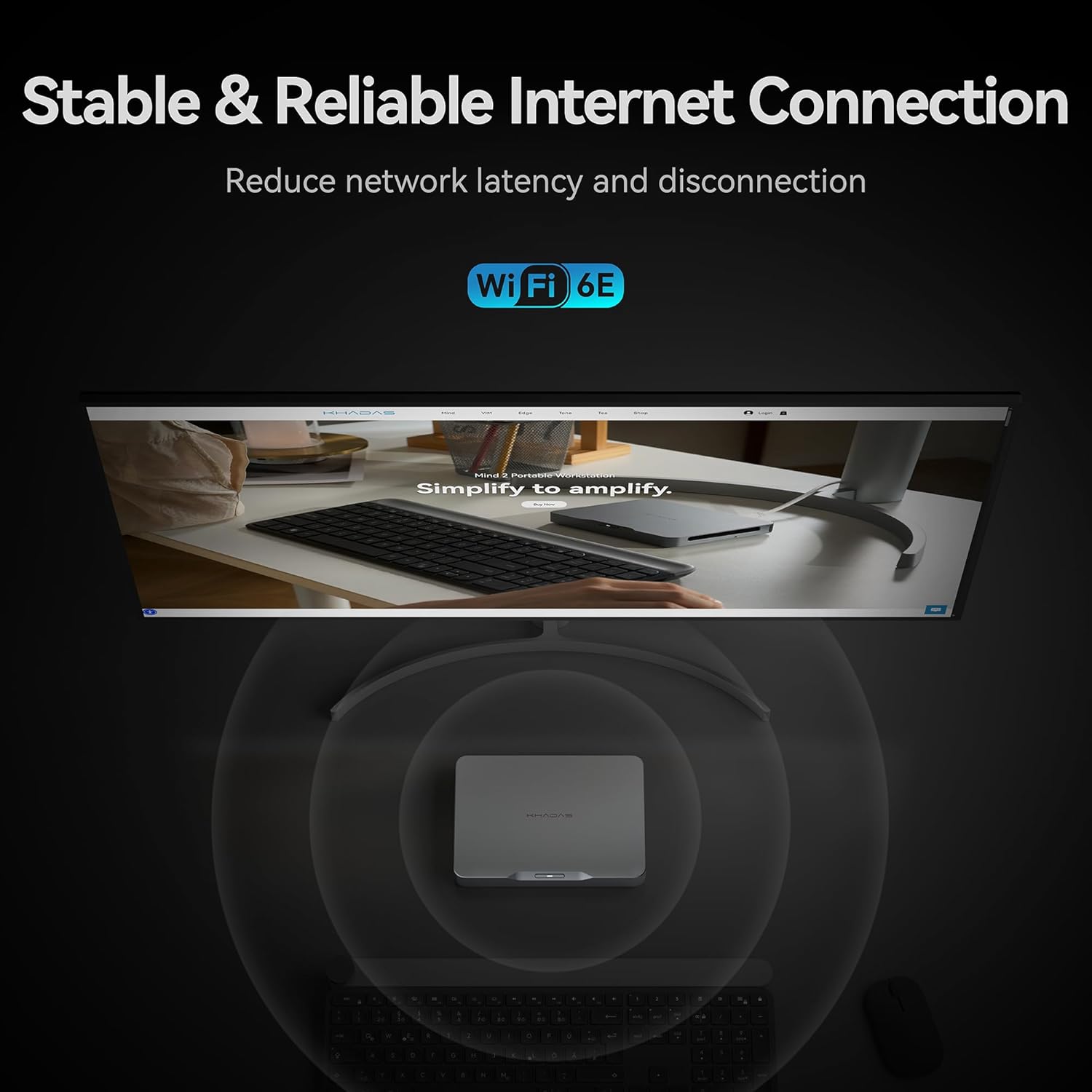
The device supports modern wireless standards for network and peripheral connections.

ምስል 5.3፡ Stable and reliable internet connection via Wi-Fi 6E.
- ዋይ ፋይ 6ኢ፡ Provides stable and high-speed wireless internet connectivity.
- ብሉቱዝ 5.3: እንደ የጆሮ ማዳመጫዎች፣ ኪቦርዶች እና አይጦች ያሉ ገመድ አልባ መለዋወጫዎችን ለማገናኘት።
5.4 የማከማቻ ማስፋፊያ
The Khadas Mind 2 allows for easy storage expansion via an M.2 2230 SSD slot.

ምስል 5.4፡ Easy SSD expansion via magnetic cover.
To add an M.2 2230 SSD:
- Locate the magnetic cover on the bottom of the device.
- Press to open the cover, revealing the M.2 2230 slot.
- Insert the M.2 2230 SSD into the slot and secure it.
- Close the magnetic cover.
5.5 Mind Link Expansion Interface
The Khadas Mind 2 features a proprietary Mind Link expansion interface for connecting modular accessories, offering ultra-high-speed transmission.

ምስል 5.5፡ Mind Link expansion interface.
This interface provides PCIe 5.0 x8 bandwidth and a maximum transfer speed of 256 GT/s, enabling connection to various Mind ecosystem modules (sold separately).
6. ጥገና
6.1 ጽዳት
- የመሳሪያውን ውጫዊ ክፍል ለማጽዳት ለስላሳ፣ ደረቅ፣ ከላጣ ነፃ የሆነ ጨርቅ ይጠቀሙ።
- ኃይለኛ ኬሚካሎችን፣ መፈልፈያዎችን ወይም ሻካራ ቁሶችን ከመጠቀም ይቆጠቡ።
- Keep ventilation openings clear of dust and debris using compressed air if necessary.
6.2 የሶፍትዌር ዝመናዎች
Regularly check for and install operating system and driver updates to ensure system stability and security. Khadas may provide specific software for driver management; refer to official Khadas support channels for guidance.
7. መላ መፈለግ
If you encounter issues with your Khadas Mind 2 Mini PC, refer to the following common troubleshooting steps:
- ኃይል የለም፡ Ensure the power adapter is securely connected to both the device and a working power outlet. Try a different power outlet or USB-C cable if available.
- ማሳያ የለም፡ Verify that your monitor is powered on and correctly connected to the Khadas Mind 2. Try a different display cable or port. Ensure the correct input source is selected on your monitor.
- ተጓዳኝ አልተገኘም Reconnect the peripheral. Try a different USB port. Ensure drivers are up to date for the peripheral. For Bluetooth devices, re-pair them.
- ስርዓት ምላሽ የማይሰጥ፡ Press and hold the power button for 10-15 seconds to force a shutdown, then restart the device.
- ከመጠን በላይ ማሞቅ; Ensure the device is placed in a well-ventilated area and that its vents are not obstructed. Reduce heavy workload if sustained high temperatures are observed.
- የሶፍትዌር ጉዳዮች፡- Perform system updates. If issues persist, consider performing a system restore or reinstalling Windows 11 Home.
For persistent issues, contact Khadas customer support.
8. ዝርዝሮች
| ባህሪ | ዝርዝር መግለጫ |
|---|---|
| ፕሮሰሰር | Intel Core Ultra 7 155H (4.8 GHz, 16 Cores, 22 Threads) |
| ራም | 32 ጊባ LPDDR5 (6400 ሜኸ) |
| ማከማቻ | 1 TB SSD (PCIe x4) |
| ግራፊክስ ካርድ | Dedicated Arc Graphics (8 GB RAM) |
| ስርዓተ ክወና | ዊንዶውስ 11 መነሻ |
| የገመድ አልባ ግንኙነት | Bluetooth, Wi-Fi 6E |
| የእቃው ክብደት | 15.3 አውንስ (435 ግራም ገደማ) |
| የምርት ልኬቶች (LxWxH) | 5.75 x 4.13 x 0.79 ኢንች |
| ባትሪ | 1 D battery required (included), 5.55Wh built-in |
| የሞዴል ስም | Khadas Mind Portable Workstation |
| የንጥል ሞዴል ቁጥር | 32GB+1TB, Intel Core Ultra 7 155H |
9. ዋስትና እና ድጋፍ
9.1 የመመለሻ ፖሊሲ
ይህ ምርት ከተገዛበት ቀን ጀምሮ በ30 ቀናት ውስጥ ተመላሽ ለማድረግ ብቁ ነው፣ ይህም በቸርቻሪው የመመለሻ ፖሊሲ መሠረት ነው።
9.2 የደንበኛ ድጋፍ
For technical assistance, warranty claims, or further inquiries, please contact Khadas customer support through their official website or the retailer where the product was purchased. Provide your product model number and purchase details for efficient service.
Khadas is committed to providing support for their products. As noted in customer feedback, their support team is responsive and helpful in addressing product-related issues.