መግቢያ
Thank you for choosing the BAOBER KST-801ANC Wireless Over-Ear Headphones. These headphones are designed to provide a high-quality audio experience with active noise cancellation, wireless Bluetooth connectivity, and a comfortable, foldable design. This manual will guide you through the setup, operation, and maintenance of your new headphones.
የደህንነት መረጃ
- የጆሮ ማዳመጫውን ለከፍተኛ ሙቀት፣ እርጥበት ወይም ጎጂ አካባቢዎች አያጋልጡ።
- የጆሮ ማዳመጫዎቹን ለጠንካራ ተጽእኖዎች ከመጣል ወይም ከመጣል ይቆጠቡ።
- የጆሮ ማዳመጫዎቹን አያሰራጩ ወይም አያርትዑ። ይህ ዋስትናውን ሊያበላሽ እና ጉዳት ሊያስከትል ይችላል።
- የጆሮ ማዳመጫዎቹን ለስላሳና ደረቅ ጨርቅ ያጽዱ። ጠጣር ኬሚካሎችን ወይም ጠለፋ ቁሳቁሶችን አይጠቀሙ።
- Adjust volume to a moderate level to prevent hearing damage. Prolonged exposure to loud sounds can cause permanent hearing loss.
የጥቅል ይዘቶች
እባክዎ ሁሉም እቃዎች በጥቅልዎ ውስጥ እንዳሉ ያረጋግጡ፡-
- BAOBER KST-801ANC Wireless Over-Ear Headphones
- የዩኤስቢ ባትሪ መሙያ ገመድ
- 3.5 ሚሜ የድምጽ ገመድ
- የተጠቃሚ መመሪያ (ይህ ሰነድ)
ምርት አልቋልview
በጆሮ ማዳመጫዎችዎ ላይ ያሉትን አዝራሮች እና ወደቦች እራስዎን ይወቁ፡
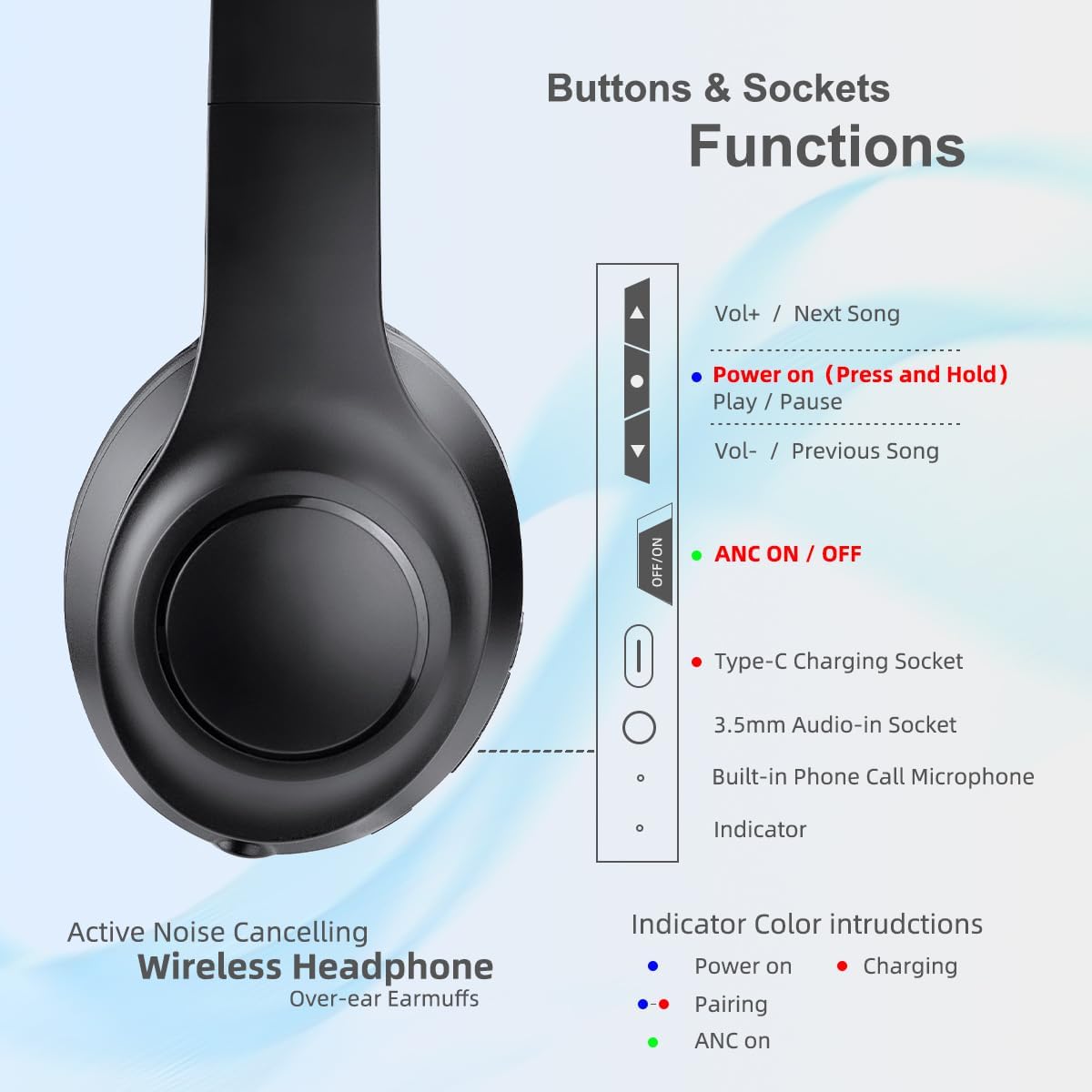
ምስል፡ This diagram illustrates the location and function of the various buttons and sockets on the left earcup of the BAOBER KST-801ANC headphones. It shows the Volume Up/Next Song button, Power On/Play/Pause button, Volume Down/Previous Song button, ANC On/Off switch, Type-C Charging Socket, 3.5mm Audio-in Socket, Built-in Phone Call Microphone, and an Indicator light with color instructions for Power On (red), Pairing (blue), Charging (red), and ANC On (green).
- የድምጽ መጠን መጨመር / የሚቀጥለው ዘፈን፡ Press briefly for volume up, press and hold for next song.
- Power On / Play / Pause: Press and hold to power on/off. Press briefly to play/pause music or answer/end calls.
- የድምጽ መጠን መቀነስ / ቀዳሚ ዘፈን፡ Press briefly for volume down, press and hold for previous song.
- ANC On/Off Switch: Slide to activate or deactivate Active Noise Cancellation.
- የአይነት-ሲ ቻርጅ መሙያ ሶኬት፡ የዩኤስቢ ባትሪ መሙያ ገመድ ለማገናኘት.
- 3.5mm Audio-in Socket: ባለገመድ ግንኙነትን ለማድረግ የ3.5ሚሜ የድምጽ ገመድ ይጠቀሙ።
- Built-in Phone Call Microphone: ከእጅ ነጻ ለሆኑ ጥሪዎች።
- አመልካች ብርሃን፡- Displays status (Power On, Pairing, Charging, ANC On).
የጆሮ ማዳመጫዎችን መሙላት
ለመጀመሪያ ጊዜ ከመጠቀምዎ በፊት የጆሮ ማዳመጫዎቹን ሙሉ በሙሉ ይሙሉ። ሙሉ ቻርጅ ለማድረግ 2 ሰዓት ያህል ይወስዳል።
- Connect the Type-C end of the charging cable to the charging socket on the headphones.
- የኃይል መሙያ ገመዱን የዩኤስቢ-ኤ ጫፍ ከዩኤስቢ የኃይል አስማሚ (ያልተካተተ) ወይም ከኮምፒዩተር የዩኤስቢ ወደብ ጋር ያገናኙ።
- The indicator light will glow ቀይ በመሙላት ጊዜ.
- Once fully charged, the indicator light will turn off or change color (refer to the Product Overview image for specific indicator behavior).
ማዋቀር እና ግንኙነት
ኃይል አብራ/ አጥፋ
- ለማብራት፡- Press and hold the Power On/Play/Pause button for approximately 3 seconds until the indicator light flashes.
- ለማጥፋት፡- Press and hold the Power On/Play/Pause button for approximately 3 seconds until the indicator light turns off.
የብሉቱዝ ማጣመር
Pair your headphones with a Bluetooth-enabled device (e.g., smartphone, tablet, laptop).
- የጆሮ ማዳመጫዎች መጥፋታቸውን ያረጋግጡ።
- Press and hold the Power On/Play/Pause button for approximately 5-7 seconds until the indicator light flashes ሰማያዊ እና ቀይ alternately, indicating pairing mode.
- በመሳሪያዎ ላይ ብሉቱዝን ያንቁ እና የሚገኙ መሳሪያዎችን ይፈልጉ።
- Select "ANC Headphone" from the list of found devices.
- Once paired, the indicator light will flash ሰማያዊ ቀስ ብሎ.
- ብሉቱዝ በመሳሪያው ላይ ከነቃ የጆሮ ማዳመጫዎቹ ሲበሩ ከመጨረሻው የተጣመረ መሣሪያ ጋር በራስ-ሰር ይገናኛሉ።
ባለገመድ ግንኙነት (3.5ሚሜ የድምጽ ገመድ)
ባትሪው ቢሟጠጥም እንኳ የጆሮ ማዳመጫውን በሽቦ ግንኙነት መጠቀም ይችላሉ።
- Connect one end of the 3.5mm audio cable to the 3.5mm Audio-in Socket on the headphones.
- የ3.5ሚሜ የድምጽ ገመዱን ሌላኛውን ጫፍ ከመሳሪያዎ የድምጽ ውፅዓት መሰኪያ ጋር ያገናኙ።
- In wired mode, the headphone's buttons (volume, play/pause) and microphone may not function, depending on your device. Control audio directly from your connected device.
የአሠራር መመሪያዎች
የሙዚቃ መልሶ ማጫወት
- አጫውት/ ለአፍታ አቁም፡ Press the Power On/Play/Pause button once.
- ድምጽ ጨምር Press the "Vol+" button once.
- ጥራዝ ታች Press the "Vol-" button once.
- ቀጣይ ዘፈን፡- የ"Vol+" አዝራሩን ተጭነው ይያዙ።
- ቀዳሚ ዘፈን፡- የ"ቮል-" አዝራሩን ተጭነው ይያዙ።
የስልክ ጥሪዎች
- መልስ/ጥሪ ጨርስ፡ Press the Power On/Play/Pause button once.
- ጥሪን ውድቅ አድርግ፡ Press and hold the Power On/Play/Pause button for approximately 2 seconds.
ንቁ የጩኸት ስረዛ (ኤኤንሲ)
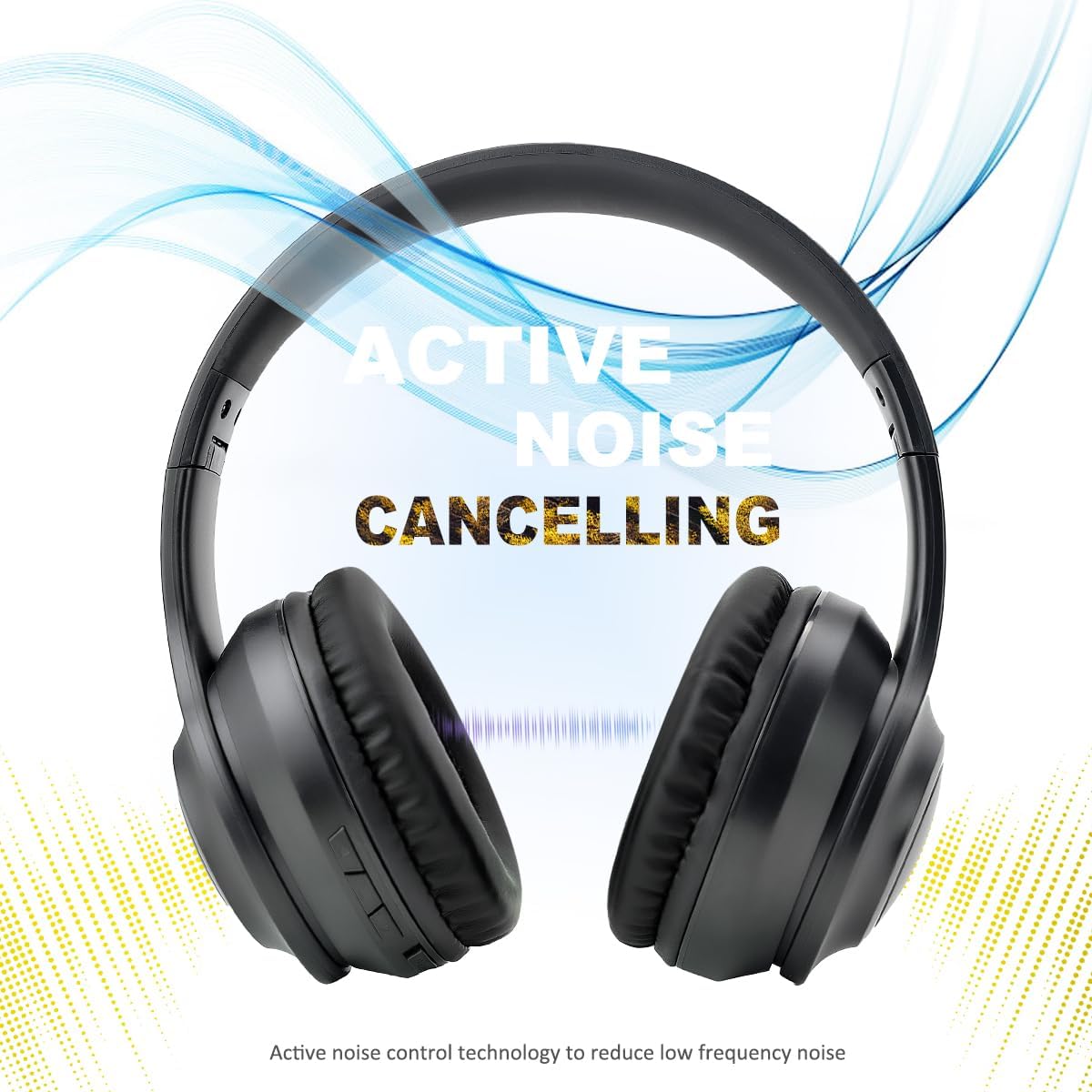
ምስል፡ This image features the BAOBER KST-801ANC headphones with a graphic overlay illustrating sound waves being cancelled, emphasizing the Active Noise Cancelling feature. The text "ACTIVE NOISE CANCELLING" is prominently displayed.
The Active Noise Cancellation feature reduces ambient background noise, providing a more immersive listening experience.
- ኤኤንሲ (ANC) ለማግበር፦ Slide the ANC On/Off switch to the "ON" position. The indicator light will glow አረንጓዴ.
- ኤኤንሲ ለማሰናከል፦ Slide the ANC On/Off switch to the "OFF" position. The indicator light will turn off.
ጥገና
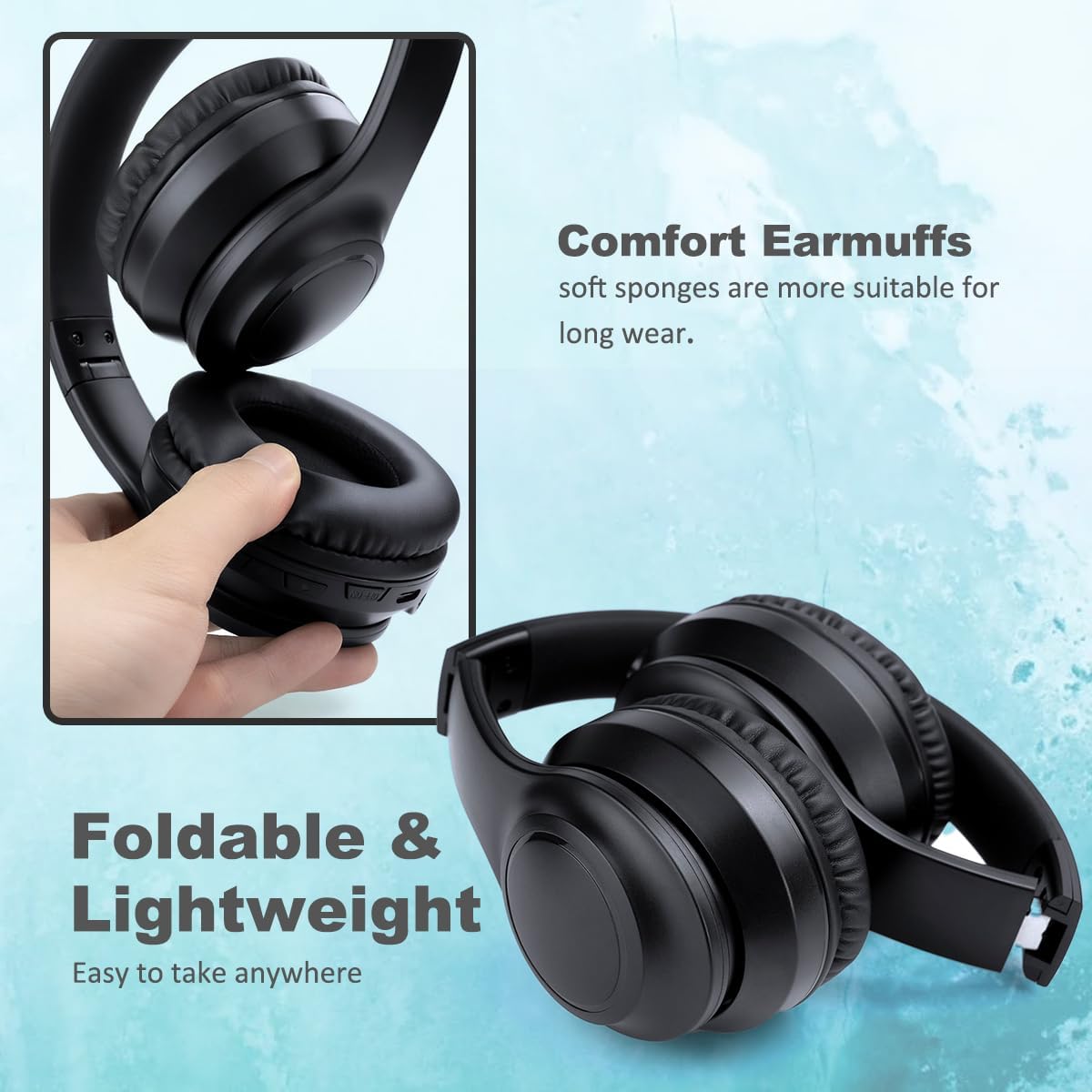
ምስል፡ This image displays the BAOBER KST-801ANC headphones, highlighting their foldable design and soft, comfortable earpads. The text "Foldable & Lightweight" and "Comfort Earmuffs" are visible, indicating ease of transport and comfortable wear.
- ማጽዳት፡ Use a soft, dry, lint-free cloth to clean the headphones. Do not use liquid cleaners or sprays.
- ማከማቻ፡ When not in use, store the headphones in a cool, dry place. The foldable design allows for compact storage. Avoid placing heavy objects on top of the headphones.
- የባትሪ እንክብካቤ የባትሪውን ዕድሜ ለማራዘም የጆሮ ማዳመጫዎቹን አዘውትረው ቻርጅ ያድርጉ፣ በተደጋጋሚ ባይጠቀሙም እንኳ። ባትሪውን ለረጅም ጊዜ ሙሉ በሙሉ ከመሙላት ይቆጠቡ።
መላ መፈለግ
| ችግር | ሊሆን የሚችል ምክንያት | መፍትሄ |
|---|---|---|
| የጆሮ ማዳመጫዎች አይበሩም። | ዝቅተኛ ባትሪ. | የጆሮ ማዳመጫዎቹን ሙሉ በሙሉ ይሙሉ። |
| በብሉቱዝ በኩል ማጣመር አይቻልም። | የጆሮ ማዳመጫዎች በማጣመር ሁነታ ላይ አይደሉም; በመሳሪያው ላይ ብሉቱዝ ተሰናክሏል; መሣሪያ በጣም ሩቅ። | የጆሮ ማዳመጫዎች በማጣመር ሁነታ (ብልጭ ድርግም የሚሉ ሰማያዊ/ቀይ) መሆናቸውን ያረጋግጡ። በመሳሪያዎ ላይ ብሉቱዝን ያንቁ። የጆሮ ማዳመጫዎችን ወደ መሳሪያው (በ 10 ሜትር ውስጥ) ያንቀሳቅሱ. |
| ምንም ድምጽ ወይም ዝቅተኛ ድምጽ የለም. | Volume too low on headphones or device; incorrect audio source; headphones not connected. | Increase volume on both headphones and connected device. Ensure headphones are properly paired/connected. Check if the 3.5mm cable is fully inserted if using wired mode. |
| ኤኤንሲ ውጤታማ እየሰራ አይደለም። | ANC feature not activated; type of noise. | Ensure the ANC switch is in the "ON" position (green indicator light). ANC is most effective against low-frequency, constant noises. |
| በጥሪዎች ጊዜ ማይክሮፎን አይሰራም። | የጆሮ ማዳመጫዎች በሽቦ ሁነታ፤ የመሣሪያ ቅንብሮች። | Ensure headphones are connected via Bluetooth. Check microphone input settings on your connected device. |
ዝርዝሮች
| የሞዴል ስም | KST-801ANC |
| የድምጽ መቆጣጠሪያ | ገባሪ የድምጽ ስረዛ |
| የግንኙነት ቴክኖሎጂ | Bluetooth, Wired (3.5mm) |
| ገመድ አልባ የመገናኛ ቴክኖሎጂ | ብሉቱዝ 5.3 |
| የብሉቱዝ ክልል | 10 ሜትር |
| የድምጽ ነጂ መጠን | 40 ሚሊሜትር |
| የድግግሞሽ ምላሽ | 20 kHz |
| ስሜታዊነት | 102 ዲቢቢ |
| እክል | 32 ኦኤም |
| የኃይል መሙያ ጊዜ | በግምት 2 ሰዓታት |
| የባትሪ ህይወት | እስከ 15 ሰዓታት ድረስ |
| የመቆጣጠሪያ ዓይነት | የአዝራር ቁጥጥር፣ ድምጽ |
| የጆሮ ማዳመጫ ቅርጽ | ኦቫል |
| ቁሳቁስ | ፕላስቲክ |
| የምርት ልኬቶች | 6.69 x 2.95 x 7.28 ኢንች |
| የእቃው ክብደት | 15.9 አውንስ |
ዋስትና እና ድጋፍ
BAOBER products are designed and manufactured to the highest quality standards. For any questions, technical support, or warranty inquiries, please refer to the retailer where you purchased the product or contact BAOBER customer service through their official channels. Please retain your proof of purchase for warranty claims.


