
መግቢያ
Thank you for choosing the SUNITEC BH880 Wireless Headset. This manual provides detailed instructions for setting up, operating, and maintaining your headset to ensure optimal performance and longevity. The BH880 headset is designed for clear communication and comfortable use in various environments, featuring advanced noise-cancelling technology and multiple connectivity options.

Image: SUNITEC BH880 Wireless Headset, showcasing its design with an adjustable microphone boom.
በሣጥኑ ውስጥ ያለው
ሁሉም እቃዎች በጥቅሉ ውስጥ መኖራቸውን ያረጋግጡ፡-
- 1 x SUNITEC BH880 Bluetooth Computer Headset with Microphone
- 1 x ዓይነት-C የኃይል መሙያ ገመድ
- 1 x Bluetooth Audio USB-A Dongle Adapter
- 1 x 3.5 ሚሜ የድምጽ ገመድ
- 1 x የተጠቃሚ መመሪያ (ይህ ሰነድ)

Image: The SUNITEC BH880 headset, USB-C charging cable, USB-A dongle, and 3.5mm audio cable, illustrating the package contents.
ምርት አልቋልview
Familiarize yourself with the components and controls of your SUNITEC BH880 headset.
ቁልፍ ባህሪዎች
- የ AI ጫጫታ ማስወገጃ ማይክሮፎን፦ Blocks 99% of ambient noise for clear voice transmission.
- Qualcomm QCC3034 Chipset: Provides stable and fast Bluetooth transmission with aptX HD and aptX LL support.
- ምቹ ንድፍ; Soft dual ear pads and an adjustable headband for extended wear.
- 270° Rotatable Boom Microphone: Can be positioned on either the left or right side.
- ረጅም የባትሪ ህይወት; በአንድ ክፍያ እስከ 45 ሰዓታት የንግግር ጊዜ።
- ባለብዙ ግንኙነት; Bluetooth, USB Dongle, and 3.5mm wired connection.

Image: Close-up of the memory foam earpads, highlighting the comfort feature of the headset.

Image: Detail of the individual mute button located on the microphone boom.

ምስል: ውስጣዊ view highlighting the Qualcomm QCC3034 chipset, responsible for stable and fast connections.
ማዋቀር
1. የጆሮ ማዳመጫውን መሙላት
Before first use, fully charge the headset. Connect the Type-C charging cable to the headset's charging port and the other end to a USB power source (e.g., computer USB port, wall adapter). The LED indicator will show charging status. A full charge takes approximately 2 hours and provides up to 45 hours of talk time or 400 hours of standby time.
2. ማብራት / ማጥፋት
- አብራ፡ የ LED አመልካች እስኪበራ ድረስ የኃይል ቁልፉን ለጥቂት ሰከንዶች ተጭነው ይቆዩ።
- ኃይል ዝጋ: የ LED አመልካች እስኪጠፋ ድረስ የኃይል ቁልፉን ለጥቂት ሰከንዶች ተጭነው ይቆዩ።
3. የግንኙነት አማራጮች
The SUNITEC BH880 offers three ways to connect to your devices:
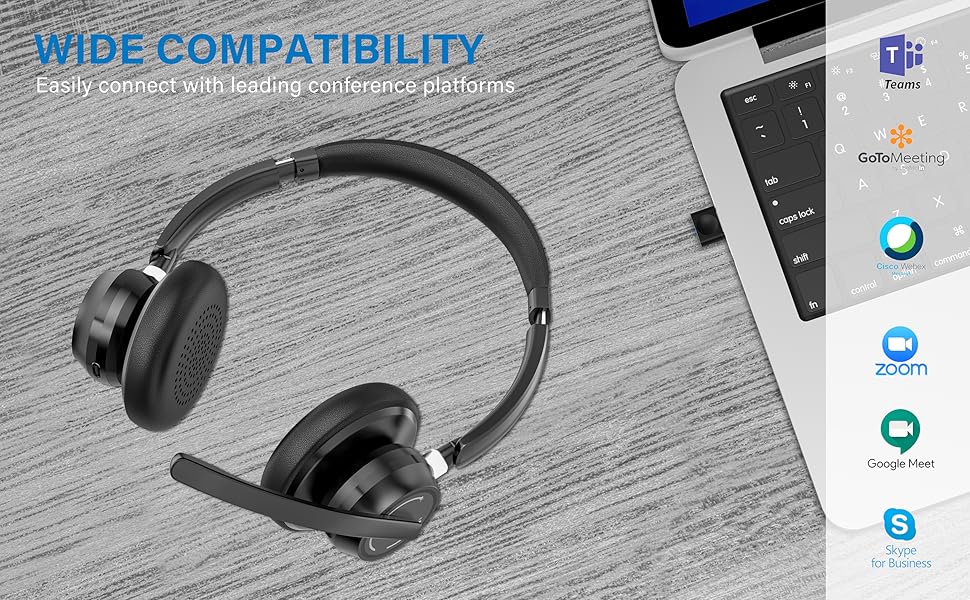
Image: Visual representation of Bluetooth, USB Dongle, and Wired connection methods for the headset.
የብሉቱዝ ግንኙነት
- የጆሮ ማዳመጫ መብራቱን ያረጋግጡ ፡፡
- የ LED አመልካች በተለዋጭ ሰማያዊ እና ቀይ እስኪያበራ ድረስ የፓወር አዝራሩን ተጭነው ይያዙ ይህም የማጣመሪያ ሁነታን ያሳያል።
- በመሳሪያዎ ላይ (ስማርትፎን፣ ታብሌት፣ ኮምፒውተር) ብሉቱዝን አንቃ እና አዳዲስ መሳሪያዎችን ፈልግ።
- Select "SUNITEC BH880" from the list of available devices.
- ከተገናኘ በኋላ የ LED አመልካች ቀስ ብሎ ሰማያዊውን ያበራል።
የዩኤስቢ ዶንግል ግንኙነት፡-
This method is ideal for computers without built-in Bluetooth or for a more stable connection.
- Plug the USB-A Dongle Adapter into an available USB port on your computer.
- Power on the SUNITEC BH880 headset. It will automatically attempt to connect to the dongle.
- The LED indicator on the dongle and headset will show a solid blue light once connected.
- You may need to select the "SUNITEC BH880" as the audio input/output device in your computer's sound settings.

Image: A USB dongle being inserted into a laptop's USB port, demonstrating the dongle connection method.
ባለገመድ ግንኙነት፡
Use the included 3.5mm audio cable to connect the headset directly to devices with a 3.5mm audio jack. Note that the microphone function is not available when using the 3.5mm wired connection; the headset will function as headphones only.

Image: The headset shown with logos of popular communication platforms like Teams, Zoom, Google Meet, and Skype, indicating wide compatibility.
የአሠራር መመሪያዎች
መሰረታዊ ተግባራት፡-
- ድምጽ ወደ ላይ/ወደታች፡ በጆሮ ማዳመጫው ላይ የተወሰኑ የድምጽ አዝራሮችን ይጠቀሙ።
- አጫውት/ ለአፍታ አቁም፡ ባለብዙ-ተግባር ቁልፍን አንዴ ይጫኑ ፡፡
- ቀጣይ ትራክ፡ የድምጽ መጨመሪያ አዝራሩን ተጭነው ይያዙ.
- ቀዳሚ ትራክ የድምጽ ቁልቁል ቁልፍን ተጭነው ይያዙ።
የጥሪ ተግባራት፡-
- መልስ/ጥሪ ጨርስ፡ ባለብዙ-ተግባር ቁልፍን አንዴ ይጫኑ ፡፡
- ጥሪን ውድቅ አድርግ፡ የባለብዙ ተግባር አዝራሩን ለ 2 ሰከንዶች ተጭነው ይያዙ።
- የመጨረሻ ቁጥር የብዙ ተግባር ቁልፍን ሁለቴ ይጫኑ።
የማይክሮፎን ድምጸ-ከል ተግባር፡-
The headset features an individual mute button on the microphone boom for quick privacy control.
- ድምጸ-ከል አድርግ/ አንሳ፡ Press the mute button on the microphone boom. The LED indicator on the microphone will show red when muted.
- ማስታወሻ፡- For PC platforms, microphone mute functionality may also be controlled via the software application (e.g., Zoom, Teams).
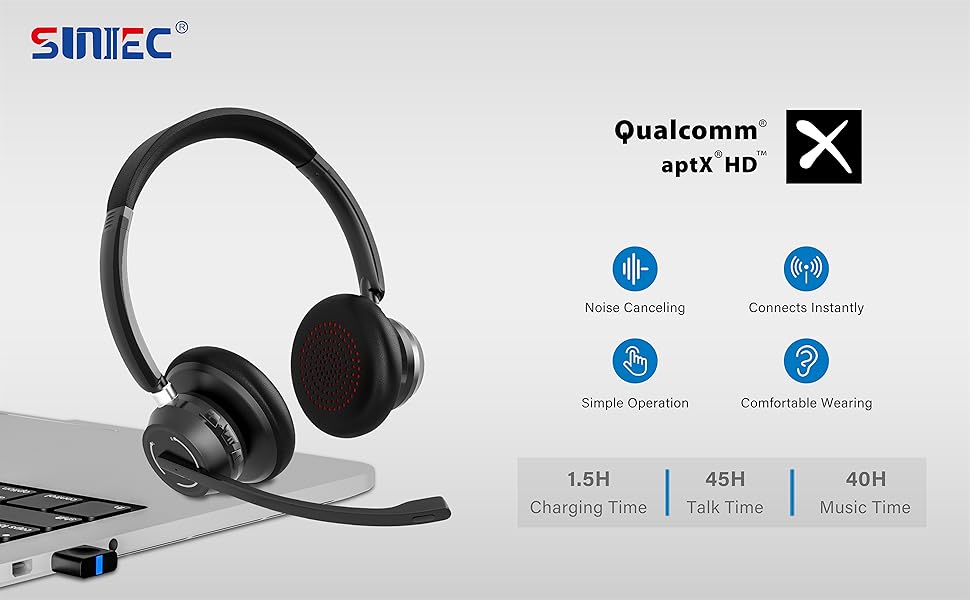
Image: A graphic demonstrating how the noise-cancelling microphone filters out background noise for clearer audio output.
ጥገና
Proper care ensures the longevity of your SUNITEC BH880 headset.
- ማጽዳት፡ የጆሮ ማዳመጫውን ለማጽዳት ለስላሳ እና ደረቅ ጨርቅ ይጠቀሙ። የማጽጃ ማጽጃዎችን ወይም ማሟሟቶችን አይጠቀሙ።
- ማከማቻ፡ የጆሮ ማዳመጫውን በቀጥታ ከፀሀይ ብርሀን እና ከከፍተኛ ሙቀት ርቆ በቀዝቃዛና ደረቅ ቦታ ያከማቹ።
- የባትሪ እንክብካቤ የባትሪ ዕድሜን ለመጠበቅ የጆሮ ማዳመጫውን በተደጋጋሚ ሙሉ በሙሉ ከመሙላት ይቆጠቡ። ለረጅም ጊዜ ጥቅም ላይ ባይውልም እንኳ በመደበኛነት ኃይል ይሙሉት።
- እርጥበትን ያስወግዱ; የጆሮ ማዳመጫው ውሃ የማይቋቋም ነው። ከፈሳሽ እና ከፍተኛ እርጥበት ያርቁ።
መላ መፈለግ
If you encounter issues with your SUNITEC BH880 headset, refer to the following common solutions:
| ችግር | መፍትሄ |
|---|---|
| የጆሮ ማዳመጫ አይበራም። | Ensure the headset is charged. Connect it to a power source using the Type-C cable. |
| በብሉቱዝ በኩል ማጣመር አይቻልም። |
|
| ምንም ድምፅ ወይም ደካማ የድምጽ ጥራት. |
|
| ማይክሮፎን አይሰራም። |
|
| USB Dongle not connecting. |
|
ዝርዝሮች
| ባህሪ | ዝርዝር |
|---|---|
| የሞዴል ስም | BH880 |
| የግንኙነት ቴክኖሎጂ | Wireless (Bluetooth), Wired (3.5mm), USB Dongle |
| ገመድ አልባ የመገናኛ ቴክኖሎጂ | ብሉቱዝ 5.1 |
| የብሉቱዝ ክልል | እስከ 15 ሜትር (49 ጫማ) |
| የድምጽ መቆጣጠሪያ | Adaptive Noise Cancellation (Microphone) |
| የድምጽ ነጂ መጠን | 40 ሚሊሜትር |
| የድምጽ ሾፌር ዓይነት | ተለዋዋጭ ሾፌር |
| እክል | 32 ኦኤም |
| የጆሮ ማዳመጫ ቅርጽ | ከጆሮ በላይ |
| የባትሪ ህይወት (የንግግር ጊዜ) | እስከ 45 ሰዓታት ድረስ |
| የኃይል መሙያ ጊዜ | Approximately 2 Hours (Type-C) |
| የእቃው ክብደት | 280 ግራም (9.9 አውንስ) |
| የምርት ልኬቶች | 5.91 x 3.94 x 1.96 ኢንች |
| ቁሳቁስ | ፕላስቲክ |
| ተስማሚ መሣሪያዎች | Computers, Communication Software (Skype, Zoom, MS Teams, Google Meet) |
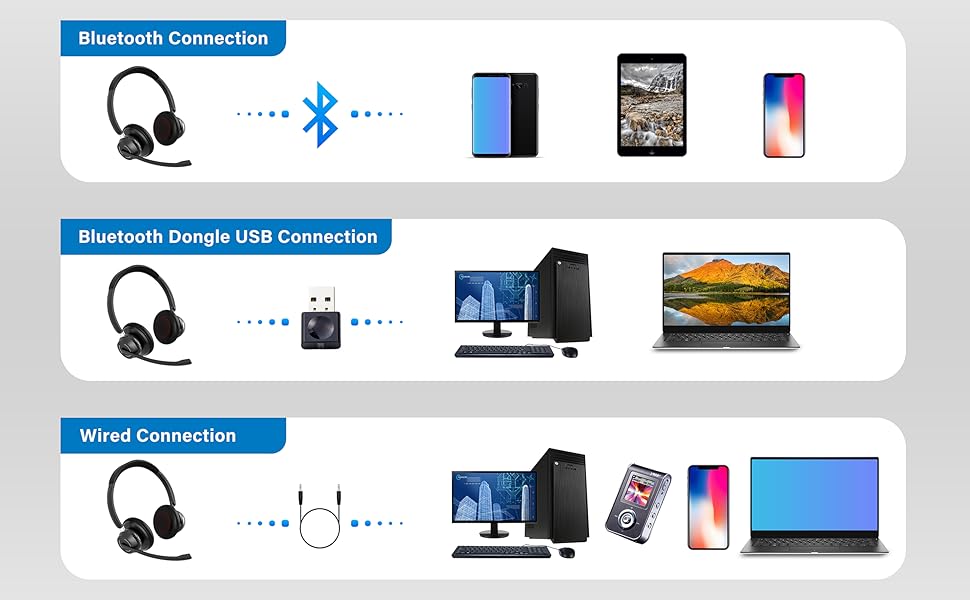
Image: An illustration highlighting the headset's battery performance, indicating up to 45 hours of wireless talk time.
ዋስትና እና ድጋፍ
SUNITEC products are designed for reliability and performance. For warranty information or technical support, please refer to the contact details provided with your purchase or visit the official SUNITEC webጣቢያ. ለዋስትና ጥያቄዎች የግዢ ደረሰኝዎን እንደ ግዢ ማረጋገጫ ያቆዩት።
For further assistance, you may contact SUNITEC customer service through their official channels.