
1. መግቢያ
The Hello Kitty Sunrise Alarm Clock is designed to provide a gentle and natural waking experience with its sunrise simulation feature. This digital alarm clock includes multicolor lights, an LED display showing time, date, and temperature, a USB charging port, and a convenient snooze function. Its charming Cinnamoroll design adds a whimsical touch to any room.

Image 1: Hello Kitty Cinnamoroll Sunrise Alarm Clock with multicolor lighting.
2. የደህንነት መረጃ
- መሳሪያውን ለከፍተኛ ሙቀት፣ ቀጥተኛ የፀሐይ ብርሃን ወይም ከፍተኛ እርጥበት አያጋልጡት።
- የቀረበውን የዩኤስቢ የኃይል ገመድ ወይም የተረጋገጠ ተመጣጣኝ ብቻ ይጠቀሙ።
- መሳሪያውን ከውሃ ወይም ከሌሎች ፈሳሾች ያርቁ.
- መሳሪያውን እራስዎ ለመበተን ወይም ለመጠገን አይሞክሩ. ብቃት ያላቸውን የአገልግሎት ሰራተኞች ያነጋግሩ።
- መሳሪያው በተረጋጋና ጠፍጣፋ መሬት ላይ መቀመጡን ያረጋግጡ።
3. የጥቅል ይዘቶች
እባክዎን ጥቅሉን ለሚከተሉት ነገሮች ያረጋግጡ፡
- Hello Kitty Sunrise Alarm Clock (Cinnamoroll design)
- የዩኤስቢ ኃይል ገመድ
- የተጠቃሚ መመሪያ (ይህ ሰነድ)
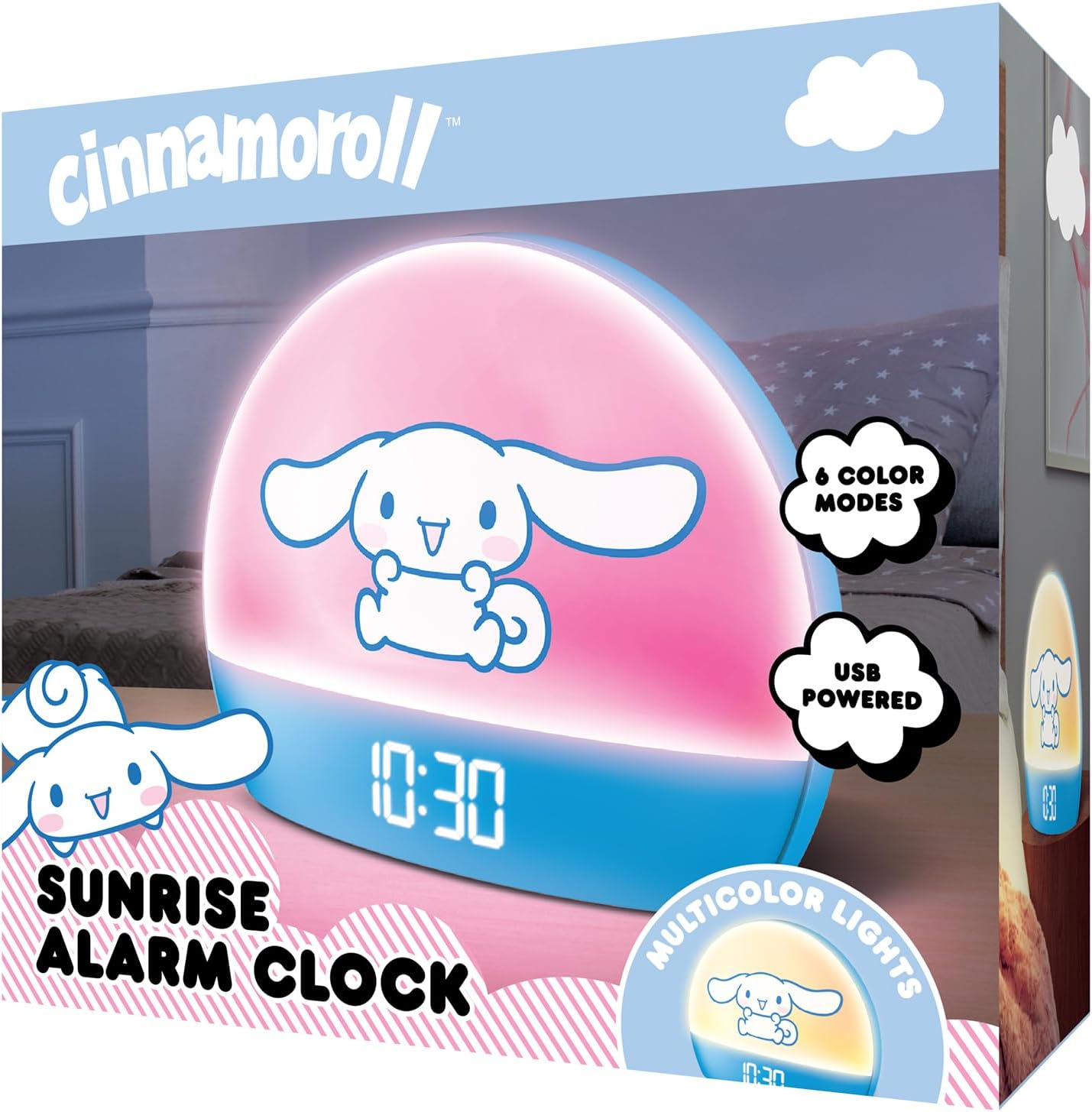
Image 2: Front packaging of the Hello Kitty Cinnamoroll Sunrise Alarm Clock.
4. ምርት አብቅቷልview
Familiarize yourself with the main components of your alarm clock.
- የ LED ማሳያ Shows time, date, and temperature.
- የብርሃን ፓነል Emits multicolor and sunrise simulation lights.
- የመቆጣጠሪያ አዝራሮች; Located on the back or bottom for setting time, alarm, and light functions.
- የዩኤስቢ ኃይል መሙያ ወደብ For powering the device and charging external devices.
- የማሸለብ ቁልፍ፡- Typically a prominent button on the top or front.

Image 3: Hello Kitty Cinnamoroll Sunrise Alarm Clock in a bedroom setting.
5. ማዋቀር
5.1 የኃይል ግንኙነት
- Connect the provided USB power cable to the USB port on the back of the alarm clock.
- Plug the other end of the USB cable into a compatible USB power adapter (not included) or a powered USB port.
- The LED display will light up, indicating the device is powered on.
5.2 ጊዜ እና ቀን ማቀናበር
Specific button names are not provided, so general instructions are given. Refer to the physical device for exact button labels.
- Press the "SET" or "TIME" button to enter time setting mode.
- Use the "UP" and "DOWN" buttons to adjust the hour. Press "SET" again to confirm.
- Adjust the minute using "UP" and "DOWN" buttons. Press "SET" to confirm.
- ዓመቱን፣ ወርንና ቀንን ለማዘጋጀት ይህንን ሂደት ይቀጥሉ።
- The clock may offer 12-hour or 24-hour format selection. Follow on-screen prompts or consult the device's specific button functions.
6. የአሠራር መመሪያዎች
6.1 ማንቂያውን ማቀናበር
- የማንቂያ ቅንብሮችን ሁነታ ለማስገባት "ALARM" የሚለውን ቁልፍ ይጫኑ።
- Use "UP" and "DOWN" buttons to set the desired alarm hour. Press "ALARM" to confirm.
- Adjust the alarm minute. Press "ALARM" to confirm.
- Some models may allow setting alarm volume or sound. Follow prompts if available.
- To activate/deactivate the alarm, look for an "ALARM ON/OFF" button or a toggle within the alarm setting menu.
6.2 የፀሐይ መውጣት ማስመሰል
The sunrise simulation feature gradually increases light intensity before your set alarm time, mimicking a natural sunrise.
- This feature is typically linked to the alarm function. When the alarm is active, the light will begin to brighten a set period (e.g., 30 minutes) before the alarm sounds.
- Consult the device's specific controls for adjusting the duration or intensity of the sunrise simulation, if applicable.
6.3 ባለብዙ ቀለም መብራቶች
The clock offers various color modes for ambient lighting.
- Press the "LIGHT" or "COLOR" button to cycle through different color options or activate a color-changing mode.
- Press and hold the "LIGHT" button to turn off the ambient light.
- Brightness of the display and ambient light can often be adjusted using dedicated buttons or by holding the "LIGHT" button.
6.4 የማሸለብ ተግባር
When the alarm sounds, press the large "SNOOZE" button (usually on top) to temporarily pause the alarm. The alarm will sound again after a short interval (e.g., 5-10 minutes).
6.5 የዩኤስቢ ኃይል መሙያ ወደብ
The integrated USB port can be used to charge small electronic devices like smartphones or tablets. Simply connect your device's charging cable to the USB port on the alarm clock.
6.6 የሙቀት ማሳያ
The LED display shows the current room temperature. No specific action is usually required to view this, as it cycles with time and date or is displayed continuously.
7. ጥገና
- ሰዓቱን ለስላሳ እና ደረቅ ጨርቅ ያጽዱ. ገላጭ ማጽጃዎችን ወይም ፈሳሾችን አይጠቀሙ.
- Ensure the USB port is free from dust and debris.
- ሰዓቱን ለረጅም ጊዜ ጥቅም ላይ በማይውልበት ጊዜ ቀዝቃዛና ደረቅ ቦታ ያስቀምጡት።
8. መላ መፈለግ
| ችግር | ሊሆን የሚችል ምክንያት | መፍትሄ |
|---|---|---|
| ሰዓቱ አይበራም። | USB cable not connected properly or power source issue. | Check USB cable connection. Try a different USB power adapter or port. Ensure the cable is securely inserted. |
| Time is incorrect or drifts. | Time not set correctly or internal clock issue. | Re-set the time following Section 5.2. If the issue persists, try disconnecting and reconnecting power. |
| ማንቂያ አይሰማም። | ማንቂያ አልነቃም ወይም በስህተት አልተዘጋጀም። | Verify the alarm is set and activated (check for an alarm icon on the display). Ensure the volume is not set to zero if adjustable. |
| አዝራሮች ምላሽ የማይሰጡ ናቸው። | Temporary software glitch or physical button issue. | Disconnect power for a few seconds and reconnect to reset the device. If buttons remain unresponsive, contact support. |
| የዩኤስቢ ኃይል መሙያ ወደብ አይሰራም። | Cable issue, device not fully powered, or port malfunction. | Ensure the clock is properly powered. Try a different USB charging cable. Check if the port is clean and free of debris. |
9. ዝርዝሮች
| የምርት ስም | ሰላም ኪቲ |
| የሞዴል ቁጥር | HKCLK01CR-MFN |
| ቀለም | ሲናሞሮል |
| የማሳያ ዓይነት | ዲጂታል |
| ልዩ ባህሪያት | Adjustable Brightness, Alarm, Charging Port, LED Display, Temperature Display, Sunrise Simulation, Multicolor Lights |
| የምርት ልኬቶች | 7" ዋ x 6" ኤች |
| የኃይል ምንጭ | ባለገመድ ኤሌክትሪክ (ዩኤስቢ) |
| ቁሳቁስ | ፕላስቲክ |
| የእቃው ክብደት | 0.4 ኪሎግራም (14 አውንስ) |
| የግንኙነት ቴክኖሎጂ | ዩኤስቢ |
| አምራች | ደቡብ ቴሌኮም |
10. ዋስትና እና ድጋፍ
For warranty information or technical support, please refer to the contact details provided on the product packaging or visit the official Hello Kitty product support webጣቢያ. ለዋስትና ጥያቄዎች የግዢ ደረሰኝዎን ያስቀምጡ።