
1. ምርት አብቅቷልview
The EBTOOLS Head Mounted Video Camera is a compact and versatile device designed for capturing high-quality video and photos. Featuring a high-sensitivity CMOS sensor, it records 4K video at up to 60 frames per second and captures stunning 42MP photos. Its 120° wide-angle lens, coupled with EIS Anti-Shake technology, ensures stable and clear footage. The camera supports mobile app control via Wi-Fi for real-time viewing and editing, and offers various mounting options for diverse activities.
2. የጥቅል ይዘቶች
- 1 x EBTOOLS Head Mounted Video Camera
- 1 x Headband Bracket
- 1 x የጽዳት ጨርቅ
- 2 x ተለጣፊ ተለጣፊዎች
- 6 x Mounting Accessories (various types)
- 1 x መመሪያ መመሪያ

Figure 2.1: The EBTOOLS Head Mounted Video Camera and its complete set of accessories.
3. ቴክኒካዊ ዝርዝሮች
- የንጥል አይነት፡ Head Mounted Video Camera
- ቁሳቁስ፡ ኤቢኤስ
- የምርት መጠን፡- Approx. 103x29x27mm / 4.1x1.1x1.1in
- የምስል ዳሳሽ፡- CMOS High Sensitivity Sensor
- መነፅር 120° Large Wide Angle HD Lens
- የቪዲዮ ጥራት፡ 4K (30/60fps), Backward Compatible
- የፎቶ ጥራት፡ 42M, 30M, 25M, etc., Backward Compatible
- የአሠራር ሁኔታ፡- Physical Keys, Mobile APP Operating
- ገመድ አልባ ግንኙነት: Built-in Wi-Fi Hotspot
- ኦዲዮ፡ አብሮ የተሰራ ድምጽ ማጉያ፣ አብሮ የተሰራ ማይክሮፎን
- የቪዲዮ ቅርጸት፡- MP4 H.264 Protocol
- የብርሃን ምንጭ ድግግሞሽ፡- 50HZ/60HZ
- የማከማቻ ማስፋፊያ; External Small Memory Card (Maximum Support 8-512GB, አልተካተተም።)
- የዩኤስቢ በይነገጽ፡ ዓይነት C
- የባትሪ ዓይነት፡ 2200mAh Li-Ion Battery (Built-in)
- ቀጣይነት ያለው የቪዲዮ ቀረጻ፡ Approximately 5 hours (6-7 hours without Wi-Fi)
- የሚደገፉ ስርዓቶች; For Windows, For OS X, For Linux
4. መጀመር (ማዋቀር)
- ካሜራውን መሙላት; Connect the camera to a power source using the provided Type-C USB cable. The indicator light will show charging status.
- የማህደረ ትውስታ ካርድ አስገባ፡ Locate the memory card slot (supports 8-512GB, not included). Gently insert a compatible micro SD card until it clicks into place.
- አብራ፡ Press and hold the power button for a few seconds until the indicator light illuminates.
- Attach Mounting Accessories: Choose the appropriate mounting accessory for your activity. For head-mounted use, attach the camera to the headband bracket. For other uses, utilize the various GoPro-compatible mounts or adhesive stickers.

Figure 4.1: The camera attached to the headband for hands-free recording.
5. የአሠራር መመሪያዎች
5.1 መሠረታዊ አሠራር
- ማብራት/ማጥፋት፡ የኃይል አዝራሩን ተጭነው ይያዙ.
- መቅዳት ጀምር/አቁም፡ Press the record button once to start, press again to stop.
- ፎቶ አንሳ፡ While in standby or recording mode, short press the photo button to capture an image.
5.2 Mobile App Connection (Wi-Fi)
The camera features a built-in Wi-Fi hotspot for seamless connection to its dedicated mobile application. This allows for real-time viewing, remote control, video editing, and sharing.
- Download the official camera app from your device's app store.
- በካሜራው ላይ ኃይል.
- On your mobile device, go to Wi-Fi settings and connect to the camera's Wi-Fi hotspot (SSID usually starts with 'H88_').
- Open the camera app. The app should automatically detect and connect to the camera.

Figure 5.1: Real-time video preview and control via the mobile app.
5.3 Video and Photo Modes
- 4K 60FPS Video: Capture ultra-high-definition video for crisp, detailed footage.
- 42MP ፎቶዎች፡ High-resolution still images for clear and vibrant shots.
- የጊዜ መዘግየት ቪዲዮ ቀረጻ፦ ረጅም ዝግጅቶችን ወደ አጭር እና ማራኪ ቪዲዮዎች ሰብስብ።
- ቀርፋፋ የእንቅስቃሴ ቪዲዮ: Capture fast-paced action in smooth slow motion (2X/4X/8X options available).
- ሉፕ ቀረጻ፡ አሮጌውን በራስ -ሰር ይፃፉ files when the memory card is full, ideal for continuous recording.
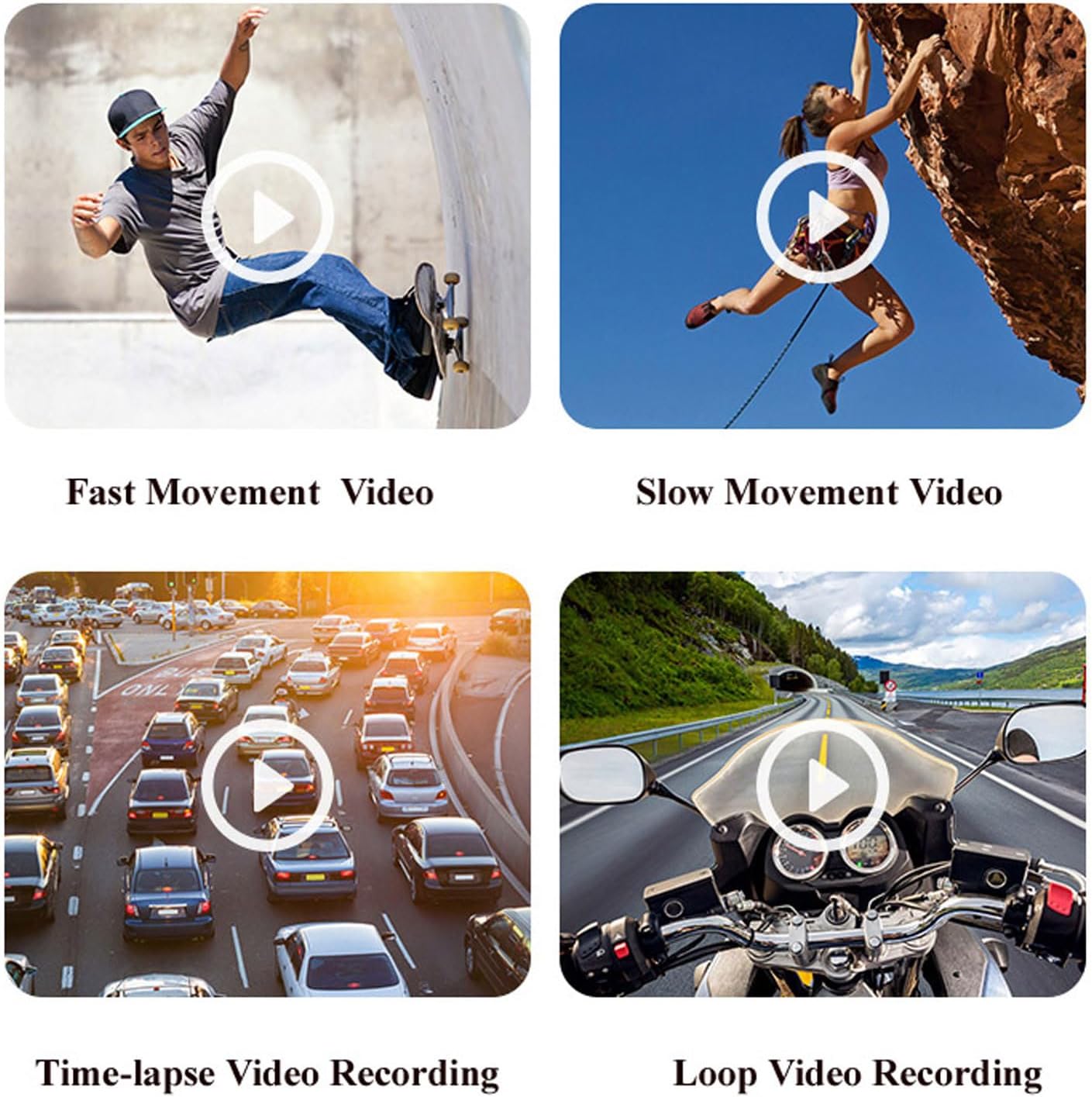
ምስል 5.2: ዘፀamples of various video recording modes.
5.4 EIS Anti-Shake Function
The camera features EIS (Electronic Image Stabilization) with a 2-axis stabilizer to deliver stable and smooth video, even during dynamic activities. This technology intelligently detects and corrects jitter, providing clear footage comparable to professional stabilization systems.

ምስል 5.3: የ foo ምስላዊ ንጽጽርtage with and without EIS Anti-Shake.
5.5 Horizontal and Vertical Screen Switching
Through the mobile app, you can easily switch between horizontal and vertical screen orientations, adapting your content for various short video platforms.
5.6 Dash Cam Functionality
The camera can be used as a dash cam, offering features like collision sensing which automatically locks current recording video when a collision is detected. It supports continuous power via Type-C USB for extended use in a vehicle.
6. የባትሪ ህይወት እና ባትሪ መሙላት
The camera is equipped with a built-in 2200mAh Li-Ion battery, providing approximately 5 hours of continuous video recording. Without Wi-Fi enabled, the battery life can extend to about 6-7 hours. It supports Type-C fast charging and can be charged using external mobile power banks or laptops, allowing for simultaneous charging and recording.

Figure 6.1: The camera's battery capacity and approximate usage time.
7. Media Exampሌስ
ከዚህ በታች የቀድሞ ናቸውamples of the camera's capabilities in various scenarios.
Video 7.1: A short demonstration of the Head Mounted Video Camera in action, capturing outdoor activities.
Video 7.2: Footage demonstrating the camera's performance in low-light conditions and its anti-shake capabilities while moving.
8. ጥገና እና እንክብካቤ
- ማጽዳት፡ Use the provided cleaning cloth to gently wipe the lens and camera body. Avoid harsh chemicals or abrasive materials.
- ማከማቻ፡ ካሜራውን በቀጥታ ከፀሀይ ብርሀን እና ከከፍተኛ ሙቀት ርቆ በቀዝቃዛና ደረቅ ቦታ ያከማቹ።
- የባትሪ እንክብካቤ ለተሻለ የባትሪ ዕድሜ፣ ባትሪውን ሙሉ በሙሉ ደጋግሞ ከመሙላት ይቆጠቡ። ለረጅም ጊዜ ጥቅም ላይ ባይውልም እንኳ በመደበኛነት ይሙሉት።
- የውሃ መከላከያ መያዣ; If using the waterproof case, ensure it is properly sealed before submerging the camera in water. Regularly check the seals for wear and tear.
9. መላ መፈለግ
- ካሜራ እየበራ አይደለም፡- ባትሪው መሙላቱን ያረጋግጡ። ከኃይል ምንጭ ጋር ይገናኙ እና እንደገና ይሞክሩ።
- ከመተግበሪያው ጋር መገናኘት አይቻልም፦ Verify the camera's Wi-Fi is enabled and your mobile device is connected to the camera's Wi-Fi network. Restart both the camera and the app.
- ደካማ የቪዲዮ ጥራት፡ Check the selected video resolution in the app settings. Ensure the lens is clean and free from smudges.
- የማህደረ ትውስታ ካርድ ስህተት፡ Ensure the memory card is properly inserted and is not full. Try formatting the card (this will erase all data) or using a different compatible card.
- አጭር የባትሪ ህይወት; Ensure Wi-Fi is turned off when not in use, as it consumes more power. Reduce video resolution if extended recording time is needed.
10. ዋስትና እና ድጋፍ
For warranty information, technical support, or service inquiries, please refer to the contact details provided by the manufacturer, EBTOOLS, or your retailer. Keep your purchase receipt as proof of purchase for warranty claims.