
ZZB WP-03C
ZZB WP-03C Bluetooth Speaker User Manual
Model: WP-03C
1. መግቢያ
ስለገዙ እናመሰግናለንasing the ZZB WP-03C Bluetooth Speaker. This portable wireless speaker is designed to deliver clear, loud stereo sound with dynamic lighting effects, suitable for various indoor and outdoor environments. It features IPX5 water resistance, Bluetooth 5.3 connectivity, and multiple playback options.
2. የጥቅል ይዘቶች
እባክዎን ጥቅሉን ለሚከተሉት ነገሮች ያረጋግጡ፡
- ZZB WP-03C Bluetooth Speaker
- የኃይል ገመድ
- የተጠቃሚ መመሪያ (ይህ ሰነድ)
3. ምርት አብቅቷልview
ከተናጋሪው አካላት እና መቆጣጠሪያዎች ጋር እራስዎን ይወቁ።

ምስል 3.1፡ ፊት ለፊት view of the ZZB WP-03C Bluetooth Speaker, showcasing its compact design and integrated light bar.

ምስል 3.2፡ The speaker demonstrating its IPX5 water resistance, with water splashing around it.
3.1 መቆጣጠሪያዎች እና ወደቦች
- የኃይል ቁልፍ፡- ለማብራት/ለማጥፋት ተጭነው ይያዙ።
- የድምጽ መጨመር/ቀጣይ ትራክ አዝራር፡- ድምጽ ለመጨመር አጭር ፕሬስ፣ ለቀጣይ ትራክ በረጅሙ ተጫን።
- የድምጽ መጠን ወደ ታች/የቀደመው ትራክ አዝራር፡- ድምጽን ዝቅ ለማድረግ አጭር ተጫን፣ ለቀደመው ትራክ በረጅሙ ተጫን።
- አጫውት/አፍታ አቁም አዝራር፡- Press to play or pause music, answer/end calls.
- ሁነታ አዝራር፡- Press to switch between Bluetooth, FM Radio, AUX, and TF/SD card modes.
- የብርሃን ቁልፍ; በብርሃን ሁነታዎች ውስጥ ለማለፍ ወይም መብራቶችን ለማጥፋት ይጫኑ።
- የኃይል መሙያ ወደብ; የዩኤስቢ-ሲ ወደብ ለመሙላት።
- AUX ወደብ ለገመድ ግንኙነቶች 3.5ሚሜ የድምጽ ግብዓት።
- የTF/SD ካርድ ማስገቢያ፦ ሙዚቃን በቀጥታ ከማስታወሻ ካርድ ለማጫወት።
- ማይክሮፎን ከእጅ ነጻ ለሆኑ ጥሪዎች።
4. ማዋቀር
4.1 ድምጽ ማጉያውን መሙላት
- Connect the provided power cable to the speaker's charging port.
- የኬብሉን ሌላኛውን ጫፍ ከዩኤስቢ ኃይል አስማሚ (ያልተካተተ) ወይም ከኮምፒዩተር ዩኤስቢ ወደብ ጋር ያገናኙ።
- የኃይል መሙያ አመልካች መብራቱ ያበራል። ሙሉ በሙሉ ከሞላ በኋላ ይጠፋል ወይም ቀለሙን ይቀይራል።
- ሙሉ ክፍያ በተለምዶ ከ2-3 ሰአታት ይወስዳል።
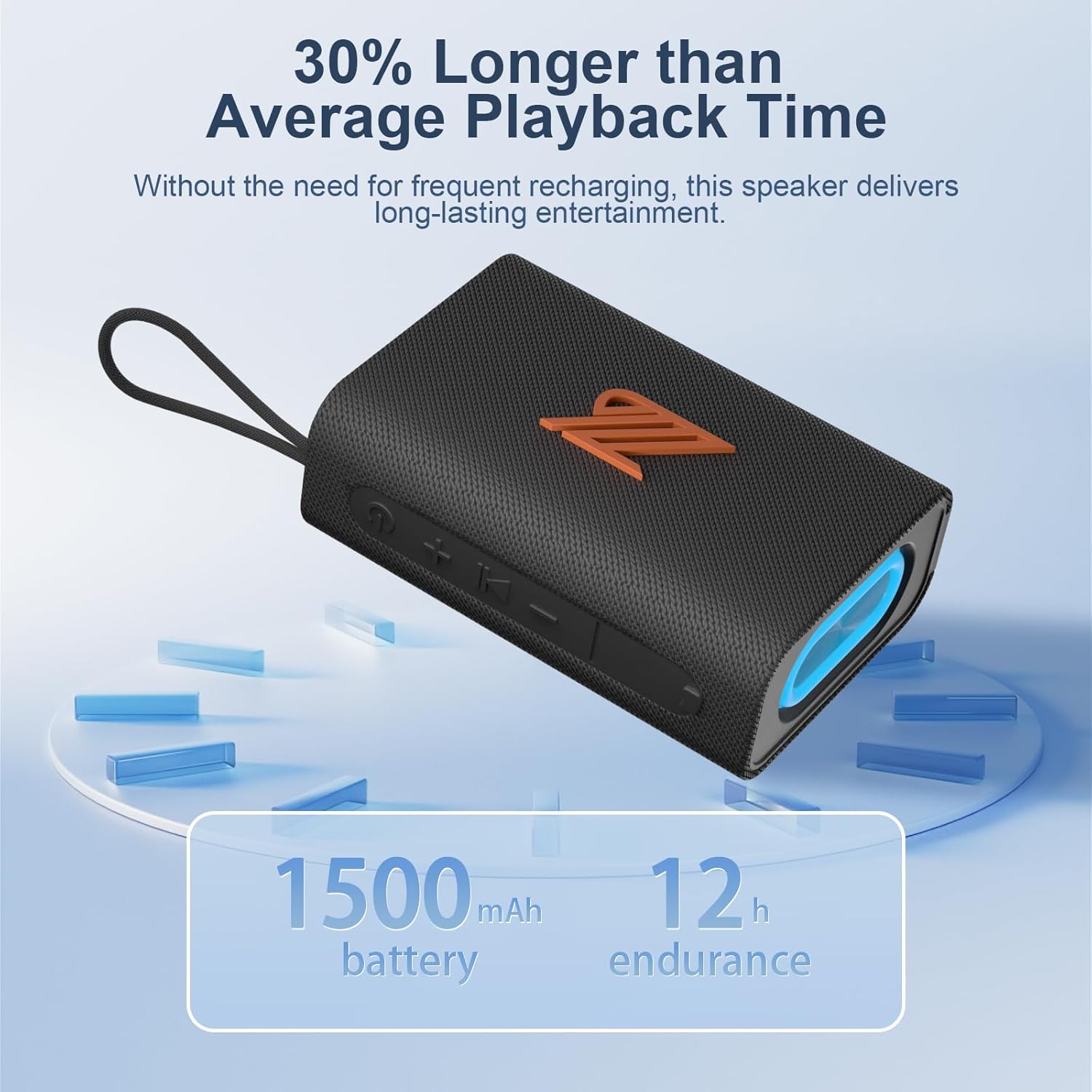
ምስል 4.1፡ The speaker highlighting its 1500mAh battery, providing up to 12 hours of playback.
4.2 ማብራት / ማጥፋት
- ለማብራት፡- የድምጽ መልእክት እስኪሰሙ እና የአመልካቹ መብራት እስኪበራ ድረስ የኃይል ቁልፉን ለ2-3 ሰከንዶች ተጭነው ይቆዩ።
- ለማጥፋት፡- የድምጽ መልእክት እስኪሰሙ እና የአመልካቹ መብራት እስኪጠፋ ድረስ የኃይል አዝራሩን ለ2-3 ሰከንዶች ተጭነው ይቆዩ።
5. የአሠራር መመሪያዎች
5.1 የብሉቱዝ ማጣመር
- Ensure the speaker is powered on and in Bluetooth mode (indicated by a flashing blue light). If not, press the Mode button to switch to Bluetooth mode.
- በመሳሪያዎ (ስማርትፎን፣ ታብሌት፣ ወዘተ) ላይ ብሉቱዝን አንቃ እና የሚገኙ መሳሪያዎችን ፈልግ።
- Select "ZZB WP-03C" from the list of devices.
- አንዴ ከተጣመረ በኋላ፣ ተናጋሪው የድምፅ ማረጋገጫ ያወጣል፣ እና ሰማያዊው አመላካች መብራት ብልጭ ድርግም ብሎ ይቆያል እና ጠንካራ ሆኖ ይቆያል።
- የድምጽ ማጉያው ሲበራ፣ የመሣሪያው ብሉቱዝ ንቁ እና በክልል ውስጥ ከሆነ፣ በራስ-ሰር ከመጨረሻው የተጣመረ መሣሪያ ጋር ይገናኛል።

ምስል 5.1፡ Demonstrating Bluetooth connection between a smartphone and the ZZB WP-03C speaker for music playback.
5.2 እውነተኛ ገመድ አልባ ስቴሪዮ (TWS) ማጣመር
To achieve a true stereo sound experience, you can pair two ZZB WP-03C speakers together.
- ሁለቱም ድምጽ ማጉያዎች መብራታቸውን እና ከማንኛውም የብሉቱዝ መሳሪያ ጋር አለመገናኘታቸውን ያረጋግጡ።
- On one speaker (this will be the primary speaker), double-press the Power button (or a dedicated TWS button if available, refer to physical controls). You will hear a prompt indicating TWS pairing mode.
- ዋናው ተናጋሪው ሁለተኛ ደረጃ ተናጋሪውን ይፈልጋል። አንዴ ከተገናኘ በኋላ ሁለቱም ድምጽ ማጉያዎች የማረጋገጫ ድምጽ ያሰማሉ።
- አሁን፣ በክፍል 5.1 እንደተገለጸው መሳሪያዎን ከዋናው ድምጽ ማጉያ ጋር በብሉቱዝ ያገናኙ።
- ኦዲዮ አሁን በሁለቱም ድምጽ ማጉያዎች በኩል በስቲሪዮ ውስጥ ይጫወታል።

ምስል 5.2፡ Two ZZB WP-03C speakers positioned to illustrate True Wireless Stereo (TWS) functionality.
5.3 Playing Music from TF/SD Card
- Insert a TF/SD card (with MP3 audio files) በድምጽ ማጉያው ላይ በተጠቀሰው ቦታ ላይ።
- The speaker will automatically switch to TF/SD card mode and begin playing music. If not, press the Mode button to select TF/SD card mode.
5.4 AUX-ውስጥ ሁነታ
- Connect one end of a 3.5mm audio cable (not included) to the speaker's AUX-in port.
- Connect the other end to the audio output jack of your non-Bluetooth device.
- The speaker will automatically switch to AUX-in mode. If not, press the Mode button to select AUX-in mode.
5.5 ኤፍኤም ሬዲዮ ሁነታ
- የኤፍኤም ሬዲዮ ሁነታ እስኪገቡ ድረስ የሞድ አዝራሩን ደጋግመው ይጫኑ።
- To auto-scan and save available stations, press the Play/Pause button. The speaker will scan and store stations.
- Use the Volume Up/Down buttons (short press) to navigate between saved stations.
- For better reception, ensure the speaker is in an open area.
5.6 የጥሪ ተግባር
- በብሉቱዝ ሲገናኝ፣ ገቢ ጥሪዎች ይነገራሉ።
- ጥሪ መልስ፡- Play/Pause የሚለውን ቁልፍ አንዴ ተጫን።
- ጥሪን ጨርስ፡ በጥሪ ጊዜ አጫውት/አፍታ አቁም የሚለውን ቁልፍ አንድ ጊዜ ተጫን።
- ጥሪን ውድቅ አድርግ፡ አጫውት/አፍታ አቁም የሚለውን ቁልፍ ተጭነው ለ2 ሰከንድ ያህል ይያዙ።
- የመጨረሻ ቁጥር አጫውት/አፍታ አቁም የሚለውን ቁልፍ ሁለቴ ተጫን።
5.7 የብርሃን ሞዶች
The speaker features dynamic LED lights. Press the Light button to cycle through different light patterns or to turn the lights off.
6. ጥገና
- ማጽዳት፡ ድምጽ ማጉያውን ለስላሳ ፣ መamp ጨርቅ. ገላጭ ማጽጃዎችን ወይም ፈሳሾችን አይጠቀሙ.
- የውሃ መቋቋም; The speaker is IPX5 water-resistant, meaning it can withstand splashes and light rain. Do not submerge the speaker in water. Ensure the charging port cover is securely closed when exposed to water.
- ማከማቻ፡ ድምጽ ማጉያውን በቀጥታ ከፀሀይ ብርሀን እና ከከፍተኛ ሙቀት ርቆ በቀዝቃዛና ደረቅ ቦታ ያከማቹ።
- የባትሪ እንክብካቤ የባትሪውን ዕድሜ ለማራዘም፣ ድምጽ ማጉያውን ለመጀመሪያ ጊዜ ከመጠቀምዎ በፊት ሙሉ በሙሉ ይሙሉት እና በመደበኛነት ጥቅም ላይ ካልዋለ ቢያንስ በየሶስት ወሩ አንድ ጊዜ እንደገና ይሙሉት።
7. መላ መፈለግ
| ችግር | ሊሆን የሚችል ምክንያት | መፍትሄ |
|---|---|---|
| ድምጽ ማጉያ አይበራም። | ዝቅተኛ ባትሪ. | ድምጽ ማጉያውን ሙሉ በሙሉ ይሙሉ። |
| በብሉቱዝ በኩል ማጣመር አይቻልም። | በመሳሪያው ላይ ብሉቱዝ አልነቃም; ድምጽ ማጉያ በማጣመር ሁነታ ላይ አይደለም; ከመሳሪያው በጣም የራቀ. | Ensure Bluetooth is on; put speaker in pairing mode; move device closer (within 40 feet). |
| ድምጽ የለም። | በጣም ዝቅተኛ መጠን; የተሳሳተ ሁነታ ተመርጧል; መሣሪያ አይጫወትም። | Increase volume; check mode (Bluetooth, AUX, TF/SD); ensure device is playing. |
| ደካማ የኤፍኤም ሬዲዮ አቀባበል። | ደካማ ምልክት; ጣልቃ መግባት. | Move speaker to an open area; try rescanning stations. |
| TWS ማጣመር አልተሳካም። | ድምጽ ማጉያዎች ቀድሞውኑ ከሌላ መሣሪያ ጋር ተጣምረዋል; በጣም ሩቅ. | Disconnect speakers from other devices; ensure speakers are close to each other during TWS pairing. |
8. ዝርዝሮች
| የሞዴል ስም፡- | WP-03C |
| የምርት ስም፡ | ZZB |
| ግንኙነት፡ | Bluetooth 5.3, AUX-in, TF/SD Card |
| የኦዲዮ ውፅዓት ሁነታ ፦ | ስቴሪዮ |
| የድምጽ ማጉያ ውፅዓት ኃይል፡- | 20 ዋት |
| የውሃ መቋቋም; | IPX5 |
| የባትሪ አቅም፡- | 1500 ሚአሰ ሊቲየም አዮን |
| የመልሶ ማጫወት ጊዜ፡- | እስከ 12 ሰአታት (በመጠነኛ መጠን) |
| ግብአት በመሙላት ላይ፡ | 5 ቮልት |
| የብሉቱዝ ክልል: | እስከ 40 ጫማ (12 ሜትር) |
| የምርት መጠኖች: | 4.92"D x 3.34"W x 1.77"H (12.5cm x 8.5cm x 4.5cm approx.) |
| የእቃው ክብደት፡ | 0.34 ኪሎግራም (12 አውንስ) |
| የተካተቱ አካላት፡- | የኃይል ገመድ |
9. የዋስትና መረጃ
The ZZB WP-03C Bluetooth Speaker comes with a limited warranty. Please refer to the warranty card included in your package or contact customer support for details regarding warranty coverage and terms.
10. የደንበኛ ድጋፍ
If you encounter any issues or have questions regarding your ZZB WP-03C Bluetooth Speaker, please contact our customer support team. Contact information can typically be found on the product packaging or on the official ZZB webጣቢያ.