
መግቢያ
Thank you for choosing the Phomemo M836 A4 Portable Thermal Printer. This device offers convenient, inkless printing for various document types, making it ideal for business, travel, and personal use. This manual will guide you through the setup, operation, and maintenance of your printer to ensure optimal performance.
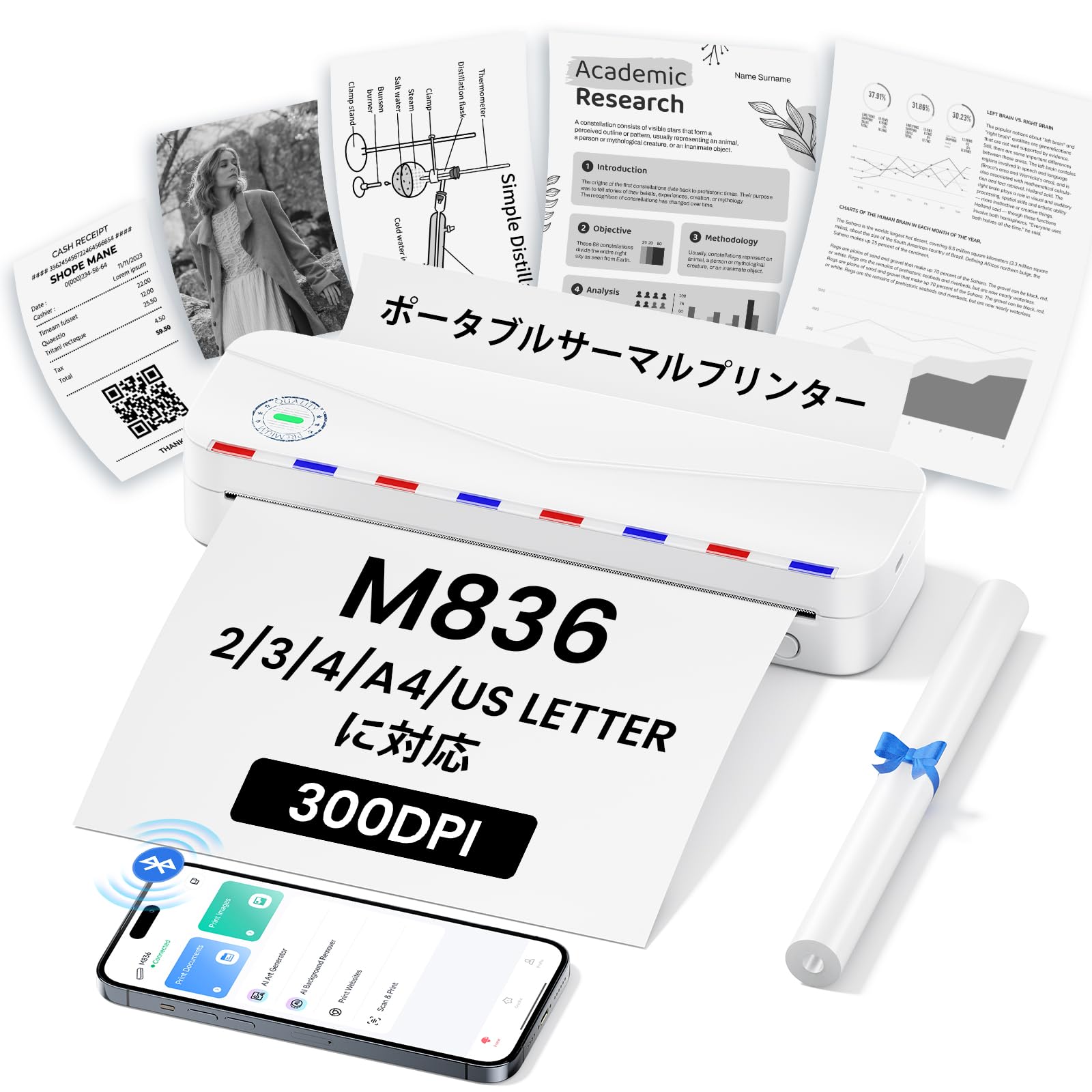
Image: The Phomemo M836 A4 Portable Thermal Printer, showcasing its compact design and portability.
ምርት አልቋልview
ቁልፍ ባህሪያት
- ቀለም የሌለው የሙቀት ህትመት; Utilizes advanced thermal printing technology, eliminating the need for ink cartridges or toner.
- የታመቀ እና ተንቀሳቃሽ፡ Weighing approximately 750g, it is designed for easy transport in a bag, perfect for on-the-go printing.
- ባለብዙ መጠን የወረቀት ድጋፍ፡ Compatible with A4 (8.27 x 11.69 inches) and other thermal paper sizes including 53mm, 80mm, and 110mm. Supports standard thermal sheets, roll paper, and fanfold thermal paper.
- ከፍተኛ ጥራት፡ Delivers clear and vivid prints at 304dpi resolution.
- ሰፊ ተኳኋኝነት Connects via Bluetooth to iPhones, Android phones, and iPads, and via USB cable to laptops and computers (Windows, macOS).
- ለረጅም ጊዜ የሚቆይ ባትሪ; Equipped with an upgraded 2600mAh battery, ensuring extended use throughout the day.
- ሁለገብ ማተሚያ; Capable of printing PDF, Word, image (JPG), web pages, TXT, office documents, receipts, contracts, resumes, invoices, drawings, and school notes.

Image: The Phomemo M836 printer highlighting its compact dimensions (264mm length, 78mm width, 45mm height) and light weight (715g).

Image: The printer demonstrating compatibility with single sheets, fanfold paper, and roll paper. Note: Only thermal paper is supported, not ordinary copy paper.
የማዋቀር መመሪያዎች
1. የሙቀት ወረቀት መጫን
- የአታሚውን የወረቀት ሽፋን ይክፈቱ።
- Insert the thermal paper with the printable side facing up. Ensure the paper is aligned correctly.
- Close the paper cover. The printer will automatically adjust the paper.

Image: Illustration of how to load thermal paper into the printer, showing the adjustable snaps for different paper widths.
2. የሞባይል መሳሪያ ግንኙነት (ብሉቱዝ)
- Download the "Phomemo" app from the Apple App Store or Google Play Store.
- Turn on your mobile phone's Bluetooth.
- Press and hold the power button on the M836 printer to turn it on.
- Open the "Phomemo" app and connect to the printer via Bluetooth within the app.

Image: Step-by-step guide for connecting the Phomemo M836 to a smartphone via the Phomemo app and Bluetooth.
3. PC Connection (USB)
- Turn on the printer by pressing and holding the power button. Ensure thermal paper is loaded.
- Connect the printer to your computer using the provided Type-C USB cable.
- Download and install the printer driver from M836.phomemo.com.
- After driver installation, select "[M836] Printer" from your computer's print options to begin printing.

Image: Instructions for connecting the Phomemo M836 to a PC via USB, including driver download and print selection.
የአሠራር መመሪያዎች
General Printing Steps
- Ensure the printer is powered on and connected to your device (mobile or PC) as described in the Setup section.
- በመሳሪያዎ ላይ ለማተም የሚፈልጉትን ሰነድ ወይም ምስል ይክፈቱ።
- Initiate the print function from your application (e.g., "Print" in the Phomemo app, or "File" > "Print" on PC).
- Select the "M836 Printer" from the list of available printers.
- እንደ የወረቀት መጠን፣ አቀማመጥ እና የቅጂዎች ብዛት ያሉ የህትመት ቅንብሮችን እንደ አስፈላጊነቱ ያስተካክሉ።
- የህትመት ስራውን ያረጋግጡ እና ወደ አታሚው ይላኩ።

Image: The Phomemo app interface, showing options to print various file types like Word, TXT, PDF, Excel, Web pages, and images, along with scanning functionality.
ጥገና
የአታሚውን ራስ ማጽዳት
- አታሚውን ያጥፉ እና ከማንኛውም የኃይል ምንጭ ያላቅቁት።
- የወረቀት ሽፋኑን ይክፈቱ.
- የሙቀት ህትመት ጭንቅላቱን በጥጥ መጥረጊያ በቀስታ ይጥረጉ።ampበ isopropyl አልኮሆል የተስተካከለ።
- ሽፋኑን ከመዝጋት እና እንደገና ከመጠቀምዎ በፊት የህትመት ጭንቅላቱ ሙሉ በሙሉ እንዲደርቅ ይፍቀዱለት።
- Do not touch the print head with bare hands to avoid damage or residue transfer.
የባትሪ እንክብካቤ
- Charge the printer regularly, especially if it will not be used for an extended period, to maintain battery health.
- Use the provided Type-C USB cable for charging.
- Avoid exposing the printer to extreme temperatures, which can affect battery life.
መላ መፈለግ
| ችግር | ሊሆን የሚችል ምክንያት | መፍትሄ |
|---|---|---|
| አታሚ አይበራም። | ዝቅተኛ የባትሪ ወይም የኃይል ችግር. | Charge the printer using the Type-C USB cable. Ensure the power adapter is working. |
| በብሉቱዝ መገናኘት አልተቻለም። | Bluetooth is off, incorrect pairing, or app issue. | Ensure Bluetooth is enabled on your device. Restart the printer and your device. Try pairing again through the Phomemo app. |
| Poor print quality (faint or blank). | Incorrect paper loading, non-thermal paper, or dirty print head. | Ensure thermal paper is loaded correctly with the printable side up. Verify you are using thermal paper. Clean the print head as described in the Maintenance section. |
| አታሚው በፒሲ አልታወቀም። | ሾፌሩ አልተጫነም ወይም የዩኤስቢ ገመድ ችግር። | ትክክለኛውን ሾፌር ከ ይጫኑ M836.phomemo.com. የተለየ የዩኤስቢ ወደብ ወይም ገመድ ይሞክሩ። |
| የወረቀት መጨናነቅ. | ተገቢ ያልሆነ የወረቀት ጭነት ወይም የውጭ ነገር። | Turn off the printer. Carefully open the paper cover and remove any jammed paper or obstructions. Reload paper correctly. |
ዝርዝሮች
| ባህሪ | ዝርዝር |
|---|---|
| የምርት ስም | ፕሞሞ |
| የሞዴል ስም | M836 |
| የግንኙነት ቴክኖሎጂ | ብሉቱዝ ፣ ዩኤስቢ |
| የህትመት ቴክኖሎጂ | ሙቀት |
| ልዩ ባህሪ | ተንቀሳቃሽ |
| ቀለም | ነጭ |
| የአታሚ ውፅዓት | ሞኖክሮም |
| ከፍተኛ የህትመት ፍጥነት (ሞኖክሮም) | 20 ገጾች / ደቂቃ |
| የምርት ልኬቶች (D x W x H) | 210 ሚሜ x 47 ሚሜ x 65 ሚሜ |
| ከፍተኛው የሚዲያ (የወረቀት) መጠን | 8.5 x 11 ኢንች (A4) |
| የህትመት ሚዲያ አይነት | የሙቀት ወረቀት |
| ተጨማሪ የአታሚ ተግባራት | አትም ብቻ |
| ጥራት | 304 ዲፒአይ |
| ከፍተኛው የግቤት ሉህ አቅም | 10 ሉሆች |
| የሃርድዌር በይነገጽ | ዩኤስቢ-ሲ |
| Duplex ማተሚያ | የለም (ቀላል) |
| የባትሪ አቅም | 2600mAh |
ዋስትና እና ድጋፍ
The Phomemo M836 A4 Portable Thermal Printer comes with a የ 1 ዓመት የአምራች ዋስትና ከተገዛበት ቀን ጀምሮ. ይህ ዋስትና በመደበኛ አጠቃቀም ላይ የቁሳቁሶች እና የአሠራር ጉድለቶችን ይሸፍናል ።
For technical support, warranty claims, or any questions regarding your product, please contact Phomemo customer service through their official webምርቱን የገዙበት ጣቢያ ወይም ቸርቻሪ። እባክዎን የሞዴል ቁጥርዎን (M836) እና የግዢ ማረጋገጫውን ድጋፍ ሲያገኙ ዝግጁ ያድርጉ።