
መግቢያ
This manual provides essential information for the safe and efficient use of your Blackview BV7300 Rugged Smartphone. Please read this guide thoroughly before operating the device to ensure proper functionality and to understand its features.
ጥቁሩview BV7300 is designed for durability and performance, featuring a robust construction, a large battery, and advanced camera capabilities, including night vision and powerful camping መብራቶች.
ምርት አልቋልview
ጥቁሩview BV7300 is a rugged smartphone built to withstand challenging environments. It features a 6.67-inch HD+ IPS display, a powerful processor, and a triple camera system.

ምስል 1: የፊት እና የኋላ view የጥቁሩview BV7300 Rugged Smartphone, highlighting its robust design and camera module.
የአካል ክፍሎች
- ማሳያ፡- 6.67-inch HD+ IPS screen with 90Hz refresh rate.
- ካሜራዎች፡ 50MP main rear camera, 20MP night vision camera, 32MP front camera.
- Campመብራቶችን ማስገባት፡ Two 800 lumen LED camping lights located on the rear.
- ወደቦች፡ ለኃይል መሙያ እና ለውሂብ ማስተላለፍ የዩኤስቢ ዓይነት-ሲ ወደብ።
- አዝራሮች፡- Power button, volume buttons, customizable function button.
- ሲም ካርድ ማስገቢያ፡ ባለሁለት ሲም ድጋፍ።
- ተናጋሪዎች፡- Dual box speakers.
ማዋቀር
1. ሲም ካርዶች እና ማይክሮ ኤስዲ ካርድ ማስገባት
- የሲም ካርዱን ትሪ ከመሳሪያው ጎን ያግኙት።
- ትሪውን ለመክፈት የቀረበውን የሲም ማስወጫ መሳሪያ ይጠቀሙ።
- Carefully place your Nano-SIM cards and/or a MicroSD card (up to 2TB) into the designated slots. Ensure correct orientation.
- ትሪውን እስኪፈስ ድረስ ቀስ ብለው ወደ መሳሪያው ይግፉት።
2. የመነሻ ኃይል ማብራት እና ማዋቀር
- ጥቁር እስኪሆን ድረስ የኃይል አዝራሩን ተጭነው ይያዙትview አርማ ይታያል።
- ቋንቋዎን ለመምረጥ፣ ከWi-Fi ጋር ለመገናኘት እና የGoogle መለያዎን ለማዋቀር የማያ ገጽ ላይ ጥያቄዎችን ይከተሉ።
- Configure security settings, including facial recognition or a PIN/pattern/password.
3. መሣሪያውን በመሙላት ላይ
Connect the USB Type-C cable to the phone's charging port and the other end to a compatible power adapter. The device supports fast charging. A full charge of the 15000mAh battery provides extended usage.
የአሠራር መመሪያዎች
ማሳያ እና አሰሳ

Figure 2: Details of the 6.67-inch HD+ IPS display, showing resolution, brightness, screen-to-body ratio, panel type, and dynamic refresh rate.
The 6.67-inch HD+ IPS display offers a resolution of 1280x720 pixels and a 90Hz dynamic refresh rate for smooth visuals. Navigate the Android 14 operating system using touch gestures.
የካሜራ ተግባራት
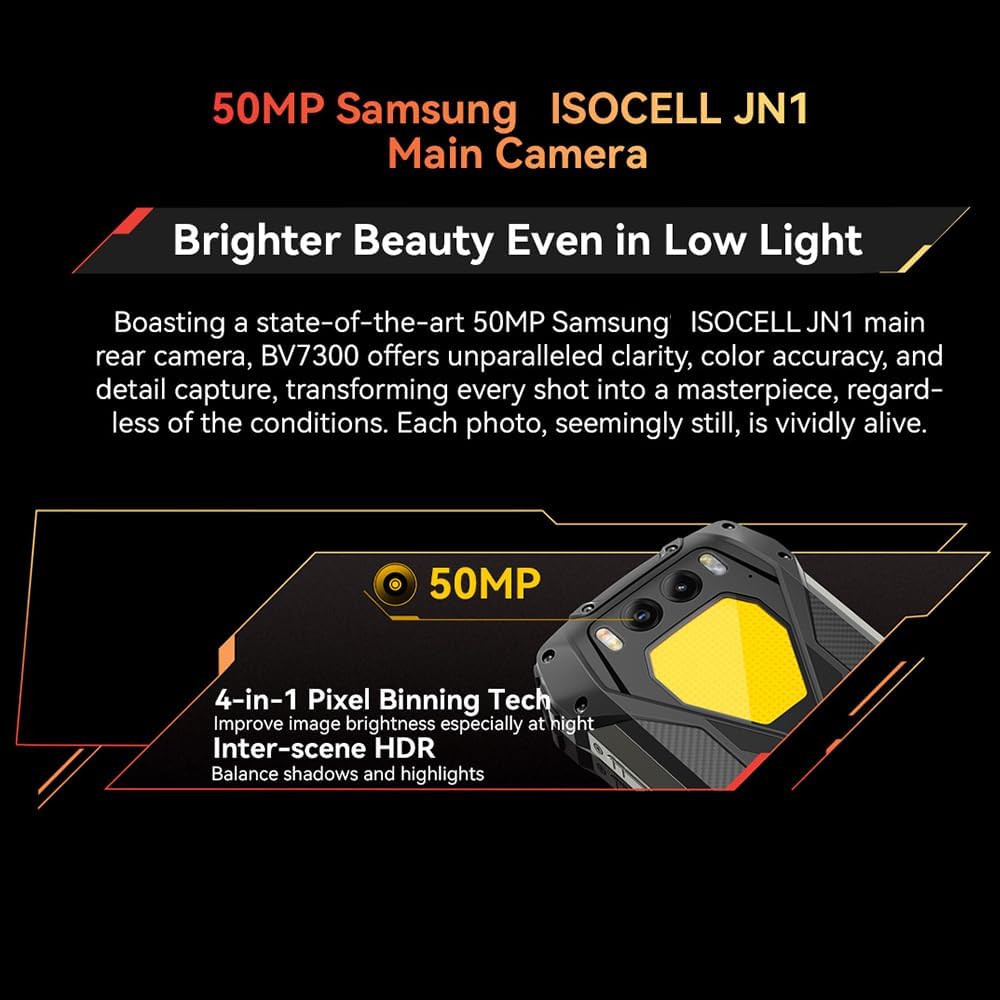
Figure 3: Close-up of the Blackview BV7300's rear camera module, featuring the 50MP main camera.

Figure 4: Diagram illustrating the Blackview BV7300's triple camera setup, including 32MP front, 50MP main, and 20MP night vision cameras.
- ዋና ካሜራ (50ሜፒ): For high-resolution photos and 1080p video recording. Features 4-in-1 Pixel Binning and Inter-scene HDR for improved image quality in various lighting conditions.
- የምሽት ራዕይ ካሜራ (20ሜፒ) Activates in low-light or complete darkness to capture clear images. Access this mode through the camera application.
- የፊት ካሜራ (32ሜፒ): For selfies and video calls, includes beauty mode features.
- To switch between camera modes, open the Camera app and select the desired option (Photo, Video, Night Vision, Portrait, etc.).
ድርብ ሲamping መብራቶች
ምስል 5፡ ጥቁሩview BV7300 with its dual 800 lumen camping lights activated, providing strong illumination.

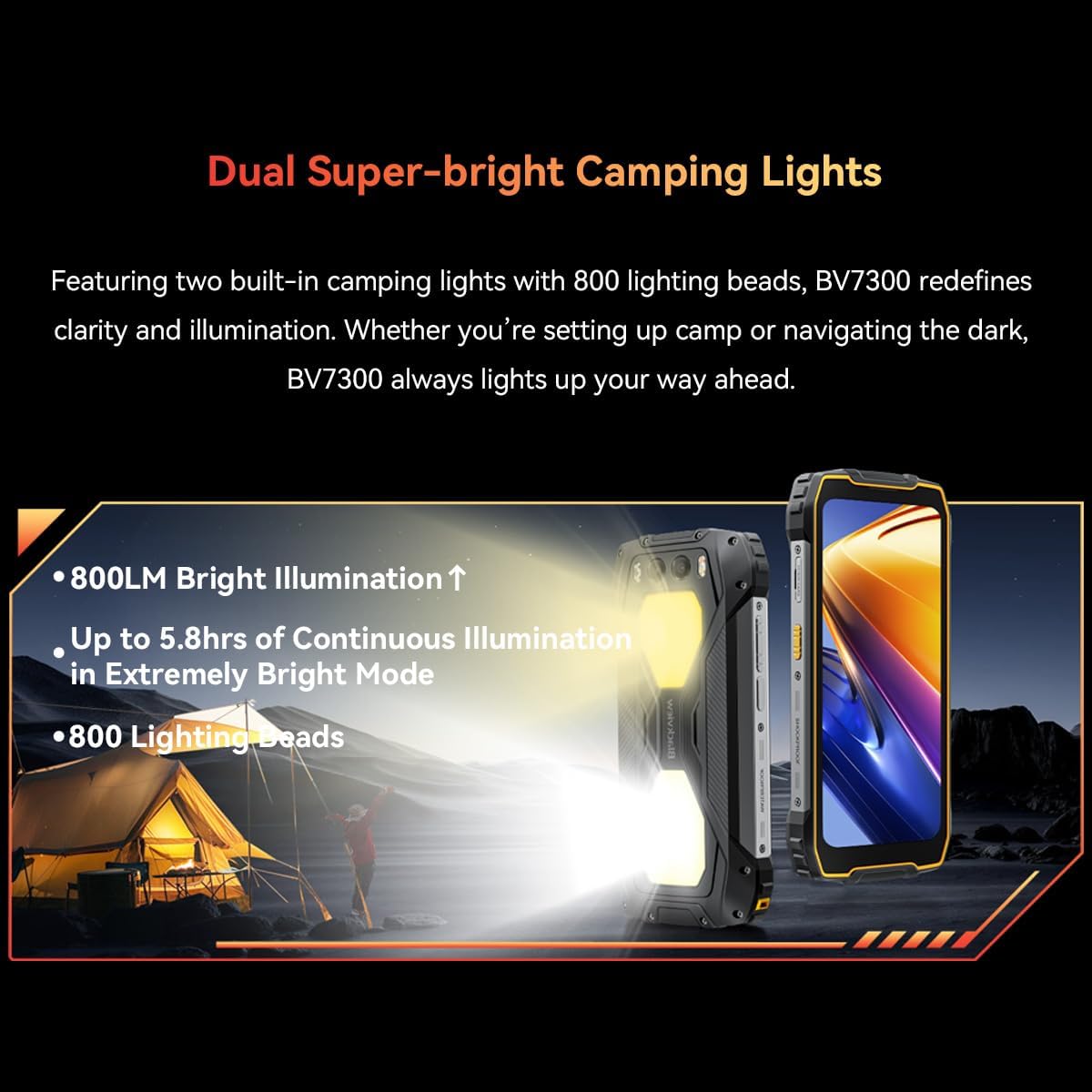
Figure 6: Illustration detailing the dual super-bright camping lights, highlighting 800LM brightness, up to 5.8 hours of continuous illumination in extremely bright mode, and 800 lighting beads.
The BV7300 features two powerful 800 lumen LED camping lights on its rear. These lights offer three lighting modes and three brightness levels. To activate and adjust the lights, use the dedicated function button or access the quick settings panel.
የባትሪ አስተዳደር

ምስል 7 - ውስጣዊ view የጥቁሩview BV7300 highlighting its 15000mAh battery and charging port.

Figure 8: Graphic showing estimated usage times for the 15000mAh battery: 18 hrs game, 16.5 hrs video, 28 hrs website, 56.5 hrs calling, 32.5 hrs music, 1368 hrs standby.
The BV7300 is equipped with a 15000mAh battery. For optimal battery life, use the provided charger and cable. The device supports OTG (On-The-Go) functionality, allowing it to act as a power bank to charge other devices.
ኦዲዮ

Figure 9: Image depicting the Blackview BV7300 with sound waves emanating from its dual box speakers, illustrating its audio capabilities.
The device features dual box speakers for enhanced audio output. Adjust volume using the dedicated volume buttons on the side of the phone.
ጥገና
- ማጽዳት፡ ማያ ገጹን እና ገላውን ለማፅዳት ለስላሳ ፣ ከጥጥ ነፃ የሆነ ጨርቅ ይጠቀሙ። ኃይለኛ ኬሚካሎችን ያስወግዱ.
- የውሃ መቋቋም; The BV7300 is waterproof. Ensure all port covers are securely closed before exposing the device to water. Do not intentionally submerge the device beyond its rated depth and time limits.
- የሶፍትዌር ማሻሻያ ጥሩ አፈጻጸም እና ደህንነትን ለማረጋገጥ የስርዓት ዝመናዎችን በመደበኛነት ያረጋግጡ እና ይጫኑ።
- የማከማቻ አስተዳደር፡ በየጊዜው ማጽዳት አላስፈላጊ files and applications to maintain sufficient storage space. The device supports up to 2TB TF expansion.
መላ መፈለግ
| ችግር | መፍትሄ |
|---|---|
| መሣሪያው አይበራም። | Ensure the battery is charged. Connect the device to a charger for at least 30 minutes. If it still doesn't power on, perform a forced restart by holding the Power button for 10-15 seconds. |
| ደካማ የአውታረ መረብ ምልክት. | Check if SIM cards are correctly inserted. Ensure you are in an area with network coverage. Restart the device. |
| መተግበሪያዎች ቀርፋፋ ወይም ብልሽ ናቸው። | የጀርባ መተግበሪያዎችን ይዝጉ። የመተግበሪያ መሸጎጫ ያጽዱ። በቂ የማከማቻ ቦታ መኖሩን ያረጋግጡ። መሳሪያውን እንደገና ያስጀምሩ። |
| ባትሪ በፍጥነት ይጠፋል. | Reduce screen brightness. Disable unused features like Wi-Fi, Bluetooth, GPS. Close power-intensive applications. Check for background app activity. |
| Camping lights not working. | Ensure the battery has sufficient charge. Check settings or dedicated button for activation. |
ዝርዝሮች
| ባህሪ | ዝርዝር |
|---|---|
| የሞዴል ስም | BV7300 |
| ስርዓተ ክወና | አንድሮይድ 14 |
| ፕሮሰሰር | MediaTek Kompanio 800T Octa Core, 2 GHz |
| ራም | 18 GB (6GB fixed + 12GB virtual expansion) |
| የውስጥ ማከማቻ | 256 ጊባ |
| ሊሰፋ የሚችል ማከማቻ | በማይክሮ ኤስዲ ካርድ እስከ 2 ቴባ |
| የማሳያ መጠን | 6.67 ኢንች |
| የማሳያ ጥራት | 1280x720 (HD+), 263 PPI |
| የማደስ ደረጃ | 90 Hz ዳይናሚክ |
| የኋላ ካሜራ | 50 MP (Samsung ISOCELL JN1) |
| የምሽት እይታ ካሜራ | 20 MP (Sony IMX376) |
| የፊት ካሜራ | 32 ሜፒ |
| የባትሪ አቅም | 15000 ሚአሰ |
| በመሙላት ላይ | Type-C, Fast Charging, OTG support |
| ግንኙነት | 4G, Dual SIM, GPS, NFC, USB |
| ልዩ ባህሪያት | ድርብ 800LM ሲamping Lights, Stereo Speakers, Rugged Construction, Waterproof, Facial Recognition |
| መጠኖች | 186 x 85 x 24 ሚ.ሜ |
| ክብደት | 528 ግ |
ዋስትና እና ድጋፍ
ጥቁሩview BV7300 comes with a 24-month warranty in Europe. For warranty claims or technical support, please contact Blackview customer service or the retailer from whom you purchased the device. Keep your proof of purchase for warranty validation.
For further assistance, visit the official Blackview webከግዢዎ ጋር የቀረበውን የእውቂያ መረጃ ድህረ ገጽ ወይም ይመልከቱ።