
1. መግቢያ
This manual provides detailed instructions for the setup, operation, and maintenance of your JoFomp 17.3" Large Digital Wall Clock. Please read this manual thoroughly before use to ensure proper functionality and longevity of the product.
2. የደህንነት መረጃ
- Ensure the clock is connected to a stable power source (5V/2A adapter included).
- መሳሪያውን ለከፍተኛ ሙቀት፣ ቀጥተኛ የፀሐይ ብርሃን ወይም ከፍተኛ እርጥበት አያጋልጡት።
- ልጆች በማይደርሱበት ቦታ ያስቀምጡ.
- መሳሪያውን እራስዎ ለመበተን ወይም ለመጠገን አይሞክሩ. ለእርዳታ የደንበኛ ድጋፍን ያነጋግሩ።
- የርቀት መቆጣጠሪያው 2 AAA ባትሪዎችን ይፈልጋል (አልተካተተም)።
- A 1 AAA battery (not included) is required for the memory function to retain settings during power outagኢ.
3. የጥቅል ይዘቶች
ሁሉም እቃዎች በጥቅሉ ውስጥ መኖራቸውን ያረጋግጡ፡-
- JoFomp 17.3" Digital Wall Clock
- የርቀት መቆጣጠሪያ
- 5V / 1A ዲሲ የኃይል አስማሚ
- የኃይል ገመድ
- Mounting Hooks (2)
- Mounting Template Ruler
- የተጠቃሚ መመሪያ (ይህ ሰነድ)

ምስል 3.1: የተካተቱ መለዋወጫዎች እና ዋና ክፍል.
4. ምርት አብቅቷልview
The JoFomp 17.3" Large Digital Wall Clock features a clear LED display and multiple functions for convenience.

Figure 4.1: Front display of the digital wall clock.
4.1 የማሳያ ባህሪያት
- የጊዜ ማሳያ፡- Large 17.3" LED digits.
- ቀን ማሳያ፡- Month and Day.
- የሳምንቱ ቀን Indicated by illuminated text (Mon-Sun).
- የሙቀት መጠን፡ Displays in Celsius or Fahrenheit.
- እርጥበት; Displays relative humidity percentage.
- ድርብ ማንቂያዎች፡- Two independent alarm settings.
- DST አመልካች፡- Daylight Saving Time status.

Figure 4.2: Labeled display functions.
4.2 Back Panel and Buttons
The back of the clock houses control buttons and connection ports.

Figure 4.3: Back panel with labeled components.
- የቅንብር አዝራሮች፡ Five buttons for manual adjustments (Light, SET, +, -, Alarm).
- የማህደረ ትውስታ ባትሪ ክፍል፡ For 1 AAA battery (not included) to retain settings.
- የኃይል ወደብ የኃይል አስማሚውን ለማገናኘት.
- የመገጣጠም ቀዳዳዎች; ለግድግድ መትከል.
5. ማዋቀር
5.1 የኃይል ግንኙነት
- Connect the power cord to the clock's power port.
- Plug the 5V/2A power adapter into a standard electrical outlet. The clock will power on and display.
ማስታወሻ፡- The clock requires continuous power to operate. It is not battery-powered for primary display.
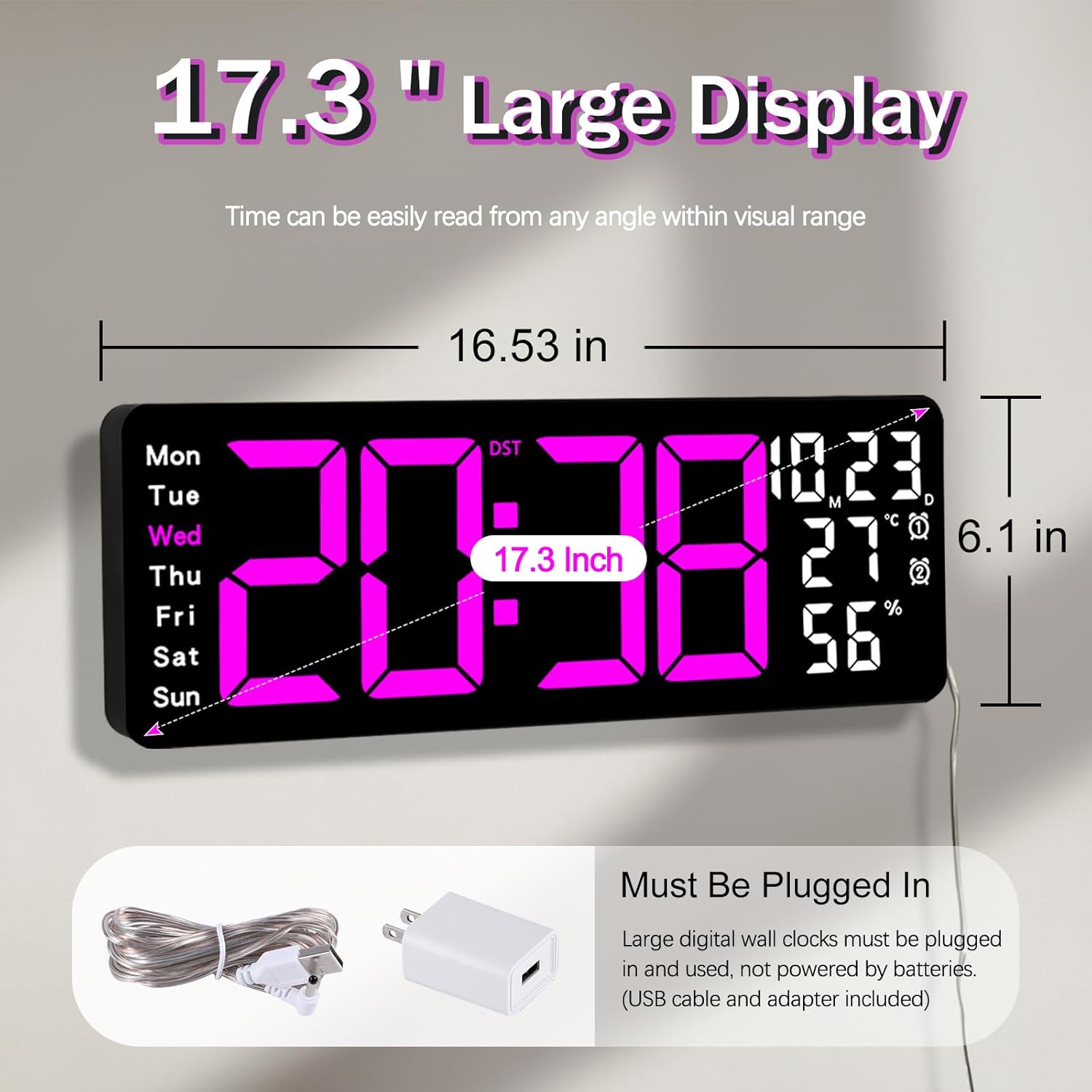
Figure 5.1: Power connection and dimensions.
5.2 Memory Battery Installation (Optional)
To retain time and settings during a power outage, install a 1 AAA battery (not included) into the memory battery compartment on the back of the clock.
- Locate the memory battery compartment on the back of the clock.
- የክፍሉን ሽፋን ይክፈቱ.
- አንድ 1.5V AAA ባትሪ ያስገቡ፣ ይህም ትክክለኛውን የፖላራይቲ (+/-) ያረጋግጣል።
- የክፍሉን ሽፋን በጥንቃቄ ይዝጉ.
5.3 ግድግዳ መትከል
Use the included mounting template ruler and hooks for easy wall installation.
- Determine the desired location for your clock.
- Place the mounting template ruler on the wall at the desired height.
- Mark the positions for the mounting hooks according to the ruler's indications.
- Install the mounting hooks into the wall at the marked positions.
- Carefully hang the clock onto the installed hooks, ensuring it is level and secure.
6. የአሠራር መመሪያዎች
The clock can be operated using either the remote control or the buttons on the back.
6.1 ሰዓት እና ቀን ማቀናበር
Use the remote control or the "SET" button on the back of the clock.
- የሚለውን ይጫኑ አዘጋጅ button (on remote or back of clock) to enter setting mode.
- የሚለውን ተጠቀም + እና - የብልጭታውን እሴት ለማስተካከል አዝራሮች (ለምሳሌ፣ ሰዓት፣ ደቂቃ፣ ዓመት፣ ወር፣ ቀን)።
- ተጫን አዘጋጅ again to confirm the current setting and move to the next parameter.
- ሁሉም ቅንብሮች እስኪዋቀሩ ድረስ ይድገሙት።
6.2 12/24 Hour Format Conversion
በ12 ሰዓት እና በ24 ሰዓት የጊዜ ቅርጸቶች መካከል ለመቀያየር፦
- የወሰኑትን ይጫኑ 12/24H በርቀት መቆጣጠሪያው ላይ ያለው አዝራር.
- Alternatively, during time setting, the format option will appear.

Figure 6.1: 12/24H format conversion.
6.3 የሙቀት መጠን መለኪያ (°ሴ/°ፋ)
በሴልሺየስ እና ፋራናይት የሙቀት አሃዶች መካከል ለመቀያየር፡-
- የሚለውን ይጫኑ ° ሴ / ° ፋ በርቀት መቆጣጠሪያው ላይ ያለው አዝራር.
6.4 Alarm Setting (Dual Alarms)
ሰዓቱ ሁለት ገለልተኛ ማንቂያዎችን ይደግፋል።
- የሚለውን ይጫኑ ማንቂያ button on the remote control or the back of the clock.
- ተጠቀም + እና - የሚፈለገውን የማንቂያ ጊዜ ለማዘጋጀት.
- ተጫን ማንቂያ again to confirm and move to the next alarm or exit.
- To activate/deactivate an alarm, press the corresponding alarm button (e.g., AL1 or AL2) በርቀት መቆጣጠሪያው ላይ።
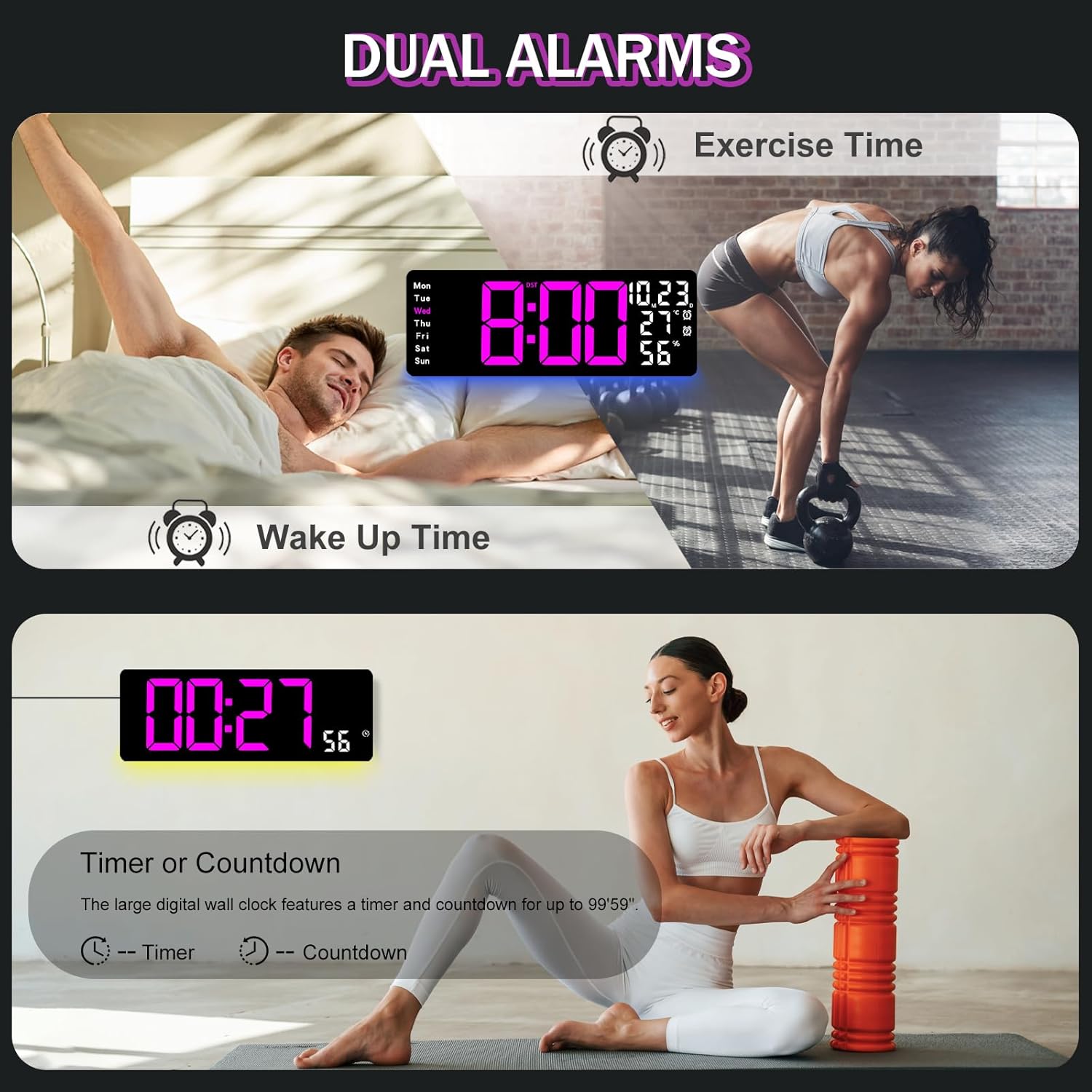
Figure 6.2: Dual alarm and timer functions.
6.5 የብሩህነት ማስተካከያ
The clock offers 10 levels of brightness, adjustable manually or automatically.
- ራስ-ሰር ብሩህነት; The built-in light sensor adjusts brightness based on ambient light. Activate this mode by pressing the አውቶማቲክ በርቀት መቆጣጠሪያው ላይ ያለው አዝራር.
- የእጅ ብሩህነት፡ የሚለውን ይጫኑ ብሩህነት button on the remote, then use + እና - to select one of the 10 levels.

Figure 6.3: Custom and auto-brightness settings.

Figure 6.4: Brightness regulator illustration.
6.6 Ambient Light Features
The clock includes a night light feature at the bottom with multiple color options.
- የሚለውን ይጫኑ ብርሃን button on the remote control or the back of the clock to cycle through 8 fixed colors and 1 multi-color mode.
- In multi-color mode, the colors automatically convert. Press OK to fix a favorite color.
- Adjust the brightness of the ambient light using the + እና - buttons when the ambient light is active.

Figure 6.5: Multiple ambient night light options.

Figure 6.6: 9 color ambient light options.
6.7 የሰዓት ቆጣሪ እና የቁጥር ተግባር
The clock features a timer (count-up) and countdown function up to 99 minutes and 59 seconds.
- የሚለውን ይጫኑ TIMER በርቀት መቆጣጠሪያው ላይ ያለው አዝራር.
- ተጠቀም + እና - to set the desired time for countdown.
- ተጫን ጀምር/አቁም to begin or pause the timer/countdown.
- ተጫን ዳግም አስጀምር ሰዓት ቆጣሪውን ለማጽዳት.

Figure 6.7: Timing function (count-up/countdown).
Video 6.1: Demonstration of multi-functional features including night light change, brightness control, count-up, and countdown. This video also shows the time, date, day, alarm clock, temperature, and humidity displayed on the same screen, along with 12/24 hour conversion, Celsius/Fahrenheit conversion, and DST enablement. The back design and buttons are also briefly shown.
6.8 የቀን ብርሃን ቁጠባ ጊዜ (DST)
If DST is observed in your region, you can enable or disable it.
- ን በረጅሙ ተጫን - button on the remote control to enable or disable DST. The DST indicator will appear/disappear on the display.

Figure 6.8: Enabling and disabling Daylight Saving Time.

Figure 6.9: Daylight Saving Time (DST) functionality.
6.9 የርቀት መቆጣጠሪያ አጠቃቀም
The remote control provides convenient access to all clock functions without needing to reach the clock directly.

Figure 6.10: Remote control and its functions.

ምስል 6.11፡ የርቀት መቆጣጠሪያ በአገልግሎት ላይ
- Ensure the remote control has 2 AAA batteries installed (not included).
- Point the remote control directly at the clock for optimal response.
- Each button on the remote corresponds to a specific function as described in this manual.
7. ጥገና
- Clean the clock's display and body with a soft, dry cloth. Avoid abrasive cleaners or solvents.
- Ensure the power adapter and cord are free from damage.
- Replace the memory battery annually to ensure settings are retained during power interruptions.
8. መላ መፈለግ
| ችግር | ሊሆን የሚችል ምክንያት | መፍትሄ |
|---|---|---|
| የሰዓት ማሳያ ጠፍቷል። | የኃይል አቅርቦት የለም። | Check if the power adapter is securely plugged into the clock and the outlet. Ensure the outlet is functional. |
| የርቀት መቆጣጠሪያ አይሰራም። | Low or dead batteries in remote; obstruction; remote out of range. | Replace remote batteries (2 AAA). Ensure no obstructions between remote and clock. Point directly at the clock within effective range. |
| ከኃይል ou በኋላ ቅንብሮች ጠፍተዋልtage. | No memory battery or dead memory battery. | Install a fresh 1.5V AAA battery in the memory compartment. |
| Incorrect temperature/humidity reading. | Sensor interference or placement. | Ensure the clock is not placed near heat sources, direct sunlight, or in areas with extreme drafts. Allow time for the sensor to stabilize. |
| Ambient light not changing colors. | Stuck in fixed color mode. | Press the LIGHT button on the remote to cycle through modes. If stuck on a fixed color, press the OK button to release it from fixed mode. |
9. ዝርዝሮች
| ባህሪ | ዝርዝር |
|---|---|
| የምርት ስም | JoFomp |
| የሞዴል ቁጥር | 6669 |
| የማሳያ ዓይነት | ዲጂታል LED |
| የማሳያ መጠን | 17.3 ኢንች |
| የምርት ልኬቶች | 16.5" ዋ x 6.7" ኤች |
| የኃይል ምንጭ | Corded Electric (5V/2A adapter included) |
| የማህደረ ትውስታ ባትሪ | 1 x AAA (አልተካተተም) |
| የብሩህነት ደረጃዎች | 10 (Auto/Manual) |
| የአካባቢ ብርሃን ቀለሞች | 8 Fixed + 1 Multi-color |
| ልዩ ባህሪያት | Large Display, Adjustable Brightness, Temperature Display, Humidity Display, Dual Alarms, Timer, Countdown, DST, Remote Control |
| የመጫኛ አይነት | የግድግዳ ተራራ |
| የእቃው ክብደት | 1.95 ፓውንድ |
10. ዋስትና እና ድጋፍ
JoFomp products are designed for reliability and performance. For warranty information or technical support, please refer to the contact details provided with your purchase or visit the official JoFomp webጣቢያ. የግዢ ደረሰኝህን እንደ ግዢ ማረጋገጫ አቆይ።