
1. መግቢያ
The Retevis Ailunce HA1G is a robust GMRS two-way radio designed for reliable communication in various environments. It features IP67 waterproofing, a long-lasting 2800mAh battery, NOAA weather alerts, and multiple channels including GMRS repeater channels. This manual provides essential information for the proper setup, operation, and maintenance of your HA1G radio.
2. የጥቅል ይዘቶች
እባክዎን ጥቅሉን ለሚከተሉት ነገሮች ያረጋግጡ፡
- 1 x HA1G GMRS two-way radio
- 1 x ባትሪ
- 1 x የዩኤስቢ-ሲ ኃይል መሙያ ገመድ
- 1 x Desk charger
- 1 x ቀበቶ ቅንጥብ
- 1 x Lanyard
- 1 x የተጠቃሚ መመሪያ

3. የምርት ባህሪዎች
- IP67 የውሃ መከላከያ ደረጃ The HA1G radio is designed to withstand submersion in water up to 1 meter for 30 minutes, making it suitable for outdoor and water-related activities.
- የረጅም ርቀት ግንኙነት; Includes 8 GMRS repeater channels and 256 memory channels, allowing for extended communication distances.
- 2800mAh ባትሪ; Equipped with a high-capacity battery for extended use, providing approximately 17 hours of working time and 5 days of standby time.
- የዩኤስቢ-ሲ ኃይል መሙላት; Convenient charging via USB-C, compatible with power banks, vehicle chargers, and computers.
- የNOAA የአየር ሁኔታ ማንቂያዎች፡ Features 12 NOAA channels for receiving weather information and alerts, enhancing safety during outdoor activities.
- ድምጽ አጽዳ፡ Incorporates squelch function and microphone gain for clear and accurate audio transmission.
- VFO Mode & CHIRP Support: Offers VFO mode for flexible frequency tuning and supports CHIRP software for easy programming.
- የአደጋ ጊዜ ማንቂያ፡- Multiple alarm modes for quick assistance in emergency situations.
- 1.77-ኢንች ቀለም ማያ; Provides clear display of channel and battery information, with excellent readability even in sunlight.
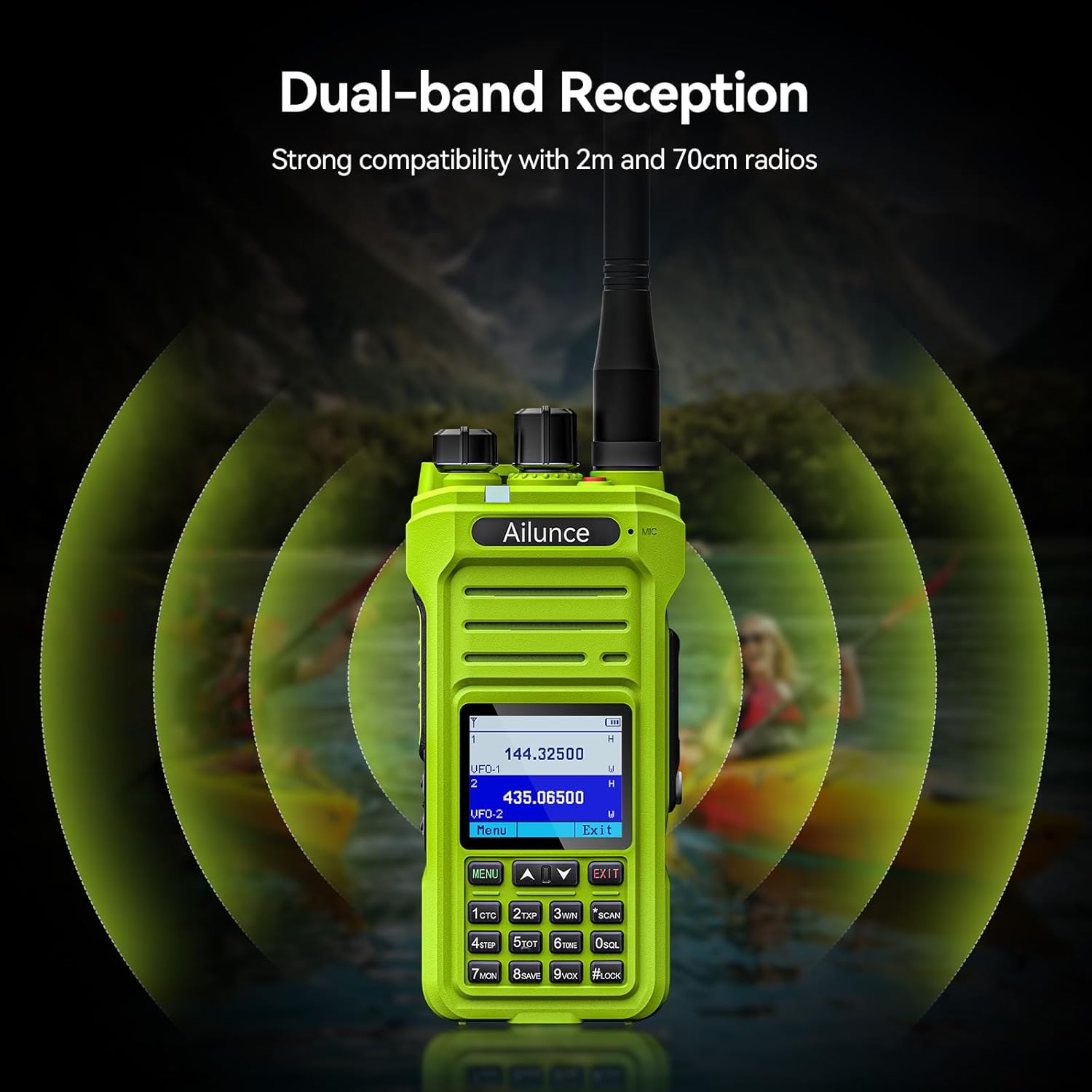
- Dual-band Reception: Strong compatibility with 2m and 70cm radios.




Video: NOAA Function and Usage Scenarios
This video demonstrates the NOAA weather alert function and various usage scenarios for the Retevis Ailunce HA1G GMRS Radio, including its application for hikers and campE ንዲሻሻል.
Video: Screen Readability in Sunlight
This video compares the screen readability of the Retevis Ailunce HA1G GMRS Radio in direct sunlight against another radio, highlighting its superior legibility.
4. ማዋቀር
4.1 የባትሪ ጭነት
- ሬዲዮው መጥፋቱን ያረጋግጡ።
- ባትሪውን በሬዲዮው ጀርባ ካለው የባትሪ ክፍል ጋር ያስተካክሉት.
- ደህንነቱ በተጠበቀ ሁኔታ ጠቅ እስኪያደርግ ድረስ ባትሪውን በቀስታ ወደ ቦታው ይግፉት።
4.2 አንቴና አባሪ
- አንቴናውን በሬዲዮው አናት ላይ ባለው ማገናኛ ላይ በሰዓት አቅጣጫ ይከርክሙት እና ጣቱ እስኪወጋ ድረስ ይከርክሙት። ከመጠን በላይ አያጥብቁት።
4.3 ባትሪውን መሙላት
ለመጀመሪያ ጊዜ ከመጠቀምዎ በፊት ባትሪውን ለ4-6 ሰዓታት ሙሉ በሙሉ ይሙሉት።
- Connect the USB-C charging cable to the desk charger.
- Place the radio with the battery installed into the desk charger. Ensure the charging contacts align.
- The charging indicator on the charger will show the charging status.

5. የአሠራር መመሪያዎች
5.1 ማብራት / ማጥፋት እና የድምጽ መቆጣጠሪያ
- To power on, rotate the power/volume knob clockwise until you hear a "click" and the screen illuminates.
- To adjust volume, continue rotating the knob clockwise to increase volume or counter-clockwise to decrease.
- To power off, rotate the knob counter-clockwise until you hear a "click".
5.2 የሰርጥ ምርጫ
The HA1G supports GMRS channels and memory channels.
- Use the Up/Down arrow buttons on the keypad to navigate through available channels.
- The radio includes 8 pre-programmed GMRS repeater channels and 256 memory channels for custom programming.
5.3 ማስተላለፍ እና መቀበል
- To transmit, press and hold the Push-To-Talk (PTT) button on the side of the radio. Speak clearly into the microphone.
- ማስተላለፍን ለማቆም እና ወደ መቀበያ ሁነታ ለመመለስ የPTT ቁልፍን ይልቀቁ።
- The radio also features a programmable sub-PTT button for quick communication.

5.4 Privacy Codes (CTCSS/DCS) and Split Tones
Privacy codes (CTCSS/DCS) filter out unwanted transmissions, allowing you to only hear communications from radios using the same code. When connecting to repeaters, you may need to use different privacy codes for transmission and reception, known as split tones. The HA1G supports these features, which can be configured through the radio's menu or programming software.
5.5 NOAA የአየር ሁኔታ ማንቂያዎች
The HA1G can receive NOAA weather channels and provide alerts for severe weather conditions. You can set up one of the dual channels to continuously monitor NOAA alerts while using the other for regular communication.
5.6 VFO Mode
VFO (Variable Frequency Oscillator) mode allows for direct frequency input and tuning, providing flexibility for advanced users to access specific frequencies not stored in memory channels.
5.7 ኤፍኤም ሬዲዮ
The HA1G includes an FM radio function for entertainment or receiving local broadcasts when not actively using the two-way radio features.
6. ጥገና
6.1 የባትሪ እንክብካቤ
- ባትሪውን ከመጠን በላይ መሙላት ወይም ሙሉ በሙሉ ማፍሰስን ያስወግዱ.
- ጥቅም ላይ በማይውልበት ጊዜ ባትሪውን በቀዝቃዛና ደረቅ ቦታ ያስቀምጡት.
- ሬዲዮው ረዘም ላለ ጊዜ ጥቅም ላይ የማይውል ከሆነ ባትሪውን ያስወግዱት።
6.2 ጽዳት
- ሬዲዮን ለስላሳ፣ መamp ጨርቅ. ኃይለኛ ኬሚካሎችን ወይም ሻካራ ማጽጃዎችን አይጠቀሙ.
- Ensure all port covers are securely closed to maintain waterproof integrity.
6.3 ማከማቻ
- ሬዲዮውን በደረቅ እና አቧራ በሌለበት አካባቢ ያከማቹ።
- በቀጥታ ከፀሀይ ብርሀን እና ከፍተኛ የሙቀት መጠን ይጠብቁ.
7. መላ መፈለግ
| ችግር | መፍትሄዎች |
|---|---|
| አይሰራም |
|
| Will not take programming |
|
| Kept cutting out (Audio is choppy or drops) |
|
| It doesn't receive signals properly |
|
8. ዝርዝሮች
| ባህሪ | ዝርዝር |
|---|---|
| የምርት ስም | ሬቴቪስ |
| የሞዴል ቁጥር | HA1ጂ |
| ቀለም | አረንጓዴ |
| የሰርጦች ብዛት | 256 |
| የድግግሞሽ ክልል | ጂ ኤም አር አር |
| ከፍተኛ የንግግር ክልል | 5 ማይል |
| የውሃ መቋቋም ደረጃ | IP67 የውሃ መከላከያ |
| የባትሪ አቅም | 2800mAh (1 CR5 battery included) |
| የባትሪ አማካይ ሕይወት | 20 ሰዓታት |
| የኃይል መሙያ ዓይነት | USB-C Rechargable |
| የእቃው ክብደት | 300 ግራም |
| ጥራዝtage | 7.4 ቮልት |
| የሚሰማ ድምጽ | 40 ዲሴብል |
| ተስማሚ መሣሪያዎች | FRS radios, GMRS radios, USB-C charging accessories |
| የሙቀት ክልል | -10 ° ሴ ~ 55 ° ሴ |
| እክል | 50 ኦኤም |
| መቃኛ አይነት | ጂ ኤም አር አር |
| የግንኙነት ፕሮቶኮል | ጂ ኤም አር አር |
9. ዋስትና እና ድጋፍ
Retevis provides a 2-year warranty for the radio body and a 1-year warranty for accessories. Additionally, there is a 30-day no-reason return policy. For any issues or support inquiries, please contact Retevis customer service on Amazon. They aim to respond within 12 hours.
ለተጨማሪ እርዳታ, ባለስልጣኑን ይጎብኙ Retevis በአማዞን ላይ መደብር.