
መግቢያ
The GameSir G8 Plus Thanos Edition is a versatile mobile game controller designed to provide a console-like gaming experience across multiple platforms. This manual provides essential information for setting up, operating, maintaining, and troubleshooting your controller.
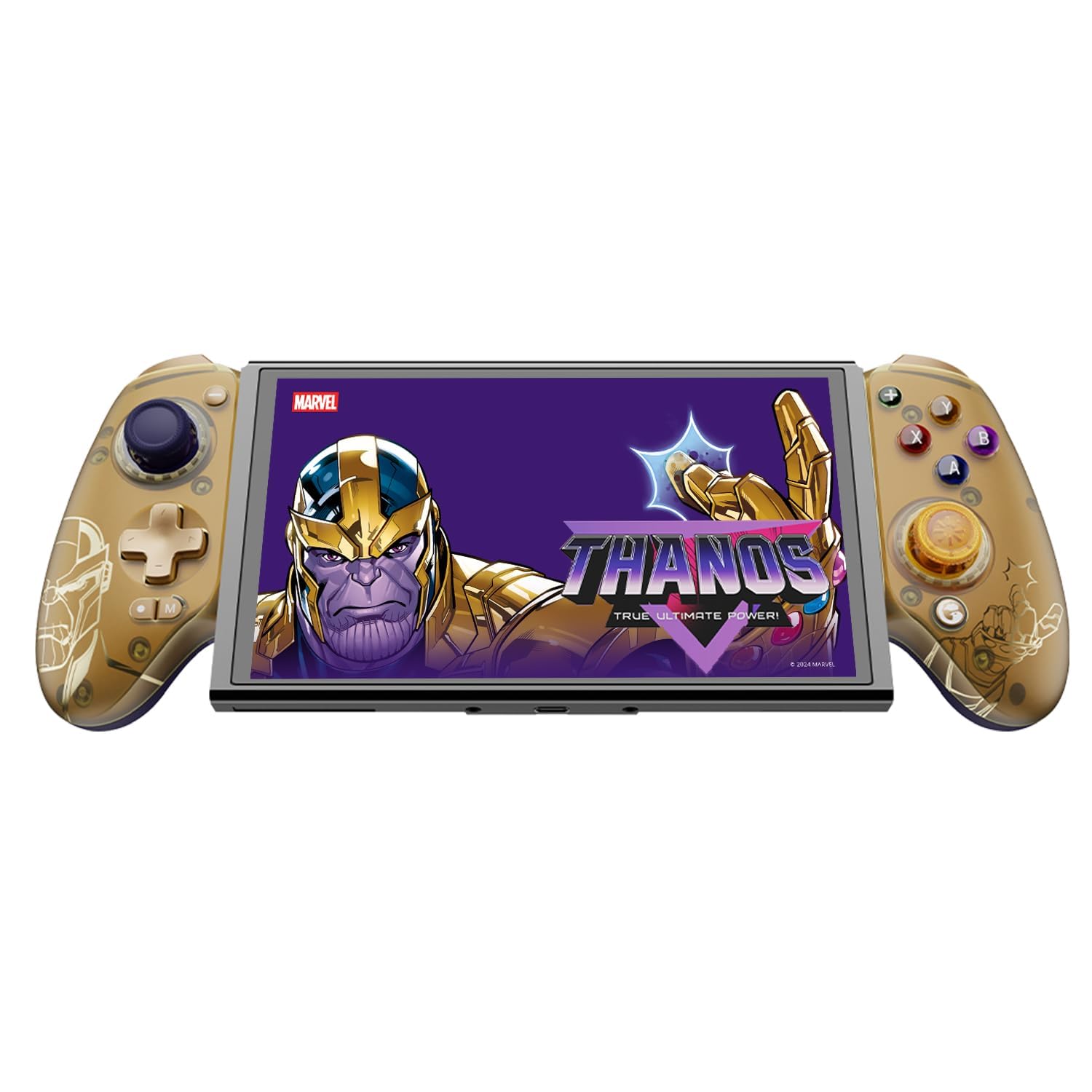
Figure 1: GameSir G8 Plus Thanos Edition Mobile Game Controller.
ማዋቀር
የጥቅል ይዘቶች
ሁሉም እቃዎች በጥቅሉ ውስጥ መኖራቸውን ያረጋግጡ፡-
- GameSir G8 Plus Thanos Edition Mobile Game Controller
- Interchangeable Thumbstick Caps (3 pairs)
- የ USB-C ገመድ
- የተጠቃሚ መመሪያ (ይህ ሰነድ)

Figure 2: Contents of the GameSir G8 Plus Thanos Edition package.
የመሣሪያ ተኳኋኝነት
The GameSir G8 Plus is compatible with a wide range of devices:
- Android devices (Android 8.0 or later)
- የ iOS መሣሪያዎች
- ኔንቲዶ ቀይር
- Tablets (4.7 to 8.4 inches)
- PC (via 2.4G receiver, sold separately, or wired)

Figure 3: Universal compatibility of the GameSir G8 Plus.
የመጀመሪያ ግንኙነት
To connect your GameSir G8 Plus controller to a device:
- ለሞባይል መሳሪያዎች (ብሉቱዝ): Extend the controller to fit your smartphone or tablet. Ensure Bluetooth is enabled on your device. Press and hold the pairing button on the controller until the indicator light flashes, then select "GameSir G8 Plus" from your device's Bluetooth settings.
- ለኔንቲዶ ቀይር፡ Insert the Switch console into the controller. The controller should automatically connect.
- For PC (Wired): Connect the controller to your PC using the provided USB-C cable.
- For PC (2.4G Wireless): Insert the 2.4G receiver (sold separately) into your PC's USB port. The controller should connect automatically.
ቪዲዮ 1፡ አልቋልview of the Gamesir G8 Plus Bluetooth Marvel Licensed controller, demonstrating its design and features.
በመስራት ላይ
ቁልፍ ባህሪያት እና መቆጣጠሪያዎች
- የሆል ኢፌክት ጆይስቲክስ፡ Experience precise 360° control with anti-drift technology, ensuring longevity and accuracy.
- የአዳራሽ ተፅእኖ ቀስቅሴዎች፡- Optimized triggers provide smooth and quick response, ideal for various game genres.
- ሊታዩ የሚችሉ የኋላ አዝራሮች፡ Two additional back buttons (L4/R4) allow for instant button mapping, enhancing gameplay customization.
- የእንቅስቃሴ ዳሳሽ; A built-in 6-axis gyroscope enhances motion control, particularly useful for compatible Switch games and motion-sensitive gameplay.
- ሃፕቲክ ግብረመልስ፡- Console-level haptic feedback provides realistic and immersive sensations during gameplay.

Figure 4: Explanation of GameSir Hall Effect Sticks.

Figure 5: Toggle Trigger Modes for different game types.

Figure 6: Motion Control capabilities with built-in 6-axis gyro.

Figure 7: Realistic and immersive haptic sensation.
ማበጀት
- Magnetic Faceplates: The controller features magnetic faceplates that can be easily removed and swapped for personalized aesthetics or maintenance.
- Interchangeable Thumbstick Caps: Three pairs of thumbstick caps with varying heights are included, allowing users to customize control feel.
- GameSir App: The GameSir app (Android exclusive) allows for real-time customization, including button mapping and sensitivity adjustments, for personalized gameplay.

Figure 8: Free customization options for the controller.

Figure 9: Advanced features of the GameSir G8 Plus.
Video 2: Introduction to the GameHub App, showcasing its features for game management and controller customization.
ሁነታ መቀየር
The controller supports various modes for different platforms. To switch between modes, press the corresponding key combination:
| ሁነታ | የቤት አመልካች | የግንኙነት ዘዴ | ተስማሚ መድረክ |
|---|---|---|---|
| አንድሮይድ | አረንጓዴ | Controller + A | አንድሮይድ 8.0 ወይም ከዚያ በላይ ስሪቶች |
| DS4 | ሰማያዊ | Controller + B | iOS |
| ቀይር | ቀይ | Controller + X | ቀይር |
| ጂ-ንክኪ | ሲያን | Controller + Y | GameSir መተግበሪያ |
*በስራ ሁኔታ፣ወደሚፈለገው ሁነታ ለመቀየር ተጓዳኝ የቁልፍ ጥምርን ይጫኑ።
ጥገና
የGameSir G8 Plus መቆጣጠሪያዎ ረጅም ዕድሜ እና ጥሩ አፈጻጸም ለማረጋገጥ፣ የሚከተሉትን የጥገና መመሪያዎች ይከተሉ፡
- ማጽዳት፡ የመቆጣጠሪያውን ገጽ ለማጽዳት ለስላሳ እና ደረቅ ጨርቅ ይጠቀሙ። ለጠንካራ ቆሻሻ፣ ትንሽ ጠጣርampበጨርቁ ላይ በውሃ ወይም ለስላሳ የጽዳት መፍትሄ. ኃይለኛ ኬሚካሎችን ወይም ገላጭ ቁሳቁሶችን ያስወግዱ.
- ማከማቻ፡ መቆጣጠሪያውን ከቀጥታ የፀሐይ ብርሃን እና ከፍተኛ የሙቀት መጠን ራቅ ባለ ቀዝቃዛና ደረቅ ቦታ ያስቀምጡ። ለረጅም ጊዜ ጥቅም ላይ በማይውልበት ጊዜ፣ ከማከማቸትዎ በፊት ሙሉ በሙሉ መሙላቱን ያረጋግጡ።
- አያያዝ፡ Avoid dropping the controller or subjecting it to strong impacts. Do not attempt to disassemble the controller beyond removing the magnetic faceplates and thumbstick caps.
መላ መፈለግ
If you encounter issues with your GameSir G8 Plus controller, refer to the following common troubleshooting steps:
- ተቆጣጣሪ አለመገናኘት; Ensure Bluetooth is enabled on your device and the controller is in the correct mode (Android, DS4, Switch). Try restarting both the controller and your device. For wired connections, ensure the USB-C cable is securely connected.
- አዝራሮች ወይም ጆይስቲክ ምላሽ የማይሰጡ Check if the controller's battery is charged. If using the GameSir App, verify that button mappings are correctly configured. For Hall Effect Joysticks, recalibration might be necessary if drift occurs (refer to GameSir App for calibration options).
- Device Not Fitting: Ensure your device's dimensions are within the supported range of 4.7 to 8.4 inches. The controller's design accommodates devices with larger cameras.
- GameSir App Issues: Ensure your GameSir App is updated to the latest version. The app is currently exclusive to Android devices.
For further assistance, please contact GameSir customer support.
ዝርዝሮች
Detailed specifications for the GameSir G8 Plus Thanos Edition Mobile Game Controller:
| ባህሪ | ዝርዝር |
|---|---|
| ተስማሚ መሣሪያዎች | Android, iOS, Nintendo Switch, PC |
| የመቆጣጠሪያ አይነት | የጨዋታ ሰሌዳ |
| የግንኙነት ቴክኖሎጂ | Bluetooth 5.3, USB, 2.4G (receiver sold separately) |
| ተጨማሪ ባህሪያት | Multiuse, Wireless, Hall Effect Joysticks & Triggers, 6-axis Gyroscope, Mappable Back Buttons, Magnetic Faceplates, Interchangeable Thumbstick Caps, Pass-through Charging |
| የአዝራር ብዛት | 6 (standard face buttons) + D-pad, shoulder buttons, triggers, menu buttons, 2 back buttons |
| የሃርድዌር መድረክ | Smartphone, Tablet, Nintendo Switch, PC |
| የኃይል ምንጭ | Battery Powered (500mAh per side) |
| የእቃው ክብደት | 620 ግራም |
| የሞዴል ስም | G8 Plus |
| አምራች | GameSir |
| ቀለም | Gamesir G8 Plus Thanos Edition (Gold/Purple) |
ዋስትና እና ድጋፍ
የዋስትና መረጃ
The GameSir G8 Plus Thanos Edition Mobile Game Controller comes with a የ1-ዓመት ዋስትና. GameSir provides 12 months replacement service for product issues.
የደንበኛ ድጋፍ
If you experience any problems with your product or require further assistance, please feel free to send a message through Amazon. GameSir aims to reply within 24 hours.