
1. መግቢያ
The RADIOMASTER Bandit ExpressLRS 915MHz RF Module is designed to provide robust and reliable radio frequency communication for remote control applications. This module integrates advanced features such as high output power, low power consumption, and an intuitive user interface, making it suitable for various hobby and industrial uses. This manual provides essential information for the proper setup, operation, and maintenance of your Bandit RF Module.
2. የደህንነት መረጃ
- Always ensure the module is powered correctly within the specified voltage range (DC 6V ~ 16.8V). Incorrect voltagሠ መሣሪያውን ሊጎዳ ይችላል.
- Do not operate the module without an antenna connected. Operating without an antenna can cause damage to the RF output stage.
- ሞጁሉን ከውሃ፣ ከእርጥበት እና ከከፍተኛ የሙቀት መጠን ያርቁ።
- Avoid direct contact with the antenna during operation, especially at high power settings.
- Ensure proper ventilation around the module to prevent overheating, particularly during extended high-power use.
- ይህ መሣሪያ መጫወቻ አይደለም ፡፡ የልጆች ተደራሽ እንዳይሆኑ ያድርጉ ፡፡
3. የጥቅል ይዘቶች
ሁሉም እቃዎች በጥቅልዎ ውስጥ መኖራቸውን ያረጋግጡ፡-
- Bandit Nano ExpressLRS RF Module
- 915/868MHz T Antenna
- Mounting accessories (e.g., Nano standard 8 pin connector, various adapters)
- XT30 የኃይል ገመድ
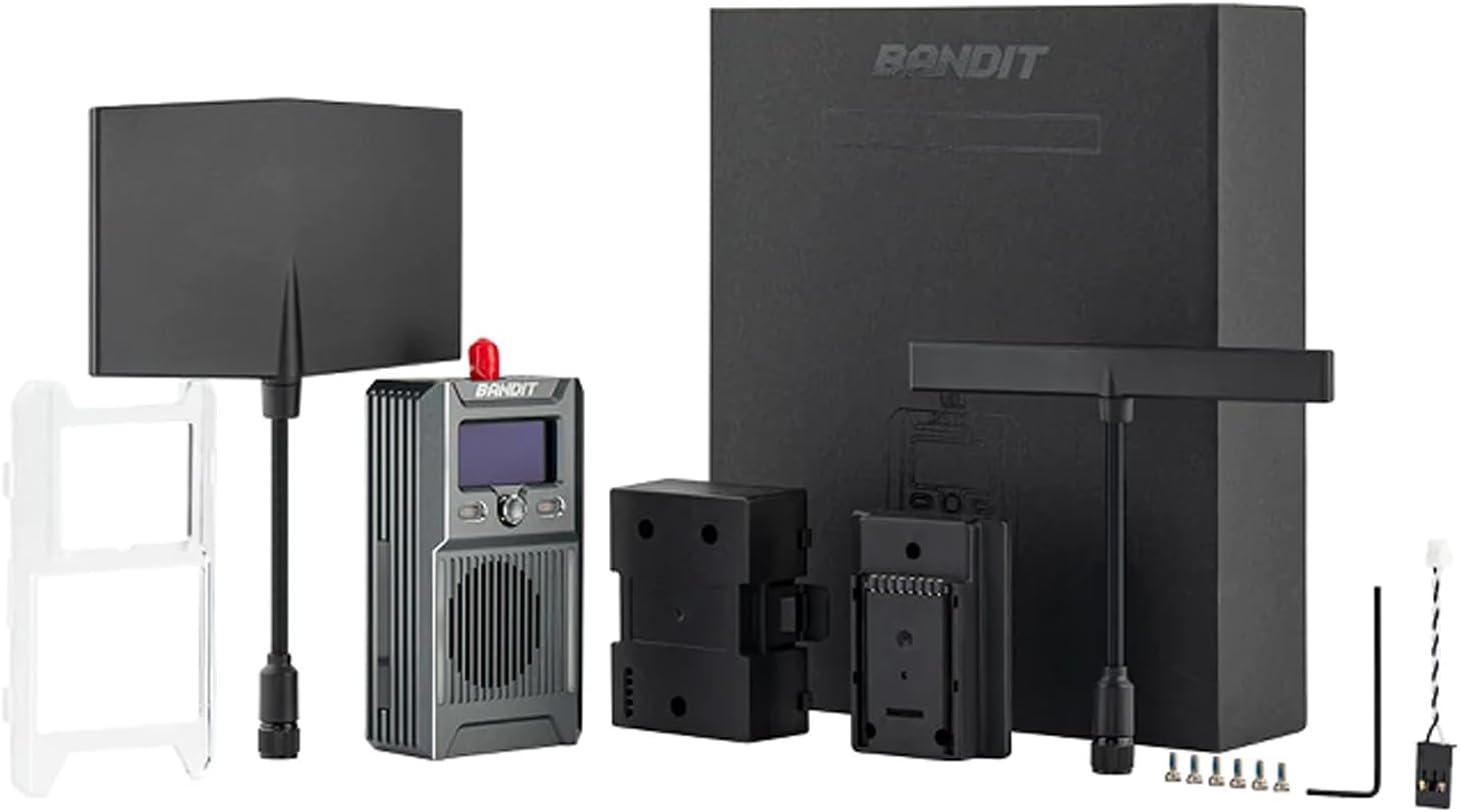
ምስል 3.1፡ Bandit ExpressLRS RF Module and its accessories, including antennas, mounting hardware, and power cable.
4. ምርት አብቅቷልview
The Bandit ExpressLRS RF Module features a compact design with an integrated OLED screen and a 5-directional navigation key for easy configuration. It supports high output power and efficient cooling for stable performance.
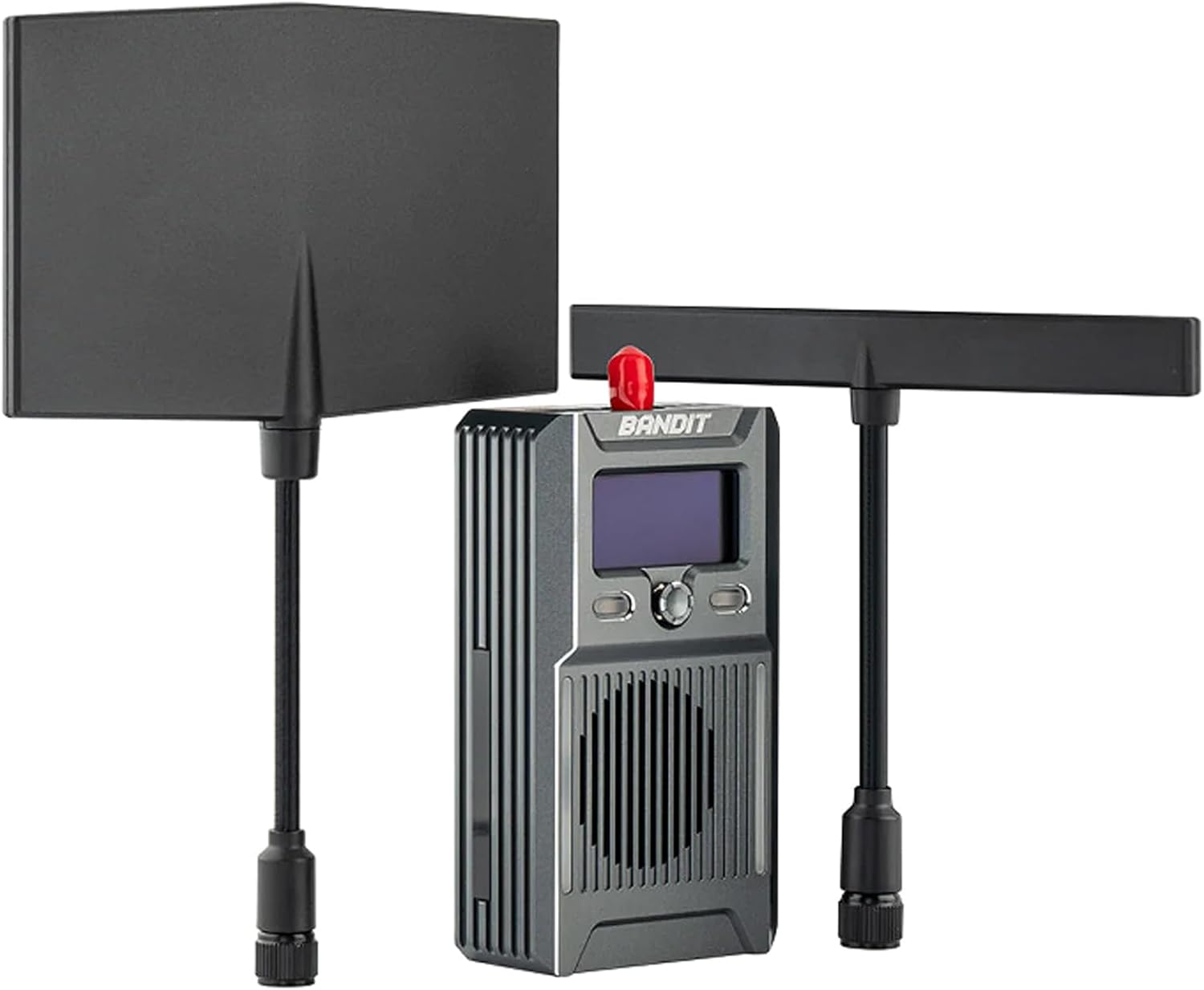
ምስል 4.1፡ ፊት ለፊት view of the Bandit RF Module, showcasing the OLED display, control buttons, and cooling fins, with two T-style antennas attached.

ምስል 4.2፡ ዝርዝር view of the module's user interface, including the high-contrast OLED display and the 5-directional navigation key for menu interaction.

ምስል 4.3፡ ጎን view showing the various connection ports: USB-C, CRSF, RT, and the XT30 power input (DC 6V-16.8V).
5. ማዋቀር
5.1 ሞጁል መጫኛ
- Identify the Nano standard 8-pin connector slot on your compatible radio transmitter (e.g., Zorro, Pocket, MT12 Radio).
- Carefully align the Bandit RF Module with the connector slot.
- Gently push the module into place until it is securely seated. Ensure the connection is firm to prevent intermittent signal loss.
- Attach the 915/868MHz T Antenna to the module's antenna connector. Hand-tighten only; do not overtighten.
5.2 የኃይል ግንኙነት
The module requires an external power source via the XT30 connector.
- Connect the provided XT30 power cable to the XT30 port on the module.
- Connect the other end of the XT30 cable to a DC power source providing 6V to 16.8V. Ensure correct polarity.
5.3 Binding Process (ExpressLRS)
Refer to the official ExpressLRS documentation for detailed binding procedures. Generally, the process involves:
- Power on your radio transmitter with the Bandit module installed.
- Navigate to the ExpressLRS Lua script or menu on your radio.
- Select the 'Bind' option.
- Power on your ExpressLRS receiver (not included) within the binding window. The module and receiver should establish a connection.
- Confirm successful binding via the OLED screen on the module or the radio's display.
6. አሠራር
6.1 መሠረታዊ አሠራር
Once powered on, the OLED screen will display operational information such as current power output, refresh rate, and connection status. Use the 5-directional navigation key to:
- ምናሌዎችን ያስሱ፦ Move up, down, left, or right through menu options.
- ይምረጡ/አረጋግጥ፡ Press the center button to select an option or confirm a setting.
- ውጣ/ተመለስ፡ Often, a long press or a specific direction will exit a menu or go back.
6.2 Power Output and Refresh Rate
The module supports up to 1 Watt (30dBm) power output and packet rates up to 200Hz. These settings can typically be adjusted via the ExpressLRS Lua script on your radio or directly through the module's menu, if available. Higher power output increases range but also power consumption and heat generation.
6.3 ግንኙነት
The Bandit module includes Wifi and Bluetooth support, which can be used for firmware updates, configuration, and other advanced features as supported by the ExpressLRS ecosystem.
7. ጥገና
- ማጽዳት፡ Use a soft, dry cloth to clean the module. Avoid using liquids or solvents.
- ማከማቻ፡ ሞጁሉን በቀጥታ ከፀሀይ ብርሀን እና ከከፍተኛ ሙቀት ርቆ በደረቅ እና ቀዝቃዛ ቦታ ያከማቹ።
- የጽኑዌር ዝማኔዎች ፦ Regularly check for and install the latest ExpressLRS firmware updates to ensure optimal performance and access to new features. Updates can typically be performed via Wifi.
- የአንቴና እንክብካቤ; Ensure the antenna is not bent or damaged. A damaged antenna can significantly reduce range and performance.
8. መላ መፈለግ
- ሞጁል እየበራ አይደለም፡- Check the XT30 power connection and ensure the power source is within the 6V-16.8V range and correctly polarized.
- ምንም ምልክት/ደካማ ክልል የለም፡ Verify the antenna is securely attached and undamaged. Check power output settings. Ensure the receiver is powered and bound correctly.
- አስገዳጅ ጉዳዮች፡- Ensure both module and receiver are running compatible ExpressLRS firmware versions. Follow the binding procedure carefully.
- OLED Screen Not Displaying: Check power supply. If power is present, try restarting the module. If the issue persists, contact support.
- ከመጠን በላይ ማሞቅ; Ensure the module has adequate airflow. Reduce power output if operating in high ambient temperatures.
9. ዝርዝሮች

ምስል 9.1፡ The Bandit RF Module on a scale, indicating its weight for reference.
| ባህሪ | ዝርዝር መግለጫ |
|---|---|
| ንጥል | Bandit Nano ExpressLRS RF Module |
| ተቆጣጣሪ ጎራ | ኤፍ.ሲ.ሲ 915 |
| ኤም.ሲ.ዩ | ESP32 (main), ESP8285 (aux, as ESP backpack) |
| የ RF ቺፕ | ሴምቴክ SX1276 |
| Refresh Rate Min/Max | 25Hz / 200Hz |
| የ RF የውጤት ኃይል | Up to 1000mW / 30dBm |
| Connector Standard | Nano standard 8 pin connector |
| ማሳያ | አብሮ የተሰራ የ OLED ማያ ገጽ |
| የኃይል አቅርቦት ቁtage | DC 6V ~ 16.8V (XT30) |
| ክብደት | 62.5 grams (with T antenna) |
| መጠኖች | 68.5 * 41.0 * 27.0 ሚ.ሜ |
| ተጨማሪ ባህሪያት | Optimized circuitry for ultra-low power consumption, Built-in TCXO oscillator, High efficiency cooling system, Wifi and Bluetooth support, Built-in ExpressLRS backpack, 5 Directional nav key |
10. ዋስትና እና ድጋፍ
RADIOMASTER products are designed and manufactured to high-quality standards. For warranty information, technical support, or service inquiries, please refer to the official RADIOMASTER webየተፈቀደለት አከፋፋይዎን ያግኙ ወይም ያግኙ። እባክዎ የግዢ ማረጋገጫዎን ለዋስትና ጥያቄዎች ያስቀምጡ።