
መግቢያ
This manual provides detailed instructions for the setup, operation, and maintenance of your ORIA Wooden Digital Alarm Clock. Please read this manual thoroughly before using the product to ensure proper function and longevity.

Image: The ORIA Wooden Digital Alarm Clock, showcasing its LED display and wooden finish.
የጥቅል ይዘቶች
እባክዎን ጥቅሉን ለሚከተሉት ነገሮች ያረጋግጡ፡
- 1 x ORIA Wooden Digital Alarm Clock
- 1 x 1.5ሜ የአይነት-ሲ የኃይል መሙያ ገመድ
- 1 x የተጠቃሚ መመሪያ
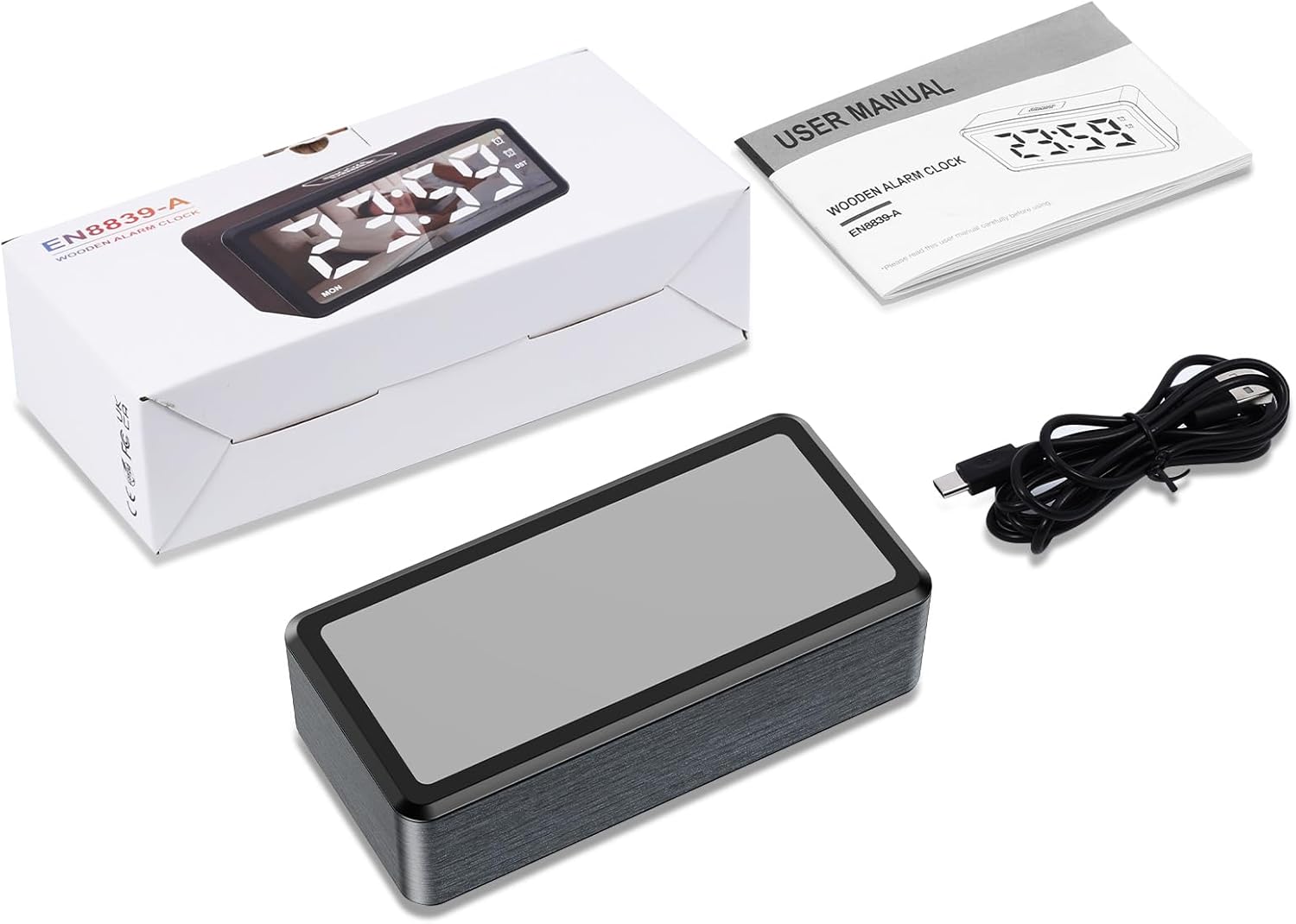
Image: Contents of the product package, including the alarm clock, Type-C cable, and user manual.
ምርት አልቋልview
The ORIA Wooden Digital Alarm Clock features a large LED mirror display and intuitive controls. Key features include dual alarms, adjustable brightness and volume, and Daylight Saving Time (DST) functionality.

Image: Visual representation of the clock highlighting features such as 12/24H display, DST, week display, snooze, dual alarm, adjustable volume, adjustable brightness, and USB output port.
ማዋቀር
በማብራት ላይ
The alarm clock must be plugged in for operation. Connect the provided 1.5m Type-C cable to the clock and a suitable USB power adapter (not included). The LED display will light up once powered.
የባትሪ ምትኬ ተግባር
The clock requires 2 AAA batteries (not included) for its memory function. These batteries retain your time and alarm settings during a power outage but will not power the LED display. The display will remain off when operating solely on battery power.

Image: Illustration showing the Type-C power connection and the AAA battery compartment for memory backup.
የአሠራር መመሪያዎች
የጊዜ አቀማመጥ
- በጊዜ ማሳያ ሁነታ፣ ተጭነው ይያዙት እና ይያዙት አዘጋጅ button for 2 seconds to enter time-setting mode. The HOUR digits will flash.
- የሚለውን ይጫኑ + or - buttons to adjust the hour. Hold the button to advance rapidly.
- አጭር ተጫን አዘጋጅ button to confirm the hour and move to minute setting. The MINUTE digits will flash.
- የሚለውን ይጫኑ + or - ደቂቃውን ለማስተካከል አዝራሮች።
- አጭር ተጫን አዘጋጅ button to confirm the minute and move to week setting. The WEEK digits will flash.
- የሚለውን ይጫኑ + or - የሳምንቱን ቀን ለማስተካከል አዝራሮች።
- የሚለውን ይጫኑ አዘጋጅ button again to save all settings and exit time-setting mode.
12/24 ሰዓት ቅርጸት
In time display mode, short press the አዘጋጅ button to toggle between 12-hour and 24-hour time formats. The AM/PM indicator will light up or turn off accordingly in 12-hour mode.

Image: Comparison of the clock display in 12-hour format (with AM/PM indicator) and 24-hour format.
ማንቂያ እና አሸልብ ቅንብር
ሰዓቱ ሁለት ገለልተኛ ማንቂያዎችን (AL1 እና AL2) ያካትታል።
- To Activate/Deactivate Alarm: In time display mode, short press the AL1 button to switch Alarm 1 ON/OFF. The corresponding alarm icon will light up or turn off. Repeat for AL2 የማንቂያ ቁልፍ 2።
- ማንቂያ ለማዘጋጀት፡- ተጭነው ይያዙት። AL1 button for 2 seconds to enter Alarm 1 setting mode. The HOUR digits will flash.
- ተጠቀም + or - to adjust the hour, then short press AL1 to confirm and move to minute setting.
- ተጠቀም + or - to adjust the minute, then short press AL1 to confirm and move to alarm mode setting.
- የማንቂያ ሁነታዎች ተጠቀም + or - to select an alarm mode:
- 1-7፡ Alarm sounds Monday to Sunday (Default for ALARM 1).
- 1-5፡ Alarm sounds Monday to Friday (Default for ALARM 2).
- 6-7፡ Alarm sounds Saturday and Sunday.
- አጭር ፕሬስ AL1 to confirm the alarm mode and move to snooze time setting.
- የማሸለብ ጊዜ፡- The default snooze time is 5 minutes. Use + or - to set the snooze duration from 5 to 60 minutes.
- ተጫን AL1 again to save all settings and exit alarm setting mode.
- ለ Alarm 2 ሂደቱን ይድገሙት (በማለትም "Allmort 2") AL2 አዝራር።

Image: Display showing the two independent alarms and the three selectable alarm modes (Monday-Friday, Monday-Sunday, Saturday-Sunday).
የብሩህነት ማስተካከያ
The LED screen brightness can be adjusted to 5 levels: 100%, 80%, 50%, 20%, and 5%. To adjust, press the SNOOZE / DIMMER button repeatedly in time display mode to cycle through the brightness levels.

Image: Visual representation of the clock display at different brightness levels, from 100% to 5%.
የድምጽ መጠን ማስተካከያ
The alarm volume can be adjusted to 5 levels: 95 dB, 85 dB, 75 dB (default), 65 dB, and 55 dB. To adjust, press the ጥራዝ button repeatedly to cycle through the volume levels.
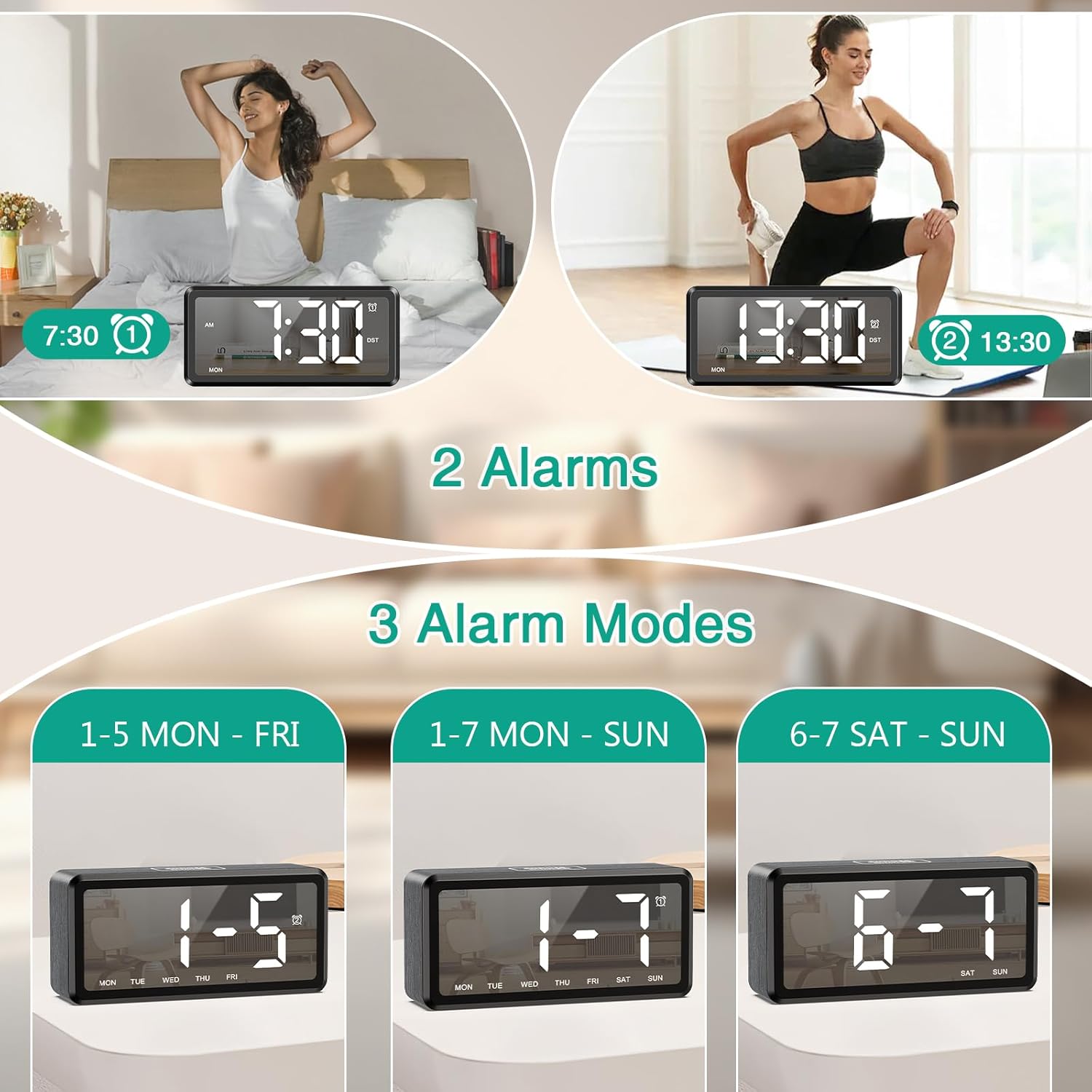
Image: Graphic illustrating the five adjustable alarm volume levels from 55dB to 95dB, along with snooze duration.
የቀን ብርሃን ቁጠባ ሰዓት (DST)
To activate or deactivate Daylight Saving Time, short press the DST button. The DST indicator will light up or turn off, and the time will adjust by one hour accordingly.
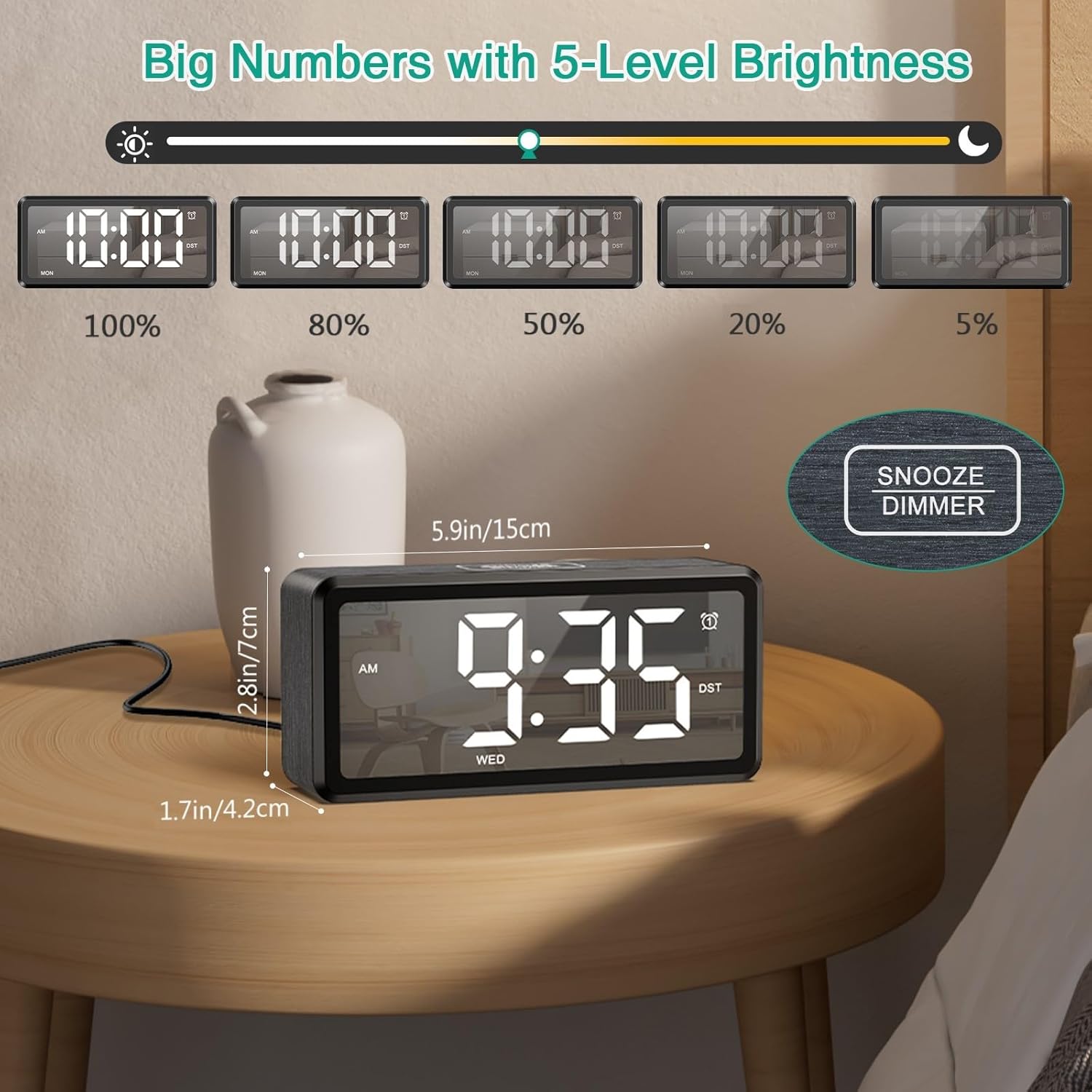
Image: The clock display showing time before and after activating DST with a single button press.
ጥገና
To ensure the longevity and optimal performance of your ORIA Wooden Digital Alarm Clock, follow these simple maintenance guidelines:
- ማጽዳት፡ Wipe the clock's surface with a soft, dry cloth. Avoid using abrasive cleaners, solvents, or chemical sprays, as these can damage the finish and display.
- አቀማመጥ፡- Place the clock on a stable, flat surface away from direct sunlight, excessive heat, moisture, and strong magnetic fields.
- ኃይል፡- Always use the provided Type-C cable and a compatible USB power adapter. Disconnect power during electrical storms or when not in use for extended periods.
- ባትሪዎች፡ If using AAA batteries for backup, replace them annually or when the memory function appears unreliable. Ensure correct polarity when inserting batteries.
መላ መፈለግ
| ችግር | ሊሆን የሚችል ምክንያት | መፍትሄ |
|---|---|---|
| ማሳያው ባዶ ነው። | አልተሰካም; ኃይል ይስጥህtage; batteries only. | Ensure the Type-C cable is securely connected to a power source. If using only AAA batteries, the display will not light up; they are for memory backup only. |
| ማንቂያ አይሰማም። | Alarm is deactivated; volume is too low; incorrect alarm time/mode. | Check if the alarm icon (AL1/AL2) is lit. Adjust the volume level. Verify the alarm time and selected alarm mode (1-7, 1-5, or 6-7). |
| ከስልጣን በኋላ ጊዜው የተሳሳተ ነውtage. | No AAA batteries installed; dead AAA batteries. | Install 2 new AAA batteries for memory backup. If batteries are installed, replace them. |
| አዝራሮች ምላሽ የማይሰጡ ናቸው። | ጊዜያዊ የሶፍትዌር ችግር። | Unplug the clock from power, remove any backup batteries, wait 30 seconds, then reconnect power and batteries. |
ዝርዝሮች
| ባህሪ | ዝርዝር |
|---|---|
| የምርት ስም | ኦሪአ |
| የሞዴል ቁጥር | OUS-HY-WA173 |
| የማሳያ ዓይነት | LED |
| የኃይል ምንጭ | ገመድ ያለው ኤሌክትሪክ (ዩኤስቢ ዓይነት-ሲ) |
| የባትሪ ምትኬ | 2 x AAA batteries (for memory only, not included) |
| የምርት ልኬቶች | 2.73" ዋ x 5.85" ኤች |
| የክፈፍ ቁሳቁስ | እንጨት |
| ልዩ ባህሪያት | Dual Alarms, Snooze, Adjustable Brightness (5 levels), Adjustable Volume (5 levels), DST, 12/24H Format |
| የቤት ውስጥ / የውጭ አጠቃቀም | የቤት ውስጥ |
ዋስትና እና ድጋፍ
ORIA is committed to providing high-quality products and customer satisfaction. Your ORIA Wooden Digital Alarm Clock comes with the following:
- የ1-ዓመት ዋስትና፡- በመደበኛ አጠቃቀም ወቅት የማምረቻ ጉድለቶችን እና ብልሽቶችን ይሸፍናል።
- 90-Day Free Replacements: For any issues within the first 90 days of purchase.
- የ30-ቀን ነፃ ተመላሾች፡ ከተገዛ በኋላ በ30 ቀናት ውስጥ ያለምንም ችግር ተመላሽ ይደረጋል።
- 24/7 የደንበኛ ድጋፍ: Assistance available around the clock for any queries or issues.
- የዕድሜ ልክ የቴክኒክ ድጋፍ; Ongoing technical assistance for the lifespan of your product.
For support, please visit the official ORIA website or contact our customer service team using the contact information provided on your purchase receipt or the ORIA brand store on Amazon.

Image: Graphic summarizing ORIA's customer support offerings, including warranty, replacements, returns, and technical support.